
Create: Pipe Connector
ModCreate: Pipe Connector removes the tedious part of routing Create fluid pipes. Select two pipes and the mod fills the shortest valid route between them, so you can build faster and with less manual placement.
Description
Create: Pipe Connector
Plan and place complete Create fluid pipe routes in seconds.
A building utility addon for Create, available for Forge and NeoForge.
What Does It Do?
Create: Pipe Connector replaces block-by-block pipe building with a simple workflow: select a start, preview the route, adjust it, and confirm. The addon routes Create fluid pipes around obstacles and can include pumps, casing, and glass sections.
Main Features
- Live preview and smart routing: See a valid path around obstacles before placing anything.
- Anchors: Add waypoints to guide turns and complex routes.
- Pumps and styles: Add automatic pumps, glass sections, or copper casing.
- Manual tool: Add anchors, pumps, or casing marks with the same contextual control.
- Survival checks: See required materials and prevent incomplete placement.
- Shulker support: Use materials stored inside vanilla shulker boxes without unpacking them first.
- Construction animation: Place routes progressively with an adjustable delay, or instantly.
- Radial menu: Change route, pump, casing, style, and manual tool options in-game.
- Context-aware interactions: Keep routes active while using inventories, machines, or other held items.
Quick Start
- Hold a
create:fluid_pipeand pressBto enable Pipe Connector mode. - Right-click a reachable block or pipe face to start the route.
- Aim at the destination and review the preview.
- Use
Cfor the selected manual tool orNfor route options when needed. - Press
Vto undo the latest anchor, pump, or casing mark. - Right-click to confirm, or left-click to cancel the current route.
- Press
Bagain to return to normal gameplay.
Main Controls
All keyboard shortcuts can be changed under Options → Controls → Key Binds → Create: Pipe Connector.
| Action | Default control | What it does |
|---|---|---|
| Toggle Pipe Connector mode | B |
Enables or disables all Pipe Connector interactions. |
| Start or confirm route | Right-click | Starts on a targeted block while holding a fluid pipe. During a route, confirm in the air or while holding the selected pipe. |
| Cancel current route | Left-click | Clears the active route without disabling Pipe Connector mode. |
| Open Pipe Connector options | N |
Opens the radial menu for route, pump, casing, style, and manual-tool options. |
| Use selected manual tool | C |
Places the selected anchor, mechanical pump, or copper casing mark. |
| Undo last manual placement | V |
Removes the latest anchor, manual pump, or manual casing mark, regardless of its type. |
| Lock route preview | Left Alt |
Fixes the current preview target so the player can move and look around freely; press again to unlock it. |
| Reverse pump direction | R |
Reverses automatic and manual mechanical pumps in the planned route. |
| Cycle manual tool | Unassigned | Cycles between anchor, mechanical pump, and copper casing. |
| Toggle manual copper casing | Unassigned | Adds or removes a casing mark at the preview position; hold Shift to remove the latest casing mark. |
| Remove last manual copper casing | Unassigned | Removes the most recently placed manual casing mark. |
| Toggle manual mechanical pump | Unassigned | Adds or removes a pump at the preview position; hold Shift to remove the latest manual pump. |
| Remove last manual mechanical pump | Unassigned | Removes the most recently placed manual pump. |
| Cycle automatic pump placement | Unassigned | Cycles through disabled, efficient, and safe automatic pump spacing. |
| Cycle automatic casing mode | Unassigned | Switches between no automatic casing and casing across the complete route. |
| Cycle pipe style | Unassigned | Switches between default pipes and glass straight sections. |
Interactions While Routing
- A fluid pipe is required only to start a route. After that, changing the held item does not clear the preview.
- Chests, shulker boxes, Create machines, AE2 terminals, and other inventory blocks keep their normal right-click interaction.
- Placeable items such as shulker boxes can still be placed while a route is active.
- Right-click in the air to confirm without targeting a block.
- Hold the selected fluid pipe and right-click a normal block to confirm as before.
- Use
Shift+ right-click to force route confirmation over an interactive block. - Opening an inventory or configuration screen pauses route input without discarding the current route.
Pipe Connector Options
- Route: Automatic, horizontal first, vertical first, X first, Z first, or avoid vertical.
- Pumps: Disabled, efficient spacing, or safer shorter spacing. Press
Rto reverse pump direction. - Casing: None or the complete route.
- Style: Default pipes or glass straight sections.
- Manual Tool: Anchor, pump, or casing. In its inner radial control, right-click advances and left-click goes back.
Animation, shulker-material, and manual-anchor settings are available under Mods → Create: Pipe Connector → Config. Shulker access can be disabled. Manual pumps and casing create route anchors by default, but this can also be disabled without removing their manual placement behavior.
Compatible Versions
| Edition | Minecraft | Loader | Java | Create | Mod |
|---|---|---|---|---|---|
| NeoForge | 1.21.1 |
NeoForge 21.1.219 |
21 |
6.0.6–6.0.10 |
1.2.0 |
| Forge | 1.20.1 |
Forge 47.4.20 |
17 |
6.0.6–6.0.10 |
1.2.0 |
Download the file matching your loader. Fabric is not currently supported.
Modpacks and Shaders
- Install the addon on both the client and server.
- Create is the only required dependency.
- The preview supports common renderer mods and shaders, although transparency can vary between shader packs.
- For visual issues, test without shaders and report the renderer, shader, screenshot, and client log.
- Very long Avoid vertical routes are more demanding; anchors or a simpler route mode can improve performance.
This project is still improving. Bug reports and gameplay suggestions are welcome on the project pages.
Compatibility
Mod Loaders
Game Versions
Recommended Gear
AffiliateHardware and extras that pair well with this mod.

As an Amazon Associate I earn from qualifying purchases.
Similar Mods
Spark Profiler - Au Naturel Edit
Spark Profiler - Au Naturel Edit to run on forge 1.20.1 targeting Java 25
Iron's Spell : Magic Circle
A purely client-side visual addon for Iron's Spells 'n Spellbooks that renders stunning, school-specific arcane magic ci...

SSC Xu Addon
a SSC(Shape Shifter Curse) addon add some extra form and few extra item
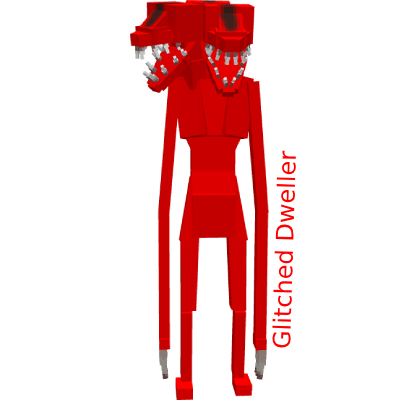
Glitched Dweller
its a scary creature that spawn in caves andit hunting you down to kill you

Blue's Map Addon
Makes JourneyMap and Xaero's Minimap waypoint sharing seamless.

Reach Enchantment
Reach is a new enchantment for mining tools and weapons with three levels that increases your block interaction range!