
QuadHotbar (MultiHotbar)
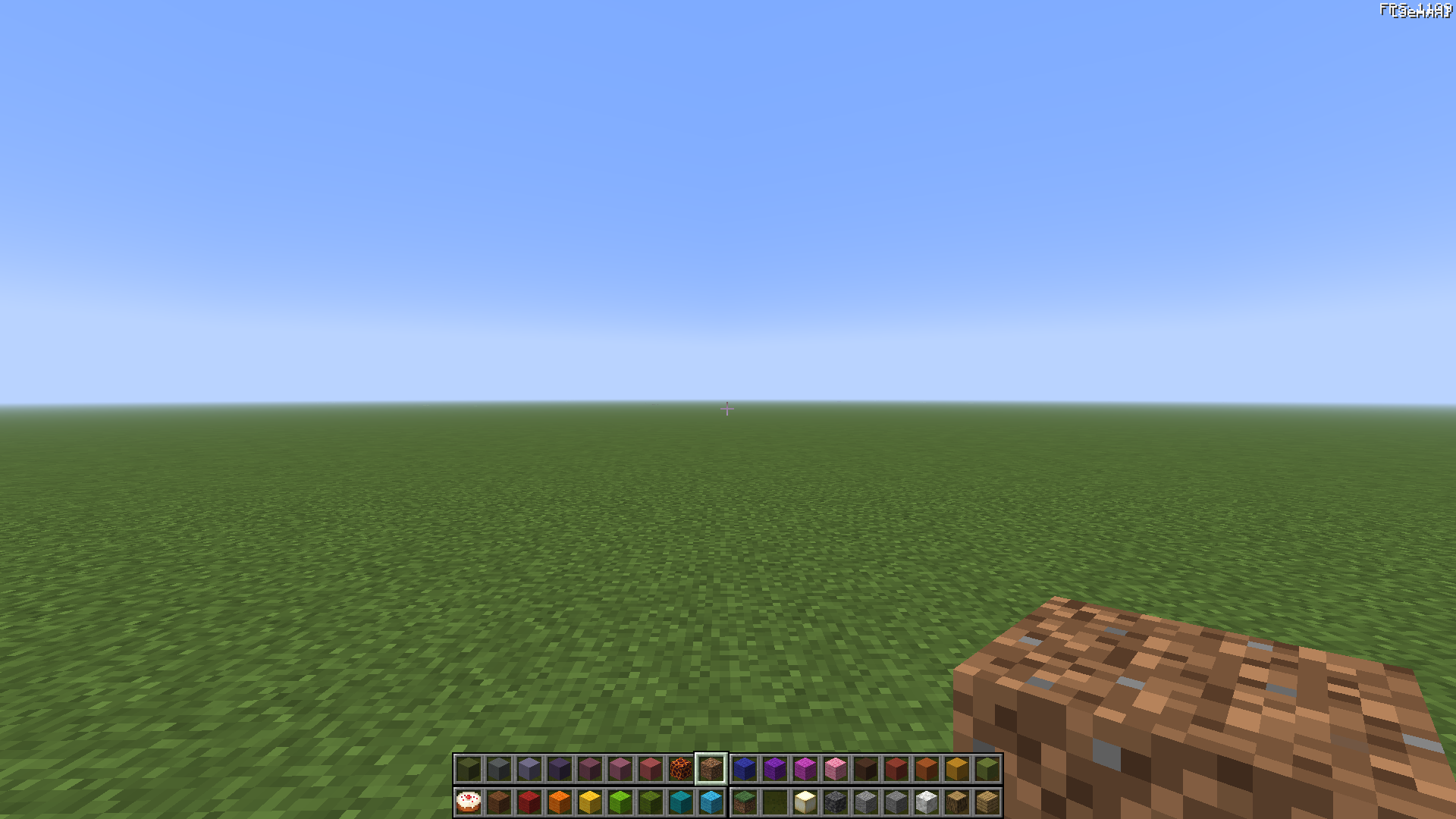
ModQuadHotbar adds up to four switchable hotbars for NeoForge 1.21.1 and Forge 1.20.1. It is a convenient MultiHotbar port designed for comfortable building and managing large item sets.
Description
QuadHotbar
More room for building. The familiar hotbar, expanded.
QuadHotbar adds up to four switchable hotbars for NeoForge 1.21.1 and Forge 1.20.1. It is a modern Multi-Hotbar-inspired mod for building, exploring, and working with more items without constantly opening the inventory.
Created with support from KharkivTiles 1:1.
Status
QuadHotbar 1.0.0 is a stable release. The core mechanics have been refined: hotbar switching and rendering, server synchronization, mouse-wheel compatibility, selected slot persistence, and configurable key bindings are all working reliably.
Most known issues and synchronization problems discovered during pre-release testing have been resolved. If new issues are found during regular use, they will be investigated and fixed in future updates. If you encounter any problems, feel free to report them on the mod's CurseForge page.
Features
- Up to four visible hotbars and 36 selectable slots.
- Smooth mouse-wheel switching with optional wrap-around.
- Standard number keys keep their vanilla role for slots 1–9; optional custom bindings can select slots 10–36 directly.
- A dedicated configurable key binding opens the QuadHotbar settings screen.
- Compatible mouse-wheel behavior: items and mechanics from other mods can claim the wheel when they need it.
- Multiplayer synchronization keeps the selected slot, held item, and server state aligned after reconnecting.
Configuration
Open Options → Controls → QuadHotbar to assign keys for slots 10–36 or for opening the configuration screen. All QuadHotbar bindings are unassigned by default, so you can choose a layout that fits your play style.
The configuration screen is available from the Mods menu or through its assigned key binding. It provides two options:
- Hotbar rows — choose from one to four visible hotbars.
- Wrap scrolling — choose whether scrolling past the final slot returns to the first slot.
For multiplayer, QuadHotbar must be installed on both the client and the server. If the server does not have QuadHotbar installed, the extended hotbars will not work there.
Links

Compatibility
Mod Loaders
Game Versions
Recommended Gear
AffiliateHardware and extras that pair well with this mod.

As an Amazon Associate I earn from qualifying purchases.
Screenshots
Similar Mods
Create Numismatics Wallet
A wallet for the create numismatics mod

Target Dummy
Craft a target dummy and test your attack damage!

AmpXtreme
Taking Amplified world generation to the next level.

Wool To String
This is a very simple mod, it allows you to turn wool into string!

Scrollable Tooltips for Hypixel Skyblock
Scroll oversized Minecraft item tooltips with the mouse wheel, ideal for long Hypixel SkyBlock item lore.

Raid Bar
The Locator Bar shows where Pillagers are during raids and at outposts!