

Corpse: Refined
ModYour death leaves behind a corpse wearing your own skin, holding everything you had on you — recover it and your armor equips itself automatically. Left too long, it slowly decays down to bone.
Type
Mod
Modrinth Downloads
3,023
Modrinth ID
tCn6q8ix
Last Updated
Aug 26, 2026
Description
Corpse: Refined
A quieter place to keep what you leave behind.
When you die, a corpse appears wearing your own skin and holding everything you had on you. Recover it, and your gear finds its way back to you — no digging through menus required.
Features
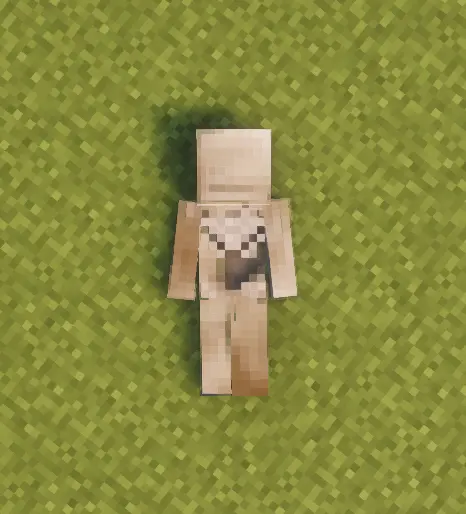
The corpse appears at your death location with your real player skin applied. It holds everything you had — general items, armor, and your offhand item — with no capacity limit.
Right-click the corpse to open it.
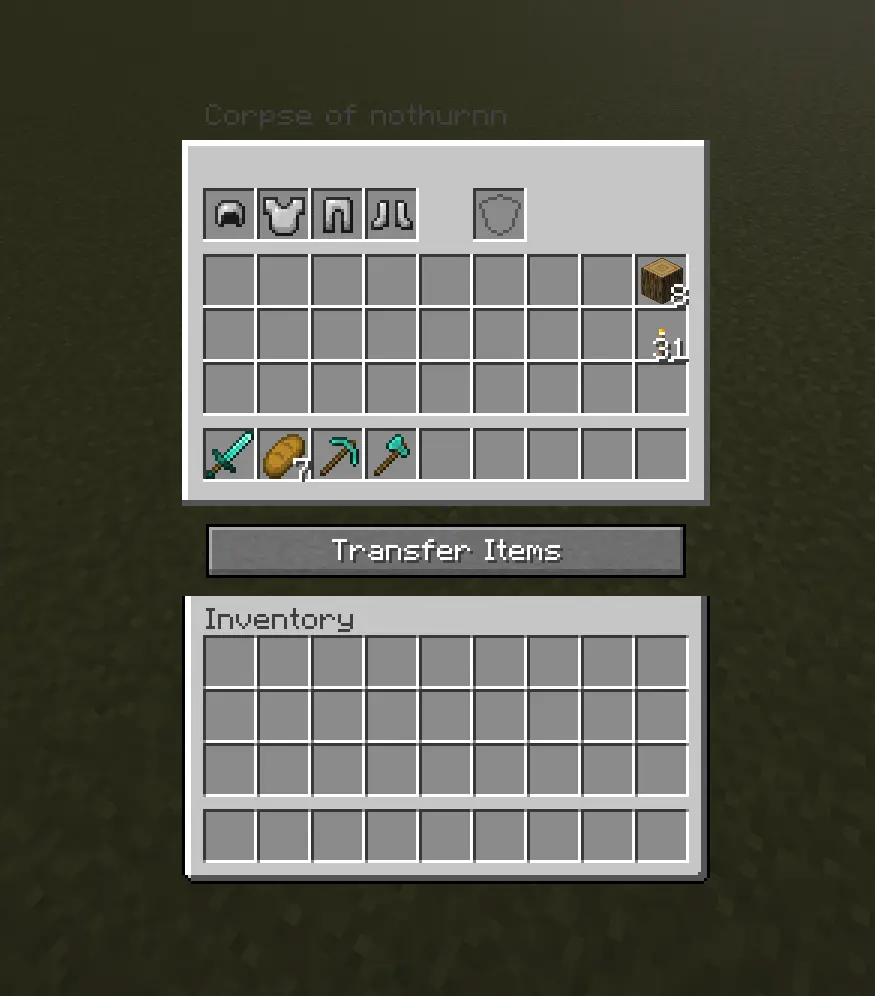
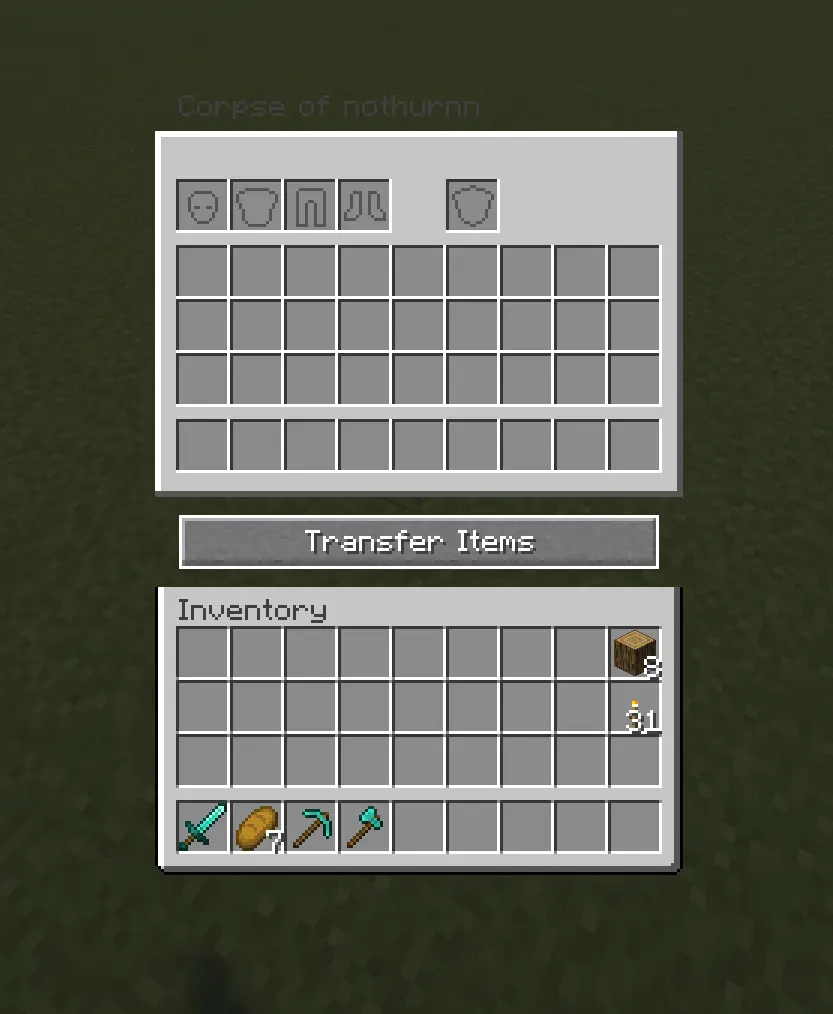
When you recover your items, armor and your offhand piece re-equip themselves automatically — but only into slots that are currently empty, so nothing you're already wearing gets overwritten.
Corpses don't just disappear once emptied. A shroud slowly forms over the body, holds, then gradually wears away to reveal a skeleton underneath — your death site stays marked instead of vanishing.
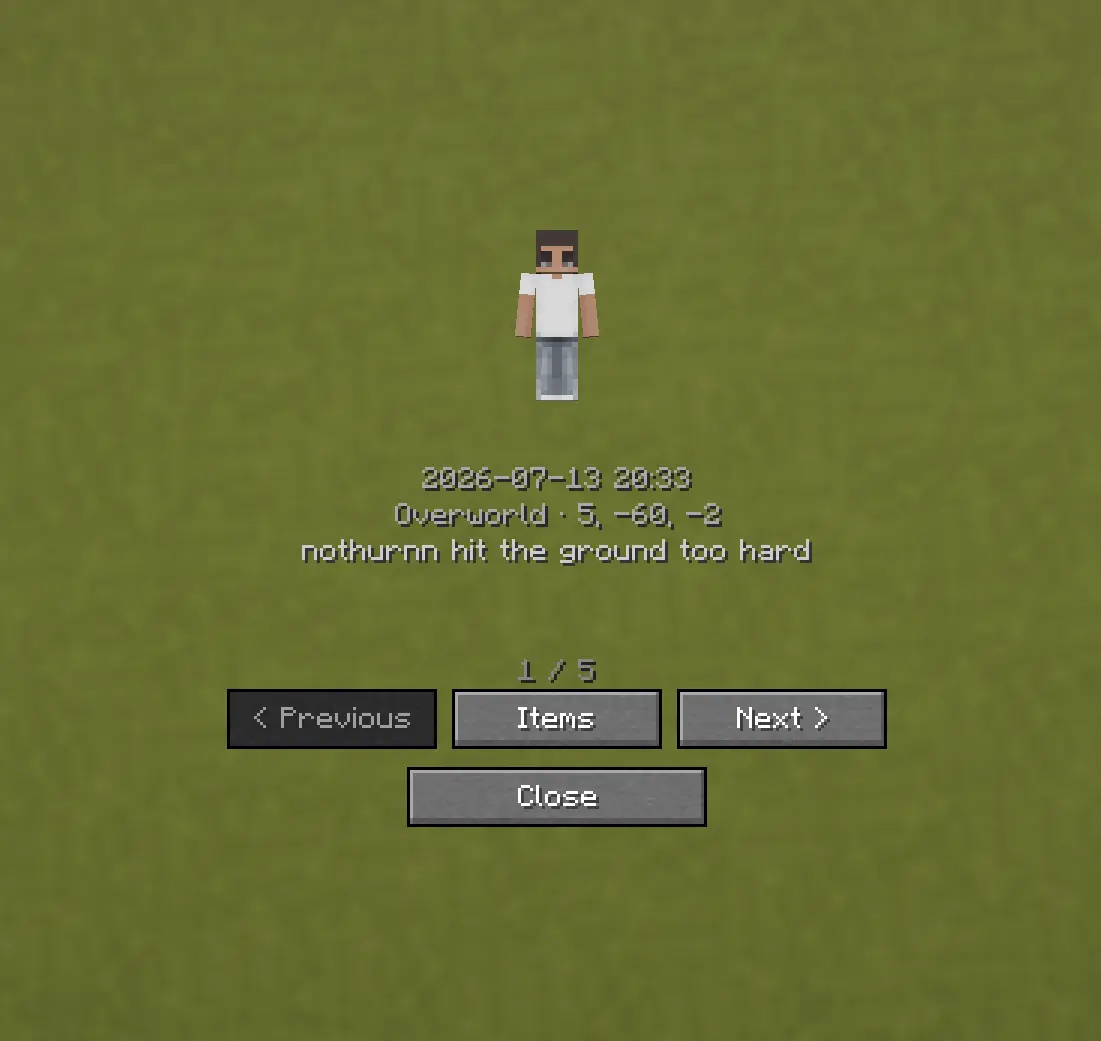
Death History
Press C to view your past deaths — where, when, and what killed you.
Optional Features (Config Options)
- How long the shroud takes to form (decay_ticks)
- How long the shroud takes to wear away and reveal the skeleton (shroud_erosion_ticks)
- Whether a forced hard despawn ever kicks in for very old corpses, and after how long (force_despawn_enabled, force_despawn_ticks) — disabled by default
- [check PlayerCorpseConfig.java for anything else — e.g. owner-only access, lava/fire damage toggle — and add here if present]
Compatibility
Mod Loaders
Game Versions
Recommended Gear
AffiliateHardware and extras that pair well with this mod.

As an Amazon Associate I earn from qualifying purchases.
Similar Mods
TaCZ_Attributes
Adds more than 250 attributes about TaCZ!

Modular Drones
Build a custom drone to follow you around and help you out.
Parry!
Add a key to parry mobs' damage.

Magical Psi: Revival
Magical Psi: Revival replaces every asset and description of Psi with a magic themed counterpart.

The Hallow
A collaborative mod with a new dimension...
Bonsai Crops
A Minecraft mod adding a block that grows crops inside a single block space.
