
JEI++(JEI Plus)
Modby lingmu
This mod adds an EMI-like recipe tree, collapsible item groups, mouse-wheel page navigation, and other quality-of-life improvements to JEI.
Type
Mod
CurseForge Downloads
68,635
CurseForge ID
1645653
Last Updated
Oct 10, 2026
Description
JEI++ is a client-only JEI addon. It does not add blocks, items, recipes, or other gameplay content.
Features
- Multi-ingredient recipe directories: recipe slots with multiple candidates open a paged directory; entries can be used to inspect recipes, usages, and tag information.
- Recipe Tree and Crafting Assistant:
- Every real JEI recipe has recipe-tree and default-recipe buttons. Tag-information pages are excluded and the buttons render only their icons.
- Default recipes are stored per output, including partial selections for multi-output recipes, in config/jei_plus_plus/recipe_defaults.json.
- Candidate and bookmark tooltips use JEI-style tag names, candidate icons, and Mod information. The built-in defaults do not select logs/stripped logs → wood or nuggets → ingots; either can still be selected manually.
- Nodes can be expanded, collapsed, assigned a recipe, or locked to a concrete input. Equivalent input slots are merged; the + button opens an in-tree candidate picker and right-click restores the unlocked state.
- With no locked input, every candidate participates in inventory totals, highlighting, and JEI transfer. Candidate display prefers items already in the inventory and recursively searches craftable material chains (for example logs → planks), without replacing a selected recipe by inventory score.
- Crafting mode supports panning, zooming, batch counts, cycle protection, and leftover reporting. The final product, total costs, and leftovers share one vertical center line, while missing base materials and intermediate products are highlighted separately.
- Targets, intermediates, and base costs are shown in JEI bookmarks even when already owned. Counts are refreshed from the live inventory. Left-click transfers the current step; Ctrl+left-click recursively transfers only missing steps, taking intermediate outputs from compatible instant stations and placing only inputs into timed machines.
- The global tree button sits beside JEI bookmarks/history and appears only in JEI screens and the tree screen. Left-clicking it again or pressing E/Escape returns; right-clicking clears the active tree. A welcome page is shown when no tree is active.
- Recipe navigation scrolling: the top arrow/page-number band performs previous/next full-page actions; the recipe-title row and category-icon row switch recipe pages and categories respectively.
- Bookmark recipe behavior: bookmarked recipes keep all matching recipes while putting the bookmarked one first, and usages remain complete. With JEI bookmark-recipe priority enabled, output slots bookmark their recipe while input slots bookmark only the item; multi-output recipes use the output under the cursor.
- Creative item tab bar: all-items and creative categories appear above JEI's item list, with click and wheel navigation. JEI reserves the tab space, and page/count overlays render above item textures.
- Expandable item groups: built-in wool, planks, logs, tools, ores, and similar groups can be expanded or collapsed. NBT/component variants of one registered item can be grouped, including potion and enchanted-book variants. Item-list, tag, and regular-expression groups are configurable through JSON; every default group has its own switch and namespace mixing is configurable.
Configuration
The client configuration file is config/jei_plus_plus-client.toml:
Option Default Description stackGroupingEnabled true Master item-grouping switch recipeTreeEnabled true Recipe Tree and Crafting Assistant switch automaticCraftingEnabled true Allow Ctrl-left-click in recipe-tree bookmarks to auto-craft missing steps nbtGroupingEnabled true Group NBT/component variants tagGroupingEnabled true Enable tag groups jsonGroupingEnabled true Enable custom JSON groups mixNamespaceGroups true Mix default groups across Mod namespaces defaultGroups.<group> true Enable or disable one default group preferRecipeBookmarkOnOutput true Prefer the recipe when bookmarking an output hideRecipeBookmarkButton true Control whether JEI's native add-to-bookmark button is hiddenDefault-recipe choices are saved in config/jei_plus_plus/recipe_defaults.json. JSON group files are loaded from config/jei_plus_plus/stack_groups/*.json whenever JEI refreshes its item list.
Supported JSON types are jei_plus_plus:group (item IDs or tags), jei_plus_plus:tag (tag members), and jei_plus_plus:regex (full namespace:path item-ID matching). name accepts a translation key or literal text, and higher priority values win when groups overlap.
Built-in group IDs include wool, carpet, concrete, concrete_powder, terracotta, glazed_terracotta, stained_glass, stained_glass_pane, candle, bed, banner, shulker_box, planks, stripped_logs, logs, stripped_wood, wood, slab, stairs, wall, fence_gate, fence, door, trapdoor, button, pressure_plate, glass, pane, ore, raw_material, ingot, nugget, sword, pickaxe, axe, shovel, hoe, boat, sapling, seed, flower, leaves, rail, hanging_sign, and sign; each ID has an independent TOML switch.
Recommended Gear
AffiliateHardware and extras that pair well with this mod.

As an Amazon Associate I earn from qualifying purchases.
Screenshots
Similar Mods

Ad Inferos
The Nether has been upgraded! New Dimension, Dungeons, Bosses, & More!

Cobblemon Ultra Wormholes
Server Raid-like Ultra Wormhole events that spawn boss Ultra Beasts for players to battle and catch.
Glow
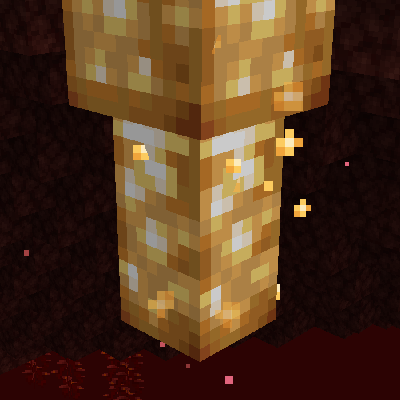
Replace the glowstone blobs on the Nether's ceiling with clusters of volatile glowstone crystals!
![[Deprecated] Arthropocolypse](https://media.forgecdn.net/avatars/996/286/638512955692857722.png)
[Deprecated] Arthropocolypse
Adds many Arthropods

BotaniaTubes
You can finally refill your petal apothecary without trouble
Snowmancy
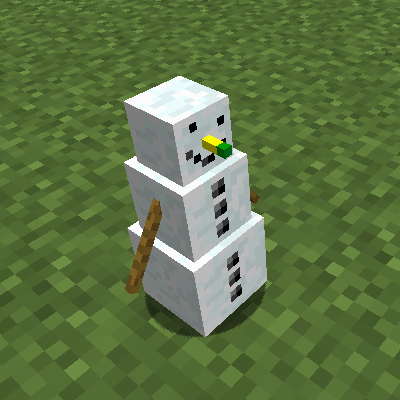
Little snowman companions fighting on your side!