

Rare Pickup Sounds
ModThis mod adds a rare chance for sounds to play when picking up items. Is configurable.
Description
Features Random custom sounds on pickup - Pulls from rare1.ogg to rare50.ogg Per-item odds - Make nether stars proc 100% while dirt is 1/1000 Whitelist or blacklist mode - Full control, supports item tags like #minecraft:ores Volume + pitch randomization - Each proc sounds unique Hotbar-only mode - Ignore armor/offhand/crafting slots to prevent spam 0.5s cooldown - Picking up a stack of 64 won't deafen you Instant config reload - Change settings in-game, no restart Resource pack friendly - Ships with 6 sounds, override/replace all 50 Mod compatible - Tested with Sinytra Connector with 100+ other mods so it should work with just about anything on Neoforge. Client-side only. Works on vanilla/modded servers without needing it installed server-side.
Installation Install NeoForge for 1.21.1 Drop the jar in your mods folder Launch once to generate configs Optional: Add custom sounds to a resource pack at assets/rarepickupsounds/sounds/rare7.ogg etc. Configuration Access in-game: Mods > Rare Pickup Sounds > Config
Default whitelist: diamond, netherite_ingot, nether_star, dragon_egg
Adding Custom Sounds Create a resource pack Add .ogg files to assets/rarepickupsounds/sounds/rare1.ogg, rare2.ogg, ... up to rare50.ogg The mod auto-detects any file in that range. Missing numbers are skipped safely. No sounds.json editing needed for overrides — just drop files in.
Compatibility Notes Sinytra Connector: Fully compatible. Uses FMLClientSetupEvent to avoid early classloading. Distant Horizons: Tested. No static init conflicts. ItemSwapper / IPN: Uses EventPriority.LOWEST to catch inventory changes after other mods. FAQ Q: Does the server need this mod? A: No. Purely client-side. Works on any server.
Q: Can I make only netherite tools play sounds? A: Yes. The easiest way is to add each item manually: minecraft:netherite_sword, minecraft:netherite_pickaxe, etc.
If your modpack adds tags, you can use #c:tools/netherite instead. To check if a tag exists, install JEI or EMI — press U on the item and check the tags list at the bottom. Vanilla F3+H does not show tags. If the tag doesn't exist, check your logs for Tag not found.
Q: Sounds overlap when I pick up a stack A: Increase cooldown in code or set globalRareChance higher. Current cooldown is 0.5s.
Q: No sounds play even at 100% chance A: Multiple things can cause silent pickups. Check these in order:
-
Whitelist/blacklist mismatch If Use Blacklist Mode = false, only items in Item List trigger sounds. If your list is empty or doesn't contain the item you picked up, nothing plays. Fix: Add minecraft:diamond to Item List or set Use Blacklist Mode = true to allow all items.
-
Item Odds overriding Global Chance If an item is listed in Item Odds like minecraft:diamond:1000, it uses 1/1000 odds even if Global Rare Chance = 1. Fix: Remove the item from Item Odds or set its chance to 1 for 100%. Check logs for Item diamond has specific chance: 1000.
-
Hotbar-Only Mode enabled If Hotbar Only Mode = true, items picked up into armor slots, offhand, or crafting grid are ignored. Fix: Set Hotbar Only Mode = false or only test by picking up into slots 0-35.
-
Sound files missing If no .ogg files exist in assets/rarepickupsounds/sounds/, the mod can't play anything. Fix: Check logs for No .ogg files found! Using fallback sound.. Add rare1.ogg to a resource pack at that path, or verify the mod jar has bundled sounds.
-
Tag not found or empty If you used #c:tools/netherite but the tag doesn't exist in your pack, Item List is effectively empty. Fix: Check logs for Tag c:tools/netherite not found. Use manual item IDs instead, or install JEI to verify tags exist.
-
Cooldown blocking spam There's a 0.5s cooldown. If you pick up 64 diamonds at once, you'll only hear 1-2 sounds, not 64. Fix: This is intended. Drop items 1 by 1 to test.
-
Config didn't reload Rare bug: If you edited the .toml directly while the game was running, changes might not apply. Fix: Use the in-game config screen, or restart Minecraft after editing files.
-
Dimension filter If you set Only In Dimensions to ["minecraft:the_nether"], sounds won't play in the Overworld. Fix: Leave Only In Dimensions empty to allow all dimensions.
Debug tip: Set Global Rare Chance = 1, Item List = ["minecraft:dirt"], pick up dirt. If you still hear nothing, check latest.log for [RarePickupSounds] errors.
Credits Code by reg_the_galah Bundled sounds: from the 1997 AstroRocks 2000 voiced by Nate Trost
License MIT - Feel free to use in modpacks, fork, or learn from the code.
Compatibility
Mod Loaders
Game Versions
Recommended Gear
AffiliateHardware and extras that pair well with this mod.

As an Amazon Associate I earn from qualifying purchases.
Similar Mods

Hotwire
Allows hotswapping mods live. Adding/updating mods, turning existing ones off/on. Browsing modrinth ingame.

SL Components
SL Components adds custom items for crafting. It has no native crafts, as the recipes must be custom-made for your modpa...

VisibleJS
A mod for making the recipe scripts easier for kubejs!

BKX's Bananas
Adds delicious Bananas to Jungle Temples and Jungle Leaf drops.
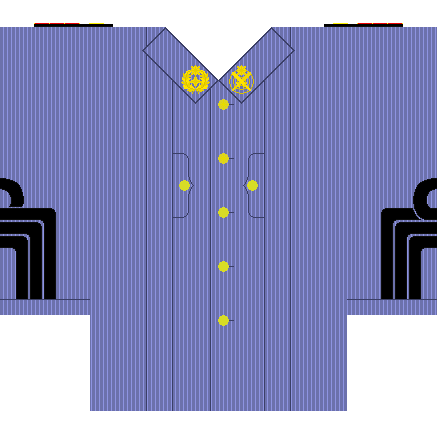
Philippine Revolutionary Army Uniform
Philippine Revolutionary Army inspired uniforms added to minecraft!

Cliff Under A Branch Dark Forest Fix (CliffFix)
A fork of CliffBranch fixing a bug where the dark forest would generate without dark oak trees or crashed the game compl...
