DMZEnchants+
Modby infallible_allen2847271
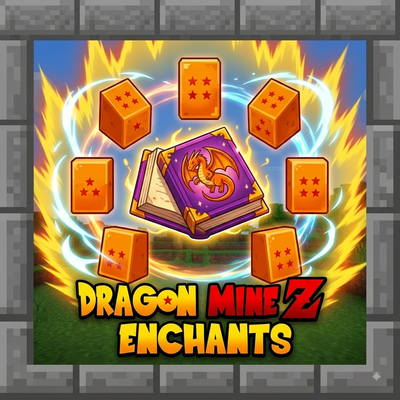
Dragon Mine Z Enchants introduces powerful new enchantments inspired by Dragon Ball Z to enhance your combat and survival in Minecraft.
Type
Mod
CurseForge Downloads
24,116
CurseForge ID
1649115
Last Updated
Sep 30, 2026
Description
Dragon Mine Z Enchants
Bring the power of the Saiyans and Z Fighters to your Minecraft world with Dragon Mine Z Enchants! This mod adds a unique set of seven powerful enchantments to enhance your character's capabilities, defense, and power, inspired by iconic abilities from Dragon Ball Z. Whether you're a warrior looking for more melee power or a Ki user wanting better protection, this mod has you covered.
All enchantments are fully configurable to suit your modpack's balance!
Features
This mod adds the following custom enchantments, which can be applied to various pieces of gear:
-
dmzenchants:ki_protection – Reduces damage taken from Ki-based attacks (designed to work with compatible DBZ-themed mods).
-
dmzenchants:melee_protection – Provides focused protection against all incoming melee damage.
-
dmzenchants:ki_power – Increases the damage and effectiveness of your Ki attacks.
-
dmzenchants:tp_boost – Enhances teleportation abilities (from compatible sources), increasing range and reducing cooldowns.
-
dmzenchants:vitality – Passively increases your maximum health while the enchanted gear is worn.
-
dmzenchants:stamina – Passively increases your max stamina or reduces physical exhaustion.
-
dmzenchants:melee_power – Signficantly boosts the damage dealt by all your melee attacks.
Configuration
The mod generates a server configuration file. This allows you to adjust enchantment rarities, max levels, and power multipliers to your liking.
How to find and edit the configuration:
-
Navigate to your Minecraft game directory.
-
Open the saves folder.
-
Enter your specific world folder (e.g., New World).
-
Inside your world folder, find and open the serverconfig folder.
-
Edit the file named dmzenchants-server.toml with any text editor.
Changes to this file require a server restart to take effect. If you are playing in single-player, this file is located within your world save and only affects that specific world.
Discord:Recommended Gear
AffiliateHardware and extras that pair well with this mod.

As an Amazon Associate I earn from qualifying purchases.
Similar Mods
Tensura: Ascension
Ascension is a content-rich addon for Tensura that has an Ultimate awakening system onto the base mod, layers in ten cus...

Simple Magnet
A simple item magnet mod
Badges for Radical Cobblemon Trainers (Compatibility Pack)
Cobblemon Pokémon Badges + Radical Cobblemon Trainer
Dragon Survival: IAF Integration
Integration between Dragon Survival and Ice And Fire CE
Gravity Changer (qouteall fork)
Change gravity direction
Over Stars Contracts
A mod adding custom and unique villager contracts for use in my modpack