

Vanilla Paxels
ModPaxels can now be made in vanilla Minecraft with no mods and only a datapack
Type
Mod
Modrinth Downloads
9,644
Modrinth ID
YN1bzoUG
Last Updated
Oct 5, 2026
Description
Info
Since 24w12a introduced the abilty to allow any item have properties of a tool, I decided to make this datapack.
Paxels are Pickaxes, Shovels, and Axes combined! You can break all of the blocks at the same speed as you would with the correct tool. You can make paxels out of any material using the same crafting recipe.
You can do normal axe and shovel right click actions such as stripping logs, and creating paths. (v26.3+ only)
I wish Mojang will add a way to have the right click functionality of shovels / axes work on other items. This is what these paxels are missing. You can currently only use the shovel functionality (The item without the resourcepack is a shovel) to make path blocks. I will add the axe stripping wood functionality once it is implemented into the game.
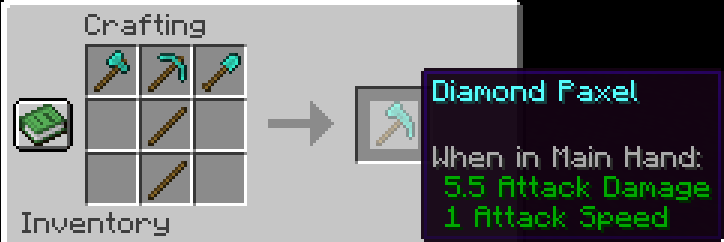
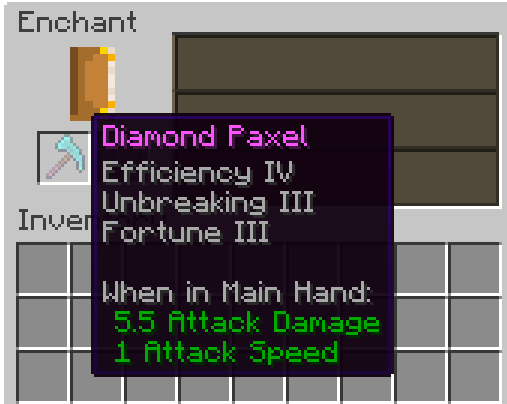
You can enchant Paxels just like any other tool!
Upgrade it to netherite like any other netherite tool! (v2.0+ only)
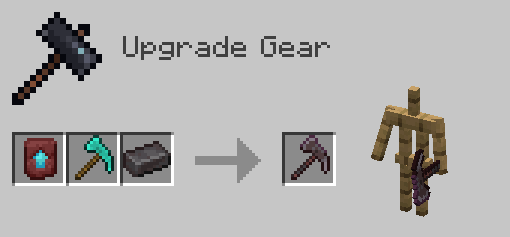
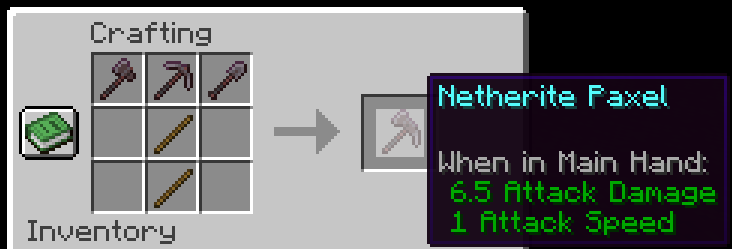
I would recommend upgrading the Diamond Paxel to Netherite the way you normally upgrade a diamond tool. The recipe for the one below is a placeholder until Mojang adds custom components to crafting recipes. One downside to this is it won't have the right name and the right mining speed. (Fun Fact: Netherite has 1 more mining speed than diamond).
This is the Netherite Paxel recipe for now until Mojang adds custom components in Crafting recipes support:
If you have any problems check the FAQ below and if that doesn't help join the discord and ask
FAQ
Q: I get a missing texture when trying to use this how do I fix it?
A: Make sure to download the resourcepack
Q: Where can I download the resourcepack?
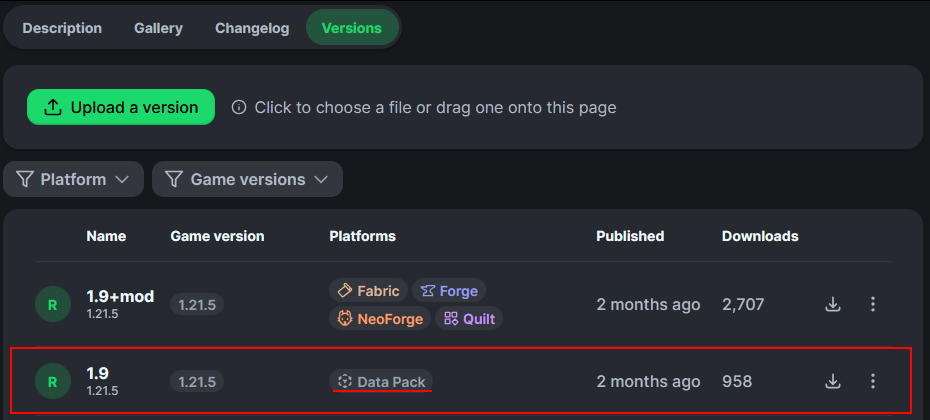
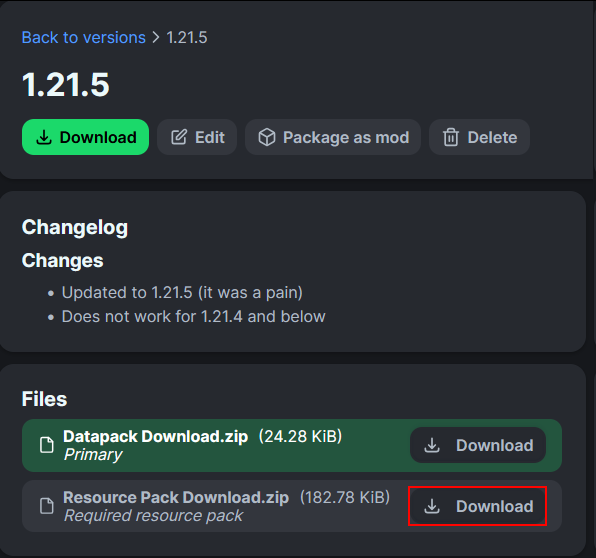
A: Those who click the big download button at the top of the screen are only prompted to download the datapack and not the resourcepack. Modrinth does not show both of them in that menu. You instead have to go to the versions tab.
First you have to go to the versions tab

Then you go to the version you want
Then underneath the datapack download is the resourcepack download
Compatibility
Mod Loaders
Game Versions
Recommended Gear
AffiliateHardware and extras that pair well with this mod.

As an Amazon Associate I earn from qualifying purchases.
Screenshots
Similar Mods

Change Items Durability
Changes the durability of any item. Works server-side only but will desync the durability that appears to the player (Fo...

Wynncraft Dynamic Weather
A client-side Wynncraft mod that implements a dynamic weather engine
Wooden Jetpack
a simple early game jetpack.

Bunch o' Trinkets
Adds a bunch of trinkets to t he game

Amplified Nether Height
Changes The Nether's maximum build height to 384 and logical height to 256. Made to integrate with Amplified Nether.

Torojima's Buildhelper
wands for easy building (and more)