
GeckoMesh
Modby bay4lly
A premium, lightweight PolyMesh rendering library for GeckoLib. Bring Bedrock-style geometry to your entities — with zero runtime cost.
Type
Mod
CurseForge Downloads
41,990
CurseForge ID
1578592
Last Updated
Oct 10, 2026
Description

GeckoMesh
A premium, lightweight PolyMesh rendering library for GeckoLib.
Bring Bedrock-style geometry to your entities — with zero runtime cost.




What is GeckoMesh?
GeckoMesh is a developer-focused compatibility library that unlocks Bedrock-style PolyMesh geometry for GeckoLib-powered mods. It hooks directly into the model baking pipeline and appends baked PolyMesh faces straight to GeckoLib's native GeoBone structure — so your custom low-poly meshes just work, no overhauls needed.

Whether you're building a new entity mod or extending an existing one, GeckoMesh slots in silently and efficiently, supporting Fabric, Forge, and NeoForge from a single library JAR.
Features
Feature Details ⚡ Zero Runtime Overhead All PolyMesh processing happens during model baking. No per-frame cost. 🦎 GeckoLib Native Integration Baked PolyMesh geometry is appended directly to GeckoLib's GeoBone list. 🔀 Cross-Platform A single codebase targeting Fabric, Forge, and NeoForge simultaneously. 📐 Smart UV & Normal Calculation Automatically normalizes UV coordinates and computes flat-shaded face normals. 🧩 Drop-in Library No config files, no registrations. Add the JAR and it works. 📦 Lightweight Minimal JAR size. No bloat, no unnecessary dependencies beyond GeckoLib.How It Works
GeckoMesh uses a custom Mixin that intercepts GeckoLib's bone construction phase. When a PolyMesh block is detected inside a model JSON, the library's deserializer kicks in, flattens the mesh geometry into a set of GeoCube entries, and injects them into the bone before the pipeline continues. The result is fully baked geometry that GeckoLib renders natively — no custom render layer, no shader trickery.
Compatibility
Platform Loader Version Minecraft Versions 🧵 Fabric Fabric Loader >= 0.14 1.20.1 → 1.21.11 ⚒️ Forge Forge 47.x 1.20.1 → 1.21.11 🔷 NeoForge NeoForge 20.4.x 1.20.4 → 1.21.11Required dependency: GeckoLib | Java: 17 or newer
Installation
- Make sure GeckoLib is installed for your loader and Minecraft version.
- Download the GeckoMesh JAR for your platform from the Files tab:
- geckomesh-fabric-1.20.1-1.21.11-1.0.0.jar
- geckomesh-forge-1.20.1-1.21.11-1.0.0.jar
- geckomesh-neoforge-1.20.4-1.21.11-1.0.0.jar
- Place the downloaded JAR into your .minecraft/mods folder.
- Launch the game — GeckoMesh registers automatically. No configuration needed.
For Developers
GeckoMesh is primarily a library mod. If you're building a mod that uses GeckoLib and want to ship PolyMesh-based geometry, simply declare GeckoMesh as a dependency in your mod metadata. All PolyMesh blocks in your model JSONs will be picked up automatically.
The library exposes a clean Mixin plugin API and a JSON utility class (MixinJsonUtil) for advanced usage. Source code and examples are available in the repository linked below.
Credits
- Author: Bay4lly
- License: MIT
- Inspired by: GeckoLib by Bernie-G & the GeckoLib team
💬 Join the Discord | 📦 CurseForge | 🐱 GitHub
Blockbench Meshy Plugin's GeckoMesh fork:
https://raw.githubusercontent.com/Bay4lly/geckomeshy/main/geckomeshy.js
TO INSTALL:


Compatibility
Mod Loaders
Game Versions
Recommended Gear
AffiliateHardware and extras that pair well with this mod.

As an Amazon Associate I earn from qualifying purchases.
Similar Mods

Magical Map
A map to find structures!
Modern Networking
Multiversioned and multiloader network packet API based on 1.20.6+'s method of packets.
Cobblemon Utility+ (IVs, EVs, & More) NO RECIPES
Adds utility items to Cobblemon for a better experience

Female Plastic Surgery: Bust Limit Tweaker
Modify the upper and lower limits of certain bust-related parameters in the Wildfire's Female Gender mod.
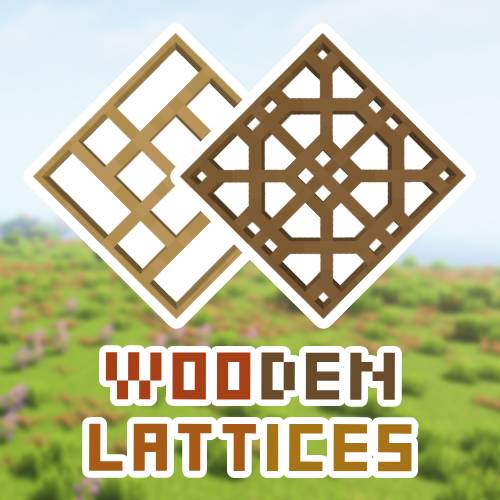
Decorative Wooden Lattices
Lattices to decorate your buildings
Trap Expansion
Trap Expansion adds some polished, vanilla style utilities for trapping and killing!