

Phoenix's Chromatic Codes
ModThis is a mod to add custom color codes for use in signs, lang keys, etc.
Type
Mod
Modrinth Downloads
171
Modrinth ID
KVpDnqvK
Last Updated
Jul 25, 2026
Description
Phoenix Chromatic Colors
Phoenix Chromatic Colors is a mod that adds advanced text coloring and animated text effects using simple color codes.
It allows signs, books, chat messages, item names, fluid names, and anything that supports Minecraft lang text formatting to use:
- Custom hex colors
- Animated gradients
- Wave effects
- Pulse effects
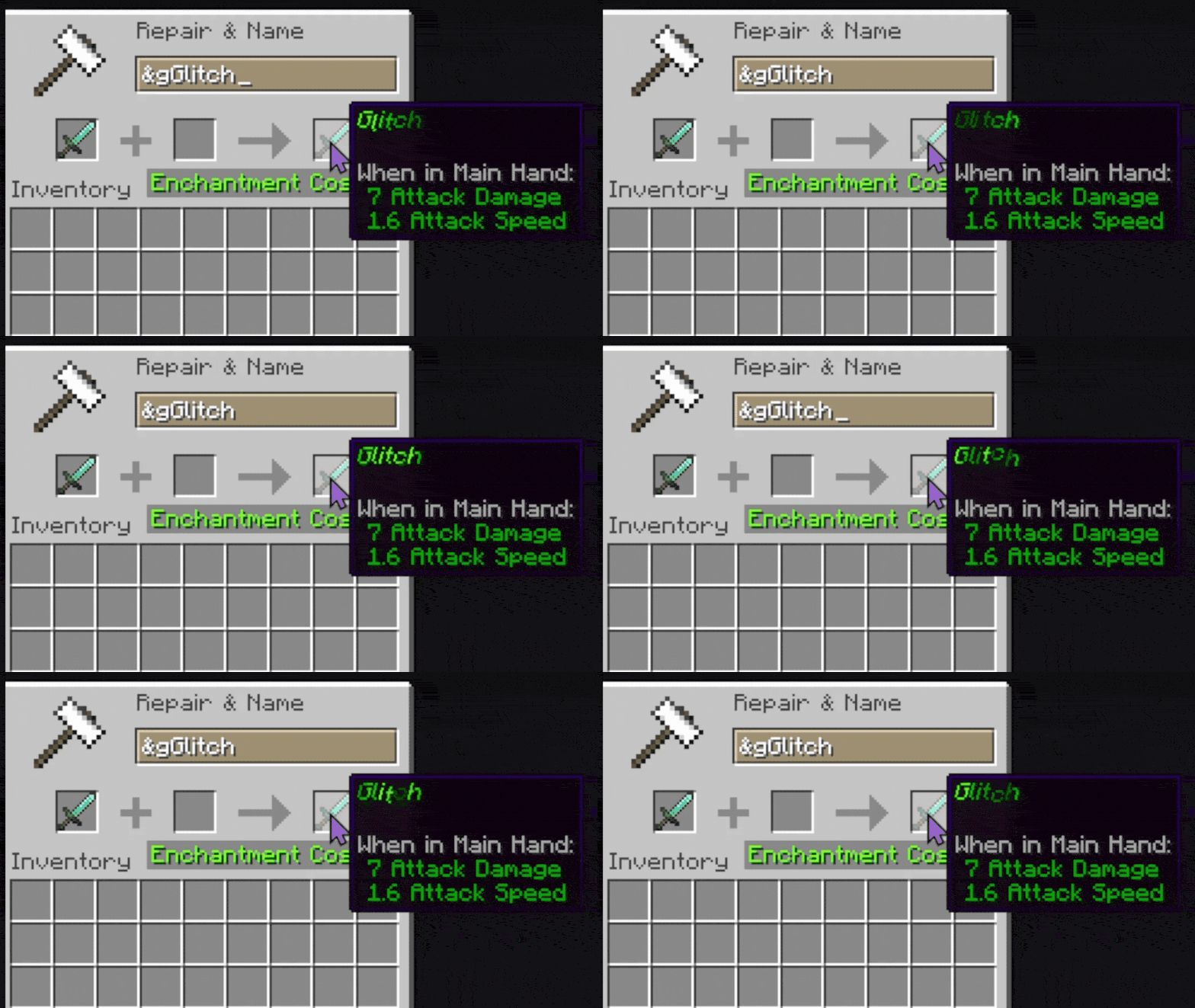
- Glitch effects
- Shake effects
- Rainbow text
And more
The mod uses the & symbol to activate color/effect codes in-game and the § symbol to use them in lang.
Basic Usage
Using a Color Code
To use a custom color:
&zHello WorldIf z is mapped to electric violet, the text becomes violet.
Default Included Codes
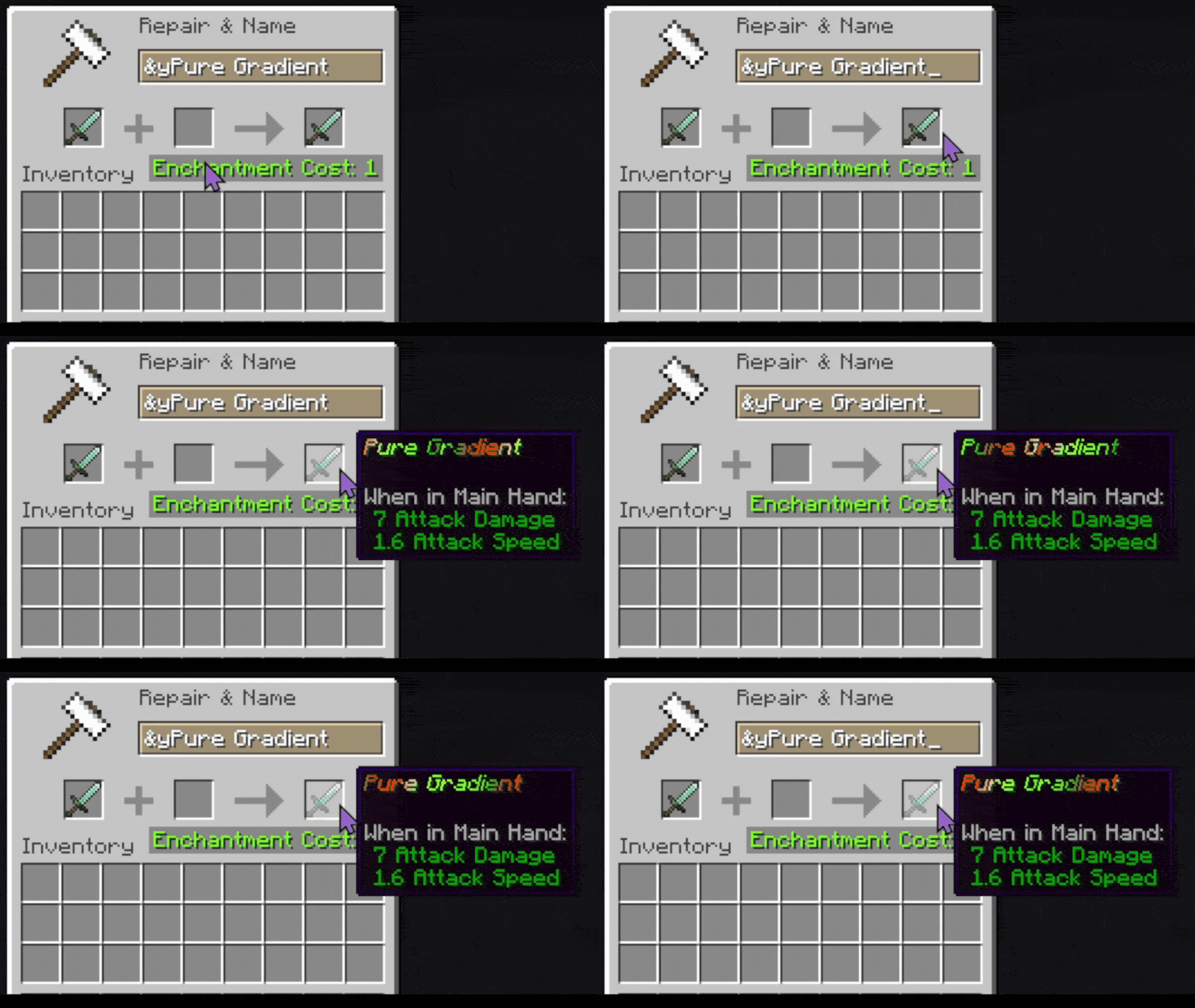
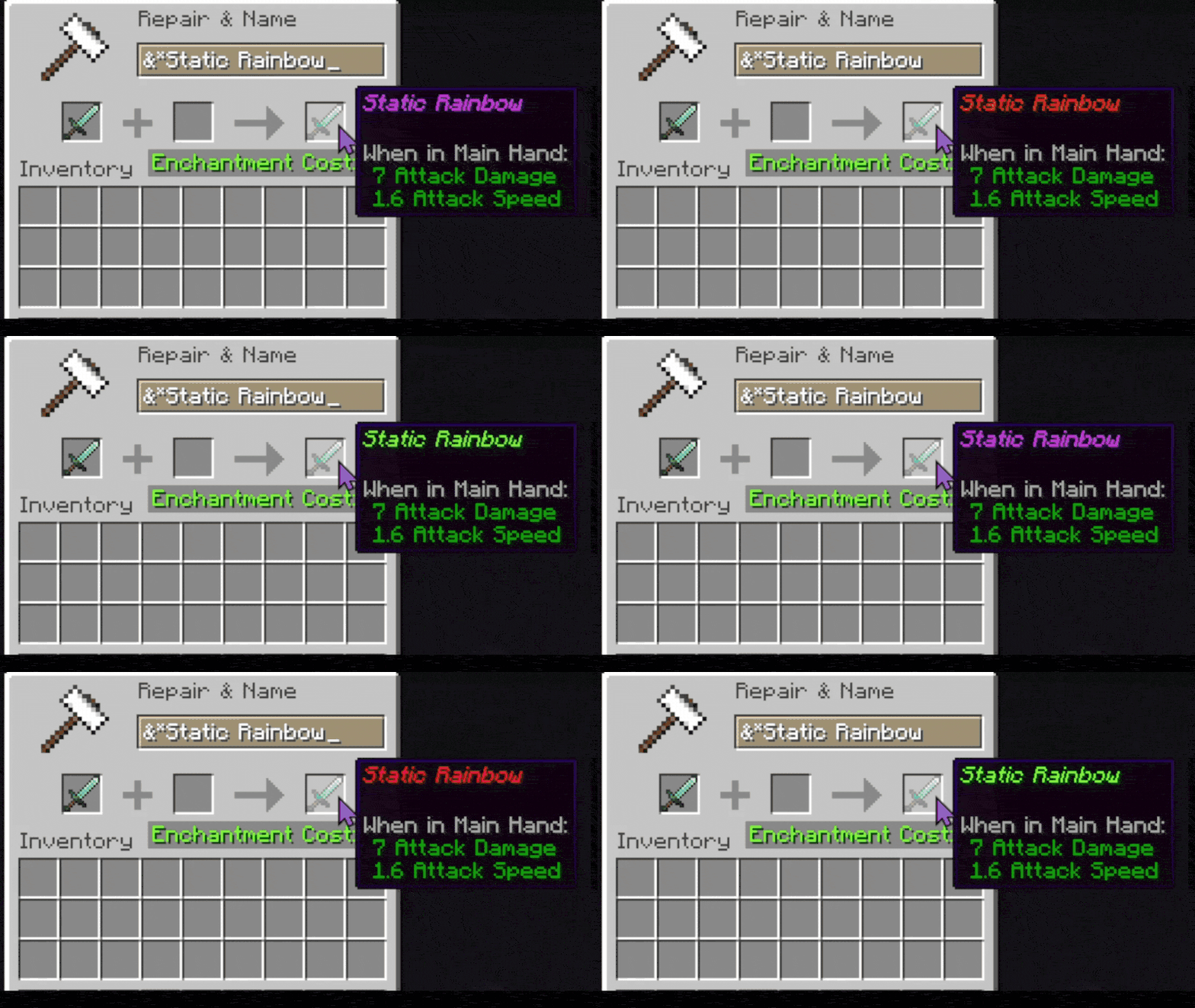
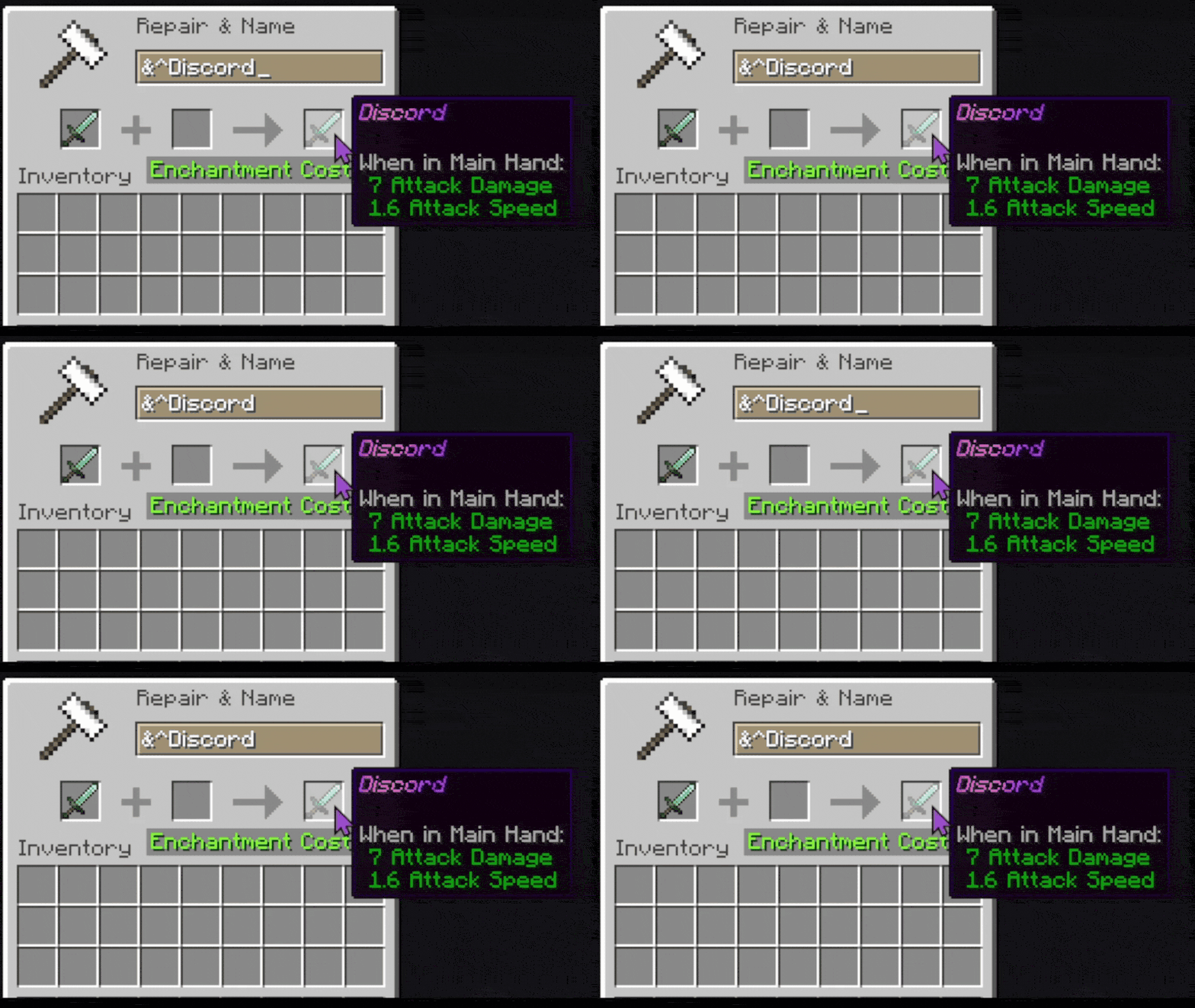
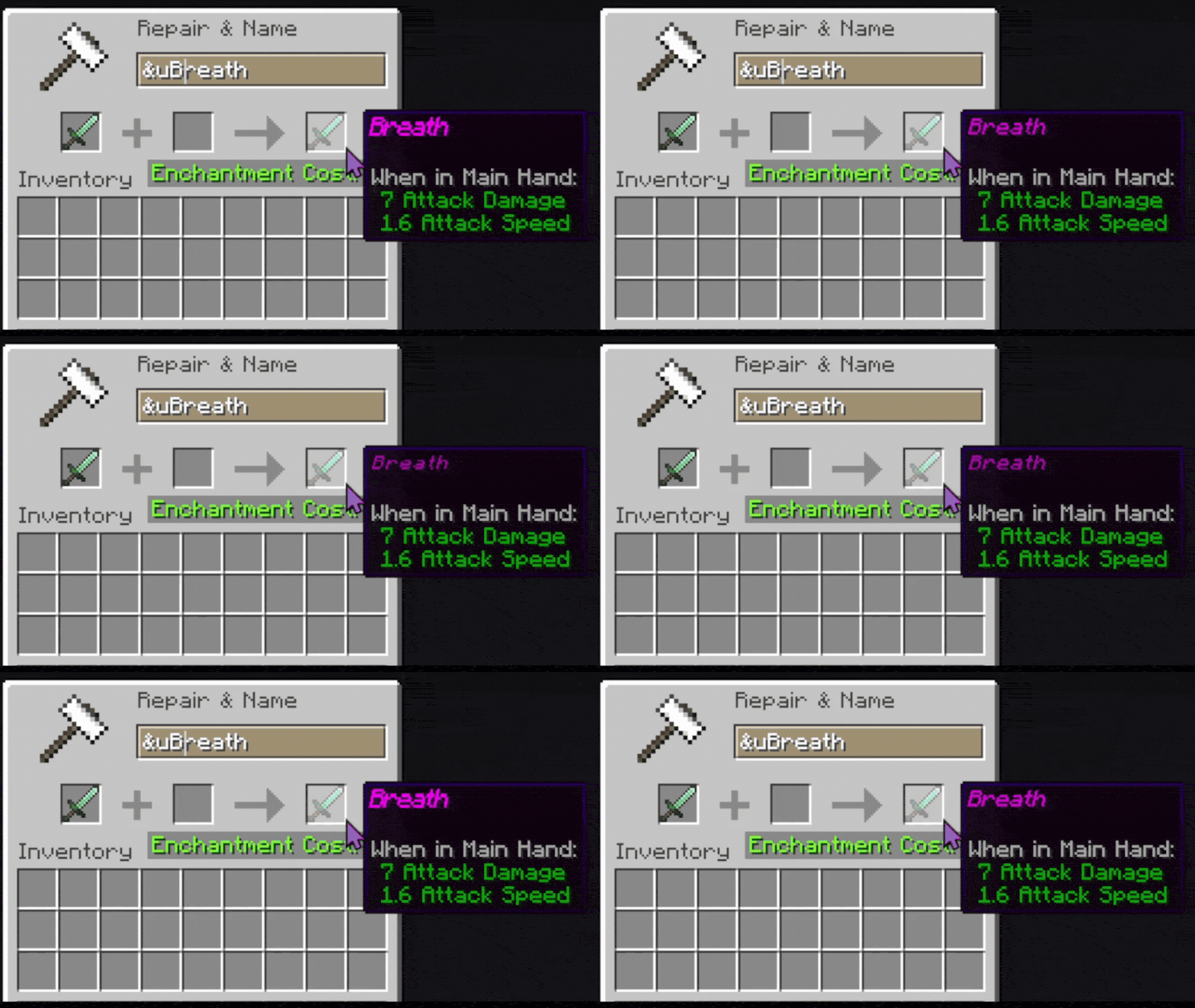
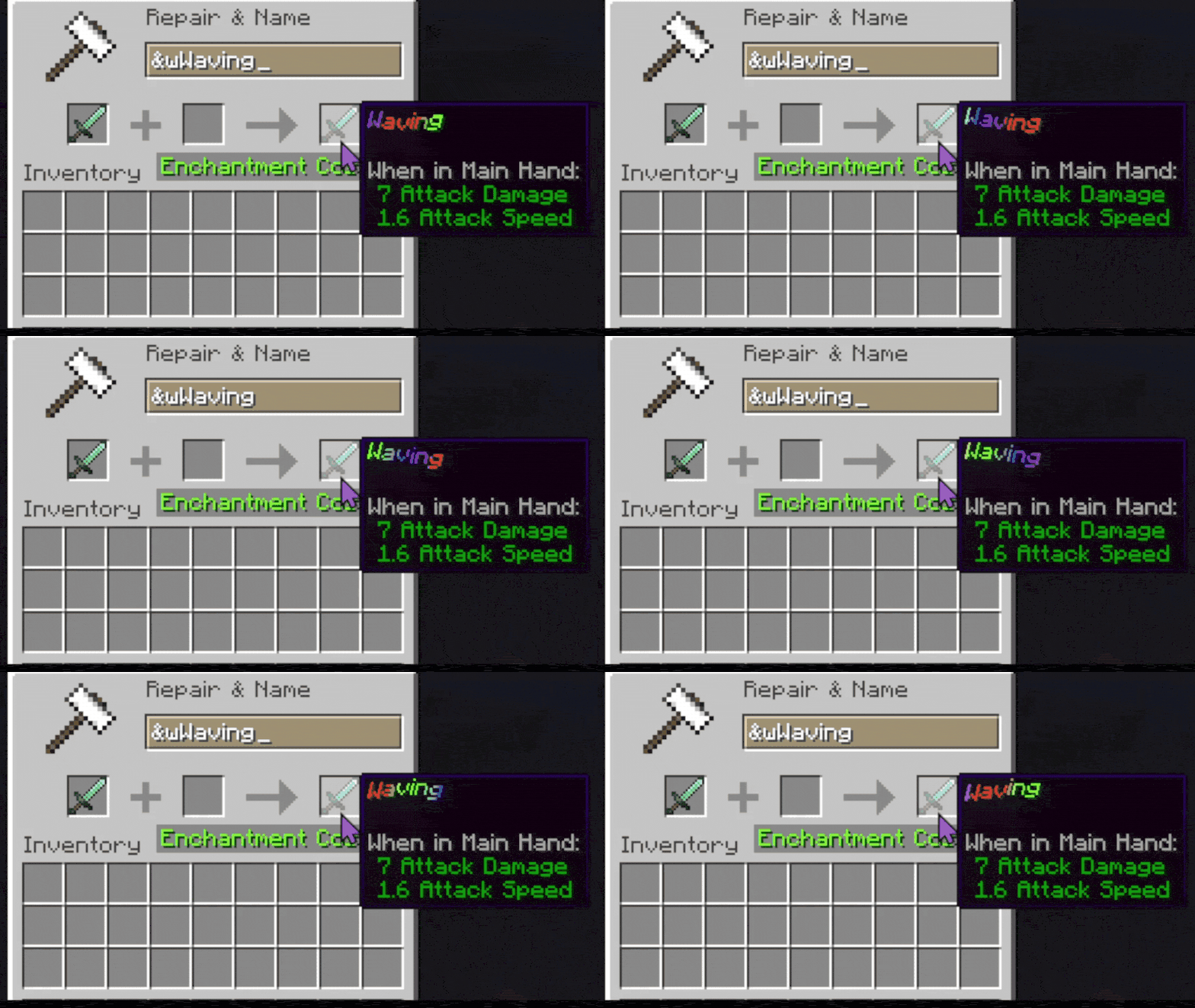
Code Description &z Electric Violet &s Chili Red &w Animated wave effect &p Pulsing color &* Static rainbow &y Smooth gradient &g Glitching text &$ Stretching text &- Breathing text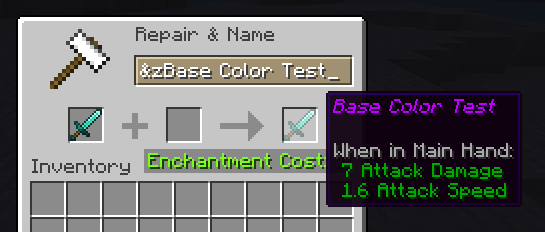
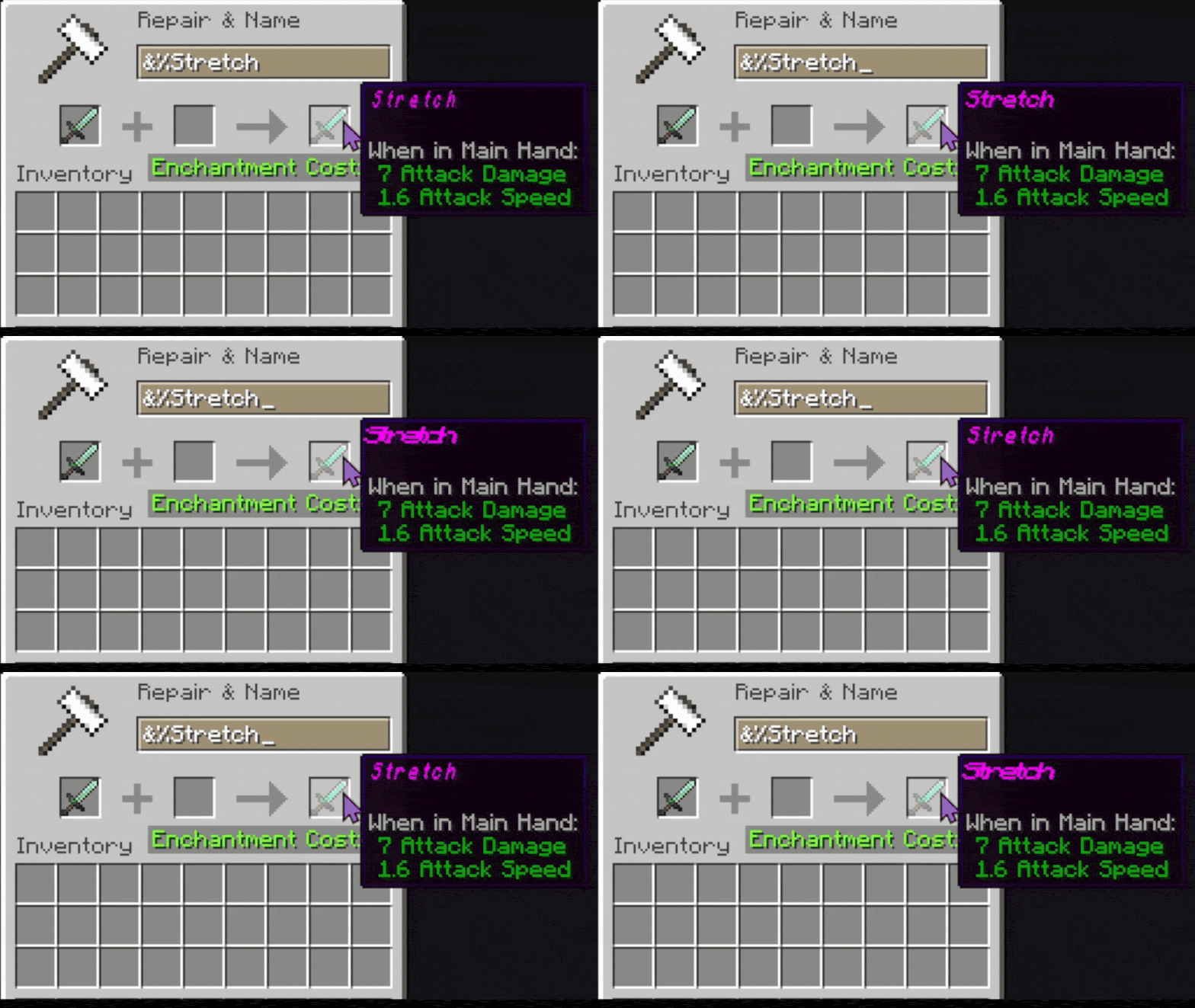
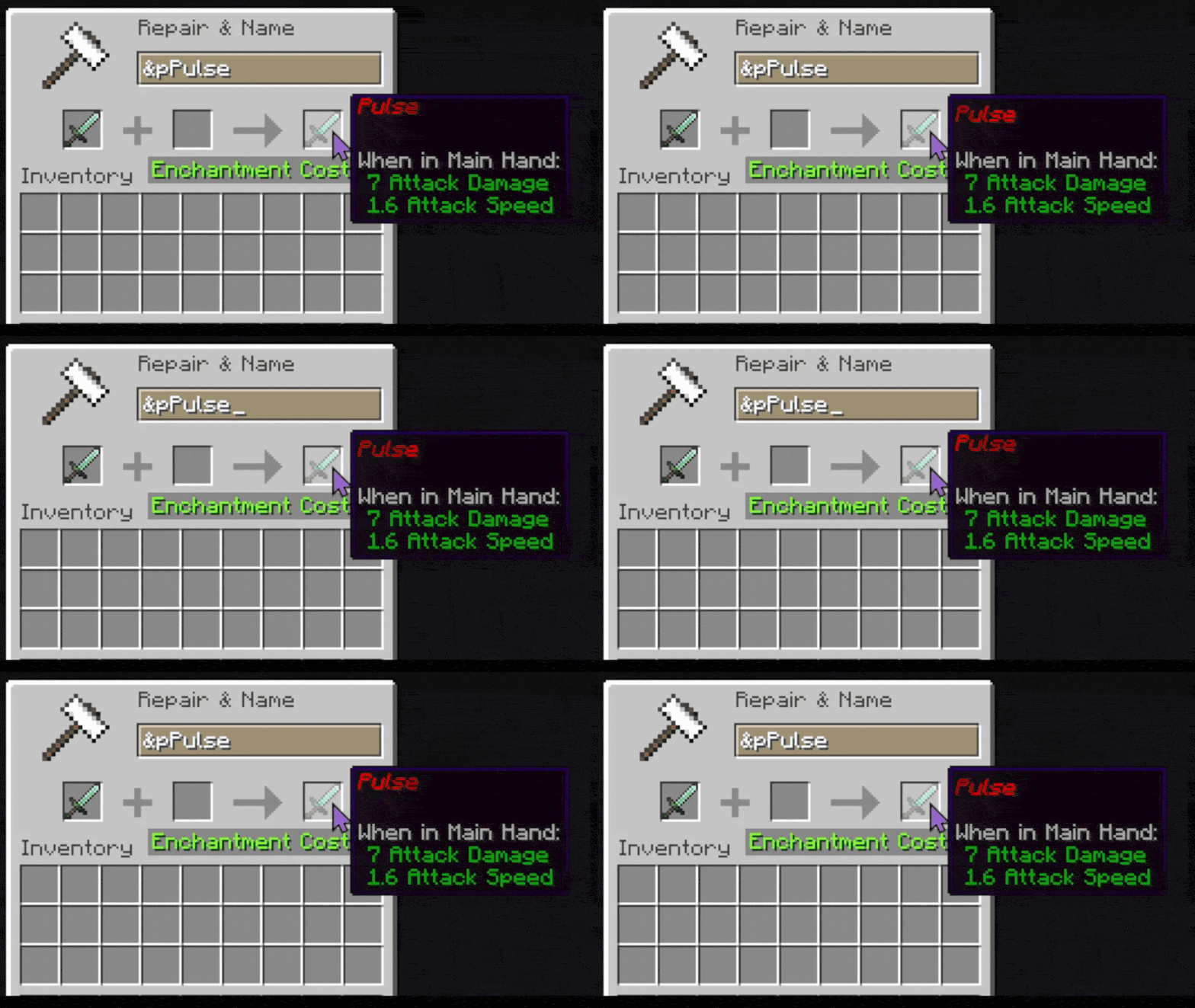
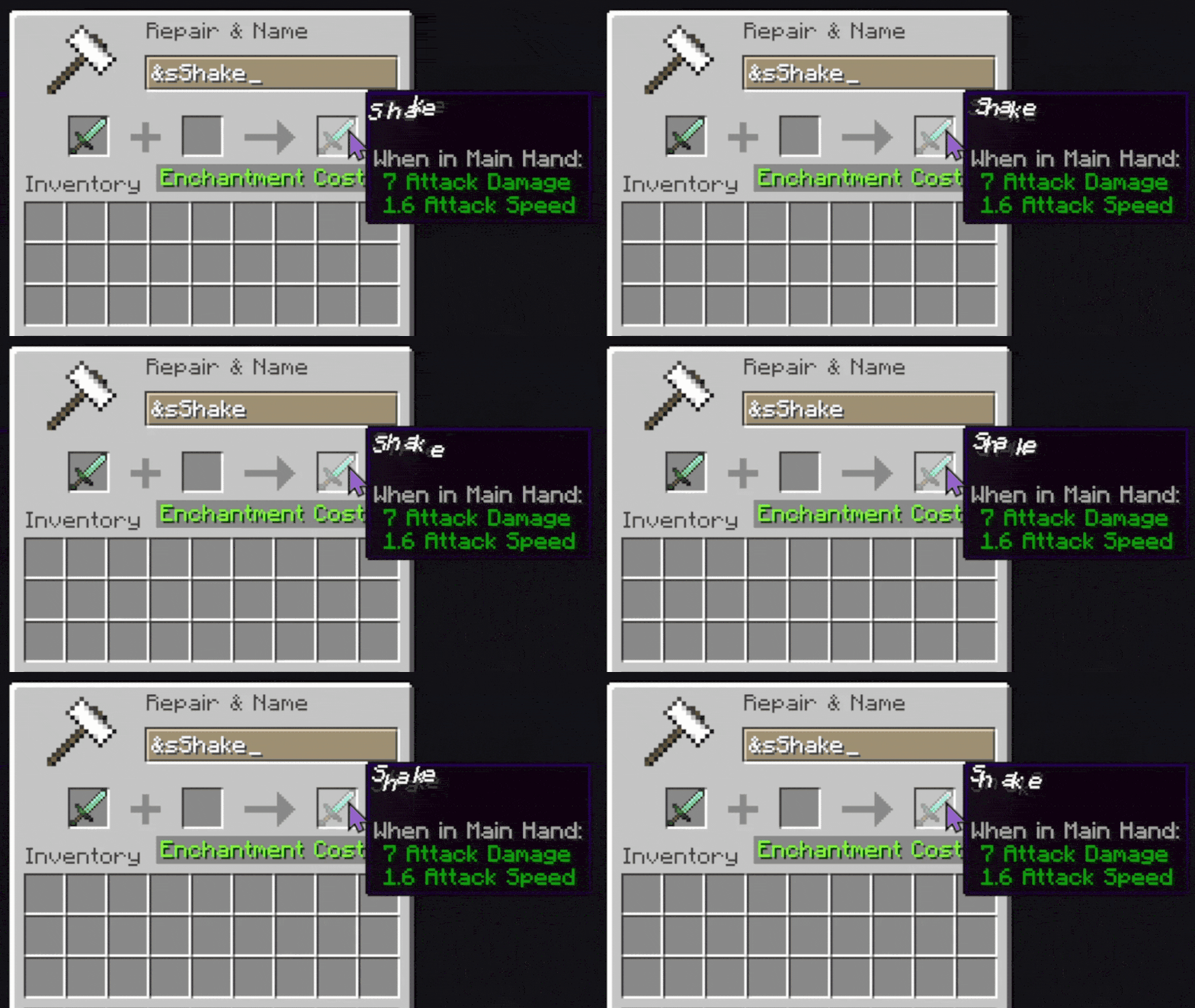
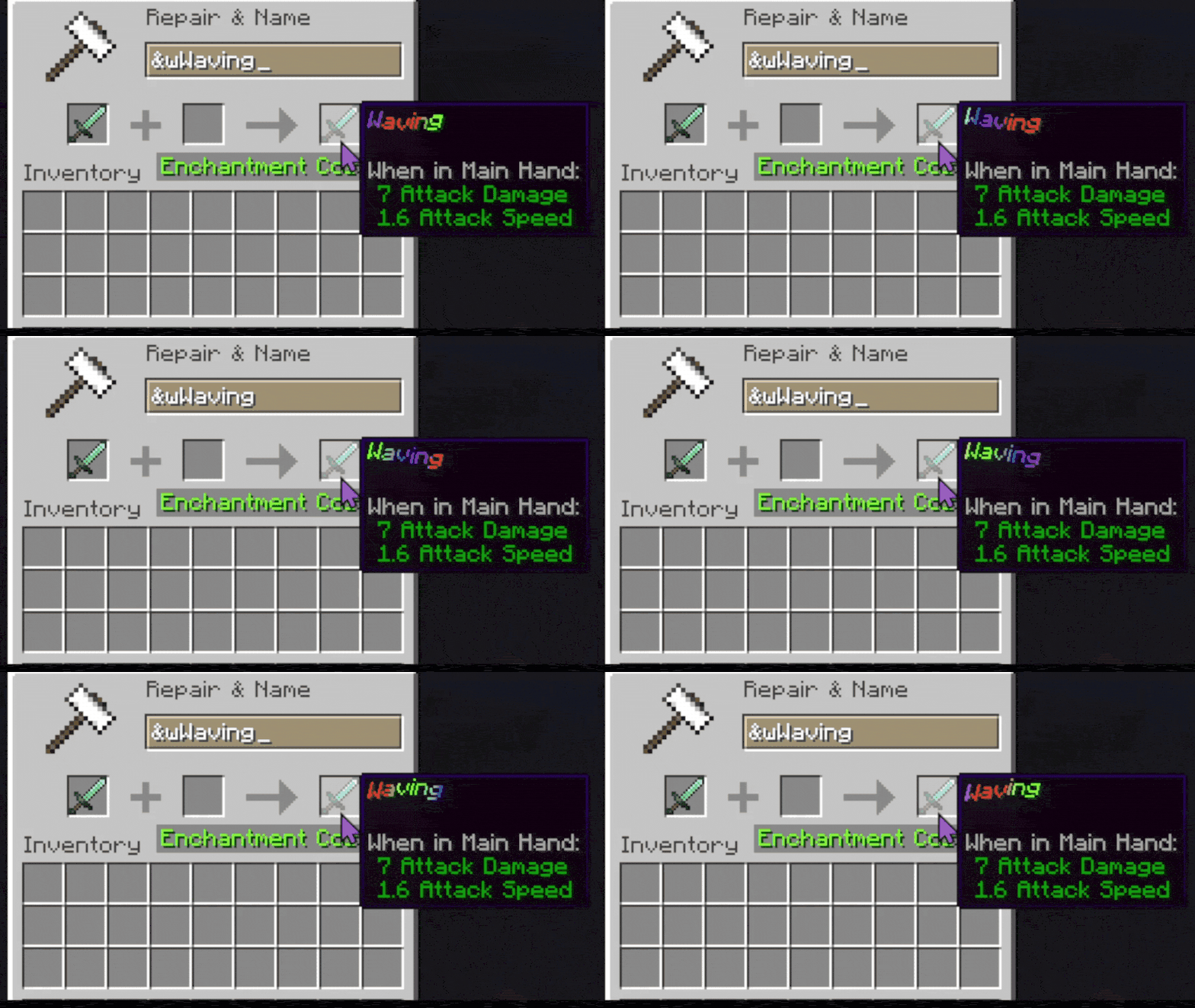
Unicode Support
Any Unicode character can be used as a code symbol.
Examples:
&★Hello &☀Gold Text &❤LoveThis means you are not limited to normal letters.
Config File
All custom codes are stored in:
phoenix_chromatic_colors_codes.yamlYou can freely add your own colors and effects.
Creating Simple Color Codes
Syntax
symbol:hexcodeExample
p:ff2100This creates:
&pHelloWhich displays text using the color:
#ff2100Hex Code Notes
Hex codes should NOT include the #.
Correct:
ff2100Incorrect:
#ff2100Creating Effect Codes
Effects allow animated or moving text.
Syntax
symbol:colorSpeed,movementSpeed,movementID,hexCode,hexCode...Effect Parameters
Parameter Description symbol The code used in-game colorSpeed Speed of color changing movementSpeed Speed of animation movement movementID Type of effect hexCode... One or more colorsAvailable Built-In Effects
Effect ID Description wave Wavy moving gradient pulse Pulsing colors shake Random shaking movement glitch Distorted glitch animation none Pure gradient only breath Breathing text stretching Stretching rainbow Static rainbow cycling discord Discord boost style gradientExample: Wave Effect
w:1.0,1.0,wave,ff2100,f2c300Usage:
&wHelloThis creates an animated orange/yellow wave gradient.
Example: Pulse Effect
u:0.8,0.5,pulse,ff0000,ffffffThis pulses between red and white.
Example: Pure Gradient
g:0.0,0.0,none,ff0000,00ff00,0000ffCreates a smooth static RGB gradient.
Rainbow Support
You can use the keyword:
rainbowInstead of a hex code.
Example:
r:1.0,1.0,wave,rainbowMultiple Gradient Colors
Effects support multiple colors.
Example:
m:1.0,0.8,wave,ff0000,00ff00,0000ff,ff00ffThis creates a 4-color animated gradient.
In-Game Examples
Signs
&wWelcome!Books
&pChapter OneItem Names
&gLegendary SwordModded Lang Support
The mod is especially useful for mods that only support lang text formatting.
Examples include:
Items
Fluids
Tooltips
GUI labels
Modded names
Descriptions
Discord Effect
The discord effect recreates the boosted Discord server gradient style.
Example:
d:1.0,1.0,discord,5865f2,eb459eChromaticAPI Support
Other mods can add their own custom effects using:
ChromaticAPIThis allows developers to register entirely new movement/effect types.
More information is available on the GitHub page.
Tips
Good Gradient Practice
Using 2–4 colors usually looks best.
Too many colors can become difficult to read.
Performance
Very fast movement speeds may appear chaotic in chat or signs.
Recommended values:
0.5 - 2.0Troubleshooting
Colors Not Working
Make sure:
You used & or §
The code exists in the config
The hex code is valid
No # is included
Effect Not Working
Make sure:
The movement ID exists
At least one color is provided
The syntax uses commas correctly
Example Full Config
# Simple Colors z:9400ff p:ff2100 # Wave Gradient w:1.0,1.0,wave,ff2100,f2c300 # Pulse u:0.8,0.5,pulse,ff0000,ffffff # Static Gradient g:0.0,0.0,none,ff0000,00ff00,0000ff # Rainbow r:1.0,1.0,wave,rainbow # Discord Style d:1.0,1.0,discord,5865f2,eb459eFinal Notes
Phoenix Chromatic Colors is designed to make Minecraft text styling far more expressive while remaining lightweight and easy to configure.
Experiment with gradients, unicode symbols, and animation combinations to create unique styles for your world or modpack.
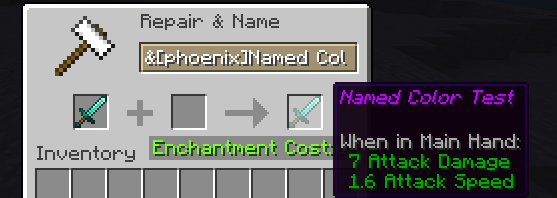
Named Codes
Phoenix Chromatic Colors also supports named color/effect codes.
Named codes work exactly like normal symbol codes, but instead of using a single character, you use a readable name inside brackets.
This makes configs easier to organize and remember.
By default named codes are case sensitive.
Using Named Codes In-Game
Syntax
&[name]Text HereExample
If your config contains:
electric_violet:9400ffYou can use:
&[electric_violet]HelloInstead of:
&zHelloWhy Use Named Codes?
Named codes are useful when:
- You have many custom colors
- You want readable configs
- Multiple people edit the config
- You forget what symbols mean
- You want organized theme names
Named Color Codes
Syntax
name:hexcodeExample
electric_violet:9400ff chili_red:ff2100 golden_sun:f2c300Usage:
&[electric_violet]Magic &[golden_sun]LegendaryNamed Effect Codes
Named effects work the same way as normal effects.
Syntax
name:colorSpeed,movementSpeed,movementID,hexCode,hexCode...Example: Named Wave
sunset_wave:1.0,1.0,wave,ff5500,ffcc00Usage:
&[sunset_wave]Animated TextExample: Named Pulse
danger_pulse:0.7,0.5,pulse,ff0000,ffffffUsage:
&[danger_pulse]WARNINGExample: Named Gradient
ocean_gradient:0.0,0.0,none,0044ff,00ffeeUsage:
&[ocean_gradient]Ocean TextMixing Named and Symbol Codes
You can freely combine both systems.
Example config:
# Symbol Codes z:9400ff p:ff2100 # Named Codes electric_violet:9400ff sunset_wave:1.0,1.0,wave,ff5500,ffcc00Both will work:
&zHello &[electric_violet]Hello &[sunset_wave]AnimatedNaming Tips
Good naming examples:
electric_violet deep_ocean gold_pulse discord_boost toxic_glitchAvoid:
a thing cool test123Readable names make large configs much easier to maintain.
Recommended Naming Style
Snake case is recommended:
my_gradient_nameThis improves readability and avoids formatting issues.
Example Full Config With Named Codes
# Basic Colors electric_violet:9400ff chili_red:ff2100 # Effects sunset_wave:1.0,1.0,wave,ff5500,ffcc00 danger_pulse:0.7,0.5,pulse,ff0000,ffffff ocean_gradient:0.0,0.0,none,0044ff,00ffee # Discord Style discord_boost:1.0,1.0,discord,5865f2,eb459eUsage:
&[electric_violet]Magic &[sunset_wave]Animated &[discord_boost]BoostedFinal Notes
Named codes are fully optional, but highly recommended for large modpacks, servers, or heavily customized configs.
Named codes are by default case sensitive.
They provide a cleaner and more scalable way to organize your colors and effects.
Compatibility
Mod Loaders
Game Versions
Screenshots
Similar Mods

NoCopyrightSounds music NCS
adds ncs tracks into the game!

MiACompat
Enhances the Mine in Abyss server experience
TFC Eratosthenes
The world is spherical, as it should be.

Nora's Rail Optimization
A simple Rail Optimization mod that makes powered/activator rails turn on/off up to 4x faster. Fork of RailOptimization...

Aequitas
Freely exchange items, using the worlds essence
Selective Vanish
Server-side add-on for VanishMod that adds selective visibility control.