
Adaptive Performance Tweaks (Bundle)
Modby Kaworru
The Adaptive Performance Tweaks mod automatically adjust specific settings on the server to allow a better TPS/FPS.
Type
Mod
CurseForge Downloads
4,715,014
CurseForge ID
Modrinth Downloads
103,979
Modrinth ID
Last Updated
Nov 6, 2026
Description
📦 Adaptive Performance Tweaks









Adaptive Performance Tweaks, also known as APTweaks, helps Minecraft servers stay responsive under load by automatically adjusting selected server-side behavior.
It can reduce entity pressure, adapt spawn limits, optimize items and XP orbs, adjust selected game rules, protect players during login, and scale view or simulation distance based on server load.
Important: 12.x is a complete rewrite
APTweaks 12.x is no longer a bundle of separate modules.
Starting with 12.x, Adaptive Performance Tweaks is a single all-in-one mod. The old Core, Spawn, Game Rules, Items, Player, View Distance, Simulation Distance, and Monitoring features are now included in one unified mod.
If you are upgrading from 11.x, remove all old APTweaks files before installing 12.x.
Remove:
adaptive-performance-tweaks-coreadaptive-performance-tweaks-spawnadaptive-performance-tweaks-gamerulesadaptive-performance-tweaks-itemsadaptive-performance-tweaks-player- the old bundle file
Do not install 12.x together with any 11.x module. Mixing both generations can cause conflicts or startup errors.
Status ✅
12.x
Alpha.
Use 12.x for new servers, new modpacks, Fabric support, NeoForge support, or if you want the new all-in-one architecture.
Please report issues on GitHub.
11.x Classic Modular Edition
Stable LTS.
The old 11.x module system is still available and can continue to be used for existing Forge modpacks.
If your current 11.x setup works well, you do not need to upgrade immediately.
Which version should I use?
| Situation | Recommendation |
|---|---|
| New server or new modpack | Use 12.x |
| Existing 11.x Forge modpack | Stay on 11.x if it works |
| Fabric server | Use 12.x |
| NeoForge server | Use 12.x if available for your Minecraft version |
| You want only selected modules | Use 11.x Classic |
Installing 12.x
- Remove all installed 11.x APTweaks files.
- Download the 12.x file for your Minecraft version and mod loader.
- Place it in your
mods/folder. - Start the server.
- Review the generated config files.
Config files are generated in:
config/adaptive_performance_tweaks/
Spawn presets are stored in:
config/adaptive_performance_tweaks/spawn_presets/
Default limits are tuned for small servers with about 4 players. For larger servers, increase per_player_max and per_world_max in the spawn preset JSON files.
11.x Classic Modular Edition
The 11.x version uses separate modules. The Core module is required by all other 11.x modules.
Classic module pages:
The old bundle file was only a meta package for launchers. It did not include the modules itself. For manual 11.x installs, install the individual modules listed above.
🚩 Documentation and support
Wiki:
https://github.com/MarkusBordihn/BOs-Adaptive-Performance-Tweaks/wiki
Version overview:
https://github.com/MarkusBordihn/BOs-Adaptive-Performance-Tweaks/wiki/Versions
Issues:
https://github.com/MarkusBordihn/BOs-Adaptive-Performance-Tweaks/issues
Compatibility
Mod Loaders
Game Versions
Recommended Gear
AffiliateHardware and extras that pair well with this mod.

Mini PC for Self-Hosting
A low-power box that can sit in a cupboard and run a modded server around the clock.

LEGO Minecraft Set
Official sets that translate the building side of the game off-screen.

Minecraft Enderman Character Plush
Enderman plush toys, and a reliable gift for a younger player.
As an Amazon Associate I earn from qualifying purchases.
Screenshots
Similar Mods
More Dragon Eggs
Every kill gives an Egg

Boat Break Fix [Neo/Forge/Fabric/Quilt]
Fixes a breaking bug with boats and increases performance.

Friends&Foes (Forge/NeoForge)
Adds outvoted and forgotten mobs from the mob vote, expanding on their original concepts and adding new vanilla-like fea...

Essential Mod
Enhance your Minecraft with one simple mod. Host worlds for free, chat with friends, and so much more!
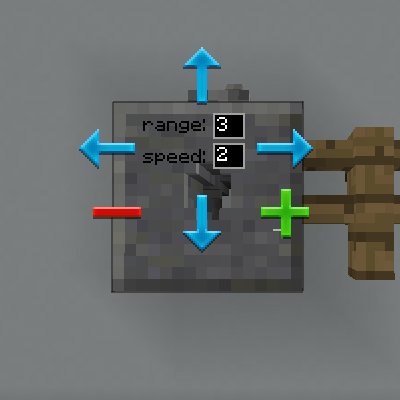
Multi-Piston
Multi-directional Piston Block
Sound Filters
A client-side mod that adds reverb to caves, and mutes sounds when you're underwater or when the sound is behind a wall.
Included in Modpacks (95)
Most downloaded Solo Leveling - Reawakening
 The Everlasting Fog [The Horrors Cave Dweller, Herobrine, & More]
 Solo Leveling - Shadows
 Jurassic Terror - A horror jurassic experience
 The Final Frontier 2
 Lost Souls
 Less Tech More Dragon [RETIRED]
 Beyond Viltrum - Invincible Inc
 Quality Of Life (QOL)
 All in one: Fantasy
 Solo Leveling - OVERLOAD
 Better than Better Than Wolves ( BTBTW )
 Official Invincible Incorporated Server
 Enchanted Genesis
 Astral Engineering
 CRAZY CAVE WORLD
 Cute Cottage Craft
 Farwater: Create Mysticism
 MOXCRAFT
 Changed: Reborn