
Jobs+
Modby DAQEM
Adds 10 jobs to Minecraft. You can now add your own jobs!
Downloads
462,395
Type
Mod
CurseForge ID
916985
Last Updated
Apr 9, 2026
Description
Take your Minecraft experience to the next level with Jobs+! Choose from 10 unique jobs, level up, earn rewards, and unlock powerful power-ups — all while customizing the mod to suit your gameplay style.
Key Features
⚒️ 10 Unique Jobs: Alchemist, Builder, Digger, Enchanter, Farmer, Fisherman, Hunter, Lumberjack, Miner, Smith.
⬆️ Level Up to 100: Gain experience by completing job-specific tasks and unlock recipes and rewards.
🪙 Job Coins & Power-Ups: Spend coins to unlock jobs and purchase unique power-ups for each role.
📋 Full Customization: Create custom jobs, recipes, and power-ups using datapacks.
Getting Started
- Open the Jobs+ Menu: Press 'J' in-game to open the Jobs+ interface.
- Pick Your Job: Choose your first two jobs and start completing tasks to earn job XP.
- Spend Job Coins: Use coins to unlock new jobs and their power-ups.
Customization
Jobs+ is fully customizable! Use datapacks to create your own jobs, adjust rewards, and add unique features to your gameplay.
FAQ
Q: Does Jobs+ have any dependencies?
A: Yes, Jobs+ depends on the following mods: Architectury API, UI Lib, YAML Config, Arc Lib and Item Restrictions.
Q: How do I level up in a job?
A: Perform tasks related to your job, such as mining for a Miner or harvesting crops for a Farmer. Each task earns experience points.
Q: Can I create custom jobs?
A: Yes! Jobs+ supports datapacks, allowing you to design your own jobs, recipes, and power-ups. For examples no how the base jobs are made, take a look here.
Q: Is Jobs+ multiplayer compatible?
A: Absolutely! Players can work together to level up their levels even faster. Players will also get notified whenever you level up!
Q: How do I get started?
A: Simply press 'J' in-game to open the Jobs+ menu, pick a job, and begin your journey!
Q: The 'J' key doesn't work, that do I do?
A: There might be another mod that uses the 'J' key. Check your keykind settings and look for the 'Jobs+ Menu'. Make sure it is set to your preffered key and try again.
Credits
Similar Mods

Special Mobs
Adds many RPG-style mob variants fitting with vanilla Minecraft.

EMI Ores
Easily view ore generation information from inside EMI.
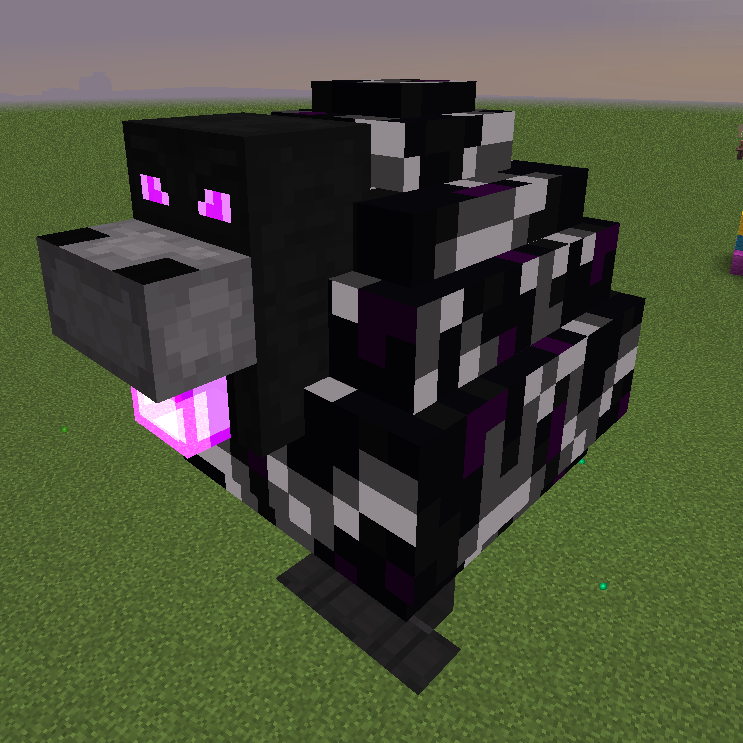
Mighty Ender Chicken
Adds a giant chicken. Or two.

Perfect Spawn
A mod that allows you to control the spawn point & dimension of each dimension.

Serene Shrubbery
Create lush gardens with new flowers and plants!

Mythic Metals Decorations
Adds various metal-themed decorations for Mythic Metals.
![Better MC Skyblock [BMCS]](https://media.forgecdn.net/avatars/1081/262/638620959448558118.png)