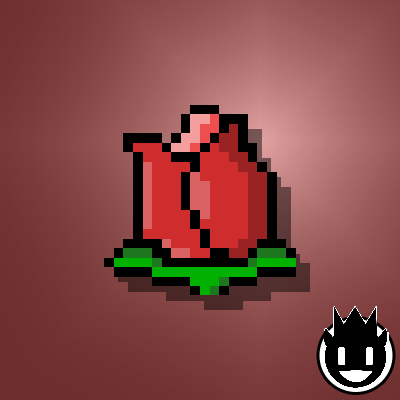
ROSEBUT
Texture Packby znygames
Rosebut🌹 is a GUI/ UI Texture Pack for Minecraft [JAVA / Win10].
Type
Texture Pack
CurseForge Downloads
8,688
CurseForge ID
548634
Last Updated
Apr 12, 2026
Description


ROSEBUT 🌹
Transform your Minecraft hub into a beautiful, rose-filled paradise with the Rosebud texture pack.
🎞| TRAILER

🖼| EXAMPLE
HOTBAR

GUI
START SCREEN
more examples in the picture gallery above ⬆️
🗒| DESCRIPTION
As the name implies, this pack is adorned with roses, bringing a fresh and floral touch to your game.
With the Rosebud texture pack, you'll enjoy new window overlays for the experience, health, hunger, and other bars. The start screen buttons feature fresh colors and a new background, enhancing the overall aesthetic. The containers, including the inventory, have received a lovely new overlay as well. You can use this pack in the standard Vanilla version and with Fabric.
New! with this pack:
- The One Piece Java Minecraft texture pack is now also available for Fabric.
- The pack is playable with Fabric Loader versions 0.15.11 - 1.21.
- start screen
- options
- buttons
- gui
- hotbar
🛈 |INSTALL
Note: If you encounter any issues, make sure that the texture pack is compatible with your version of Minecraft, and that you have followed all of the steps correctly.
▪️ Install as Fabric
▪️ Update your Java. At least Java 21
▪️ Install as Vanilla
-
- Open Minecraft: Launch Minecraft and click on the "Options" button.
- Go to the "Resource Packs" section: In the options menu, select "Resource Packs" to open the resource packs screen.
- Move the texture pack to the correct location: Locate the folder where your Minecraft resource packs are stored. The default location is usually in the "resourcepacks" folder under your Minecraft game directory. Move the downloaded .zip file to this folder.
- Select the texture pack in Minecraft: Back in the resource packs screen, select the texture pack that you just moved to the resource packs folder. The texture pack should now be listed in the "Selected Resource Packs" section.
- Apply the changes: Click on the "Done" button to apply the changes and enable the texture pack.
- Enjoy the new texture pack: Start a new game or load a saved game, and the new texture pack should now be in effect.
💬| COMMUNITY (っ^▿^)۶🍸🌟🍺٩(˘◡˘ )
 - YOUTUBE


Hey,
We invite you to join our Discord community where you can connect with fellow players, share your ideas, and report any bugs you encounter. Whether you have suggestions for improving the hotbar or need support with any issues, our community is here to help. Let’s build, explore, and create together!


🏁|LAST TEXTURE PACK BY ZNYGAMES
Check out the latest pack! ▶️NARUTO🐱👤
💖| THX!
See you in the next pack!

Screenshots
Similar Texture Packs
Techno's Jujutsu Textures
This aims to improve outdated textures of Jujutsu Craft!
Aether + Addons - Farmer's Delight - Bark Cutting Compat
Adds Compatibility Between The Aether + Addons & Farmer's Delight
Endhanced End
Enhances the End Dimension!

Full Brightness - tPaz
All dark areas become bright even without torches.

Cracker's Wither Storm Plus
A Resource Pack and Datapack that makes CWSM harder

Zelda Totem of Undying
The Zelda Totem resource pack transforms Minecraft's totem of undying into Princess Zelda, introducing the enchanting an...