KeyBind Bundles
Modby matyrobbrt
Do you have too many keybinds but not enough keys? With this mod you create add your own key bundles, collapsing a set of keys into an easy-to-use radial menu
Downloads
9,754,395
Type
Mod
CurseForge ID
1172594
Last Updated
Apr 8, 2026
Description
Do you have too many keybinds but not enough physical keys for all of them? Are you tired of constantly changing rarely used keys to other bindings? Is it too hard to remember what each key does? Then this mod is for you.
This mod adds key bundles, which are basically multiple keybinds in one key.
Creating bundles
To create a new bundle, open the keybinds screen and under the KeyBind Bundles category (which should be the first) click the Add key bundle button, and then enter a name for your bundle.
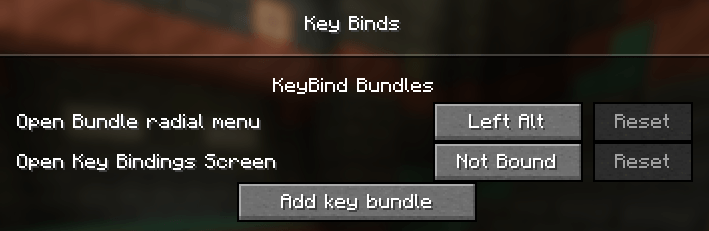
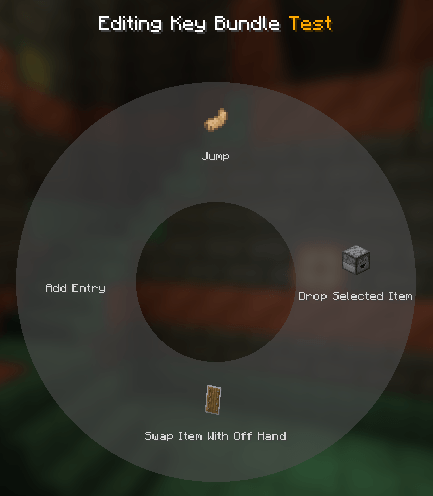
After that, click the Edit button on the bundle. In the new screen hover over the radial menu in the middle and click on Add entry. This will open the keybinds screen again but now each keybind has a select button. Here you can select the bindings you want to add to the bundle.
After selecting the bindings you may edit each entry in the radial menu and give it a custom name and item icon.
Using bundles
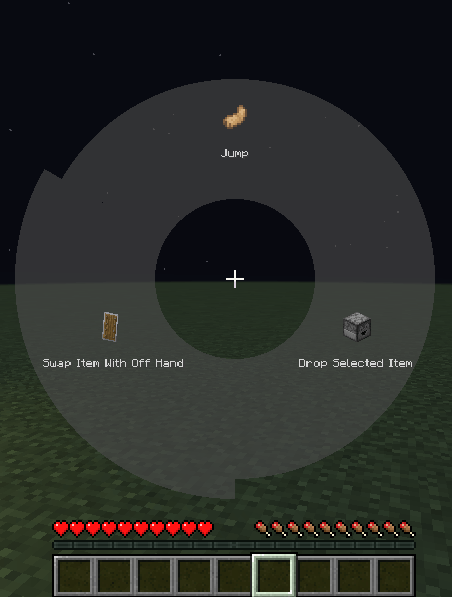
Exit the edit menu by pressing escape and bind the bundle to a key. Afterwards, while in-game you can press and hold the key you assigned to bring up the radial menu. Hover and left click over an entry to trigger that keybind. It's that simple!
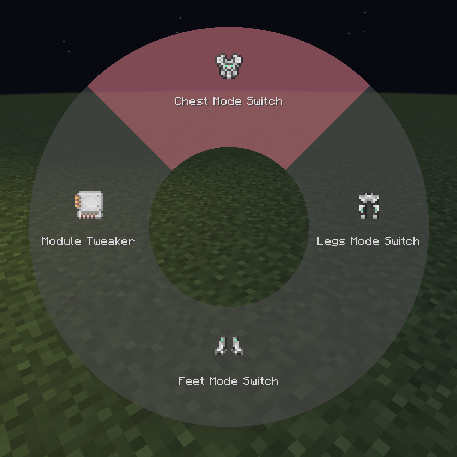
You can also bookmark a key mapping by right clicking it. Once bookmarked, pressing the key assigned to the bundle will immediately trigger that mapping without opening the radial menu. When a key is bookmarked, the radial menu can be opened again by holding the Radial menu modifier, which is Left alt by default. The current bookmarked key will be highlighted red in the radial menu.
This mod is compatible with Controlling
Similar Mods

SwingThroughGrass
Kill mobs and players through grass

FTB Library (Forge) (Legacy)
FTB Library is a library mod that is used for some of our mods.

Integrated Tunnels
Transfer other stuff over Integrated Dynamics networks

Akashic Tome
The Book of Books. Store every documentation book in one.

ZeroCore 2
Utility mod and multiblock API

Silent Lib (silentlib)
Library to make writing and maintaining mods easier.