
Climate Rivers
Modby Fuzs
Make your rivers stop looking like mistakes – and start flowing with style.
Downloads
6,249,838
Type
Mod
CurseForge ID
1255421
Last Updated
Apr 9, 2026
Description









Say goodbye to ugly, out-of-place rivers! 🌊 Climate Rivers replaces Minecraft’s default river biome with beautiful, biome-specific rivers that actually make sense. Explore three new river types — warm 🏜️, lukewarm 🌴, and cold ❄️ — each bringing unique visuals that fit right into their surrounding climates.
No more grass blocks 🌱 ruining the look of your desert rivers, or taigas stuck with bland, grassy banks 🪨. Rivers now feel natural, immersive, and perfectly blended into the terrain around them. Ideal for builders 🧱, explorers 🧭, and anyone who wants a better-looking Minecraft world. It’s time to make your world generation smarter and more beautiful — one river at a time. 💧
Note: This mod may be overridden by other biome or world generation mods that feature their own terrain implementation.

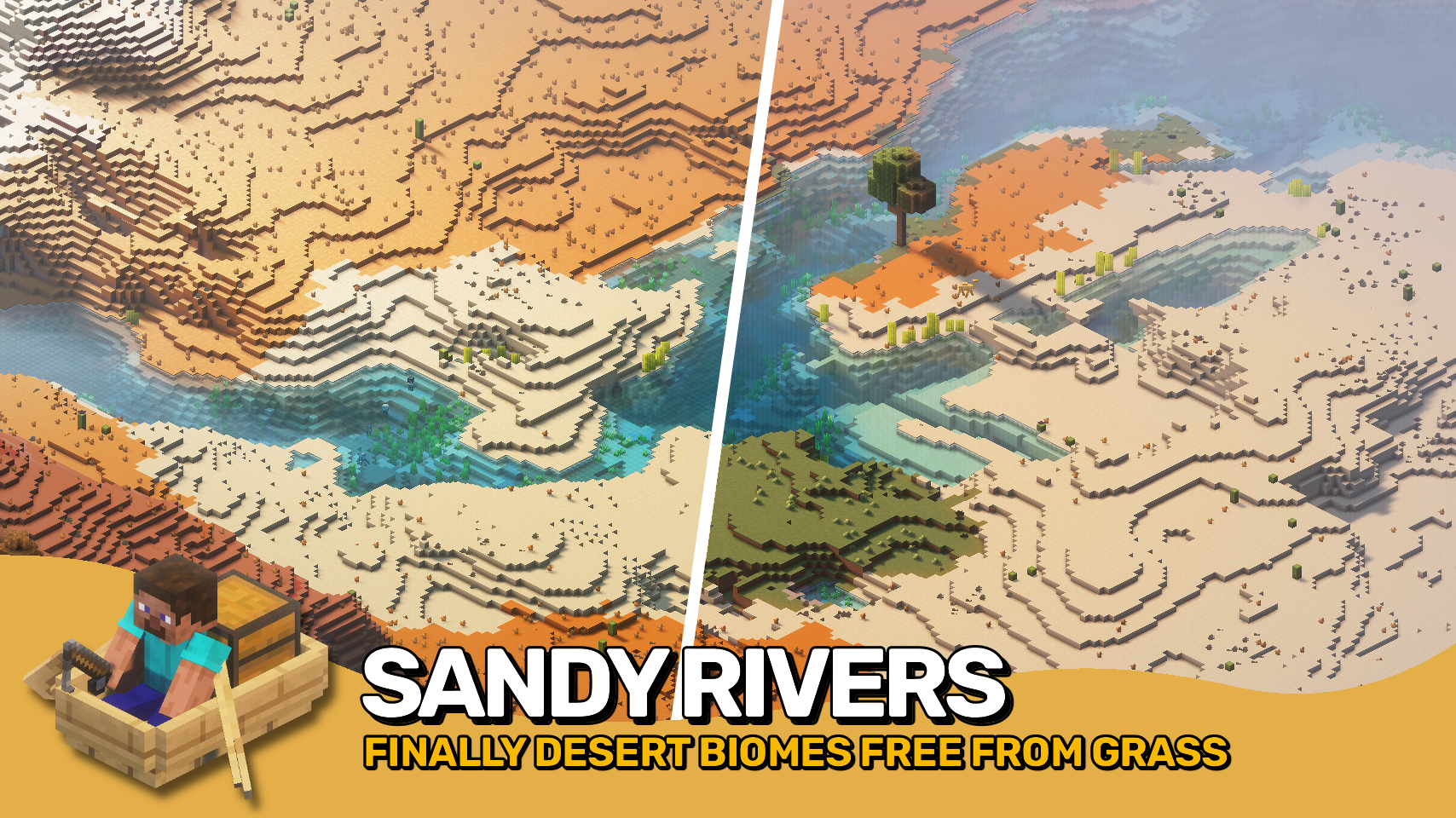
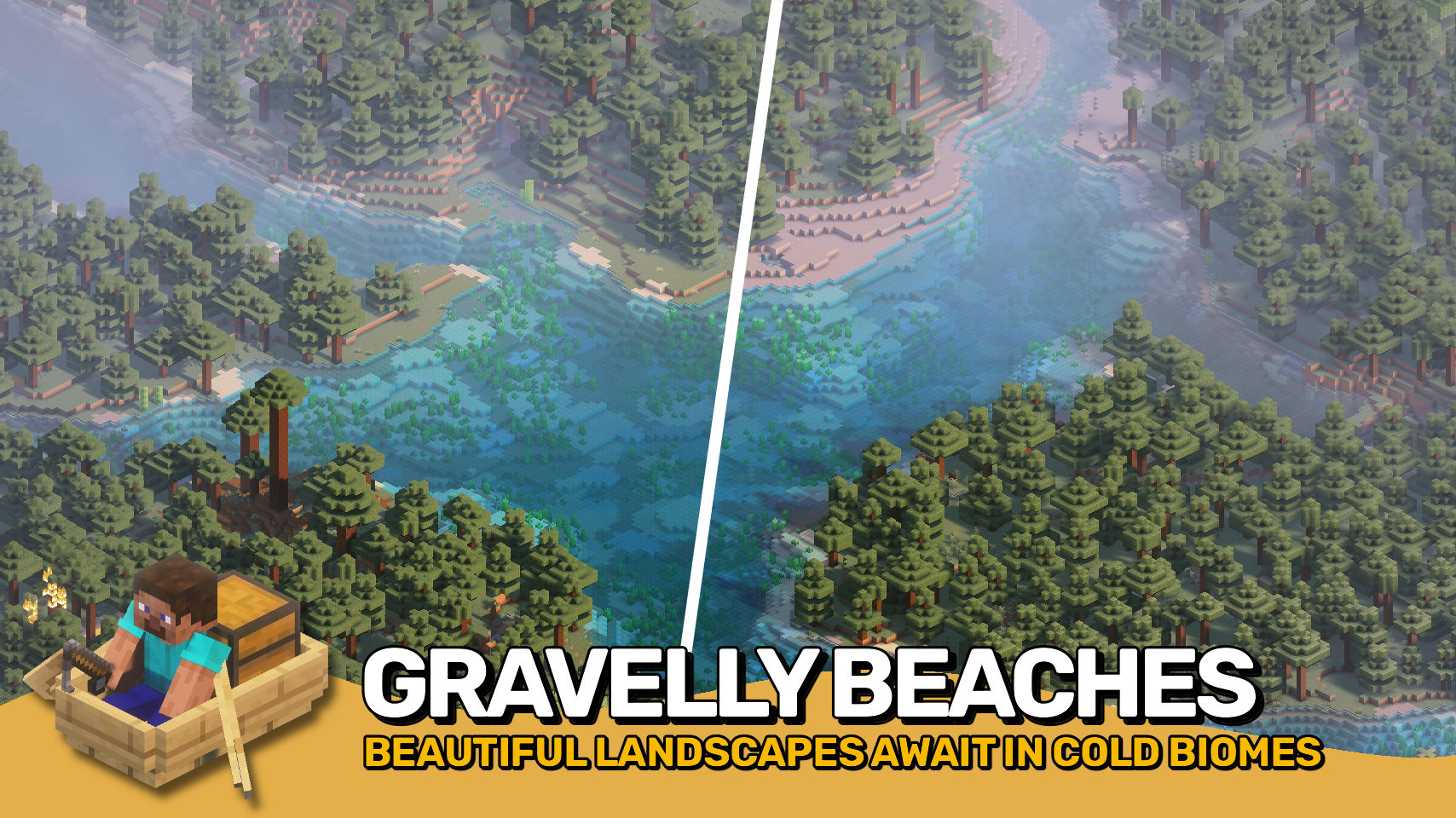

⏩ INSTALLATION REQUIRED ON SERVER
⏩ REQUIRES PUZZLES LIB TO BE INSTALLED (FABRIC & NEOFORGE)
⏩ REQUIRES FABRIC API TO BE INSTALLED (FABRIC)
⏩ REQUIRES FORGE CONFIG API PORT TO BE INSTALLED (FABRIC)
⏩ REQUIRES BIOLITH TO BE INSTALLED (FABRIC & NEOFORGE)

If available for a mod, configuration is possible directly from in-game using the mod menu (requires Mod Menu by Prospector to be installed on Fabric). Please note that on older Minecraft versions installing Forge Config Screens is also a requirement.
For manual configuration using an external text editor all files are found at .minecraft/config, named as MOD_ID-client.toml, MOD_ID-common.toml, or MOD_ID-server.toml, depending on the type of config. Not all types might exist for a mod, if any at all.

🌟 Thanks to SuperCoder79 for inspiring parts of the implementation for this project with their River Redux mod.











Similar Mods
Natura
Natura

Forbidden and Arcanus
Adds magical themed Content!

Ding (Forge)
Plays a configurable sound when Minecraft loads and reaches the Main Menu, connects to a server or finishes reloading re...

Environmental Tech
A Tech mod filled with lots of multiblock machines. All machines run off or generate RF/Forge Energy.

Apothic Attributes
A library mod providing Attributes and related things.

Fzzy Config
Config API with automatic GUIs, powerful validation options, server-client sync, and more!
![Better MC [FORGE] - BMC4](https://cdn.modrinth.com/data/4BV47HRn/7f5ef7cc61b2593609aabef3ed07a866a4f11b73_96.webp)
![Better MC [NEOFORGE] BMC5](https://media.forgecdn.net/avatars/1100/202/638647377432789195.png)
![Better MC [FABRIC] BMC3](https://media.forgecdn.net/avatars/1088/209/638631037481006863.png)
![Better MC [FABRIC] BMC2](https://media.forgecdn.net/avatars/834/314/638224851106705287.png)
![Medieval MC [FORGE] MMC4](https://media.forgecdn.net/avatars/835/747/638227677956298580.png)