Leave My Bars Alone
Modby Fuzs
Makes your food and experience bars visible when riding on a horse.
Downloads
9,242,488
Type
Mod
CurseForge ID
281715
Last Updated
Apr 9, 2026
Description




📖 About:
Leave My Bars Alone makes some convenient changes to the in-game hud while riding a mob (horse, llama, pig, and strider in vanilla).
- Your food bar is always shown, the mob's hearts are simply shifted upwards
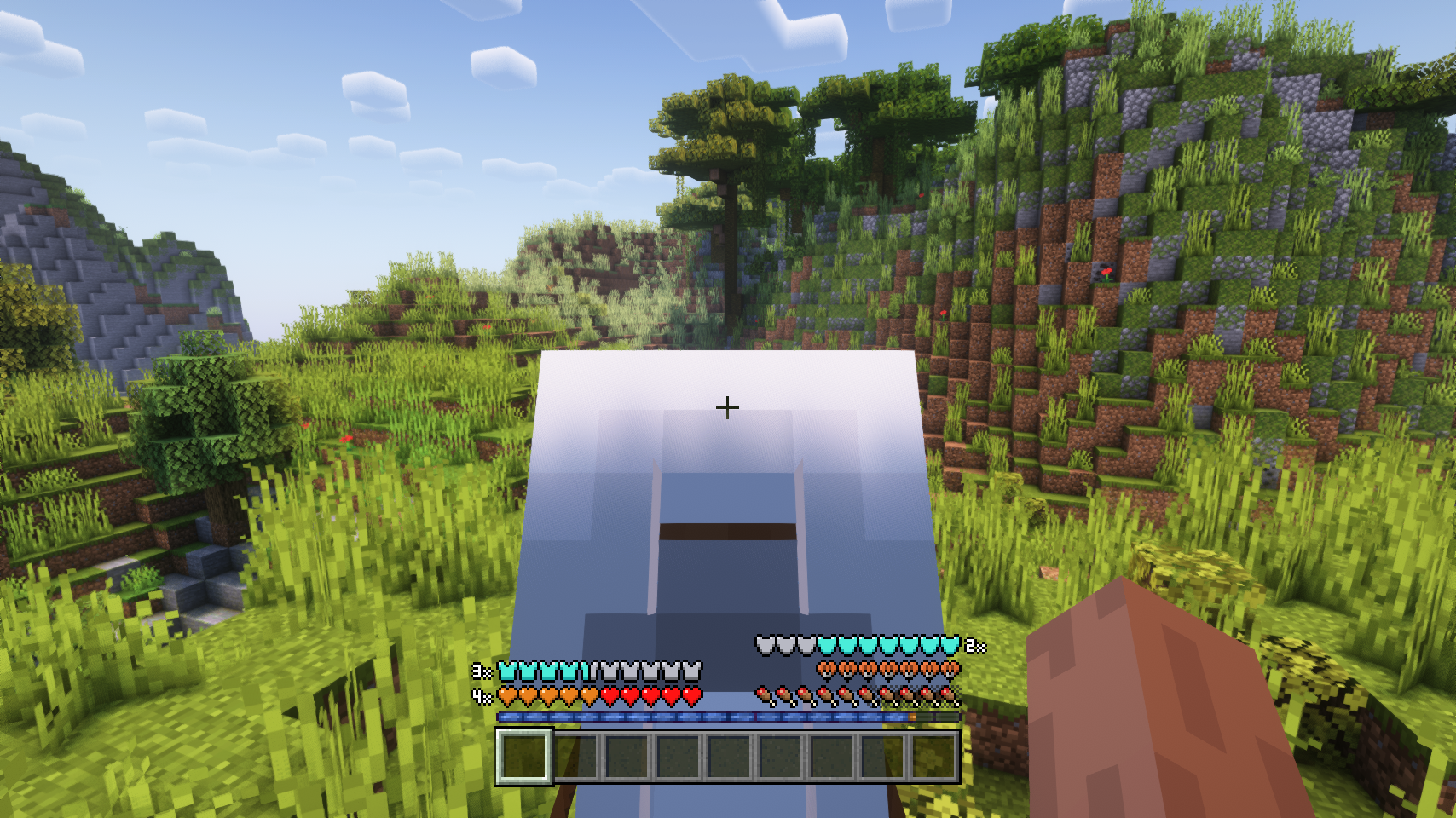
- The jump bar only appears when it's charged, otherwise your experience bar is shown.
And what makes this mod especially great? There's built-in support for other hud mods, such as AppleSkin by squeek502, and Raised by yurisuika.
📷 Media:
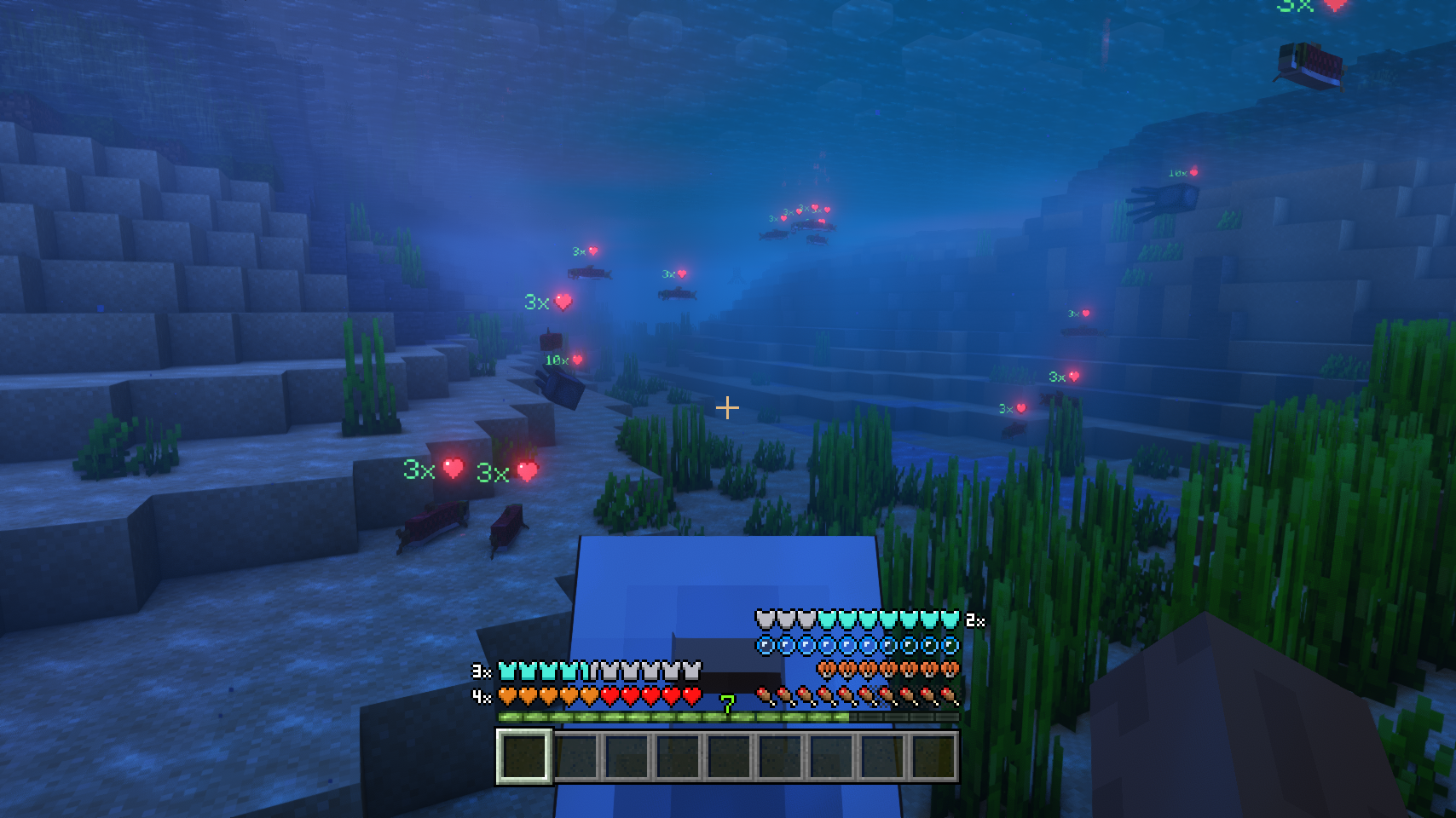
 Food and experience bars are always show when riding
The jump bar only shows up when actually jumping
Food and experience bars are always show when riding
The jump bar only shows up when actually jumping
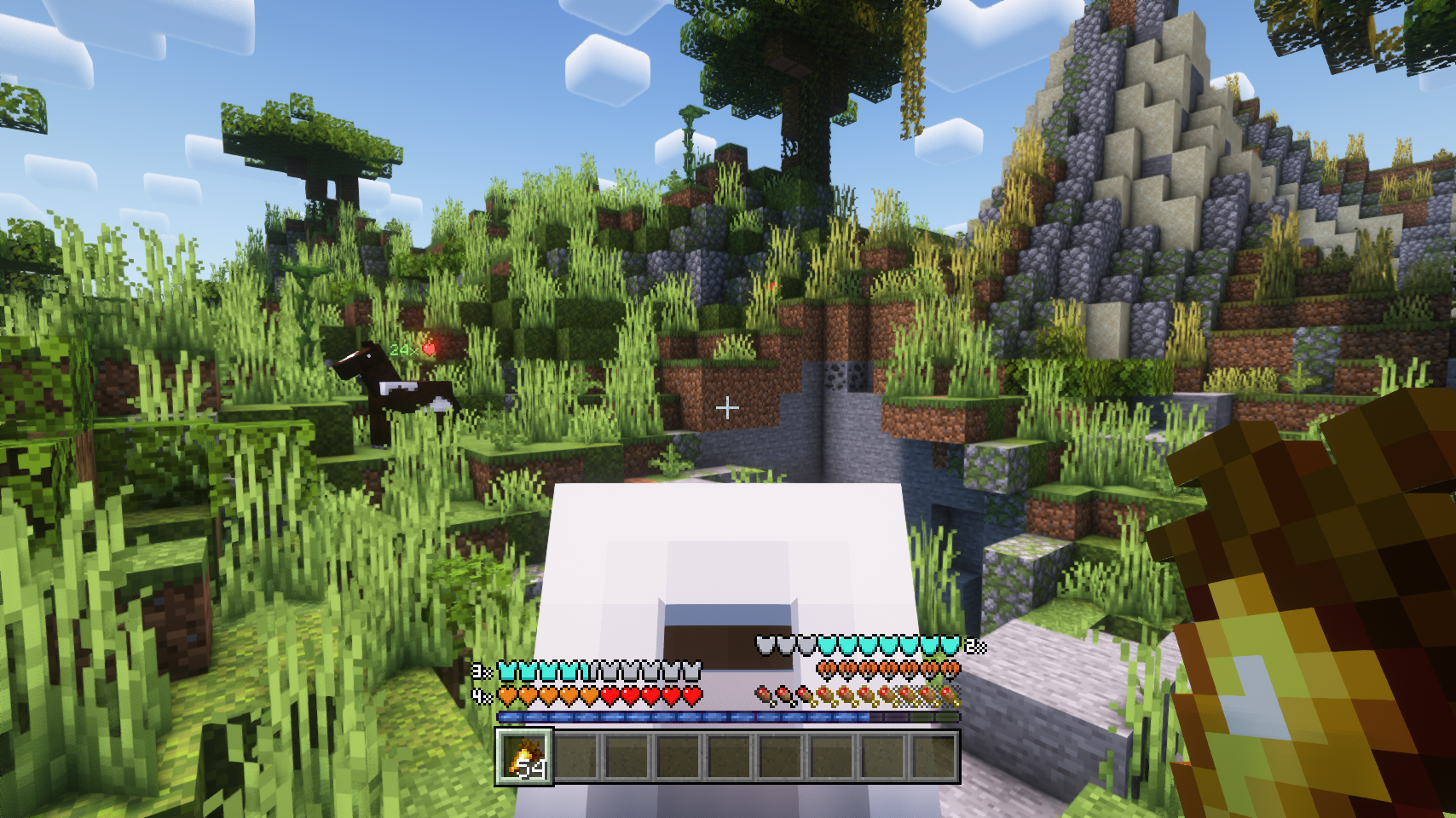
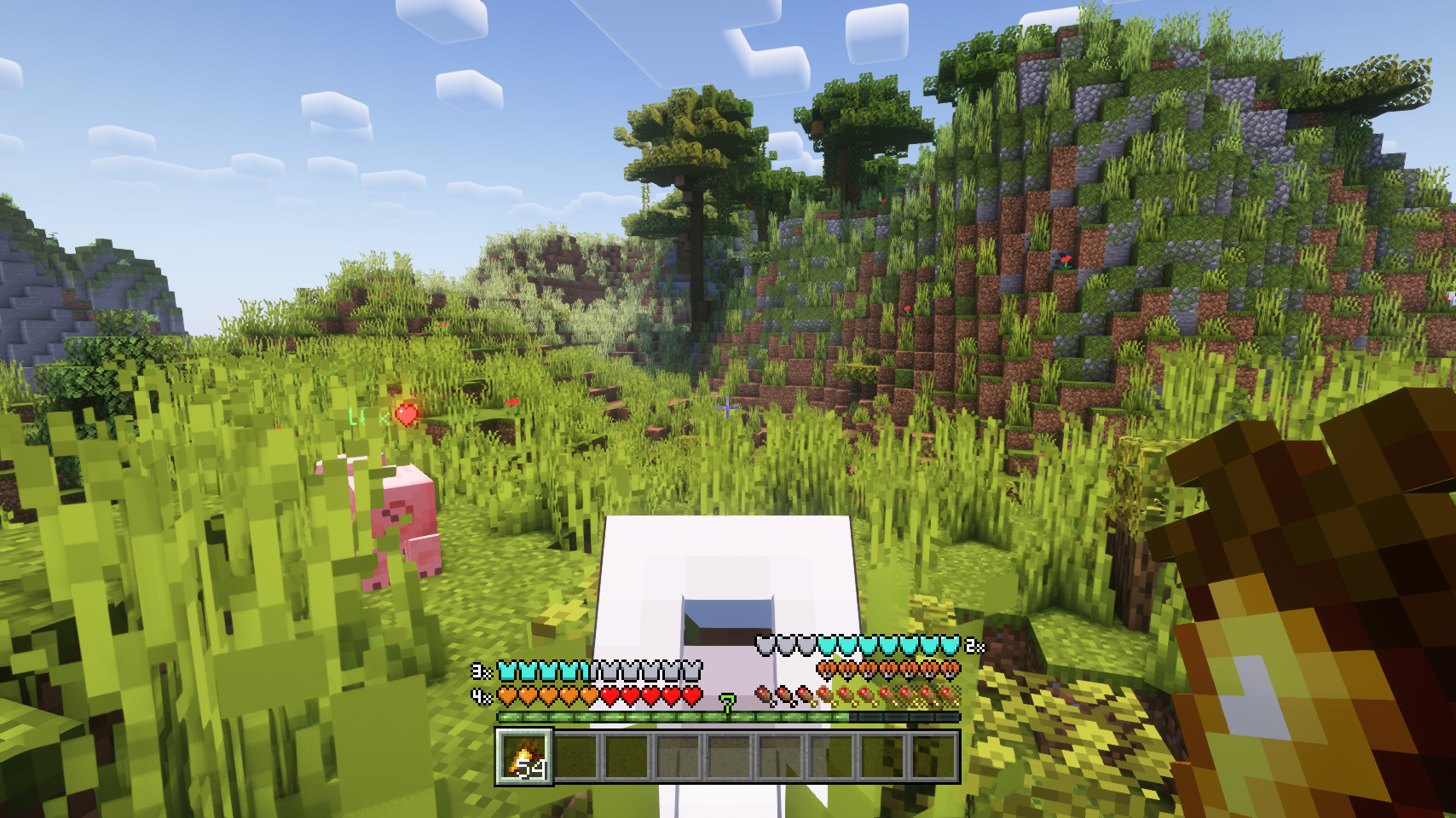 Works great with a bunch of other hud mods
Enjoying a ride with all bars intact
Works great with a bunch of other hud mods
Enjoying a ride with all bars intact
💡 FAQ:
Q: How do I configure this mod?
A: Mods can have three different kinds of configs depending on the kind of settings they provide: Client, Common, and Server.
Client and Common configs are found in /.minecraft/config/, named as <modId>-client.toml and <modId>-common.toml, respectively.
Server configs though are applied per world, therefore you'll find those in /.minecraft/saves/<world>/serverconfig/<modId>-server.toml for local singeplayer worlds, and in /<world>/serverconfig/<modId>-server.toml for you Minecraft server. Changes made to a server config only apply to that one world. Setting default values in server configs for all newly created worlds is possible by copying the modified server config to /.minecraft/defaultconfigs/.
In a local singleplayer world you can quickly find config files by running the /config showfile <modid> command and by choosing CLIENT, COMMON or SERVER. Then click the file name (ending with .toml) that appears in chat to open the file in a text editor. After saving the file, the config will automatically reload in-game after a couple of seconds, so no game restart required.
On some mod loaders editing configs is also supported in-game via the Mods menu option. On some Minecraft versions you can also install my Config Menus for Forge mod for editing configs directly in-game.
🏆 Credits:
Developing Leave My Bars Alone was helped and inspired by:
- DouweKoopmans for making the original Better Horse Hud mod











Screenshots
Similar Mods

FTB Utilities (Forge)
FTB Utilities is a mod by FTB. It aims to provide several useful utilities within the FTB Platform ranging from friends...
Macaw's Roofs
Build roofs with actual roofs instead of stairs!
Refined Storage Addons
An addon mod for Refined Storage.
Corail Tombstone
Keeps safe your inventory items in graves on death with many features for better survivability and exploration, in a med...
Extreme Reactors
This is a port of the Big Reactors mod by Erogenous Beef to the current Minecraft versions

Compact Machines
Adds one simple game mechanic: Small rooms inside of blocks. It basically gives you the ability to build your contraptio...
![Better MC [NEOFORGE] BMC5](https://media.forgecdn.net/avatars/1100/202/638647377432789195.png)


![Better MC [FABRIC] BMC3](https://media.forgecdn.net/avatars/1088/209/638631037481006863.png)