Raw's Visual keybinder
Modby rawlxxxviii
A visual solution for keybinding.
Downloads
6,911,437
Type
Mod
CurseForge ID
1020759
Last Updated
Apr 9, 2026
Description
This mod is a solution for having a big modpack with many keybinds.
It adds an extra way to manage keybinds. It provides an extra screen which will be accessible by the button next to the default edit 'keybind button' in the options menu.
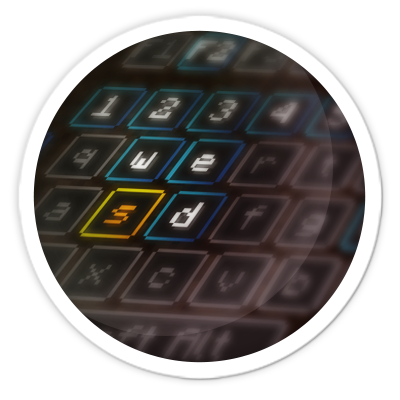
The screen has a layout like a keyboard with all conflicting and used buttons highlighted. This way players have a great overview of which keys are still available and which ones need attention.
As a side effect of making this mod you can also use modifiers with mouse buttons like Shift+left click. This may or may not be usefull for some situations.
Multiple layouts are available and layouts could be changed or added in the config.
Client mod. Does not have to be on a server.
See images for some screenshots.
Presets
Presets can be loaded and saved. They are stored in the .minecraft folder under 'keybinding presets'.
Switch between presets quickly by setting up a keybind for your favorite presets.
How to make a preset load on first start
Use 'preset_to_load_on_first_startup.txt' to specify a keybind that should load on startup. These bindings will then be loaded on startup.
The file initialized.dat will be created when a player has started the game for the first time. When this file is present, the preset in preset_to_load_on_first_startup.txt will not be loaded.
Making a preset readonly
When opening a preset with notepad you can add the text 'readonly' on the first line and then save.
Shipping keybinds with modpack
- make sure you export the folder keybinding preset
- do Not export keybinding presets/initialized.dat
- save a preset in the game
- edit the created file in notepad
- at the start of the file insert a new line with the text: readonly
- nothing more nothing less
- then in the file preset_to_load_on_first_startup.txt, on the second line fill in the name of your preset, which is the filename without the preset.txt which is at the end of the filename.
You can ship your modpack with multiple presets, but only one preset can be loaded on startup. It is possible to use Capital letters in the filename.
-------------------------------------------------------------------
Thanks to Radimous for backporting to 1.18.2!
Thanks to Bubin7766 for porting to 1.21.1 Neoforge!
Screenshots
Similar Mods
CB Multipart
An opensource library for having multiple things in the one block space
Euphoria Patches
Euphoria Patches is an add-on for Complementary Shaders, extending it with more optional features and settings.
Forestry
Bringing bees, butterflies and more trees. as well as eco-friendly energy production and mail to Minecraft.
Structurize
Copy structures, paste structures, manipulate structures (100% GUI)
Pick Up Notifier
Be notified about all the things you've just collected.
![[ETF] Entity Texture Features](https://cdn.modrinth.com/data/BVzZfTc1/af683d206d50b05258d865b0d6e4aa2f2cee12f2_96.webp)
[ETF] Entity Texture Features
Emissive, Random & Custom texture support for entities in resourcepacks just like Optifine but for Fabric