ProbeJS
Modby Amygdaloideae
Greatly enhances your KubeJS scripting experience by adding VSCode support.
Downloads
6,388,673
Type
Mod
CurseForge ID
585406
Last Updated
Apr 9, 2026
Description
v7.0.0
The code generation rework requires you to put scripts in the src/ folder (e.g. startup_scripts/src) to get type hinting now! It should be reverted in 1.21.
i'm a linebreak
This page will also have a complete rewrite soon once I've done with the code stuff.
i'm a linebreak
A typing generator mod to generate KubeJS typings. Enabling Intellisense for your KubeJS environments!
i'm a linebreak
There will be no plan to support any older version.
The generation is for VSCode only, other IDEs may support auto-completions for declaration files, but snippets are entirely generated in VSCode style.
In 1.20.1 (v5.9.0+), ProbeJS can now download predefined recipe support scripts from a public GitHub repository, Prunoideae/-recipes. The recipe support added this way is the same as that added by addon mods. Thus, ProbeJS can type them completely, and you won't need to use event.custom wrappers anymore.
If you have a feature request of a mod that you want but without recipe addons, you can send a feature request or a pull request to the repository. May we build the community together!
With the VSCode extension installed, it can also provide more detailed info about items if the cursor is hovering on it. (v4.8.0+)
Item/fluid rendering has been stripped off in 1.20.1. If you want to have a peek at the item icons when hovering, install and run the IconExporter mod. Not installing the mod will not make the extension unusable.
Usage:
Install the mod, run "/probejs dump" in your game in the singleplayer, then open your Minecraft instance folder in VSCode as a folder.
The Minecraft instance folder is the parent folder of the kubejs folder, the one usually with mods, configs, etc., in it. You should see a .vscode folder generated there too.
Type docs and autocompletion should appear when you open the js files under the KubeJS folder.
Also, try to type like @item or @block to see snippets generated.
In case nothing shows up in VSCode, check that:
- Many JSON files started with "probe" in the .vscode folder are under your .minecraft folder.
- There is a "probe" folder under the KubeJS folder, and many files ending with ".d.ts" are in the folder.
- All ".d.ts" files don't have syntax errors indicated by VSCode.
If all three steps are correct, you might need to configure your VSCode to make it accepts how ProbeJS dumps the typing, or just the VSCode can't handle the JS project created by ProbeJS.
If any steps fail, especially step 3, please submit an issue to GitHub.
Even if your VSCode can't figure out how to deal with it (it sometimes happens like being stuck at downloading the intellisense model or just not having a built-in JS extension at all).
ProbeJS still can help your coding by snippets, as well as some information displayed via the extension.
Both Forge and Fabric are now supported (Please check in the Files tab since Recent Files will only show the latest entry). Please refer to the GitHub page for detailed instructions on installation and usage.
Please update to the newest version first if you want to report some problems.
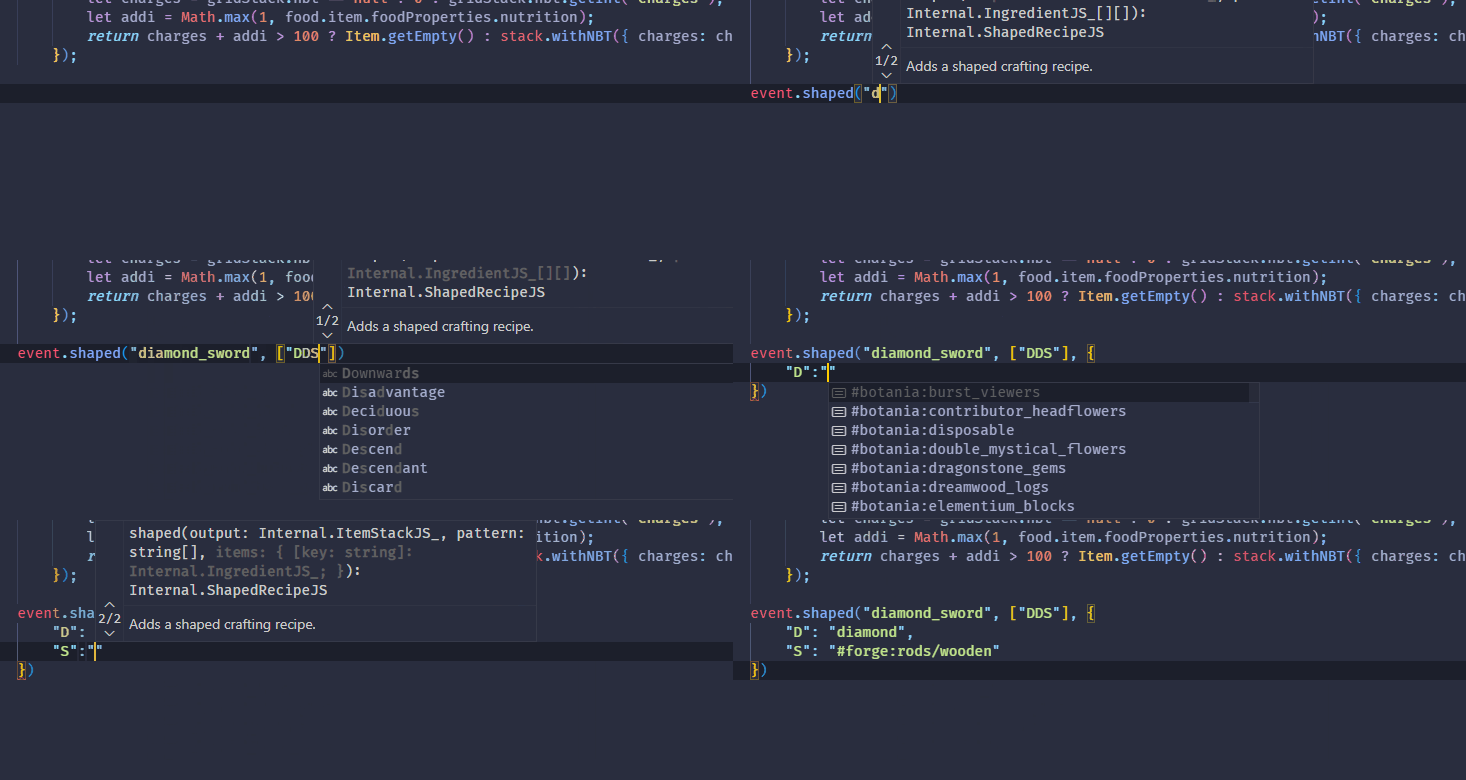
Auto-completions for KubeJS scripts
 Code snippets for item, fluids and etc.

Rich item display
Similar Mods

Better Third Person
Improves third-person camera view.

p455w0rd's Library
Lib Mod to consolidate common functionality used across p455w0rd's Mods

oωo (owo-lib)
A general utility, GUI and config library for modding on Fabric and Quilt

Applied Energistics 2 Wireless Terminals
An addon for Applied Energistics 2 that adds wireless versions of several Terminals

Alternate Current
An efficient and non-locational redstone dust implementation

SmartBrainLib (Forge/Fabric/Quilt)
A smarter brain system for Minecraft