Block Entity Render Distance
Modby LoLip_p
Limits the rendering distance of Block Entity
Type
Mod
CurseForge Downloads
44,152
CurseForge ID
1331071
Last Updated
Jul 25, 2026
Description
ABOUT:
The mod aims to optimize Block Entity (chests, signs, banners, etc.). This mod does NOT replace other Entity optimization mods; it complements them.
All Block Entities have a fixed rendering radius (64 blocks). More details about this can be found on the Wiki. This mod allows you to change the rendering distance. For example, signs can be rendered up to 32 blocks away from the player, and chests up to 48 blocks away, instead of 64.
It is possible to configure.
Optimization:
It is worth noting that the mod performs best in areas with many chests and signs. These include spawn points, warehouses, cities, or player shops on servers.
It also depends on the settings you choose. By default, the mod does not significantly reduce the range from 24-32-48 to a fixed 64. However, if your computer is very weak, you can safely limit the distance to 8 or 16. But this may affect your perception of the game, as chests and signs will only load if you get close enough to them.
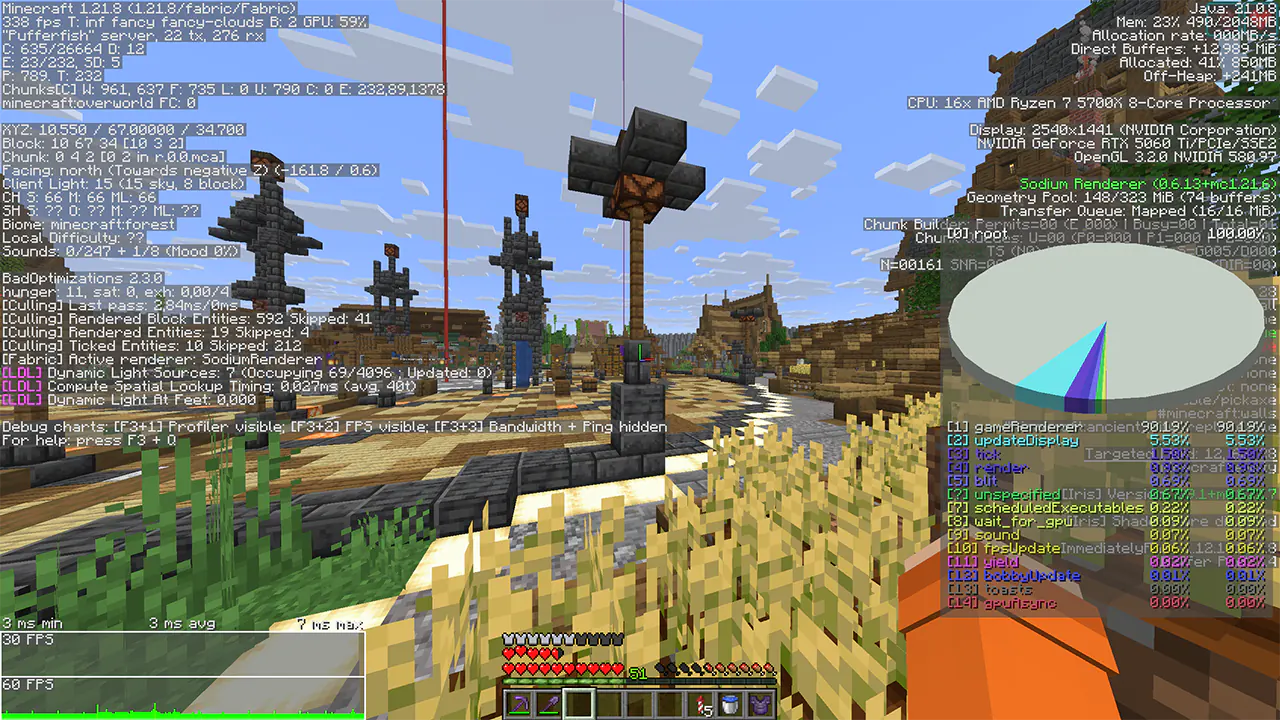
Average FPS increase of +5% to +10% in busy areas. But it could be more.
OFF:
ON:
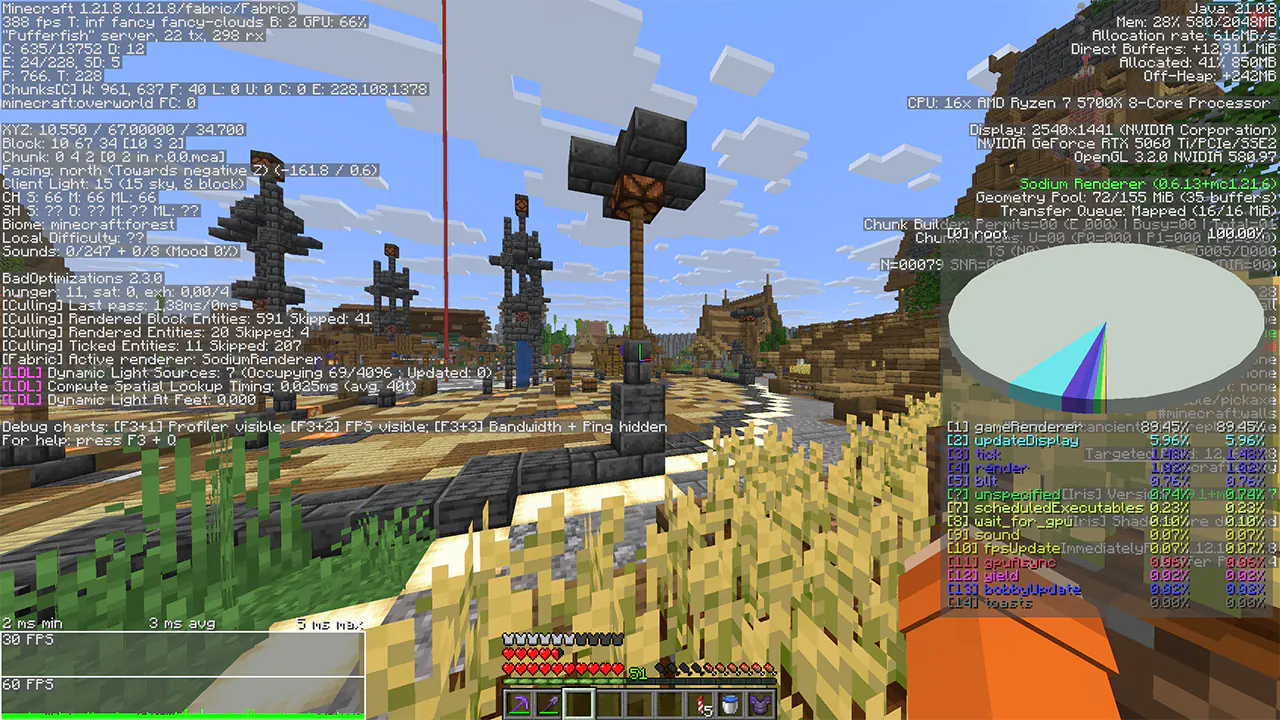
Despite the fact that the test used a 5060ti, I still saw an increase in performance. You can verify this by looking at the frame time and FPS graph.
Settings:
The mod does not have a GUI interface, so configuration is done via console commands or by manually changing the config.
The configuration file is located in config/BlockEntityRenderDistanceConfig.json
Each entity is configured separately there.
Command Description Default /BlockEntityRВ get Display current settings /BlockEntityRВ reload Restarts the mod configuration /BlockEntityRВ set isEnabled Turns the mod On or Off true /BlockEntityRВ set UseGlobalValue Turns On or Off the use of a single value for all Block Entities false /BlockEntityRВ set GlobalValue Common meaning for all Block Entities 40 /BlockEntityRВ set CheckIntervalTicks The frequency of checking the distance of all Block Entities to the player 20More details CheckIntervalTicks about:
The value 20 = 1 second, 10 = 0.5 seconds, 40 = 2 seconds, etc. That is, by default, the distance to the player is updated once every second. This may save some computer resources. The lower the value, say 1, the faster Block Entities turn on and off. If the value is higher, say 60, the opposite is true.
Similar Mods
Origin Deities
An Origins addon, adding two additional layers for Deities (an active power) & their aspects (a passive power)
Thorny Bush Protection
🫐 Players walking through berry bushes won't receive damage while wearing leggings.

Music Trigger IPersistentTriggerData Crash (and more!) Fixer
Fixes the IPersistentTriggerData crash (and more!) in Music Triggers

Customizable Elytra (Fabric)
Makes elytra dyeable like leather armor and allows you to place banners on them like shields!

Image2Map
Turn images into maps!

Minestrappolation 5
Minestrappolation is a massive overhaul of Vanilla Minecraft which aims to add a ton of new blocks, items, and gameplay...