

Image Overlay
ModA mod for rendering images or GIFs on screen!
Type
Mod
Modrinth Downloads
8,120
Modrinth ID
Hd1BHyBI
Last Updated
Sep 19, 2026
Description
Image Overlay Mod
Render images and GIFs directly on your screen!
Features
- Render static images and animated GIFs
- Dynamic positioning and resizing
- Transparency and rotation controls
- GUI
- Slideshows
- Overlays: render images at fullscren that automatically adapt to your resolution
- Image rendering via URL (Imgur)
- Rendering layers: Lets you render images/GIFs behind or in front of GUI elements (Hotbar, scoreboard...) Using the GUI, hold "Alt + right click" on an image/GIF to open a context menu and select the preferred option ONLY WORKS IN 1.21.4 ONWARDS. *Other features are also in the menu
- Presets
- Twitch integration -> Go to https://imageoverlay.gitbook.io/imageoverlay-docs for the tutorial on how to connect your Twitch account to the ImageOverlay Mod
Commands
Command Description /image help List all available commands /image list Show all images/GIFs in your imageoverlay folder /image render <name> <x> <y> Display an image/GIF at specified coordinates /image move <name> <x> <y> Move said image/GIF /image resize <name> <x> <y> Modify image/GIF /image url <name> <width> <size> Render image/GIF using an IMGUR URL /image stop <name> Stop rendering an image/GIF /image preset save <name> Saves every image/GIF data as one preset /image preset list Lists all the presets /image preset load <name> Loads saved presets /image preset delete <name> Deletes said presetIN ORDER TO RENDER IMAGES/GIFs USING URLS YOU NEED TO PUT THEM BETWEEN "" E.g: /image url "https://i.imgur.com/funnymeme.jpeg" 100 100
GUI
- Drag & drop images/GIFs around your screen
- Resize by using the border and corner indicators
- Right-click an image/GIF to toggle the transparency slider
- Hold Alt + corner to rotate images
- Slideshows (SLIDES button):
- Set display duration per image
- Cycle manually with J/K keys (toggle auto-mode) – keys can be changed in settings
- Overlays (OVERLAY button):
- Render images/GIFs in full-screen
- Automatically scale to your resolution
- Create overlay slides to have multiples overlays and cycle through them
- URL lets you render images directly using an IMGUR URL. E.g: https://i.imgur.com/funnymeme.jpeg
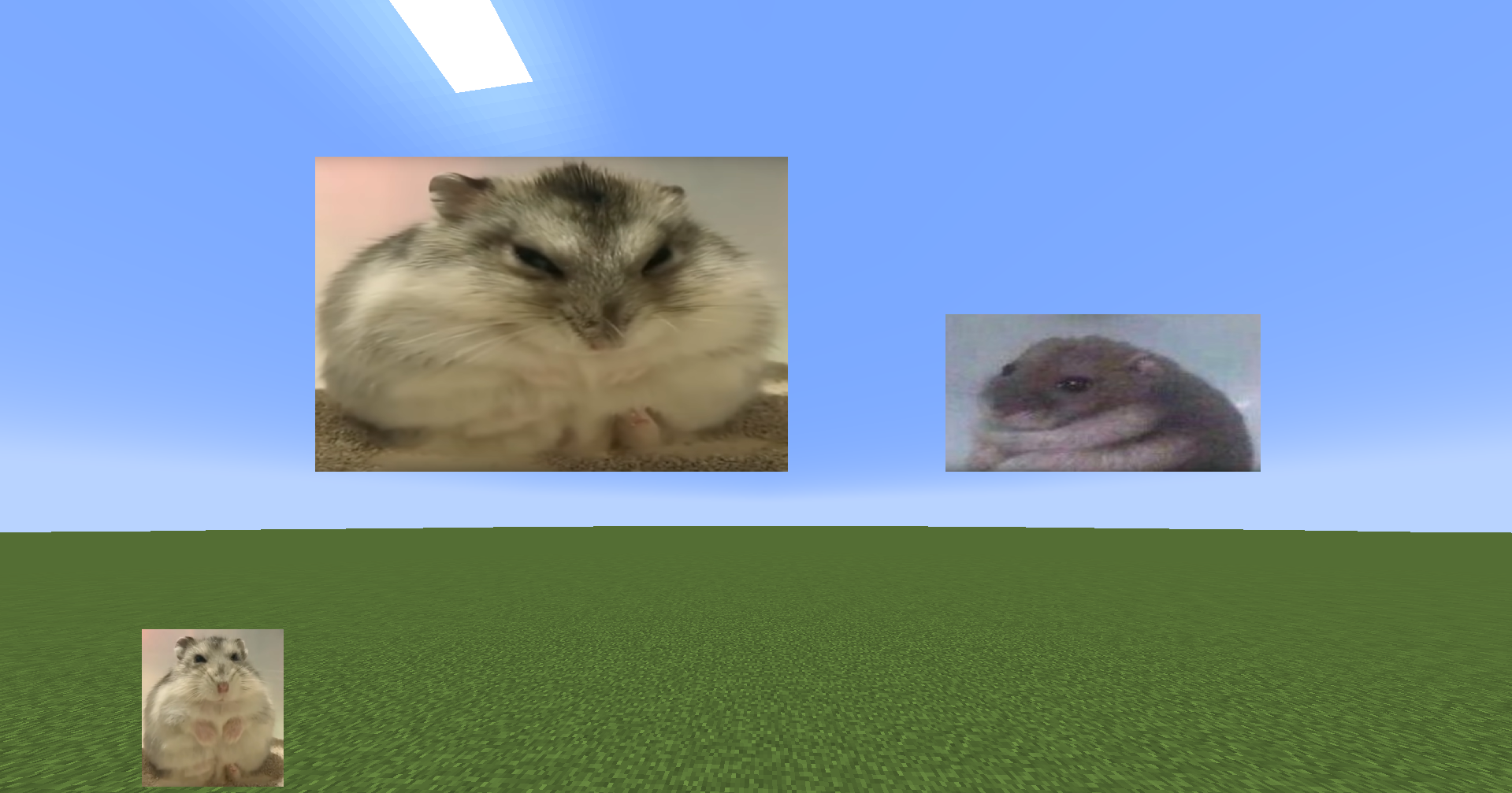
Folder Location
- All images/GIFs are located in the imageoverlay folder in the .minecraft directory
- Overlays are located in the imageoverlay/overlays folder
- Twitch images are located in the imageoverlay/twitch folder
❤️ Support & Feedback
- Join my Discord Discord
- Report issues or leave suggestions on GitHub Issues
- Support me on Ko-fi
Compatibility
Mod Loaders
Game Versions
Recommended Gear
AffiliateHardware and extras that pair well with this mod.


As an Amazon Associate I earn from qualifying purchases.
Screenshots
Similar Mods

ChunkAPI
Manage custom data inside chunks without hassle.
Extreme Animals
New adorable animals for your Minecraft world!
Historically Accurate Armor
More armor and tools to craft it in "historically accurate" style

Handful
Make every item count! Present your stacks in your hand just like they'd appear dropped, giving them a fresh look.

Cell⁴
One cell. Infinite resources. Any filter you need.

Player Corpses
When the player dies they will now leave behind a corpse from which they can later retrieve their items