Description
## Ship Retrieval Service
(Bevor your judge the new GUI Backround is comming soon)
Ship Retrieval Service is an **admin and utility mod for Valkyrien Skies 2**.
It provides tools to **view, manage, and recover Valkyrien Skies ships** through an in-game GUI and commands. This mod helps server administrators and technical players handle ships that are lost, bugged, or causing performance issues.
This mod is intended for **server administrators, modpack creators, and technical players** who need admin-level control over Valkyrien Skies ships.
---
## What does this mod do?
Ship Retrieval Service provides:
**Ship Management GUI:**
- View all Valkyrien Skies ships in the world
- Search, filter (Static/Dynamic/All), and sort (Name/ID/Status) ships
- See ship ID, position (X/Y/Z coordinates), dimension, and status
- Click any ship to open a detailed view
**Ship Details & Actions:**
- Edit ship name, owner, and notes for identification
- Teleport to a ship's location
- Teleport a ship to your current position
- Freeze or unfreeze ships (stop/allow physics)
- Delete ships permanently with confirmation dialog
- Copy ship coordinates to clipboard
**Ship Namer Item:**
- Survival-friendly item available to all players (no admin permissions required)
- Allows every player to name and tag their own ships
- Right-click on any ship to open the naming interface
- Add owner and notes for better organization
- Can be crafted or obtained in-game
**Admin Commands:**
- `/srs ships` - Open the ship management GUI
- `/srs reload` - Reload configuration
- `/srs toggle debug` - Toggle debug messages
- `/srs debug` - Debug tools for troubleshooting
**Configuration:**
- Set command permission levels (OP-only or all players)
- Choose from 10 supported languages
- Enable/disable Ship Namer item
- Configurable admin action permissions
---
## Why should I use this mod?
You may want to use this mod if:
- A ship has flown away or is unreachable
- Ships are causing server lag or crashes
- You need to organize and label ships on a server
- Valkyrien Skies ships prevent world loading
- You want admin control without third-party tools
Ship Retrieval Service lets you **manage ships directly in-game** without external editors or world resets.
---
## Important Information
**Before Using:**
- This is an **admin/utility mod** - requires operator permissions by default
- Deleted ships **cannot be restored** - always confirm before deleting
- **Create world backups** before using delete functions
- Only affects Valkyrien Skies ships (vanilla entities are not touched)
**Permissions:**
- Default: OP level 2 required for commands and GUI
- Configurable in `config/srs-common.toml` (Forge) or mod config
- Can be set to allow all players if desired
**Language Support:**
- English, German, Spanish, French, Italian, Portuguese, Russian, Chinese, Japanese, Korean
- Change language in configuration file
---
## Requirements
- Minecraft **1.20.1**
- **Valkyrien Skies 2** (required dependency)
- **Forge** or **Fabric** (depending on the build you download)
---
## How to Use
Click to expand
### Opening the Ship Management GUI
1. Join your world with operator permissions (or configure permissions)
2. Run `/srs ships` command
3. The Ship Management GUI will open with a list of all ships
### Using the Ship List
1. Use the **search bar** to find ships by name
2. Use **filter buttons** to show only Static or Dynamic ships
3. Use **sort buttons** to sort by Name, ID, or Status
4. Click **Details** button next to any ship to view details
### Managing a Ship
1. In the detail screen, you can:
- **Edit name, owner, and notes** in the text fields
- **Save** - Click save button or press Ctrl+S
- **Teleport to Ship** - Teleports you to the ship's location
- **Teleport Ship Here** - Moves the ship to your position
- **Freeze/Activate** - Toggle ship physics on/off
- **Delete** - Permanently remove the ship (with confirmation)
- **Copy Coords** - Copy ship coordinates to clipboard
### Using the Ship Namer Item
1. Obtain the "Ship Namer" item:
- Survival: Craft it in-game (recipe available)
- Creative: Find it in the Operator Utilities tab
2. Right-click on any Valkyrien Skies ship
3. Edit the ship's name, owner, and notes
4. Click Save or Cancel
5. **Note:** Ship Namer works for all players, not just admins
### Configuration
1. Find the config file:
- Forge: `config/srs-common.toml`
- Fabric: Mod Menu settings
2. Configure:
- Command permission level (0-4, default: 2)
- Admin actions permission level
- Language preference
- Enable/disable Ship Namer item
- Debug mode
### Troubleshooting
- Use `/srs debug list` to see all loaded ships
- Use `/srs toggle debug` to enable detailed logging
- Check server logs for error messages
- Ensure you have proper permissions (OP level 2+ by default)
---
## Credits
**Development:** Created for the Valkyrien Skies 2 community
**Art & Design:**
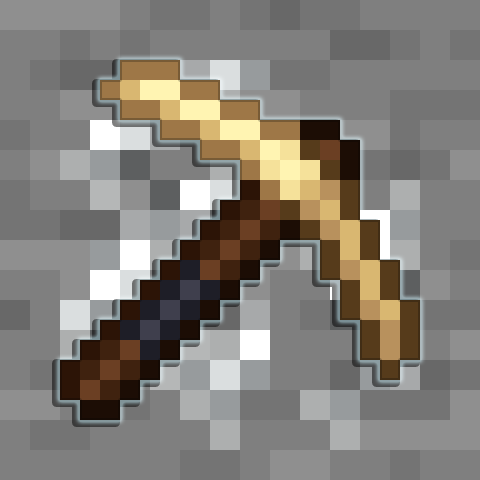
- **SuperHappyPurson** - Ship Namer item texture design
- **SuperHappyPurson** - GUI background designs (coming soon)
---
## License
This project is licensed under the **Apache License 2.0**.