
Veinminer - Highly Configurable
Modby SGTSambam
Veinminer is a configurable mining mod that lets you break entire veins with a single block break. It keeps the grind down while giving server owners clear controls, limits, and permissions.
Description
⛏ Veinminer
Veinminer is a configurable mining mod that lets players break connected ore and log veins with one normal block break. It keeps the grind down while giving server owners clear controls, limits, and permissions.
No /veinminer setup command is required. Install the mod, hold Shift while mining a supported block, and Veinminer works immediately.
⚙️ Key Features
- 🧱 Vein Mining — mines connected supported blocks with safe block caps.
- 🛠️ Activation Choices — Shift/sneak by default, optional client hotkey, hold or toggle mode per player.
- 🙌 Empty-Hand Support — server owners can allow
handas a tool entry. - 🧰 Flexible Block Lists — global block and tool lists for server control.
- 🪓 Per-Tool Rules — optional advanced per-tool block lists.
- ⚡ Durability Safety — optional guard to avoid breaking tools.
- 🔁 Cooldown & Limits — optional cooldown, exhaustion, and max-block controls.
- ✴️ Particles/Outline — per-player outline particles with color and duration controls.
- 🔐 LuckPerms Toggle — optional integration for permission-managed servers.
- 🧪 Advanced Test Command —
/vmadvanced testwhen advanced mode is enabled. - 🔄 Live Reloads —
/veinminer reloador/vmadmin reloadreloads configs from disk.
Works server-side out of the box. Optional client mod adds the hotkey, default V.
🔧 Configuration & Commands
Player command quick reference
| Command | Description |
|---|---|
/veinminer |
Show quick help. |
/veinminer help [topic] |
Help for toggle, reload, activation, togglemessages, or particles. |
/veinminer toggle |
Toggle Veinminer for yourself. |
/veinminer activation keybind |
Switch between Shift and the optional client keybind. |
/veinminer activation mode hold|toggle |
Set your activation mode. |
/veinminer togglemessages permission|disabled|cooldown|durability |
Toggle your own feedback messages. |
/veinminer particles toggle |
Toggle your own outline particles. |
/veinminer particles setcolor <red> <green> <blue> |
Set your own outline particle color. |
/veinminer particles setduration <ticks> |
Set your own outline particle duration. |
/veinminer reload |
Reload configs from disk. Requires admin/manage permission. |
Admin command quick reference
| Command | Description |
|---|---|
/vmadmin blocks add|remove|list|clear <id|#tag> |
Manage global block lists. |
/vmadmin tools add|remove|list|clear <id|#tag|hand> |
Manage allowed tools. |
/vmadmin settings blocklistmode whitelist|blacklist |
Set global block list mode. |
/vmadmin settings maxblocks <value> |
Set max blocks per activation. |
/vmadmin settings cooldown enable|disable|set <seconds> |
Configure cooldown. |
/vmadmin settings exhaustion enable|disable|scale <value> |
Configure exhaustion cost. |
/vmadmin settings luckperms enable|disable |
Toggle LuckPerms integration. |
/vmadmin reload |
Reload configs from disk. |
/vmadmin confirm / /vmadmin cancel |
Confirm or cancel pending destructive admin actions. |
Advanced command quick reference
| Command | Description |
|---|---|
/vmadvanced blockpertool ... |
Manage per-tool block lists. |
/vmadvanced settings blockpertool |
Toggle per-tool block list mode. |
/vmadvanced test |
Run the advanced feature test harness. |
/vmadvanced confirm / /vmadvanced cancel |
Confirm or cancel pending destructive advanced actions. |
📁 Config files
Written to config/Veinminer/ (TOML) on first run.
GeneralConfig.toml
basic.enabledtruebasic.activation_keySHIFTbasic.require_correct_tooltruebasic.check_tool_durabilitytrue,basic.durability_cap1,basic.durability_modeABSOLUTEvisual.show_particlestrue,visual.show_chat_feedbacktrueadvanced.enabledfalse,advanced.debug_loggingfalseadvanced.block_limits.max_blocks64advanced.cooldown.enabledfalseadvanced.exhaustion.enabledfalse
ToolsList.toml
- Allowed tools, including optional
handsupport.
BlocksList.toml
- Global block list for supported ores, logs, tags, or custom entries.
BlockPerToolList.toml
- Per-tool block lists when advanced per-tool mode is enabled.
🛡️ Permissions
General
veinminer.useveinminer.reloadveinminer.settings.manageveinminer.*
Blocks
veinminer.blocks.manageveinminer.blocks.addveinminer.blocks.removeveinminer.blocks.listveinminer.blocks.*
Tools
veinminer.tools.manageveinminer.tools.addveinminer.tools.removeveinminer.tools.listveinminer.tools.*
Per-Tool
veinminer.blockpertool.manageveinminer.blockpertool.blocks.add|remove|listveinminer.blockpertool.tools.add|remove|listveinminer.blockpertool.blocks.*,veinminer.blockpertool.tools.*
Particles
veinminer.particles.manageveinminer.particles.enable,veinminer.particles.disableveinminer.particles.setcolor,veinminer.particles.setduration
🧱 Compatibility
- ✅ Fabric: Minecraft 1.20 through 26.2.
- ✅ NeoForge: Minecraft 1.21 through 26.2.
- ✅ Works on dedicated servers and single-player integrated servers.
- ❌ No Forge builds are currently planned.
🖥️ Client Optional
Installing the client build enables the hotkey and sends key state to the server. Default key: V. Without the client, Shift/sneak activation remains available for a vanilla-only server-side experience.
📥 Installation
- Download the latest build for your loader and Minecraft version.
- Drop the jar in
/mods. - Restart the server or client.
- Play normally. Edit configs or enable advanced mode only if you need admin controls.
💬 Support
Discord: https://discord.gg/43nu6wSWRC
🧰 Other Projects
- 🔨 Hammer Mining — 3x3 breaking via enchant.
Recommended Gear
AffiliateHardware and extras that pair well with this mod.

Mini PC for Self-Hosting
A low-power box that can sit in a cupboard and run a modded server around the clock.

LEGO Minecraft Set
Official sets that translate the building side of the game off-screen.
As an Amazon Associate I earn from qualifying purchases.
Similar Mods
Mowzie's Mobs Respawner
Reset The Boss Structures

Convenient Name Tags
Lets you rename Name Tags by right clicking them in the air!

EZStorage 2
Storage made easier.

MoreMcmeta (Fabric)
Animate almost any Minecraft texture with JSON and OptiFine files. Texture configuration API. 1.16-1.21
Waterhook
Waterhook is a tool/core mod to add a "water forming" event to Forge
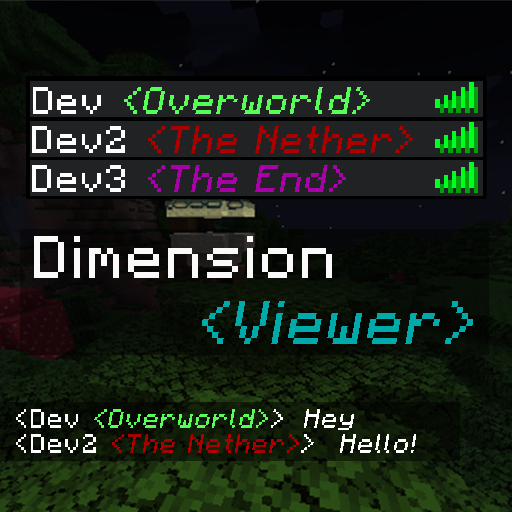
Dimension Viewer
A highly customisable server-side mod for viewing which dimension each player is currently in from the tab list.