
The Obfuscation (THE BROKEN SCRIPT)
Modpackby 6marcello6
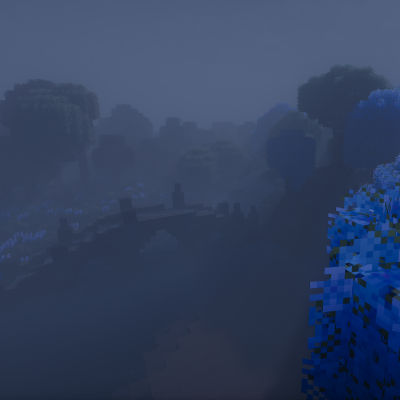
A terrifying modpack that combines horror, medieval fantasy structures, and the official Broken Script mod with shaders ready out of the box.
Description
READ BELOW FOR SETUP INSTRUCTIONS
The Obfuscation is a horror-fantasy modpack built around the official Broken Script mod, with a strong medieval atmosphere. The world is filled with hand-crafted and generated fantasy structures — castles, ruins, dungeons, and villages that feel alive but unsettling.
The pack is designed to be immersive right from the start. Shaders, textures, and settings come preloaded, so you don’t need to spend time adjusting options — everything looks and feels the way it’s meant to out of the box.
This is a survival experience with a dark twist: exploration is dangerous, the environment feels oppressive, and every structure tells its own story. If you enjoy a mix of fantasy and horror, The Obfuscation will keep you on edge as you uncover what lies within its world.
✦ Features
-
🕯 The Broken Script mod – official integration at the core of the experience
-
🏰 Medieval & fantasy structures – castles, ruins, villages, and dungeons to explore
-
🌑 Horror atmosphere – sound, lighting, and ambience tuned for tension
-
🎨 Preloaded shaders & resource packs – no setup required, just launch and play
-
⚔️ Survival-focused gameplay – dangerous exploration with a dark fantasy twist
-
📖 Config tweaks & settings included in instructions – balanced for immersion and performance
HOW TO SETUP:
VIDEO SETTINGS
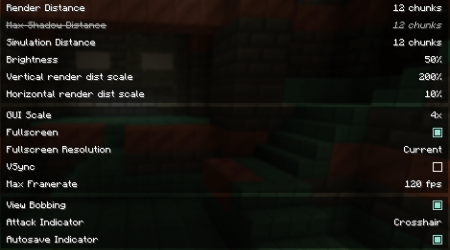 I would recommend these settings. Make sure Vsync is OFF and make sure your fps limit is set to your monitor's refresh rate, if you dont know what it is you can google a tutorial.
SHADERS
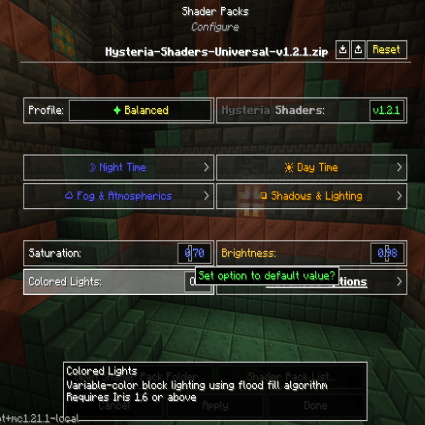 In your settings, click on Iris and choose what shader you would like to use, generally if you dont have a very good PC then it's recommended to use BSL, if you have a higher end pc like an RTX 3070 or RX 6800 and above then using Hysteria is generally ok.
Once you have chosen the shader you will use look at the tutorial below on how to setup the shader you chose.
HYSTERIA SHADERS
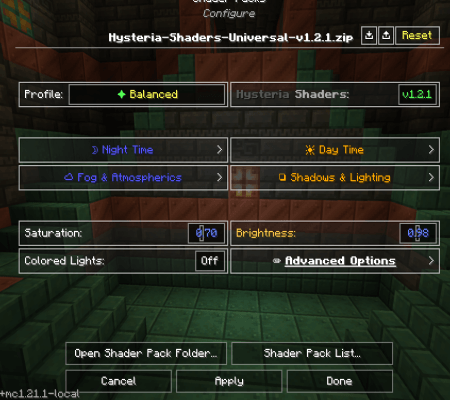 For Hysteria shaders I recommend you choose these settings. Click on Shadows & Lighting, go to Light Sources and then click on Sunlight Color, Click on Morning and turn Red and Green down, then turn Blue up. It doesnt really matter how intense you make it as long as it fits your preference, then do the same to Noon and Evening. Once you are done, click on Back and choose Blocklight Color, turn Blue down to about 40-45 to make the light look more natural. If it is too dark for you, you can always turn Brightness UP until it meets your personal preference. Once you are done with everything continue with the tutorial.
BSL SHADERS
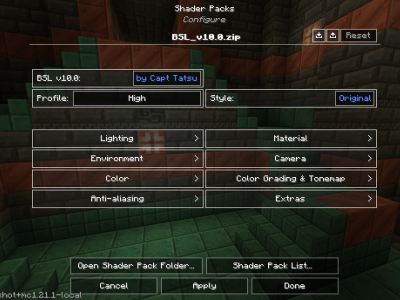 For BSL, these are the settings I recommend. Click on Colour, then go to Lighting Color, choose Light (Morning). Turn Blue all the way up to about 180-220, and Green and Red to 80-100. Do the same thing for Day, Evening and Night. Once you have done that, go back and click Blocklight Color, turn Green and Red to around 200-220 and Blue goes down to 90-100, this makes the lights from Torches, Lanterns and Light coming from blocks look more natural and warm. Once you have done that continue with the tutorial.
TEXTURE PACKS
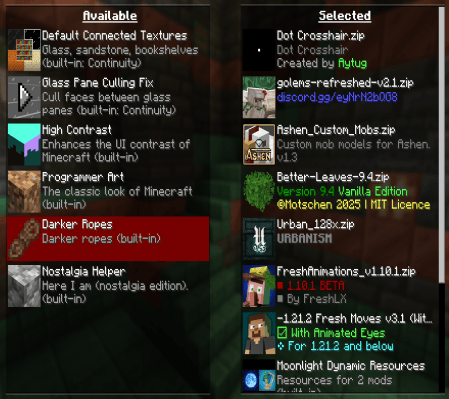 This is the final step, Go back all the way to the options menu and click on Resource Packs, all you have to do is add the Texture packs shown in the image and PUT THEM IN THE EXACT ORDER AS THE IMAGE, OR ELSE SOME OF THE TEXTURE PACKS WILL BREAK. Once you have done this the game should end up looking like the pictures shown in the gallery.
Compatibility
Mod Loaders
Game Versions
Recommended Gear
AffiliateHardware and extras that pair well with this modpack.

LEGO Minecraft Set
Official sets that translate the building side of the game off-screen.

Minecraft Enderman Character Plush
Enderman plush toys, and a reliable gift for a younger player.
As an Amazon Associate I earn from qualifying purchases.
Screenshots
Similar Modpacks
![Apocalypse Remnants of Earth - A Modern Zombie Apocalypse [TACZ] [Custom Generation] [Ready to go]](https://media.forgecdn.net/avatars/1556/435/639009950598342040.png)
Apocalypse Remnants of Earth - A Modern Zombie Apocalypse [TACZ] [Custom Generation] [Ready to go]
This modpack throws one into a postapocalyptic world overrun by zombies where survival is scavenging and fighting throug...
RealisticCraft V1 - Reloaded
A modpack that tries to make minecraft as realistic as possible.

Bare Bones Survival
A Improvement of singleplayer where everything has been changed to look like the trailer!
MilitaryCraft
a modpack focused on expanding your military might against friends!
The Viltrum Empire
Become a viltrumite and join the Viltrum Empire or join the Coalition Of Planets to help fight against the tyranny of th...

Project Infinity Improved
Bit of a grindy pack Well if you exclude projectE, play with friends
Contained Mods (143)
![[EMF] Entity Model Features [Fabric & Forge]](https://media.forgecdn.net/avatars/983/284/638491564386011875.png)
[EMF] Entity Model Features [Fabric & Forge]
EMF is an, OptiFine format, Custom Entity Model replacement mod available for Fabric and Forge.
![[ETF] Entity Texture Features - [Fabric & Forge]](https://media.forgecdn.net/avatars/983/279/638491557830728907.png)
[ETF] Entity Texture Features - [Fabric & Forge]
Custom, Emissive and Varied mobs like Optifine and so much more.. +Player skin features!)
Alex's Biome Dimensions
Each biome got it's own dimension you can explore, farm wood in the forest dimension or go hunt for some loot in the Cur...

Almanac Lib
A loader independent library containing shared code reused between mods and a fix for empty nbt issues.
Ambient Environment
Adds more ambiance to a Minecraft world

AmbientSounds 6
#listentonature

AppleSkin
Adds some useful information about food/hunger to the HUD

Architectury API
An intermediary api aimed to ease developing multiplatform mods.

Ashen Custom Mobs
Custom mob models for Ashen 16x.

AzureLib
Java Minecraft mod using Bedrock models to create custom models and animations for items, blocks, entities

BadOptimizations
Optimization mod that focuses on things other than rendering

Balm
Abstraction Layer for Multi-Loader Mods
Better Days
Gives you control over the passage of time by allowing you to customize the length of the day-night cycle and alters the...
![Better Fps - Render Distance[Forge]](https://media.forgecdn.net/avatars/531/771/637854357042030339.png)
Better Fps - Render Distance[Forge]
Better FPS Render Distance is a mod which adds a few performance improvements to increase fps.

Better Third Person
Improves third-person camera view.
Biome Blends
Change biomes in survival using Biome Blends! Full Data Pack support!

Biomes O' Plenty
Adds 50+ unique biomes to enhance your world, with new trees, flowers, and more!

Blueprint
Library that implements the framework of all Abnormals mods!

Bookshelf
An open source library for other mods!

BSL Shaders
Shaderpack for Minecraft: Java Edition. It's bright, colorful, and distinct.
Carry On
Carry On allows you to pick up Tile Entities and Mobs and carry them around!
ChoiceTheorem's Overhauled Village
Enhances and creates new villages and pillager outposts, that perfectly fit into your Minecraft world.

Cloth Config API (Fabric/Forge/NeoForge)
Config Screen API for Minecraft

Clumps
Clumps XP orbs together to reduce lag

Collective
🎓 Collective is a shared library with common code for all of Serilum's mods.
Continuity
A Minecraft mod that allows for efficient connected textures

CorgiLib
A library mod containing code used across Corgi Taco's mods.

CoroUtil
Library Mod for Weather/Tropicraft/ZombieAwareness/etc
Corpse
Never lose your items again!

CreativeCore
a core mod

Cristel Lib
A Library mod for easy structure config and runtime datapacks.

Cupboard
Cupboard provides code, frameworks, and utilities for minecraft mods

Curios API (Forge/NeoForge)
A flexible and expandable accessory/equipment API for users and developers.
Day Count - a day counter HUD (Forge/NeoForge/Fabric)
This mod adds a day counter HUD with customizable location, size and color to the screen.

Dynamic FPS
Improve performance when Minecraft is in the background

Eidolon : Repraised
Unofficial port of Eidolon to 1.19+
Entity Culling Fabric/Forge
Using async path-tracing to hide BlockEntities/Entities that are not visible

Essential Mod
The best way to play Minecraft. Enhanced Minecraft features in one simple mod. Fast, friendly, and for everyone!
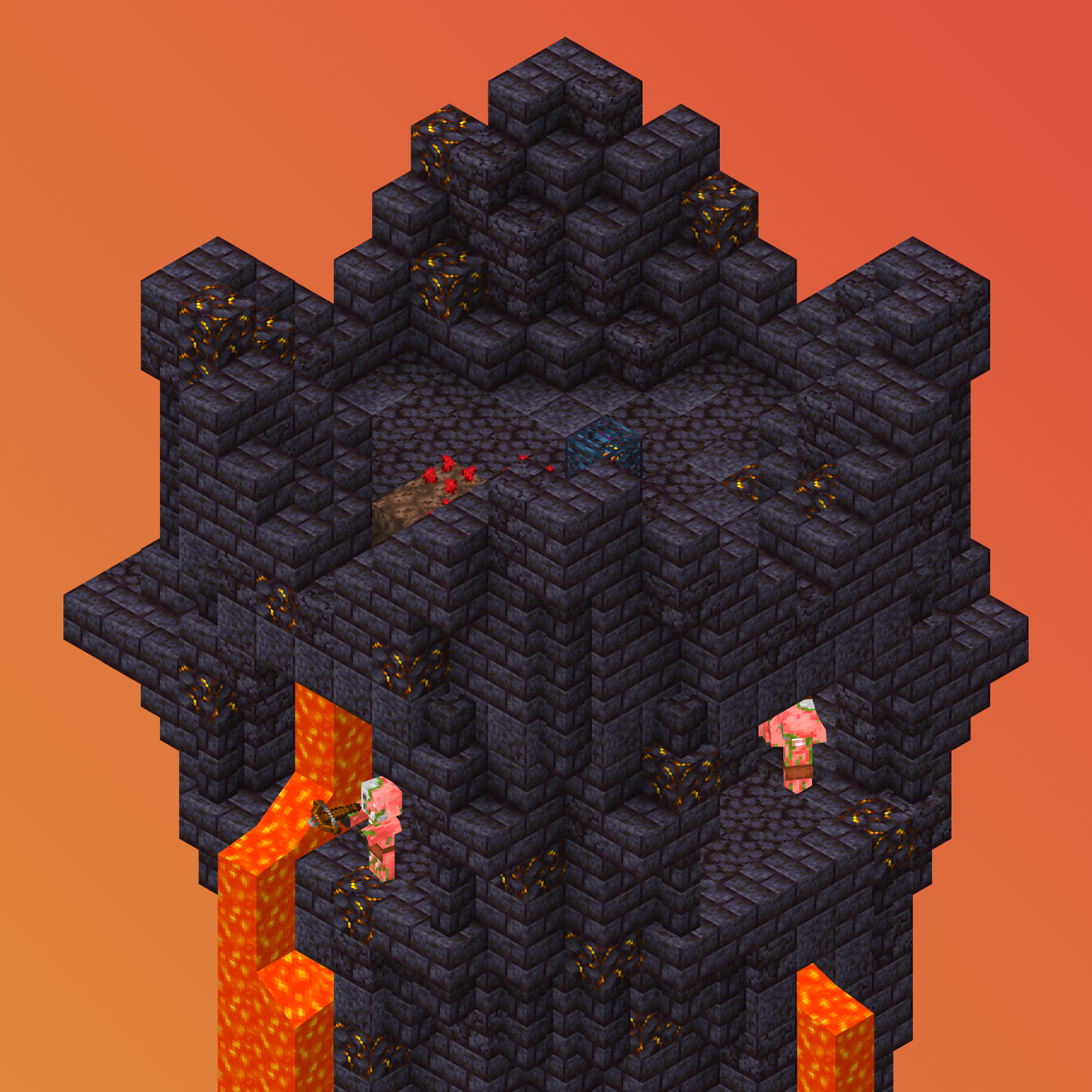
Explorify – Dungeons & Structures
A simplistic, vanilla-friendly collection of new structures.
Falling Leaves (NeoForge/Forge)
Falling Leaves from trees
Farmer's Delight
A cozy expansion to farming and cooking!
![Farsight [Forge/Neo]](https://media.forgecdn.net/avatars/532/489/637856138513958598.png)
Farsight [Forge/Neo]
See far chunks on clientside, even if the server has low view distance
Fast Leaf Decay
Makes leaves decay faster when a tree is cut down.

FastFurnace
A performance upgrade for the furnace.
FastWorkbench
A performance upgrade for the crafting table.
FerriteCore ((Neo)Forge)
Memory usage optimizations

First-person Model
Enables the third-person Model in first-person
Forgified Fabric API
Fabric API implemented on top of NeoForge

Fresh Animations
Make your game like the trailers! Dynamic animated entities to freshen your Minecraft experience.

Fresh Moves
This is EMF Player Animation resource pack. Gives fancy animations to the player entity. Compatible with animations from...

Fzzy Config
Config API with automatic GUIs, powerful validation options, server-client sync, and more!

GeckoLib
A 3D animation library for entities, blocks, items, armor, and more!

GlitchCore
A library mod aimed at abstracting mod loaders and providing various utilities for our mods.

Golems Refreshed
Golems with a Refreshed Take!

Guard Villagers
Guards that help with village pest control

HORROR - Psychological Horror Messages (no dweller)
Every 10-15 minutes, a random horror message will be sent to the chat. Perfect if you are looking for a psychologically...
Hud Texts
If you want UI texts with variables then this mod is for you.
![Iceberg [Neo/Forge]](https://media.forgecdn.net/avatars/425/207/637653794535451378.png)
Iceberg [Neo/Forge]
A modding library that contains new events, helpers, and utilities to make modder's lives easier.

ImmediatelyFast
Speed up immediate mode rendering in Minecraft
In Control!
Be In Control of mob spawns
Inventory Tweaks - ReFoxed
Inventory Tweaks for NeoForge

Iris Shaders
A modern shaders mod for Minecraft intended to be compatible with existing Optifine shaders

JourneyMap
Real-time map used for mapping in-game or your browser as you explore.

Just Enough Items (JEI)
View Items and Recipes
Just Zoom
Lots of new features and improvements for the Spyglass, plus a standalone zooming mode!
Konkrete
Just another boring library mod.

Kotlin for Forge
Adds a Kotlin language loader and provides some optional utilities.

KubeJS
Edit recipes, add new custom items, script world events, all in JavaScript!
Let Me Despawn
Improves performance by tweaking mob despawn rules.

Lithium (Fabric/NeoForge)
An optimization mod for Minecraft which improves server performance significantly.

Lithostitched
Library mod with new configurability and compatibility enhancements for worldgen

Macaw's Bridges
A simple mod that adds a lot of bridges!
Macaw's Furniture
Decorate your world with wardrobes, drawers, chairs, desks, tables, couches, sinks... and more!
MES - Moog's End Structures
Lots of Vanilla styled structures to fill up the end dimension with life!

MNS - Moog's Nether Structures
loads of structures made with vanilla blocks and entities bringing life to your world! Discover loot, enemies, & more al...

ModernFix
All-in-one mod that improves performance, reduces memory usage, and fixes many bugs. Compatible with all your favorite p...

Moog's Structure Lib (moogs_structures)
This is a library mod for the Moogs Structure series

Moonlight Lib
Forge and Fabric lightweight library with utilities such as custom Villagers AI, data driven trades, global datapack, cu...
Motschen's Better Leaves
Improves the appearance of leaves with high mod compatibility and performance!

Mouse Tweaks
Enhances inventory management by adding various functions to the mouse buttons.
MVS - Moog's Voyager Structures
160+ structures made with vanilla blocks and entities bringing life to your world! Discover loot, enemies, & villagers a...
NetherPortalFix
Ensures correct destinations when traveling back and forth through Nether Portals in Multiplayer.

No Chat Reports
Makes chat unreportable (where possible)
Noisium (archived)
Optimises worldgen performance for a better gameplay experience.
Not Enough Animations
Bringing first-person animations to the third-person

Ocean's Delight
Ocean's Delight is an addon mod for Farmer's Delight based around adding culinary content to the ocean!

Oh The Biomes We've Gone
An astounding sequel to the original BYG mod for 1.20.1+ with over 50+ biomes ranging from the magical to the realistic...

Oh The Trees You'll Grow
Tree library used by popular mods such as Oh The Biomes We've Gone.

Panda's Falling Trees
Make trees fall when cut down

PandaLib
A Library mod used by The Panda Oliver
Placebo
A library mod

Puzzles Lib
Why is it called Puzzles? That's the puzzle.

Reese's Sodium Options
Alternative Options Menu for Sodium
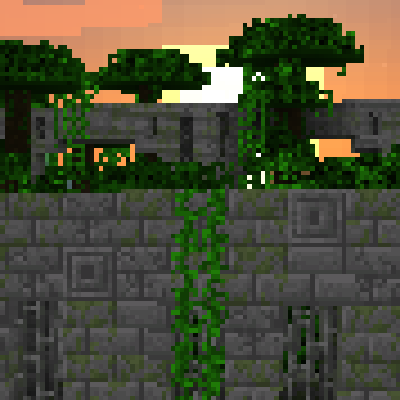
Repurposed Structures (Neoforge/Forge)
Adds more variations of vanilla structures and features such as a Jungle Fortress!

Rhino
A fork of Mozilla's Rhino library, modified for use in mods

Serene Seasons
Seasons with changing colors, shifting temperatures, and more!

Serene Seasons Plus - (Previously Extended Fix)
SereneSeason Plus (formerly Extended Fix) enhances seasonal immersion with sub season based day/night speed and improved...
Sinytra Connector
Lets you play Fabric mods on NeoForge
![Sky Villages [Forge]](https://media.forgecdn.net/avatars/453/849/637720015063165323.png)
Sky Villages [Forge]
Yes, that's right! Villages in the land of clouds! Explore massive and beautiful villages in the sky!

Sodium
The fastest and most compatible rendering optimization mod for Minecraft. Now available for both NeoForge and Fabric!

Sodium/Embeddium Dynamic Lights
Multiloader port of LambDynLights that adds Sodium/Embeddium settings support

Sodium/Embeddium Options API
Config API for adding Sodium/Embeddium options with a better categories menu
Sophisticated Backpacks
Yet another backpack mod this time with backpack you can place in world, color in different color combinations, upgrade...

Sophisticated Core
Library mod for Sophisticated mods

Sound Physics Remastered
A Minecraft mod that provides realistic sound attenuation, reverberation, and absorption through blocks.

Spice of Life: Carrot Edition
A mod based around food that rewards the player instead of punishing them for discovering new foods!
Structure Essentials
Essential features for structures: Faster locating, distance adjustments, nearby structure command, automatic structure...
Structure Pool API
📚 API to inject structures into structure pools.
SuperMartijn642's Core Lib
SuperMartijn642's Core Lib adds lots of basic implementations that allow for similar code between different Minecraft ve...

Supplementaries
Vanilla+ additions: Jars, signposts, faucets, weather vanes spring launchers, sconces, planters, lights, decoration and...
TerraBlender (NeoForge)
A library mod for adding biomes in a simple and compatible manner!

Terralith
A 1.18+ overworld expansion for Fabric and Forge, with tons of new biomes and caves!

The Broken Script (Official)
Here I am.
Tidal Towns
Several pieces of driftwood have been gathered to form a village that floats on the waves.
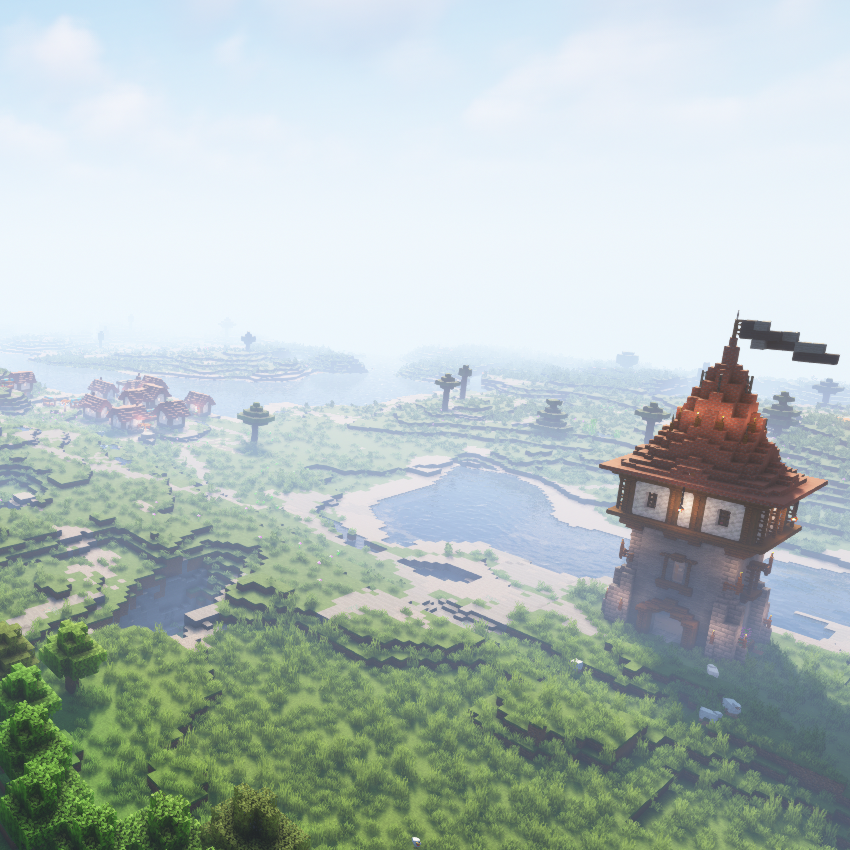
Towns and Towers
Spice up your world with new villages, pillager outposts, and even new ships!

TrashSlot
Adds a draggable trash slot to all inventory screens. Press T to toggle.
URBAN 128x|256x|512x|1024x
Gives minecraft a realistic/aesthetic look with PBR textures and 3D models..

Valhelsia Core
API for the Valhelsia mods and friends.
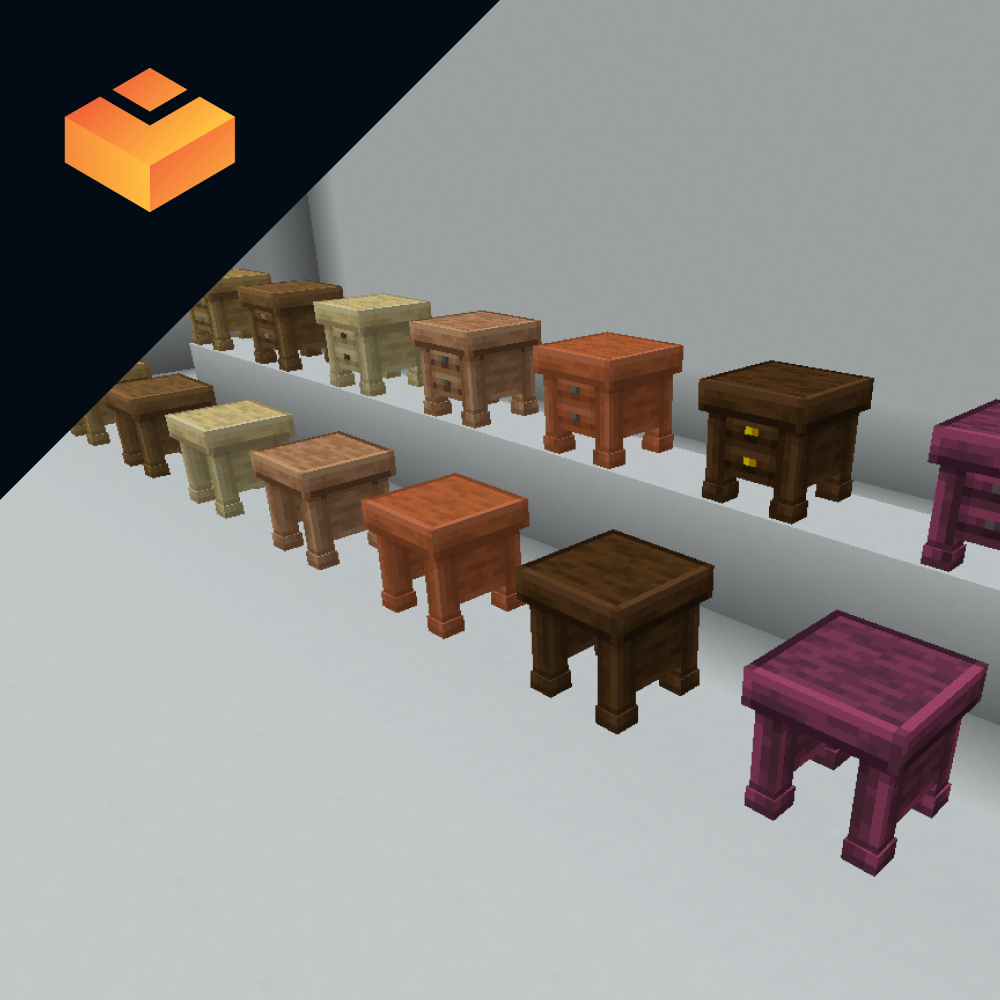
Valhelsia Furniture
Decorate your home better with furniture!
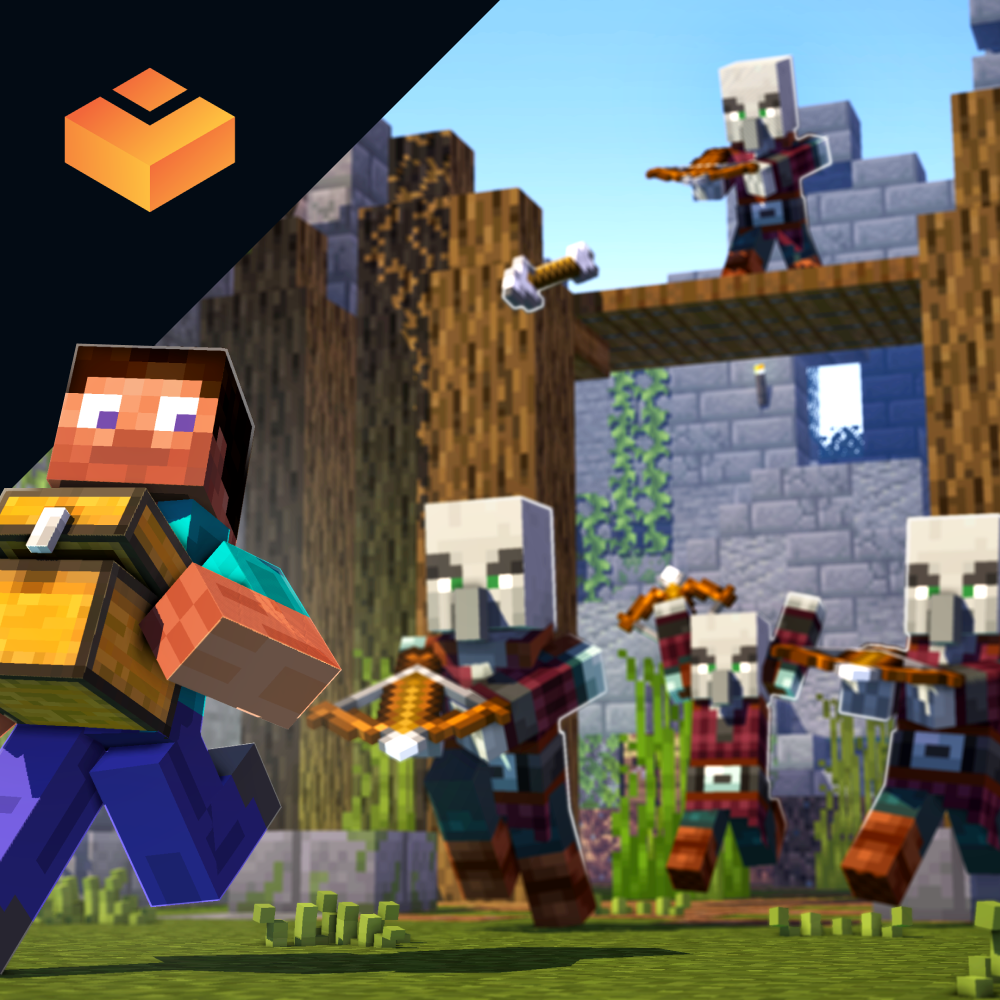
Valhelsia Structures
Adds new structures and dungeons to your world while being properly integrated.

Veinminer - Highly Configurable
Veinminer is a configurable mining mod that lets you break entire veins with a single block break. It keeps the grind do...
Villager Names
🧑🌾 Gives all villager entities a default or custom name to liven up the world.

Visual Workbench
Items stay inside of crafting tables and are also rendered on top. It's really fancy!
Waystones
Teleport from waystone to waystone or craft magical scrolls to warp.

What Are They Up To (Watut)
Lets you see if players are typing, in a GUI, idle, with cool ingame visuals
When Dungeons Arise - Forge!
Adds various elegant -and likely hostile- roguelike dungeons and structures that generate on your worlds!

YUNG's API (NeoForge)
A library mod for some of YUNG's Minecraft mods

YUNG's Better Caves (Forge/NeoForge)
Overhauled cave generation, underground lakes and rivers, lava oceans, and more!

YUNG's Better Desert Temples (NeoForge)
A complete redesign of Minecraft's desert temples!

YUNG's Better Dungeons (NeoForge)
A complete redesign of Minecraft's dungeons!

YUNG's Better End Island (NeoForge)
An overhaul of the main End Island where the dragon fight takes place!

YUNG's Better Jungle Temples (NeoForge)
A complete redesign of Minecraft's jungle temples!

YUNG's Better Mineshafts (NeoForge)
A long-awaited and much-needed abandoned mineshaft overhaul!

YUNG's Better Nether Fortresses (NeoForge)
A complete redesign of Minecraft's Nether fortresses!

YUNG's Better Ocean Monuments (NeoForge)
A complete redesign of Minecraft's ocean monuments!

YUNG's Better Strongholds (NeoForge)
A complete redesign of Minecraft's strongholds

YUNG's Better Witch Huts (NeoForge)
Adds overhauled witch huts to swamps!

YUNG's Bridges (NeoForge)
Adds beautiful naturally generated bridges throughout the world

YUNG's Cave Biomes (Forge/NeoForge)
Adds new vanilla+ cave biomes and underground content!

YUNG's Extras (NeoForge)
Extra structures, features, and vanilla+ content suitable for any modpack

YUNG's Menu Tweaks (NeoForge)
A small, lightweight mod that makes browsing menus a lot easier

Zero's Dot Crosshair
Dot Crosshair
👻 Hysteria Shaders
Atmospheric, highly customizable eerie shaderpack, successor of Insanity Shader.