
Create : Tick Control
Modby arginou57
Create Tick Control optimisation smart block entities ticks optimise create server and client
Type
Mod
CurseForge Downloads
11,519
CurseForge ID
1418208
Last Updated
Sep 26, 2026
Description
Create Tick Controller
Advanced Performance Optimization for Create Mod
Create Tick Controller is a powerful server-side performance optimization mod that dynamically controls the tick rate of Create mod's mechanical components. Designed for large-scale factory builds and server environments, it prevents TPS drops by intelligently throttling block entity updates while maintaining visual synchronization on the client side.
Table of Contents
-
Features Overview
-
How It Works
-
Performance Benchmarks
-
Installation
-
Commands Reference
-
Configuration Guide
-
Technical Deep-Dive
-
Best Practices
-
FAQ
Features Overview
Core Features
Feature Description Global Tick Divisor Reduce tick frequency for ALL Create block entities at once Per-Type Divisor Fine-tune tick rates for specific machine types (e.g., only slow down Millstones) Blacklist System Protect critical machines from global throttling Dynamic TPS Control Automatic tick adjustment based on server TPS using configurable formulas Emergency MSPT Protection Safety net that activates when server is struggling Client Animation Sync Animations visually reflect the actual tick rate — no desync Network Synchronization All settings automatically sync to connected clients
Supported Block Entities (80+ Types)
Category
Examples
Kinetics
Belts, Gearboxes, Shafts, Clutches, Gearshifts, Flywheels…
Processing
Millstones, Crushing Wheels, Saws, Mixers, Presses…
Logistics
Funnels, Chutes, Arms, Ejectors, Packagers…
Fluids
Pumps, Pipes, Hose Pulleys, Spouts, Fluid Tanks…
Contraptions
Bearings, Pulleys, Pistons, Gantries, Elevators…
Redstone
Nixie Tubes, Display Links, Redstone Links…
Trains
Stations, Signals, Tracks, Train Controls…
How It Works
The Tick Divisor Concept
Game Tick 1 2 3 4 5 6 Normal (No Divisor) TICK TICK TICK TICK TICK TICK Divisor = 3 TICK SKIP SKIP TICK SKIP SKIP Divisor Ticks Executed Ticks Skipped CPU Load Reduction 3 1 / 3 2 / 3 ~66%Key Insight: A divisor of 3 means the block entity only processes every 3rd tick, reducing CPU load by ~66% for that entity type.
Distributed Tick Scheduling
To prevent lag spikes, entities don't all tick on the same frame. Instead, they're distributed using position-based offsets:
Divisor = 4, Four Belt segments at different positions:
Game Tick 1 2 3 4 5 6 7 8 9 10 11 12 Belt A TICK TICK TICK Belt B TICK TICK TICK Belt C TICK TICK TICK Belt D TICK TICK TICK
Result: Load is evenly distributed across all ticks!
Client Animation Synchronization
The mod uses Mixins to intercept animation calculations on the client side:
Server: Block ticks at 1/4 speed (divisor=4) ↓ Network: Divisor synced to client↓
Client: Animation speed = originalSpeed / 4
Visual Result: Gears rotate 4x slower, matching actual processing speed
Performance Benchmarks
Test Environment
Hardware: Intel i7-10700K, 32GB RAM, NVMe SSD Minecraft: 1.21.1 with NeoForge Create Version: 6.0.8 & 6.0.9 Test World: Superflat with controlled factory setups
Benchmark 1: Large Belt Network
Setup: 500 belt segments transporting items in a loop
Results table Divisor MSPT TPS CPU Usage Items/sec Efficiency 1 78,5 12,7 94% 1000 100,00% 2 52,3 19,1 71% 500 50,00% 4 38,1 20,0 52% 250 25,00% 8 31,2 20,0 43% 125 12,50% 16 27,8 20,0 38% 62 6,25%Benchmark 2: Processing Factory
Setup: 50 Millstones + 50 Mechanical Presses + 100 Funnels
Setup: 50 Millstones + 50 Mechanical Presses + 100 Funnels Divisor MSPT TPS Throughput Notes 1 89,2 11,2 100,00% Unplayable lag 2 58,7 17,0 50,00% Noticeable improvement 4 41,3 20,0 25,00% Full TPS restored 8 33,6 20,0 12,50% Overkill for this setupBenchmark 3: Mixed Factory (Real-World Scenario)
Setup: Complete factory with trains, processing, and logistics
- 200 Belt segments
- 30 Mechanical Arms
- 40 Funnels
- 20 Millstones
- 10 Crushing Wheels
- 5 Train stations with active trains
*Optimized configuration:
Configuration MSPT TPS Description No mod 125,4 8,0 Severe lag, unplayable Global divisor = 4 45,2 20,0 Playable, slow processing Optimized per-type 38,7 20,0 Best balance Emergency mode active 42,1 20,0 Auto-adjusted during stress
Example: Optimized per-type divisors Component Divisor Belts 2 Arms 4 Millstones 8 Crushing Wheels 4 Funnels 2
MSPT Reduction Chart
MSPT Improvement by Divisor (200 Block Entities) 125 ─┤ ██████████████████████████████████████████ Baseline │ 100 ─┤ ██████████████████████████████████ Div=2 (-20%) │ 75 ─┤ ████████████████████████████ Div=3 (-40%) │ 50 ─┤ ██████████████████████ Div=4 (-56%) │ 40 ─┤ █████████████████ Div=6 (-68%) │ 30 ─┤ █████████████ Div=8 (-76%) │ 25 ─┤ ██████████ Div=12 (-80%) │ 20 ─┤ ████████ Div=16 (-84%) ├────────────────────────────────────────────── 0 25 50 75 100 125 MSPTDivisor MSPT Note 1 125 Baseline 2 100 Div=2 (-20%) 3 75 Div=3 (-40%) 4 50 Div=4 (-56%) 6 40 Div=6 (-68%) 8 30 Div=8 (-76%) 12 25 Div=12 (-80%) 16 20 Div=16 (-84%)
CPU Time Distribution
Without Mod vs With Divisor=4 Category Without Mod (%) With Divisor=4 (%) Create Block Entities 45% 12% World Tick 22% 22% Entity Processing 18% 18% Other 15% 15% Headroom 0% 33%
Installation
Requirements
- Minecraft 1.21.1
- NeoForge 21.1.x or higher
- Create Mod 6.0+
Installation Steps
-
Download the latest release from CurseForge
-
Place the .jar file in your mods folder
-
Launch the game - configuration file will be auto-generated
-
Use /tickcontrol commands to configure (requires OP level 2)
Commands Reference
Basic Commands
/tickcontrol statusDisplays current tick controller status including:
- Global tick/sync divisors
- Active type-specific divisors
- Blacklisted types
- Dynamic/Emergency system status
- Current TPS/MSPT readings
Global Control
/tickcontrol global <1-200> Set global tick divisor /tickcontrol sync <1-200> Set global sync divisor (network updates) /tickcontrol reset Reset all settings to defaultsPer-Type Control
/tickcontrol type <TypeName> <1-200> Set divisor for specific type /tickcontrol type <TypeName> reset Reset type to use global divisor /tickcontrol list [dimension] List all block entities by typeExample - Slow down only Millstones:
/tickcontrol type MillstoneBlockEntity 8Blacklist Management
/tickcontrol blacklist add <TypeName> Protect type from global divisor /tickcontrol blacklist remove <TypeName> Remove protection /tickcontrol blacklist list Show all blacklisted types /tickcontrol blacklist clear Clear entire blacklistExample - Protect Train Stations:
/tickcontrol blacklist add StationBlockEntityDynamic TPS Control
/tickcontrol dynamic pause Pause automatic TPS adjustment /tickcontrol dynamic resume Resume automatic adjustmentConfiguration Guide
Configuration file location: config/createtickcontroller-server.toml
Dynamic TPS System
[dynamic] # Enable formula-based tick divisor calculation enabled = false# Formula using TPS variable (0-20) # Examples: # "3 * (21 - tps)" - Aggressive scaling # "(20 - tps) * 2" - Moderate scaling # "tps < 15 ? 10 : 1" - Binary threshold # "max(1, (20-tps) * 5)" - With minimum cap formula = "3 * (21 - tps)"
# Check interval in ticks (20 = 1 second) updateInterval = 20
# Divisor bounds minDivisor = 1 maxDivisor = 50
# Target TPS for calculations targetTps = 20.0
Formula Examples
Formula Behavior 3 * (21 - tps) At 18 TPS → divisor 9, at 15 TPS → divisor 18 (20 - tps) * 2 At 18 TPS → divisor 4, at 15 TPS → divisor 10 tps < 15 ? 10 : 1 Binary: divisor 10 below 15 TPS, else 1 min(20, max(1, (20-tps)*3)) Clamped aggressive scalingFormula Variables:
- tps - Current server TPS (0-20)
- targetTps - Configured target (default 20)
- mspt - Current milliseconds per tick
Supported Functions:
- min(a, b), max(a, b), abs(x)
- floor(x), ceil(x), round(x)
- sqrt(x), pow(base, exp)
- Ternary: condition ? valueIfTrue : valueIfFalse
Emergency MSPT System
[emergency] # Enable MSPT-based safety system enabled = true# MSPT threshold to trigger (50ms = 20 TPS) msptThreshold = 55.0
# MSPT level to start recovery recoveryMspt = 45.0
# How much to increase divisor per step increment = 2
# How much to decrease during recovery decrement = 1
# Check interval in ticks updateInterval = 10
# Maximum emergency divisor maxDivisor = 100
Emergency System Behavior
MSPT Timeline Example:Step MSPT Divisor Threshold Recovery Note 1 56 1 55 45 Above threshold 2 58 3 55 45 Peak (above threshold) 3 55 5 55 45 At/above threshold 4 50 5 55 45 Descending 5 44 4 55 45 Below recovery (decrement) 6 40 3 55 45 Recovering low 7 56 5 55 45 Peak (above threshold) 8 50 5 55 45 Descending 9 44 4 55 45 Below recovery (decrement) 10 40 3 55 45 Recovering low 11 35 2 55 45 Lowest point 12 40 1 55 45 Stabilizing Divisor: 1 → 3 → 5 → 5 → 4 → 3 → 5 → 5 → 4 → 3 → 2 → 1 Actions: Increment when MSPT > 55, Decrement when MSPT < 45
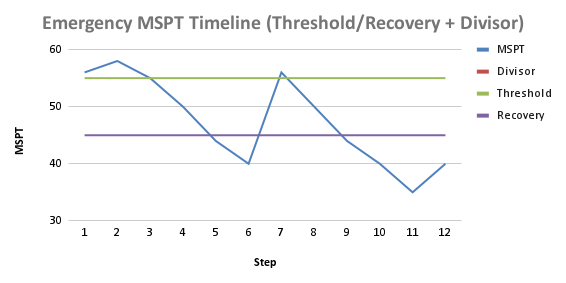
The gap between threshold (55) and recovery (45) prevents oscillation.
Technical Deep-Dive
🧩 Architecture Overview
SERVER SIDE DynamicTickController(TPS / MSPT Monitor) → TickControllerManager
- globalTickDivisor
- typeTickDivisors
- blacklistedTypes
- shouldTick() → SmartBlockEntityMixin
(Intercepts tick calls) TickControllerConfig
(TOML) → TickControllerManager NETWORK SYNC TickDivisorSyncPacket
- globalDivisor
- syncDivisor
- typeDivisors
- blacklist CLIENT SIDE ClientTickManager
- store divisors
- getDivisorForType()
- getAnimationSpeedMultiplier() ↓ KineticBE Renderer Mixin RotatingInstance Mixin
(Flywheel) LinearActuator Mixin
(Pulleys) Animation Speed = originalSpeed / divisor
Mixin Injection Points
Server-Side: Tick Throttling
Client-Side: Animation Sync
shouldTick() Algorithm
Memory Footprint
Component Memory Usage TickControllerManager ~2 KB (static maps) ClientTickManager ~1 KB (mirror of server state) Per-entity overhead 0 bytes (uses existing position hash) Network packet ~200 bytes per syncBest Practices
Recommended Configurations
Recommended Config Snippets (TOML) Small / Medium / Large server examples Small Server (1–5 players, light factories) Key Value dynamic.enabled FALSE emergency.enabled TRUE emergency.msptThreshold 55 emergency.recoveryMspt 48 emergency.increment 1 emergency.decrement 1 Medium Server (5–20 players, moderate factories) Key Value dynamic.enabled TRUE dynamic.formula 2 * (20 - tps) dynamic.minDivisor 1 dynamic.maxDivisor 20 emergency.enabled TRUE emergency.msptThreshold 52 emergency.recoveryMspt 45 emergency.increment 2 emergency.decrement 1 Large Server (20+ players, mega factories) Key Value dynamic.enabled TRUE dynamic.formula 4 * (21 - tps) dynamic.minDivisor 1 dynamic.maxDivisor 50 emergency.enabled TRUE emergency.msptThreshold 50 emergency.recoveryMspt 40 emergency.increment 3 emergency.decrement 1 emergency.maxDivisor 100
Per-Type Optimization Guide
Block Entity Type Recommended Divisor Reason BeltBlockEntity 2-4 High count, visual impact MillstoneBlockEntity 4-8 Slow processing anyway CrushingWheelController 4-8 Heavy computation MechanicalArmBlockEntity 2-4 Precision needed FunnelBlockEntity 2-4 High count in factories ChainConveyorBlockEntity 2-4 Similar to belts PumpBlockEntity 4-8 Fluid calc intensive MechanicalMixerBlockEntity 4-8 Recipe processing StationBlockEntity 1 (blacklist) Critical for trains SignalBlockEntity 1 (blacklist) Safety criticalWhat to Blacklist
Always consider blacklisting:
- Train infrastructure: StationBlockEntity, SignalBlockEntity, TrackBlockEntity
- Redstone timing: SequencedGearshiftBlockEntity, BrassDiodeBlockEntity
- Player interaction: ToolboxBlockEntity, LecternControllerBlockEntity
FAQ
Q: Will this break my contraptions?
A: No. Contraptions (moving structures) are handled differently by Create and are not affected by this mod. Only stationary block entities are throttled.
Q: Do items get lost on belts?
A: No. Items are still processed, just less frequently. With divisor=4, items move at 1/4 speed but never disappear.
Q: Why do my gears look slow?
A: This is intentional! Client animations are synchronized with the server tick rate so you can visually confirm the throttling is working. This also helps players understand why processing is slower.
Q: Can I use this on a client connecting to a vanilla server?
A: The mod is server-side required. Clients need it installed to see synchronized animations, but the server controls all throttling logic.
Q: Does this work with Create addons?
A: Yes! Any addon that extends SmartBlockEntity will automatically be throttled. You can use per-type divisors for addon-specific machines.
Q: What's the difference between Dynamic and Emergency systems?
A:
- Dynamic: Proactive, formula-based, adjusts based on current TPS
- Emergency: Reactive, threshold-based, safety net for sudden lag spikes
- Both can run simultaneously: finalDivisor = max(dynamic, emergency)
Q: How do I find the type name for a block entity?
A: Use /tickcontrol list to see all loaded Create block entities grouped by type name.
Create Tick Controller is not affiliated with the Create mod team. Create is developed by simibubi and the Create team.
Recommended Gear
AffiliateHardware and extras that pair well with this mod.

As an Amazon Associate I earn from qualifying purchases.
Screenshots
Similar Mods

Alien Origins (Ben 10 omnitrix)
Adding origins to the game based of the Ben 10 aliens!

Vexxed
A simple quality of life datapack that rids vexes upon an evoker's defeat.
![IV - Official Automobile Pack [OAmP] - Cars & Sport Cars](https://cdn.modrinth.com/data/OP76SB7W/7a54343f183fd65069ad268774aac1ab62d31766_96.webp)
IV - Official Automobile Pack [OAmP] - Cars & Sport Cars
An expansion pack for Immersive Vehicles, focussing on adding various vanilla styled cars, both old and new cars!
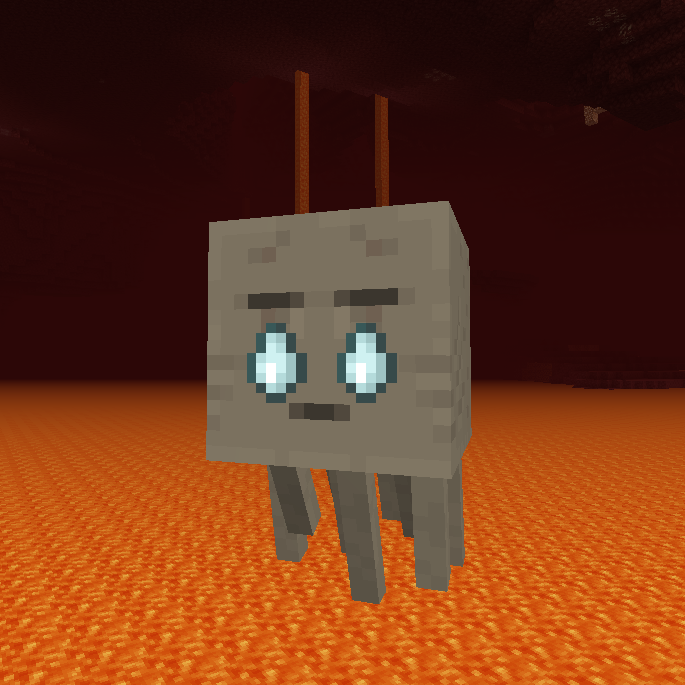
Crying Ghasts (Legacy Fabric)
😭 Ghasts drop their tears periodically when a player is close, allowing sustainable farming.
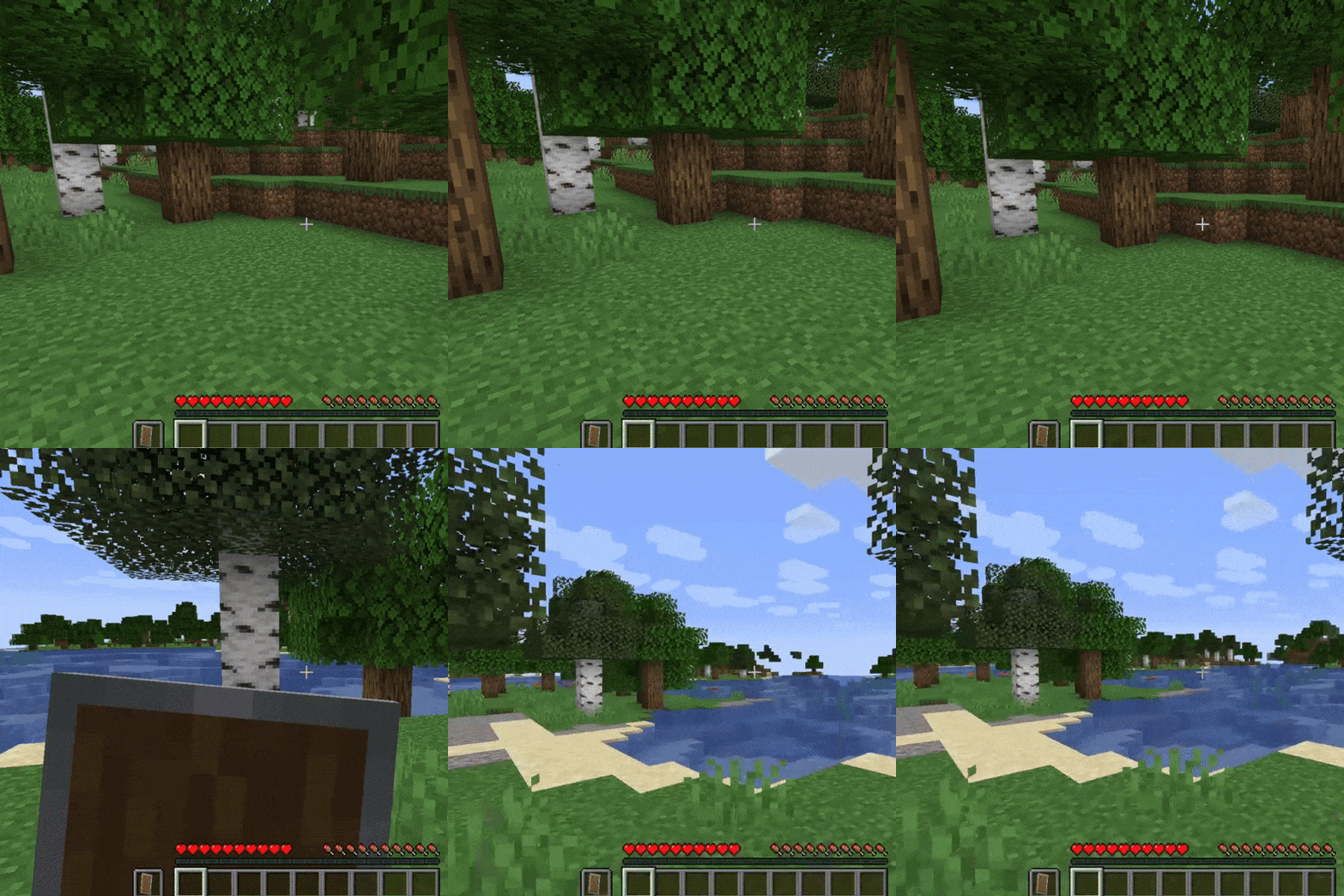
Passive Shield (Legacy Fabric)
🛡 The shield is hidden and provides protection passively when held idle in the offhand.
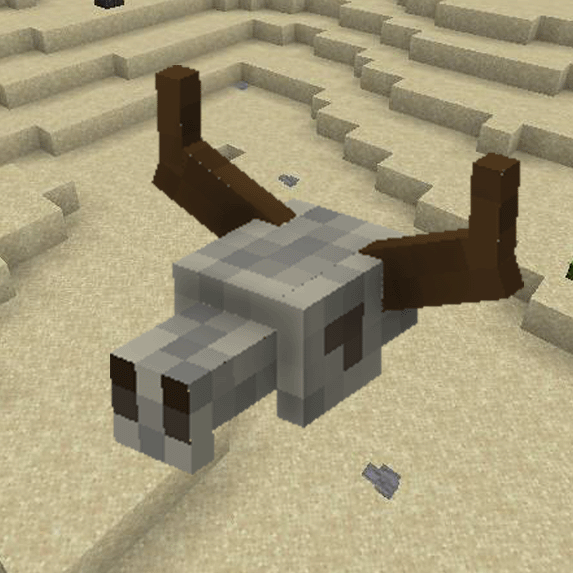
Pumped Desert 2
Pumped Desert 2 is a remake of the Pumped Desert mod, it will add an ostrich that appears in the desert and savannah.Cac...