

Client Sort
Modby NotRyken
Versatile and easy inventory sorting.
Type
Mod
CurseForge Downloads
14,523,447
CurseForge ID
Modrinth Downloads
6,404,282
Modrinth ID
Last Updated
Nov 7, 2026
Description
ClientSort
Versatile and easy inventory sorting.
Operations
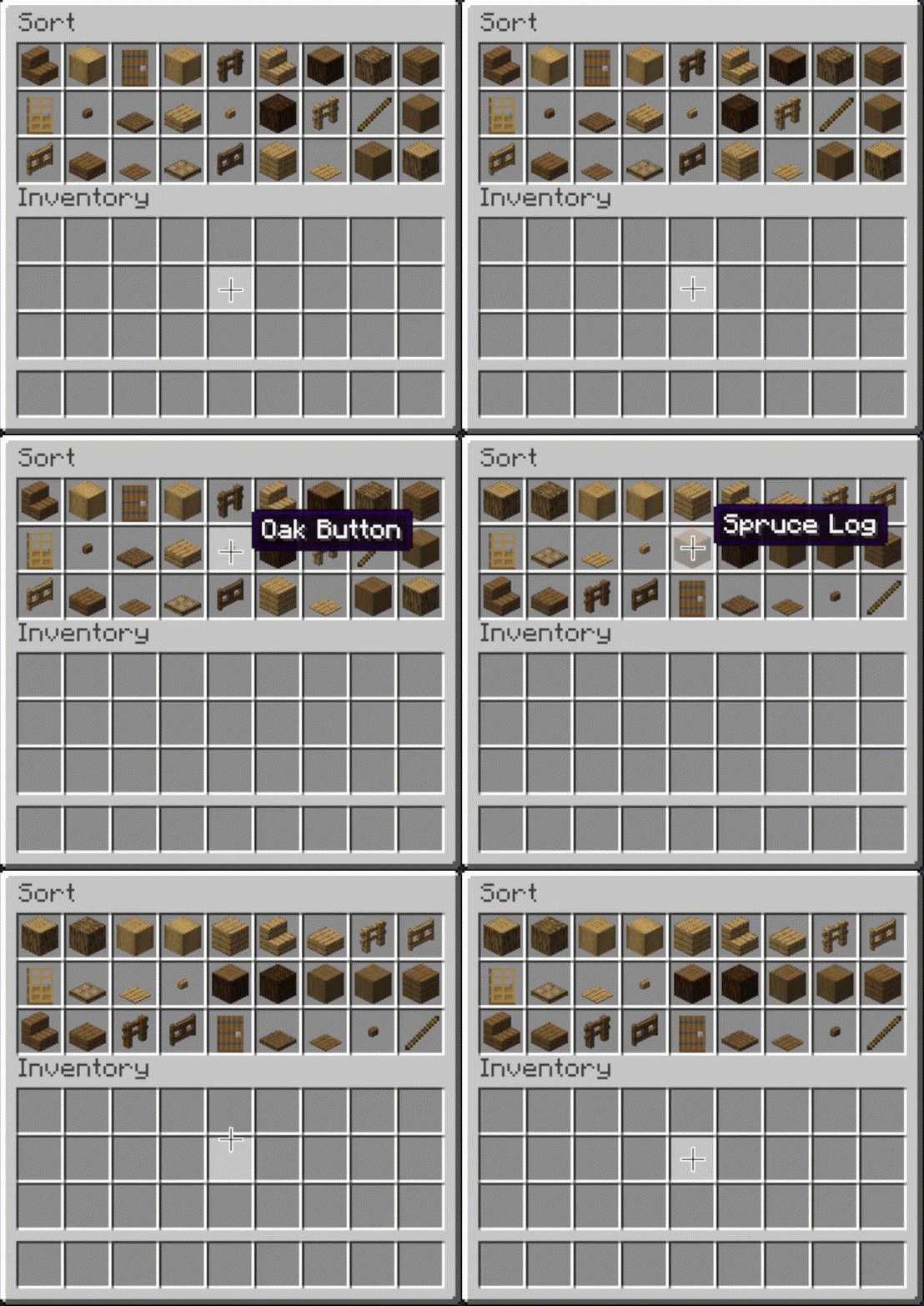
 Sort
- Press the button, or hover over the inventory with
your mouse and press the keybind (default: middle mouse button).
- When activated, items are sorted by their position in the creative inventory search tab.
Alternative sort orders can be used by holding down a modifier key while sorting.
Shift- descending order of quantity.Control- alphabetical order.Alt- ascending order of item ID.
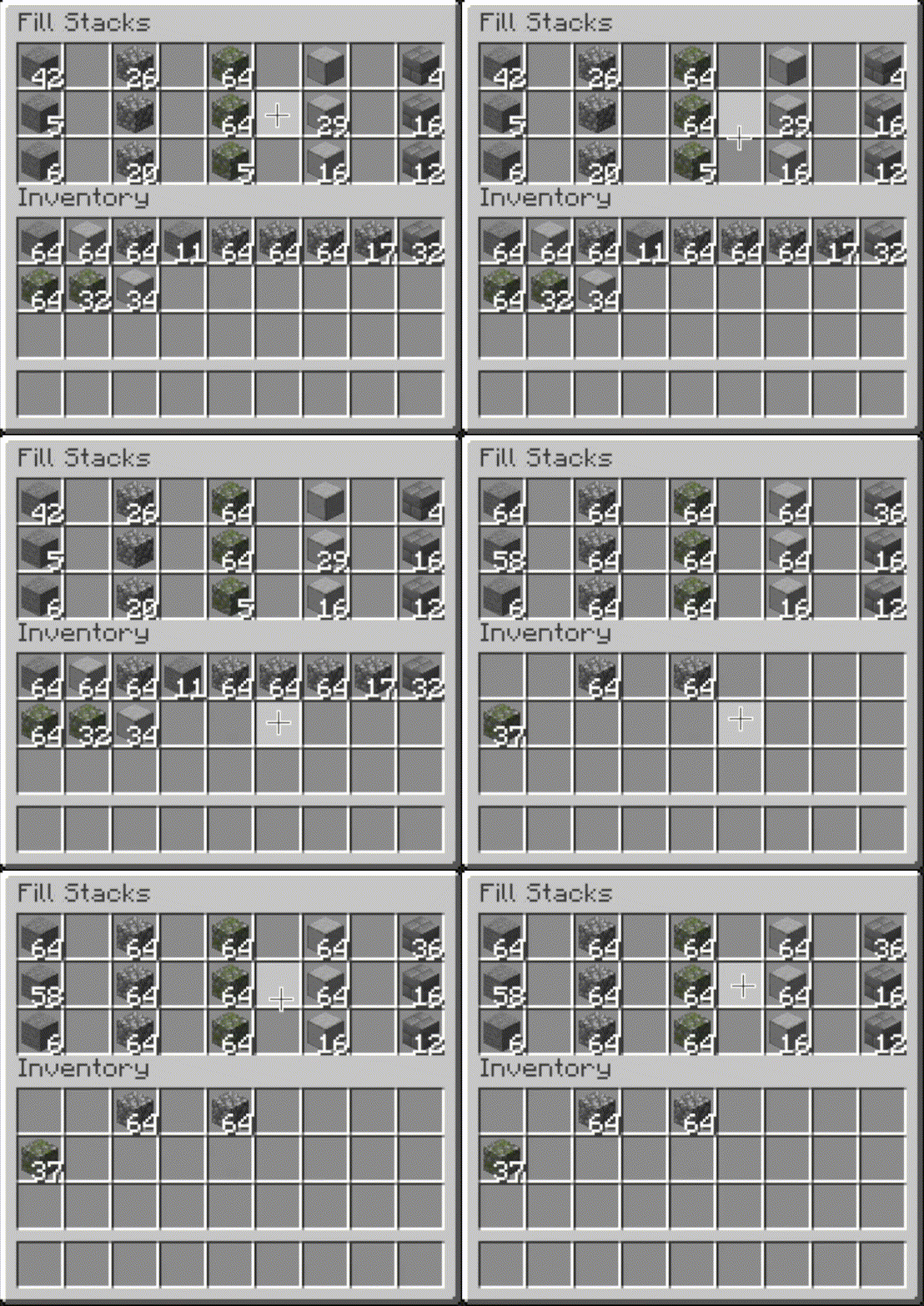
 Fill Stacks
- Press the button, or hover over
the inventory that you want to move items out of and press the keybind (default: unbound).
- When activated, partial stacks in the other inventory are topped-up using items in the origin inventory.
- This button is disabled on the player inventory by default, but can be enabled via the editor (see below).
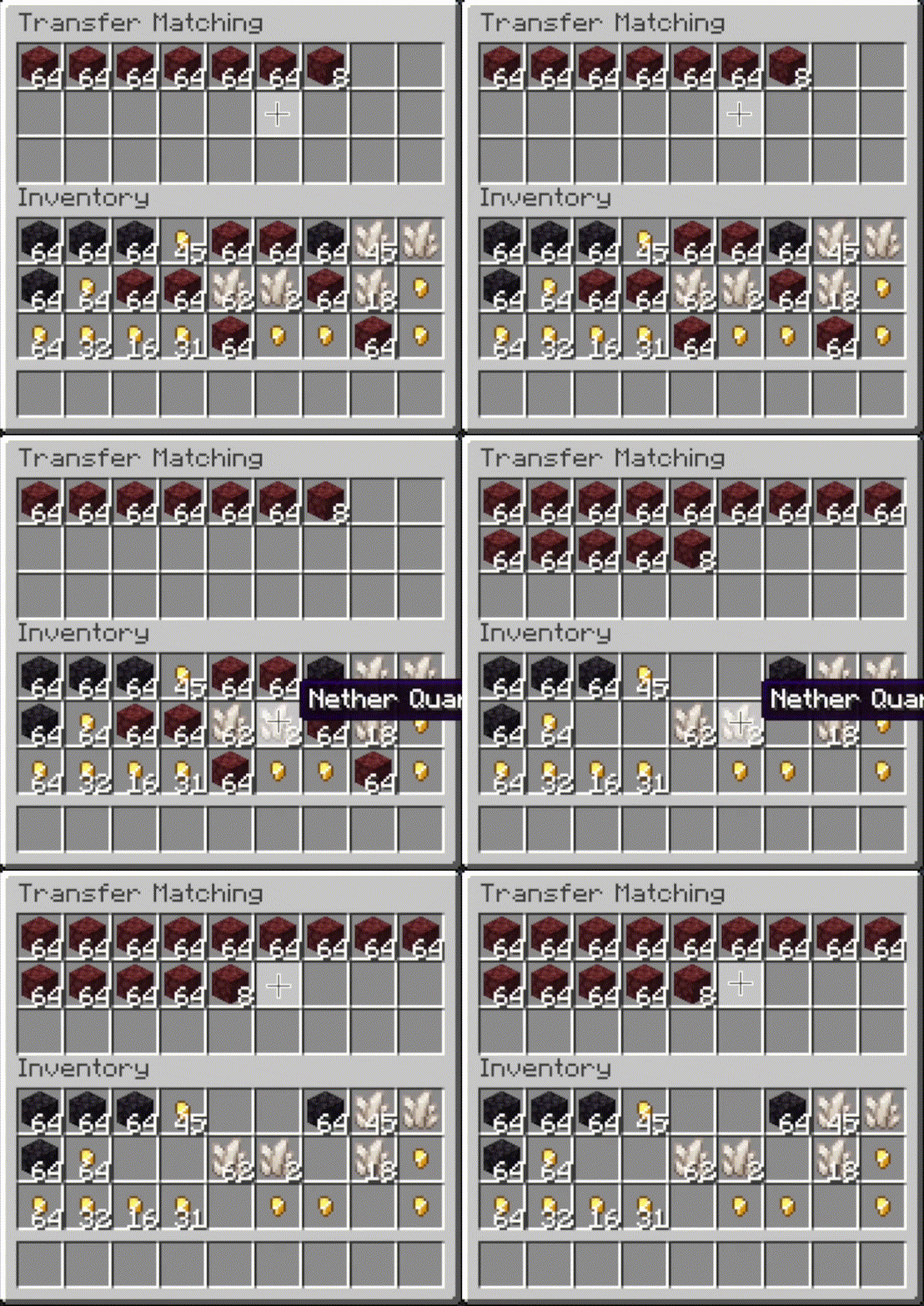
 Transfer Matching
- Press the button, or
hover over the inventory that you want to move items out of and press the keybind (default:
unbound).
- When activated, the other inventory is restocked using items in the origin inventory. No new item types are added to the other inventory.
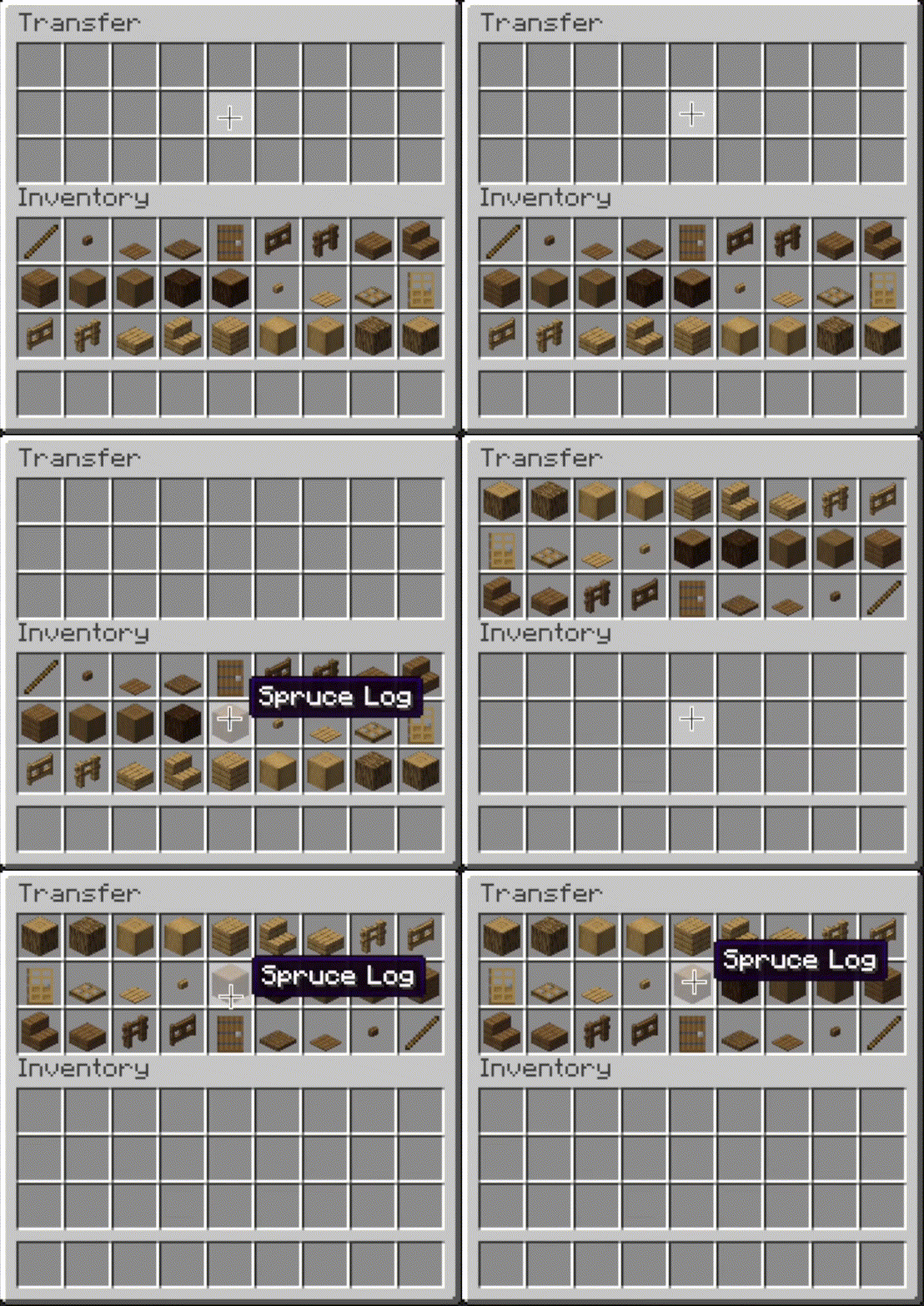
 Transfer
- Press the button, or hover over the
inventory that you want to move items out of and press the keybind (default: unbound).
- When activated, as many items as possible are moved from the origin inventory to the other inventory.
 |
 |
 |
 |
Editor
- The editor can be opened in two ways:
- If a trigger button is visible, right-click on it.
- Otherwise, bind the
Open Editorkeybind (unbound by default) and press it while viewing an inventory.
- When you've opened the editor, hover over
Instructionsfor more information. - Note: fill and transfer buttons are only shown if set to show on both the player inventory and the container, so you can easily hide them everywhere by hiding them on just the player inventory.
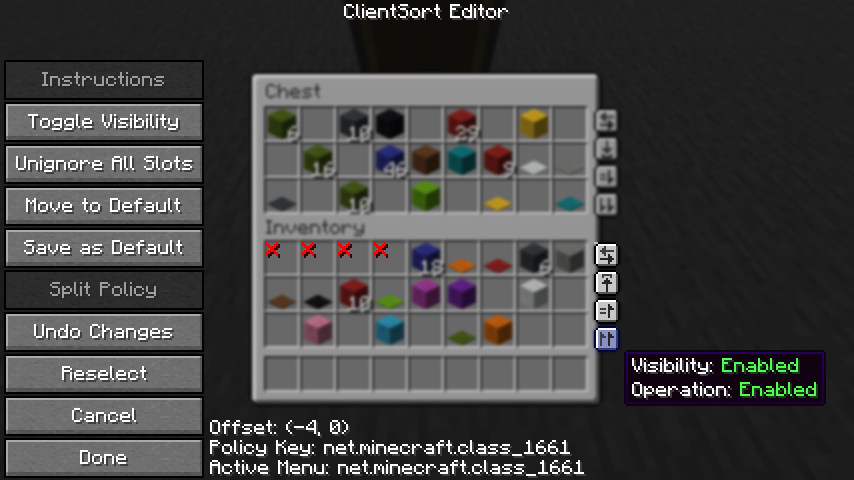
Client-Side Policies
- ClientSort uses a policy system to determine when to allow operations, when to show the trigger
buttons, and when to ignore slots. The policy can be configured either via the editor screen or via
the
Policiestab of the mod options. - Read the in-game instructions for more information on editing policies.
Server-Side Policies
- If installed on a dedicated server, ClientSort uses policies to automatically disable server-accelerated operations when it detects an incorrect state (such as item duplication).
- The policy list is stored in the
clientsort-server.jsonconfig file, which can be manually edited and reloaded using the/clientsort reloadcommand.
Serverside policies are not synced to clients, so if a client attempts to perform a server-accelerated operation that the server does not allow, a warning message will be shown to the client. The player can then opt to add a client-side policy to disable the operation entirely, disable server acceleration, or enable automatically falling back to client operations.
Serverside Config File
{
  "options": {
    // Whether validation and automatic blacklisting should be enabled when the mod is used on a
    // dedicated server.
    "validationActiveServer": true,

    // Whether inventories should be blacklisted when the wrong type of item is found in a slot.
    "validateItemType": true,

    // Whether inventories should be blacklisted when the wrong number of items is found in a slot.
    "validateStackSize": true,
    // The minimum difference between expected and actual which should be considered invalid.
    "validateStackSizeThreshold": 32,

    // Whether to always log a message when the result is not exactly as expected (even if
    // validation is disabled, the difference is less than the threshold, etc.)
    "alwaysLogUnexpectedResults": true,

    // The list of policies for different inventory and container types.
    "classPolicies": {
      // An example entry.
      "com.simibubi.create.content.equipment.toolbox.ToolboxMenu": {
        "className": "com.simibubi.create.content.equipment.toolbox.ToolboxMenu",
        "sortEnabled": false,
        "stackFillEnabled": true,
        "transferEnabled": true,
        // Updated automatically when an inventory is blacklisted.
        "lastAutoEditTime": "2025-09-20T14:58:41.1620876+08:00",
        "lastAutoEditReason": "Sort operation failed at slot mapping 12->5: Expected '2 minecraft:spruce_slab' in destination after set, got '0 minecraft:air'!"
      }
    }
  }
}
Installation
Client Required, Server Optional
As the name suggests, ClientSort is fully functional when it is only installed on the client. However, if it is also installed on a server, connected clients with the mod will be able to use server-accelerated (near-instant) operations instead of the normal rate-limited operations.
Dependencies
Fabric: Fabric API, ModMenu, Cloth Config API
Neo/Forge: Cloth Config API
Credits
ClientSort uses code from the following mods, in both modified and unmodified form, in accordance with their respective licenses.
Mouse Wheelie by Siphalor (Apache-2.0 license)
- Item comparison
- Client and server-side sorting
- Client-side interaction manager
Inventory Management by Roundaround (MIT license)
- Inventory trigger buttons
- Button generation
- Button position editor
Related Mods
- Mouse Tweaks - item scrolling, mouse dragging.
- More Mouse Tweaks - single-click crafting and trading, quick-move and quick-drop.
- Tweakeroo - hand restock, auto tool-switch, tool break prevention and more.
Contact



Compatibility
Mod Loaders
Game Versions
Recommended Gear
AffiliateHardware and extras that pair well with this mod.

As an Amazon Associate I earn from qualifying purchases.
Screenshots
Similar Mods

ConnectedTexturesMod
A resource pack extension library

TerraBlender (Forge)
A library mod for adding biomes in a simple and compatible manner!
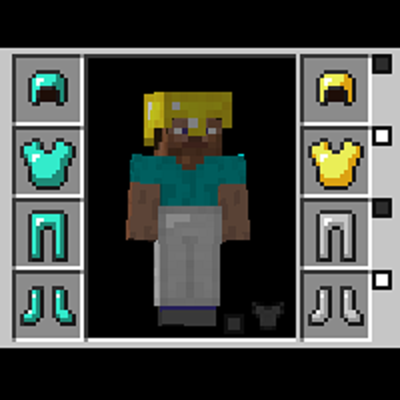
Cosmetic Armor Reworked
This mod allows you to wear two sets of armor, one for display, one for function.

Simple Voice Chat
A working voice chat in Minecraft!

Rhino
A fork of Mozilla's Rhino library, modified for use in mods
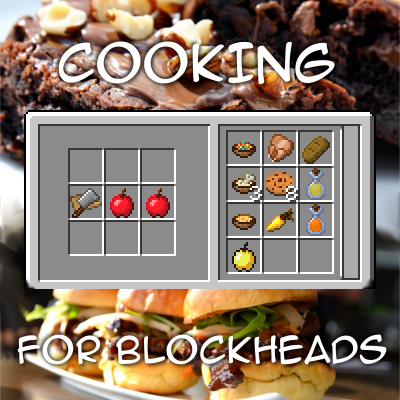
Cooking for Blockheads
Adds a multiblock kitchen that shows recipes you can make with what ingredients you have available.
Included in Modpacks (484)
Show fewer Stev's Halloween Pack 3
 TKS SMP
 Fast & Fine
 RainbowMon 2
 Mutzman's Modpack
 VulkanizedPVP
 ZOMBIE INVASION!!!(EVIL cut)
 Advanced Space and Beyond
 Craft Attack 14 Pack
 PokeHarvest
 Main by Waldnetworks
 Reino de Celeste
 Better, Faster, Fancier
 Survival Recrafted
 Overcrafto
 Azelie
 SKY-LESS's Modpack
 Kinetica
 Jannes Modpack
 Nayxo's Trailer Modpack
 capybara’s play oritech
 The Ultimate Vanilla Experience
 Cody's Cobblemon Adventure
 Fren Worl Pack
 Cogwork Genesis
 Optimized Magic RPG
 Moonlight's Enhanced QOL 1
 minehak&krutosh2's Pompous PepeLand Playground
 Llohgun's Lodgings
 ProhlisCraft 4: Return of the Prohlisgang!
 THEY PROBE
 Konexxit
 TealFire - Vanilla+
 Hig
 Advanced Space and Beyond 2
 Cozmic's Vanilla Enhanced
 AgalarMC Create
 Tuned
 Fedorista's Modpack
 ftehe's Vanilla+
 LynhanSMP Modpack
 Politota
 Cobbled RPG
 AeronauticsCiC
 MineCrew-Extra
 Engines of the Cloud
 Create: The Age of the Sky
 Infinity Craft
 Community Create VII
 Sanctuary Aeronautics
 Bambam Modpack
 Vanilla Odyssey
 BoraLances Craft
 Yet Another Vanilla But Better (YAVBB)
 Venturecraft
 AgalarMC Vanilla
 Sorcerer's Blade
 Lumora
 ModLabs
 Barely Modded
 Stormdal Colonies
 Crafted Plus
 Shroomcraft 2 Cobblemon Edition
 V-Civilization V-Island (Unofficial)
 Quant
 GM's Optimized Neoforge
 [balls_game_2]
 Vanilla Reworked
 Masivo SMP - Farfadox Server [Fan Made]
 DarkFoe Live!!
 The Baseline Project
 eXtra Live Collect them all
 Gears, Dragon and Vampires
 Skybound Chronicles
 MVanilla
 XVIII-TheLunarSMP
 UnitedUnion
 BananaMC
 Sakurahelm Modpack
 Cobblemon Union
 WMI Experience
 Standarijn
 TheScape Client
 Duckemon
 FiddlePack
 CobbleLock
 JDi Client
 JustImproved
 NoSafeZone
 BTE HKMU
 Colosal [TunazMC]
Create: Just Extended
 Lemon pack
 Fabulously Matcha
 Nolini135's Vanilla
 Mochi
 Airworks
 Banquito
 JS Life+
 The Oblivion