

Client Sort
Modby NotRyken
Versatile and easy inventory sorting.
Type
Mod
CurseForge Downloads
14,508,058
CurseForge ID
Modrinth Downloads
6,394,354
Modrinth ID
Last Updated
Nov 6, 2026
Description
ClientSort
Versatile and easy inventory sorting.
Operations
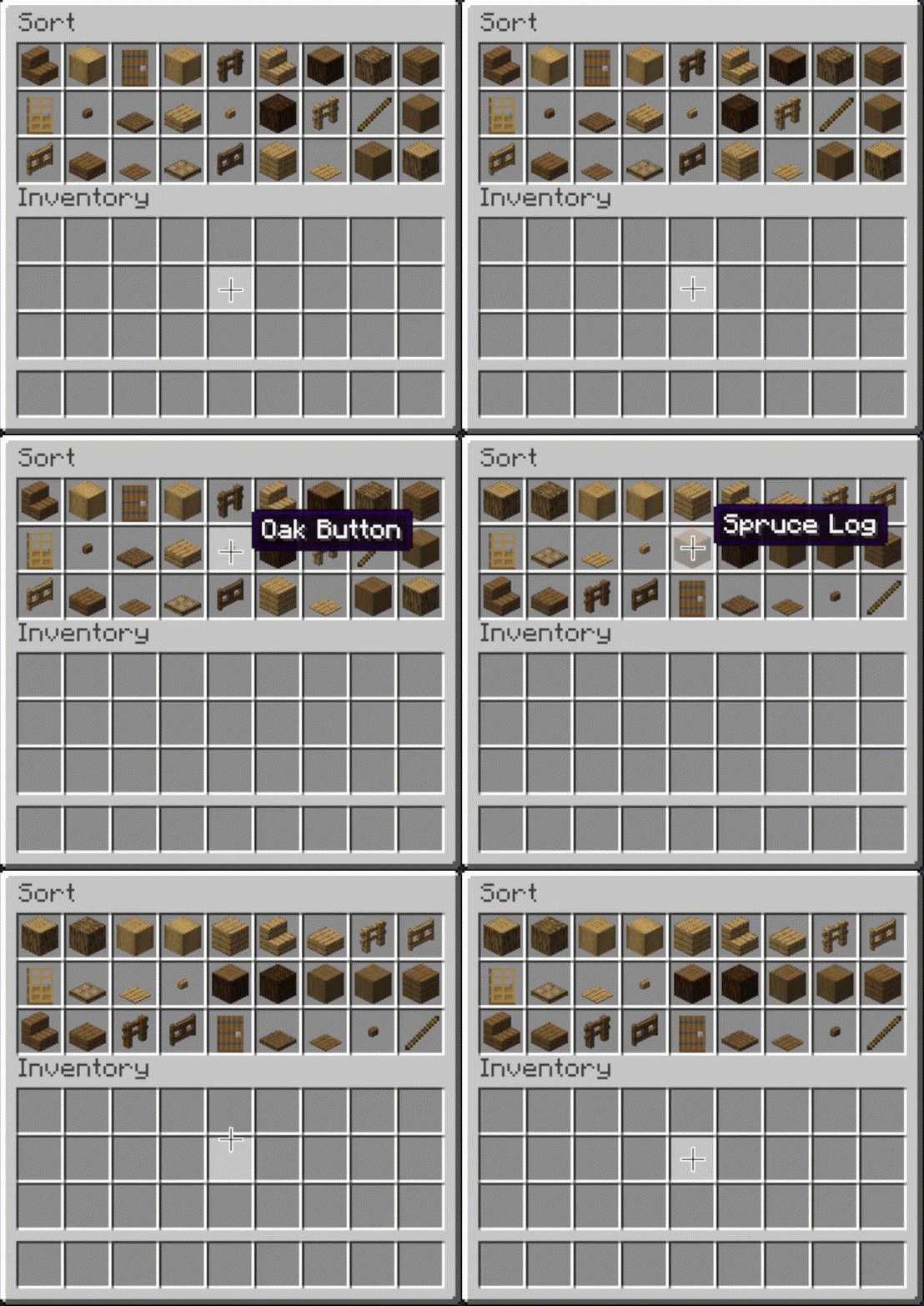
 Sort
- Press the button, or hover over the inventory with
your mouse and press the keybind (default: middle mouse button).
- When activated, items are sorted by their position in the creative inventory search tab.
Alternative sort orders can be used by holding down a modifier key while sorting.
Shift- descending order of quantity.Control- alphabetical order.Alt- ascending order of item ID.
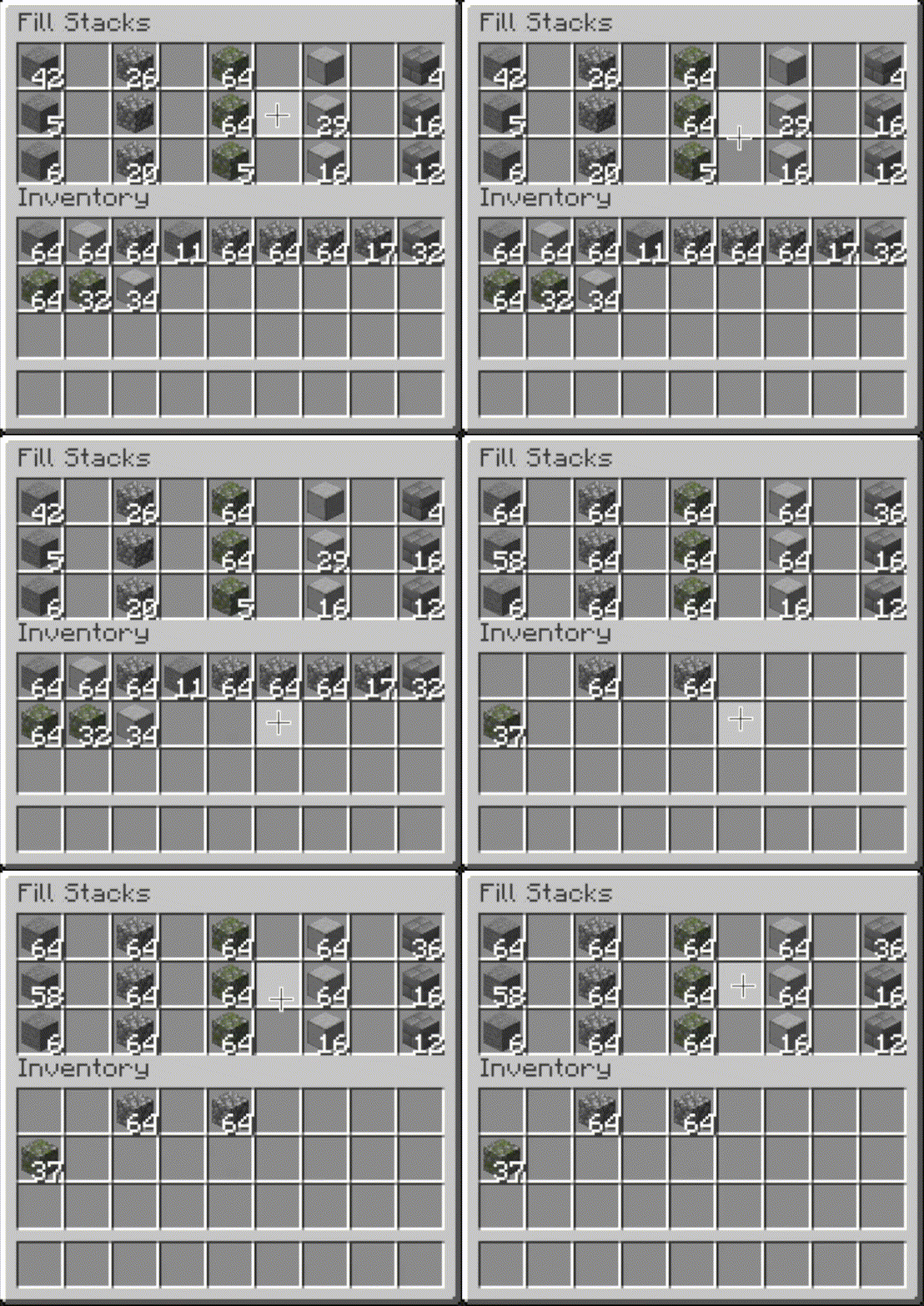
 Fill Stacks
- Press the button, or hover over
the inventory that you want to move items out of and press the keybind (default: unbound).
- When activated, partial stacks in the other inventory are topped-up using items in the origin inventory.
- This button is disabled on the player inventory by default, but can be enabled via the editor (see below).
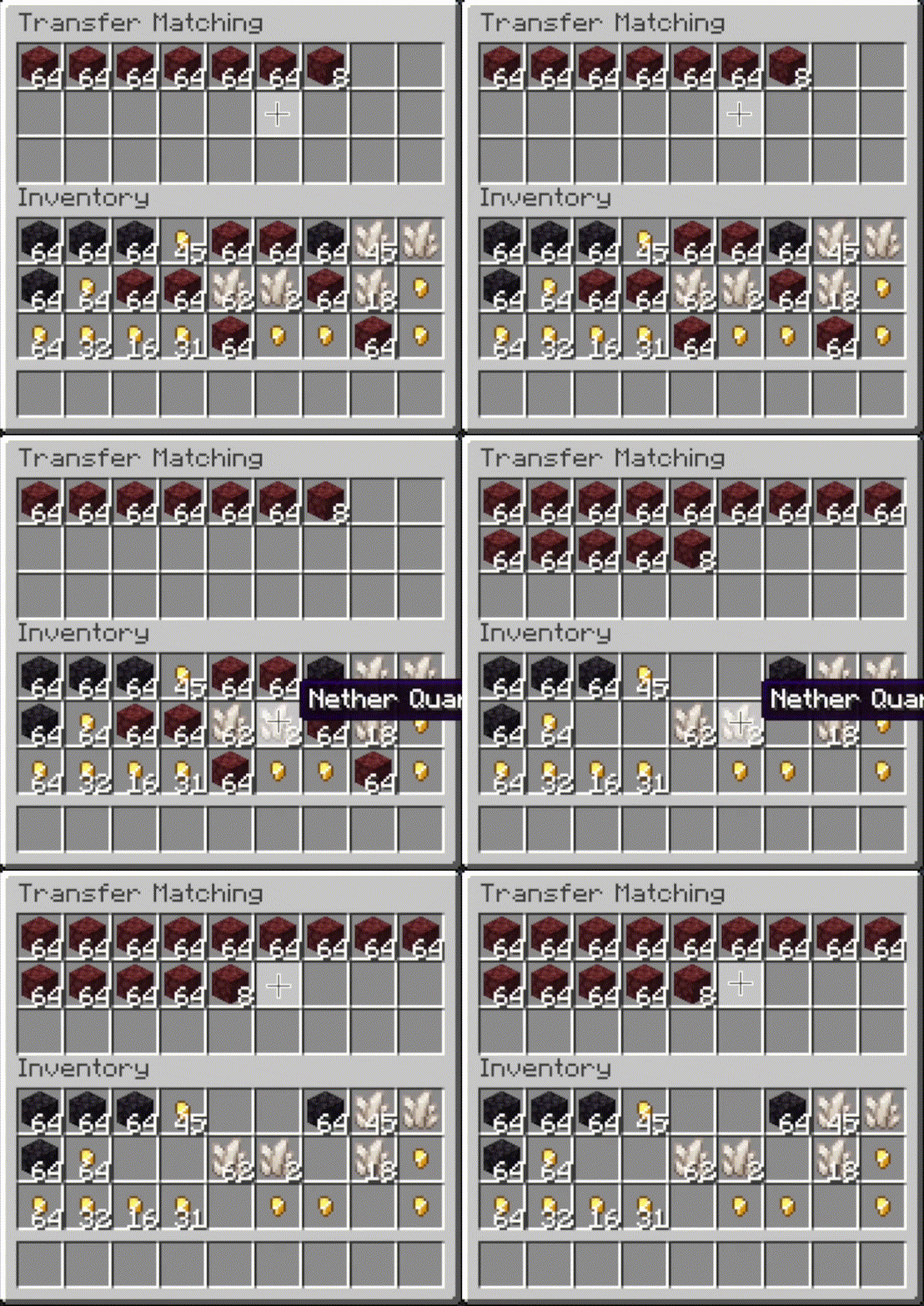
 Transfer Matching
- Press the button, or
hover over the inventory that you want to move items out of and press the keybind (default:
unbound).
- When activated, the other inventory is restocked using items in the origin inventory. No new item types are added to the other inventory.
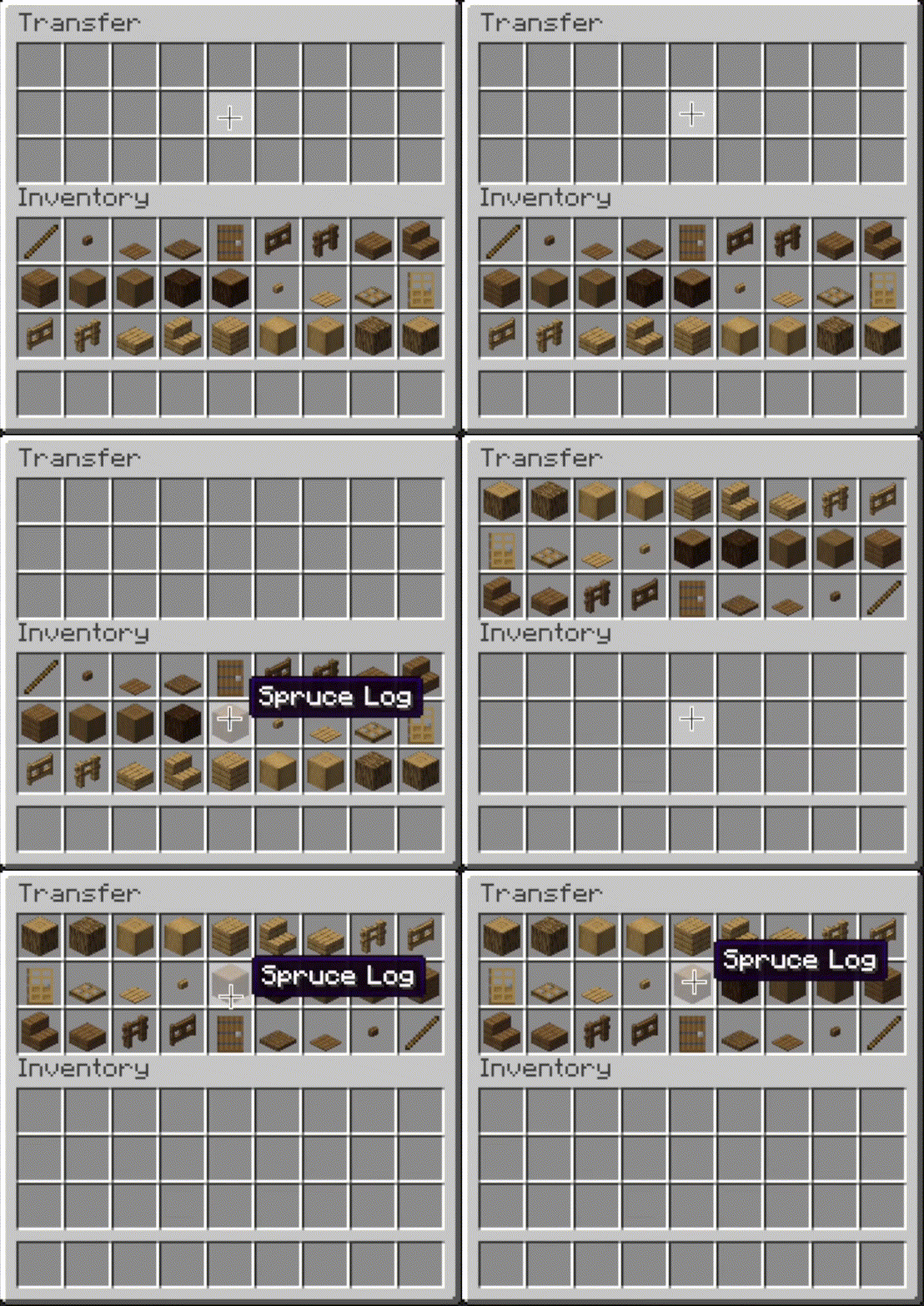
 Transfer
- Press the button, or hover over the
inventory that you want to move items out of and press the keybind (default: unbound).
- When activated, as many items as possible are moved from the origin inventory to the other inventory.
 |
 |
 |
 |
Editor
- The editor can be opened in two ways:
- If a trigger button is visible, right-click on it.
- Otherwise, bind the
Open Editorkeybind (unbound by default) and press it while viewing an inventory.
- When you've opened the editor, hover over
Instructionsfor more information. - Note: fill and transfer buttons are only shown if set to show on both the player inventory and the container, so you can easily hide them everywhere by hiding them on just the player inventory.
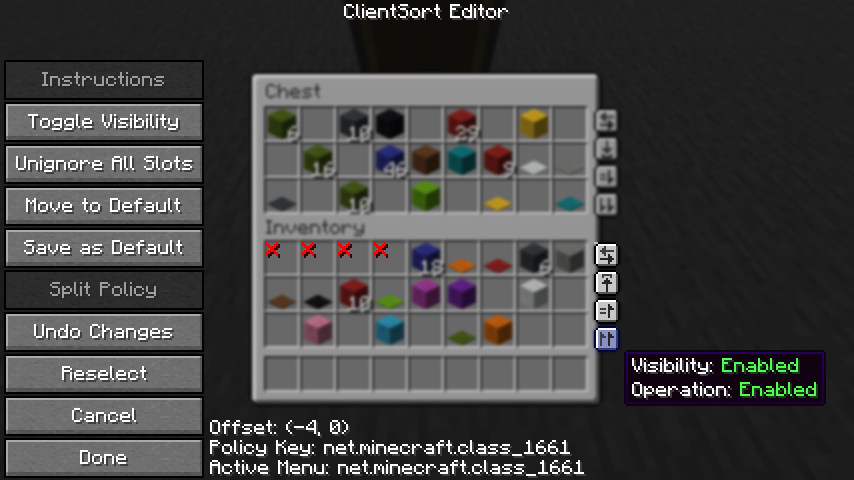
Client-Side Policies
- ClientSort uses a policy system to determine when to allow operations, when to show the trigger
buttons, and when to ignore slots. The policy can be configured either via the editor screen or via
the
Policiestab of the mod options. - Read the in-game instructions for more information on editing policies.
Server-Side Policies
- If installed on a dedicated server, ClientSort uses policies to automatically disable server-accelerated operations when it detects an incorrect state (such as item duplication).
- The policy list is stored in the
clientsort-server.jsonconfig file, which can be manually edited and reloaded using the/clientsort reloadcommand.
Serverside policies are not synced to clients, so if a client attempts to perform a server-accelerated operation that the server does not allow, a warning message will be shown to the client. The player can then opt to add a client-side policy to disable the operation entirely, disable server acceleration, or enable automatically falling back to client operations.
Serverside Config File
{
  "options": {
    // Whether validation and automatic blacklisting should be enabled when the mod is used on a
    // dedicated server.
    "validationActiveServer": true,

    // Whether inventories should be blacklisted when the wrong type of item is found in a slot.
    "validateItemType": true,

    // Whether inventories should be blacklisted when the wrong number of items is found in a slot.
    "validateStackSize": true,
    // The minimum difference between expected and actual which should be considered invalid.
    "validateStackSizeThreshold": 32,

    // Whether to always log a message when the result is not exactly as expected (even if
    // validation is disabled, the difference is less than the threshold, etc.)
    "alwaysLogUnexpectedResults": true,

    // The list of policies for different inventory and container types.
    "classPolicies": {
      // An example entry.
      "com.simibubi.create.content.equipment.toolbox.ToolboxMenu": {
        "className": "com.simibubi.create.content.equipment.toolbox.ToolboxMenu",
        "sortEnabled": false,
        "stackFillEnabled": true,
        "transferEnabled": true,
        // Updated automatically when an inventory is blacklisted.
        "lastAutoEditTime": "2025-09-20T14:58:41.1620876+08:00",
        "lastAutoEditReason": "Sort operation failed at slot mapping 12->5: Expected '2 minecraft:spruce_slab' in destination after set, got '0 minecraft:air'!"
      }
    }
  }
}
Installation
Client Required, Server Optional
As the name suggests, ClientSort is fully functional when it is only installed on the client. However, if it is also installed on a server, connected clients with the mod will be able to use server-accelerated (near-instant) operations instead of the normal rate-limited operations.
Dependencies
Fabric: Fabric API, ModMenu, Cloth Config API
Neo/Forge: Cloth Config API
Credits
ClientSort uses code from the following mods, in both modified and unmodified form, in accordance with their respective licenses.
Mouse Wheelie by Siphalor (Apache-2.0 license)
- Item comparison
- Client and server-side sorting
- Client-side interaction manager
Inventory Management by Roundaround (MIT license)
- Inventory trigger buttons
- Button generation
- Button position editor
Related Mods
- Mouse Tweaks - item scrolling, mouse dragging.
- More Mouse Tweaks - single-click crafting and trading, quick-move and quick-drop.
- Tweakeroo - hand restock, auto tool-switch, tool break prevention and more.
Contact



Compatibility
Mod Loaders
Game Versions
Recommended Gear
AffiliateHardware and extras that pair well with this mod.

As an Amazon Associate I earn from qualifying purchases.
Screenshots
Similar Mods

ConnectedTexturesMod
A resource pack extension library

TerraBlender (Forge)
A library mod for adding biomes in a simple and compatible manner!
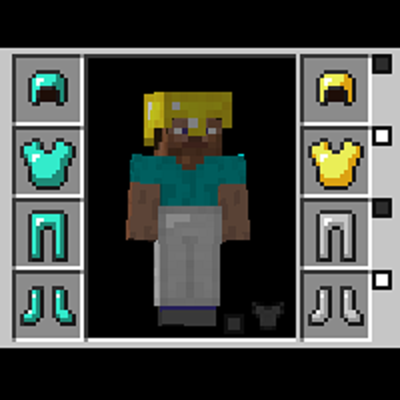
Cosmetic Armor Reworked
This mod allows you to wear two sets of armor, one for display, one for function.

Simple Voice Chat
A working voice chat in Minecraft!

Rhino
A fork of Mozilla's Rhino library, modified for use in mods
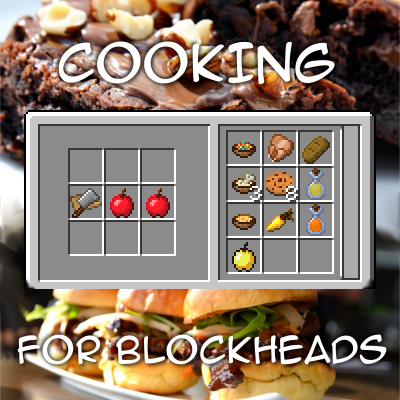
Cooking for Blockheads
Adds a multiblock kitchen that shows recipes you can make with what ingredients you have available.
Included in Modpacks (483)
Show fewer Better MC [FORGE] - BMC4
 Better MC [FABRIC] BMC2
 Better MC [NEOFORGE] BMC5
 Fear Nightfall: Remains of Chaos
 BigChadGuys Plus (w/ Cobblemon!)
 Slimes Adventure
 Dungeon Heroes (RPG Series)
 Better MC [FABRIC] BMC3
 Linggango
 Medieval MC [FORGE] MMC4
 Cisco's Fantasy Medieval RPG [Dragonfyre]
 OriginsSMP
 Lost World - The Broken Script
 Beyond Ascension
 Cobblemon Academy 2.0
 Cobblemon Academy (Legacy)
 Medieval MC [FABRIC] MMC3
 命运齿轮FOM【Fate's Machinery】
 KEO RPG optimized
 Medieval MC [NEOFORGE] MMC5
 ZS Pack (Tensura)
 Medieval MC [FABRIC] MMC2
 MYTHCRAFT 5
 BETTER FANTASY - Overture
 Vampirism.co
 Sensible MC
 Enigmatica 10 - E10
 Concatenation
 Dragoncraft
 Beyond Ocean
 Better MC [BMC6]
 Axas Perfect Pack
 EQUISTAR
 BeLoong
 DUNQOL
 Desecrated - Flesh and Blood
 Rubius cobblemon
 Arcane Dragons [FABRIC]
 Changed +
 Legacies 26
 Legacies
 Enigmatic Skies
 CastCrafter CA14 Mische
 Cobblemon Dystoria
 Client+
 All The Hacks - ATH
 New Age Science and Technology
 Ultimately Optimized - Vanilla but Better!
 Cacademy - The Ultimate Cobblemon Academy
 Our Story - Earth 2 (soon)
 CobbleGems
 Medival, Magic & Tech NeoForge
 Lunchbutt's Modpack
 Liminal Industries Acension
 KPBSPM - SPm Edition
 Mechanomania
 Raft Tuah
 New Age Science and Technology Easy
 Apocalypse Begins [Zombie Apocalypse]
 Keo Create Optimized
 Reverie Foundry
 Keo Create Optimized
 New Age Science and Technology hard
 Path of Truth
 UMA New World
 CoreCraft
 zOptimized
 Cobblemon Explorers SMP
 Summoner Delight
 PixelGO - To the Sky 2
 AVENTURA - The Adventure Experience
 BuildersQOL
 云游轻量生存整合包【YunGames Lite Survival Optimization】
 Easy Create
 Concatenation Lite
 Morning Brew
 Gambling Craft
 barce's vanilla experience
 Folklore SMP
 CobbleCraft
 Qearioz's Optimized PvP & SMP
 Beautifully Optimized
 Lumen Packs
 Storm Chasers Saga 2
 Aeronautics - Across the Horizon
 SimplyVanilla
 The Stuff of Legend
 Java & Stuff
 Plants & Minecraft
 Valkaw Client
 tensura exploration
 The Server26 Clientside Bundle
 KRILLKRAFT
 The Better Vanilla
 Affogato
 Project Infinity - Infinite possibilities, one world
 Damine
 Helix Modpack
 Proximity Optimized Vanilla
 From Spears to Gears