

Proximity Optimized Vanilla
ModpackContains a select number of optimization and building mods, Photon Shaders, and Fresh Animations Resource Pack. Everything can be configured In-Game.
Description
Proximity Optimized Vanilla
Elevate your Minecraft experience with enhanced performance, long-distance rendering, and proximity voice chat.
Overview
Proximity Optimized Vanilla is a carefully curated Minecraft modpack that blends vanilla gameplay with modern performance improvements, high-quality shaders, long-distance terrain rendering, building tools, and utility features. Featuring Voxy for extended views, vibrant shaders for breathtaking visuals, and the Fresh Animations resource pack for revamped mob movement, this pack is optimized for both performance and immersion. Configure everything easily in-game for a tailored experience, and enjoy a powerful, beautiful, and eccentric Minecraft experience with friends.
Mod List
🔧 Optimization
- Sodium: Powerful rendering engine and optimization mod.
- Lithium: General-purpose optimization mod that improves multiple systems.
- FerriteCore: Reduces Minecraft's memory usage.
- ImmediatelyFast: Speeds up rendering on modern GPUs.
- Entity Culling: Skips rendering blocks and entities that aren’t visible.
- Dynamic FPS: Lowers resource usage when Minecraft is in the background.
- Cull Leaves: Provides a huge performance boost at the cost of some vanilla visuals; not enabled by default.
- Stfu: Improves performance and loading times while removing some minor annoyances.
- Concurrent Chunk Management: Improves the vanilla implementation of chunk management.
- ModernFix: Various improvements to performance and memory usage.
🖼️ Shaders & Visuals
- Iris: Shader mod compatible with OptiFine shader packs.
- Simple Fog Control: Allows manual control over fog at the edge of your render distance.
- Complementary Reimagined: High-quality shader pack for vibrant visuals.
- MakeUp – Ultra Fast: Lightweight shader pack with nice visuals and high frame rates.
- I Like Vanilla (Voxy-enabled): Simple vanilla-style shader pack with customization options.
- Photon (Voxy-enabled): Semi-realistic style with incredible visuals.
- Solas Shader (Voxy-enabled): Moderate-intensity fantasy-stylized shader pack.
- Fresh Animations (resource pack): Makes mob animations more dynamic.
- Motschen's Better Leaves (resource pack): Nice leaf texture pack. Enable Cull Leaves via Mod Menu if using it.
- Vanilla Tweaks (resource pack): My preferred Vanilla Tweaks settings.
- 3D Skin Layers: Adds depth to second skin layers for player models.
- Continuity: Enables resource packs with connected textures.
- Smoke Signals: Changes campfire smoke color based on the wool beneath it.
🌍 World Enhancements
- Voxy: Renders distant terrain with LOD (Level of Detail) for long-range views.
- Bobby: Caches distant terrain client-side to extend view distance beyond the server limit.
- Chunky: Allows force-loading distant chunks for greater view distance with Voxy.
🎙️ Multiplayer & Social
- Simple Voice Chat: Adds low-latency, proximity-based voice chat.
- REPO Heads: Your head opens and closes when you speak in proximity chat (can be disabled in the Simple Voice Chat menu).
- Essential: Enables LAN/world sharing and other quality-of-life multiplayer features.
🧱 Building & Replay
- Axiom: Blender-like toolset that elevates Minecraft building.
- Litematica: Schematic-based building tool for massive projects.
- WorldEdit: Useful tool for large builds with brushes and scripting.
- ReplayMod: Records your gameplay for cinematic replays and time-lapses.
🛠️ UI & Utility
- Simple HUD Enhanced: Displays helpful stats in a customizable HUD.
- Freecam: Lets you set up cameras and view builds from different angles.
- Full Brightness Toggle: Allows you to see clearly in the dark.
- Auto Clicker: Easy-to-configure auto-clicker for AFK farms.
- Light Overlay: Lets you see where lighting is needed.
- Amecs Reborn: Lets you add modifier keys and manage keybinds in the controls menu.
- Mod Menu: Allows easy viewing and configuration of installed mods.
- Client Sort: Sorts the contents of a chest or shulker box with a middle click.
- Better Fullscreen: Improves fullscreen configurability.
- Shulker Box Tooltip: Shows the contents of a shulker box from your inventory.
- Tweakeroo: Adds miscellaneous quality-of-life tweaks.
To change mod configs, click the Mods button, search for the mod you want to configure, and then click its icon. If no settings icon appears over the mod icon, that mod is not configurable through this menu.
All information above is sourced directly from each mod’s respective Modrinth or CurseForge page.
Join this discord server to give feedback and share screenshots! https://discord.gg/wxfedCmrDF
Compatibility
Mod Loaders
Game Versions
Recommended Gear
AffiliateHardware and extras that pair well with this modpack.

As an Amazon Associate I earn from qualifying purchases.
Screenshots
Similar Modpacks

Tales
This A Minecraft Plus ModPack Includes the mods OmarFive use

All The Mods Expert: Remastered - ATM
A New Expert/Hardcore Pack Based On The Sucess Of The Original All The Mods Expert
Beyond Depth Insanity
Challenging Exploration Modpack 400+ mods | New dimensions | Tough bosses | Enhanced combat | Endless exploration.

Create Eternal Journey
Conquer a vast fantasy world with the power of Create!

Play as Dragon: Comfort Edition
Play as dragon, as bee, brain-stealer, desert claw, griffin and more! No hardcore for dragon fans.

Changed +
Have you ever wanted to play changed in a modpack well i composed a lot of mods for you to play hope you like it.
Contained Mods (75)
![[EMF] Entity Model Features [Fabric & Forge]](https://media.forgecdn.net/avatars/983/284/638491564386011875.png)
[EMF] Entity Model Features [Fabric & Forge]
EMF is an, OptiFine format, Custom Entity Model replacement mod available for Fabric and Forge.
![[ESF] Entity Sound Features](https://cdn.modrinth.com/data/IMuO8COj/a46f4aa1a729bd9114ce610df40b543c144a95d5_96.webp)
[ESF] Entity Sound Features
Allows for entity sound variation using OptiFine format property rules
![[ETF] Entity Texture Features](https://cdn.modrinth.com/data/BVzZfTc1/af683d206d50b05258d865b0d6e4aa2f2cee12f2_96.webp)
[ETF] Entity Texture Features
Emissive, Random & Custom texture support for entities in resourcepacks just like Optifine but for Fabric

3D Skin Layers
Render the player skin layer in 3d!
Ambient Environment
Adds more ambiance to a Minecraft world

Appa Ghasts
Turns happy ghasts into sky bison!

Auto Clicker
Relatively complete auto clicker for Minecraft that avoid abusing game mechanics and prefers vanilla like interactions

Axiom
Small additions to Minecraft

Better Block Entities
A Minecraft optimization mod for Fabric/Sodium that improves FPS / Block Entity Rendering by implementing a Hybrid Rende...

Better Clouds
Beautiful clouds in touch with the vanilla style

Bliss Shaders
A well performing fantasy styled shaderpack with emphasis on scene variation and customization.

Borderless Fullscreen
More configurable fullscreen mode

Chunky
A small mod that adds chunky pigs!

Client Sort
Versatile and easy inventory sorting.

Cloth Config API (Fabric/Forge/NeoForge)
Config Screen API for Minecraft

Collective
🎓 Collective is a shared library with common code for all of Serilum's mods.
Complementary Shaders - Reimagined
Preserving the elements of Minecraft with exceptional quality, detail, and performance.

Concurrent Chunk Management Engine (Fabric)
A Fabric mod designed to improve the chunk performance of Minecraft.

Config Manager
A minecraft mod that allows modpack developers to ship configuration file in the most user-friendly way possible

Controlling
Adds a search bar to the Key-Bindings menu

Cull Leaves
Adds culling to leaf blocks, providing a huge performance boost over vanilla.

Dynamic FPS
Improve performance when Minecraft is in the background

Enchantment Outlines
Adds an outline to all enchantable tools.
Entity Culling Fabric/Forge
Using async path-tracing to hide BlockEntities/Entities that are not visible

Essential Mod
Enhance your Minecraft with one simple mod. Host worlds for free, chat with friends, and so much more!

Even Better Enchants
Unique textures for Enchanted Books!

Extreme sound muffler
Extreme sound muffler is a client side mod that allows you to muffle sounds selectively.

Fabric API
Core API library for the Fabric toolchain

Fabric Language Kotlin
Fabric language module for Kotlin

FerriteCore
Memory usage optimizations

Flashback
Record your Minecraft gameplay, play it back and create stunning cinematic shots

Freecam
A highly customizable freecam mod.

Fresh Animations
Make your game like the trailers! Dynamic animated entities to freshen your Minecraft experience.

Fresh Animations: Extensions
A combination of offical extension packs for Fresh Animations

Full Brightness Toggle
🔆 [Client] Press G to toggle the brightness/gamma in-game to maximum and get fullbright night vision.

I Like Vanilla
A shader that improves minecraft's style instead of replacing it

ImmediatelyFast
Speed up immediate mode rendering in Minecraft

Iris Shaders
A modern shader pack loader for Minecraft intended to be compatible with existing OptiFine shader packs

Krypton
A mod to optimize the Minecraft networking stack

Light Overlay
A Light Overlay Mod that's efficient and simple.
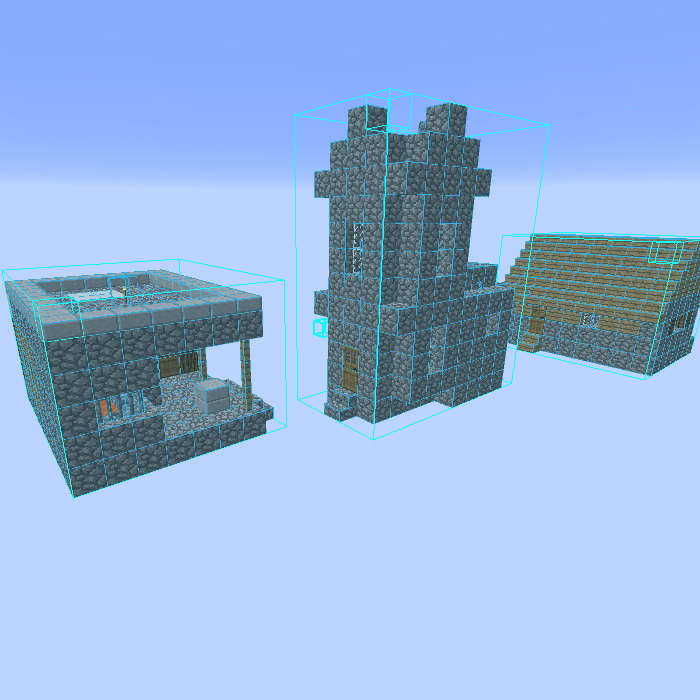
Litematica
A modern schematic mod written for Fabric (and LiteLoader on 1.12.x), with extra features for Creative mode work

Lithium (Fabric/NeoForge)
An optimization mod for Minecraft which improves server performance significantly.

MakeUp - Ultra Fast
MakeUp aims to provide the best quality / performance ratio, building a shader that can be adapted to anyone's resources...
MaLiLib
A library mod required for masa's client-side mods

MidnightLib
Common library with a built-in configuration system

Miniature Shader
Extremely lightweight with shadows and reflections
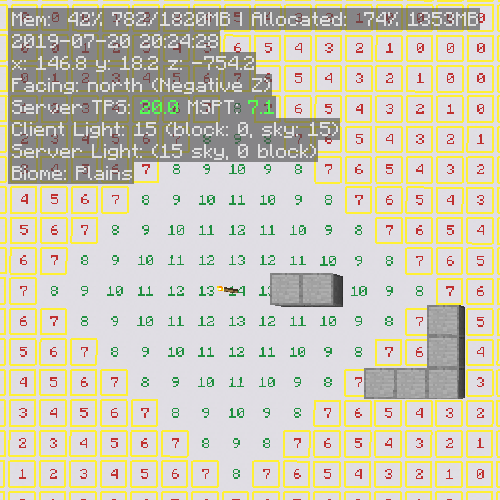
MiniHUD
A "mini F3" HUD mod, with light level, spawn & slime chunk overlays etc.

Mod Menu
Adds a mod menu to view the list of mods you have installed.

ModernFix-mVUS
A fork of ModernFix that adds minor version update support.

Motschen's Better Leaves
Improves the appearance of leaves with high mod compatibility and performance!

NoisiumForked
Optimises worldgen performance for a better gameplay experience.

Nvidium
Fast nvidia only rendering engine for sodium

OrthoCamera
Configurable orthographic view mode

Os' Colorful Grasses
Fluffier grasses! Tall, short, or original X style versions available, as well as a mix of the three for the optimal bal...

OverlayLib
Library for rendering live info-overlays

quick resource pack
a simple mod that lets you set a keybind to switch on/off a specific texture pack you choose

ReplayMod
A Minecraft Mod to record, relive and share your experience.

Searchables
Searchables is a library mod that adds helper methods that allow for searching and filtering elements based on component...

ServerCore
A mod that aims to optimize the minecraft server.
![Shulker Box Tooltip [Fabric/Forge/NeoForge]](https://media.forgecdn.net/avatars/850/113/638251427406536090.png)
Shulker Box Tooltip [Fabric/Forge/NeoForge]
What's in my shulker box?

Shuttfup
A mod that fixes some minor annoyances!
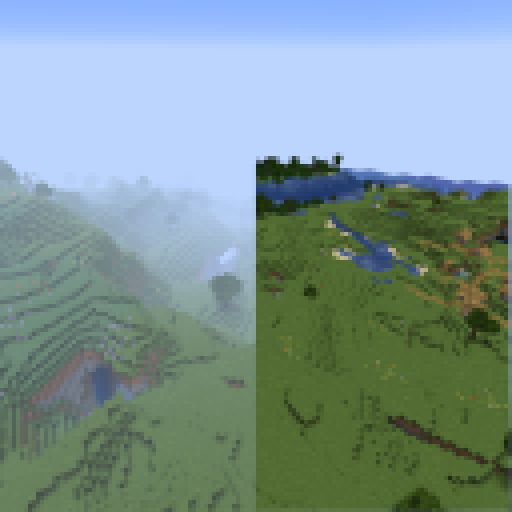
Simple Fog Control
Allows simple control over water, nether and terrain fog

Simple HUD Enhanced
A Minecraft mod that enhances the game's Heads-Up Display (HUD) by introducing customizable elements and features to dis...

Simple Voice Chat
A working voice chat in Minecraft!

Sodium
The fastest and most compatible rendering optimization mod for Minecraft. Now available for both NeoForge and Fabric!

Solas Shader
A good performing fantasy stylized shaderpack with colored lighting and fancy visuals

spark
spark is a performance profiler for Minecraft clients, servers and proxies.

Spooklementary
A Spooky, very moody and atmospheric Complementary Shaders Edit

Text Placeholder API
Placeholder and Text manipulation library for your Minecraft mods.
Tweakeroo
Various client-side tweaks, such as hand restock, hotbar swap/cycle, flexible/fast block placement etc.

Very Many Players (Fabric)
A Fabric mod designed to improve server performance at high playercounts.

voxy
A Level of Detail rendering mod

WorldEdit
In-game Minecraft map editor - build bigger things more quickly!

WorldEdit CUI
WorldEdit CUI is a graphical user interface for WorldEdit, designed to assist in using WorldEdit and prevent accidental...

YetAnotherConfigLib
A builder-based configuration library for Minecraft.