
New Eden
ModpackCompanion client modpack for the New Eden Fabric server
Type
Modpack
Modrinth Downloads
90
Modrinth ID
7jwudrLZ
Last Updated
Jul 29, 2026
Description
New Eden
The client modpack for the New Eden Fabric Minecraft server.
Built to pair with the server's mod set: Distant Horizons (LOD data is pre-generated server-side), the masa technical suite (Litematica, Syncmatica, MiniHUD, MaLiLib), and the usual performance + quality-of-life mods. Single- player works too, but the server-paired features won't have anything to talk to.
Game
- Minecraft (see the version tag on this Modrinth release)
- Fabric Loader
What's included, and why
Every mod listed here also requires Fabric API (the standard Fabric cross-mod API). It's bundled in the pack and not repeated under each entry.
Performance
- Sodium — replaces Minecraft's terrain renderer with a modern one. Roughly doubles FPS on most systems and is the foundation everything else here builds on. Also required by Iris Shaders.
- Sodium Extra — extra knobs Sodium proper doesn't expose. Toggle weather, particles, fog density, sky animations.
- Lithium — optimizes the integrated server's tick logic (AI, mob spawning, redstone, hopper logic). The same jar runs on the server, so behavior is identical.
- FerriteCore — reduces memory usage. Typically frees ~200 MB by deduplicating block-state structures.
- EntityCulling — skips rendering of entities not in the camera's view. Big win in dense places (villages, item farms, mob pens).
- C2ME — multithreaded chunk handling. On the New Eden server it does the heavy lifting; on a multiplayer client it's mostly inert (chunks come from the server). Included so the same instance also handles singleplayer worlds well.
Distant rendering
- Distant Horizons — renders far-off terrain as low-detail LODs out to the server's pre-generated radius (~8 km on the server). The server pre-generates and streams LODs, so distant terrain appears immediately without a loading pop-in.
- Iris Shaders — Sodium-compatible shader support. Optional — you can use the rest of the pack without ever installing a shader pack.
- Continuity — connected textures for resource packs that support them (Faithful Connected, etc.). Inert if you don't use a CT pack.
Recipe and block info
- Just Enough Items — recipe viewer. Press R over an item to see how to craft it; U to see what it makes.
- Jade — shows what block or entity you're looking at, plus metadata (growth stage, tank contents, mob health).
- Shulker Box Tooltip — hover a shulker box in your inventory to see its contents without opening it.
- EnchantmentDescriptions — adds a tooltip explaining each enchantment in plain English ("Lure III: reduces fishing wait time"). No more memorizing levels.
- PrickleMC (required dependency) — Darkhax's shared library.
- AppleSkin — overlays saturation and exhaustion on the hunger bar. Lets you eat at the right moments instead of wasting food.
Inventory ergonomics
- Inventory Profiles Next — sort buttons, saved hotbar loadouts, locked slots so you don't accidentally throw tools into a furnace.
- Fabric Language Kotlin (required dependency) — Kotlin runtime.
- libIPN (required dependency) — Inventory Profiles Next's shared library.
- Mouse Tweaks — right-click-drag splits a stack one item at a time; scroll wheel moves items in and out of containers.
- MoreMouseTweaks — adds more drag operations on top of Mouse Tweaks (drag-to-craft, drag-to-equip).
- Cloth Config (required dependency) — config library.
Build and survey
- Litematica — masa's schematic mod. Load a .litematic file, position it as a ghost overlay, and build the real thing block-by-block with the materials list it generates.
- MaLiLib (required dependency) — masa's shared library.
- Syncmatica — extends Litematica with shared schematics. Place a schematic on the server and the other players see it and can build alongside.
- MiniHUD — toggleable info overlay: coordinates, biome, FPS, light level, chunk borders, slime chunks, mob spawn-safety highlights. Pairs with Servux on the server for some server-aware info (e.g., world spawn).
- MaLiLib (required dependency) — masa's shared library.
- Tweakeroo — masa's client-side tweaks: hold-to-place, fast block placement, free camera, flexible-zoom, hotbar swap, and dozens of other toggleable conveniences. Pure client behavior — nothing the server cares about.
- MaLiLib (required dependency) — masa's shared library.
- WorldEdit CUI — client-side selection visualizer for the server's WorldEdit. Draws the corners, edges, and region of your current selection so you can see what you're about to operate on. Inert if you don't have WorldEdit permissions on the server.
UI and convenience
- Mod Menu — adds a "Mods" button to the title screen with a config UI for each installed mod.
- Placeholder API (required dependency) — Patbox's library mod.
- Controlling — replaces the vanilla keybind menu with a searchable / filterable / conflict-aware one.
- Searchables (required dependency) — fuzzy-search backend.
- Zoomify — hold C to zoom in (configurable keybind). The OptiFine-zoom replacement for Fabric.
- Fabric Language Kotlin (required dependency) — Kotlin runtime.
- YACL (required dependency) — YetAnotherConfigLib, isXander's config UI library.
- Better Ping Display — shows your ping (ms) next to your name in the player list (TAB). Useful for diagnosing lag on the server.
Installation
You only need to follow one of these three sections. The Modrinth App is the easiest path; Prism Launcher is the easiest cross-platform alternative; the vanilla Minecraft launcher works but takes the most steps.
Modrinth App (easiest, recommended)
The Modrinth App is the official launcher from Modrinth. Available for Windows, macOS, and Linux at https://modrinth.com/app. Fabric Loader is installed automatically when you install the pack — no separate Fabric install step needed.
- Download and install the Modrinth App.
- Open the app and sign in with your Microsoft / Mojang account.
- Click Browse in the sidebar → search for "New Eden".
- Click Install on the pack. The app downloads Fabric Loader, all the mods, and creates an instance configured for the right Minecraft version.
- Open the instance (left sidebar) → Options → set max memory to 4 GB or higher (default is usually 2 GB, which is too low for Distant Horizons).
- Click Play.
When a new version of the pack ships, the app shows an update prompt. One click and you're on the new version.
Prism Launcher (cross-platform, what I use)
Prism is a popular open-source Minecraft launcher. Available for Windows, macOS, and Linux at https://prismlauncher.org/download/. Fabric Loader is installed automatically when Prism imports the .mrpack — no separate Fabric install step needed.
- Download and install Prism Launcher.
- In Prism, click Accounts (top right) and sign in with your Microsoft / Mojang account.
- Click Add Instance (top left).
- Choose the Modrinth tab. Either search for "New Eden" or use the "Import" sub-tab and point at a downloaded .mrpack file.
- Click OK to create the instance. Prism downloads Fabric Loader and all mods on first launch.
- Right-click the new instance → Edit Instance → Settings → Java → set Maximum memory allocation to 4096 MB or higher.
- Click the instance, then Launch.
To update the pack later, right-click the instance → Change Version → pick the new version from the Modrinth metadata.
Vanilla Minecraft Launcher (most steps; not recommended)
The official Microsoft / Mojang launcher doesn't understand modpacks natively, so this path involves installing Fabric Loader manually and copying mods into the profile folder by hand. It's the most error-prone route — Modrinth App or Prism are strongly recommended.
- Download the Fabric installer from https://fabricmc.net/use/installer/ and run it. In the dialog, select:
- Tab: Client
- Minecraft Version: [choose the minecraft version that matches the current modpack+server]
- Loader Version: (leave default)
- Install Location: (leave default)
- Click Install.
- Open the official Minecraft launcher. A new "Installations" entry called fabric-loader-X.X.X-[minecraft version] will appear. Launch it once and exit — this creates the profile's game directory.
- Locate the game directory:
- Windows: %APPDATA%\.minecraft
- macOS: ~/Library/Application Support/minecraft
- Linux: ~/.minecraft
- Download the New Eden .mrpack file from this page (Versions tab).
- Rename the file from .mrpack to .zip and extract it. Inside you'll find modrinth.index.json (a list of mod URLs) and possibly an overrides/ directory.
- Open modrinth.index.json in a text editor. Each entry in the files array has a downloads URL — download every URL into the <game-dir>/mods/ folder. (Create the mods/ folder if it doesn't exist.) There are 30+ jars to download; expect 60+ MB total.
- If the extracted overrides/ directory exists and has content, copy its contents into the game directory (e.g., overrides/config/* → <game-dir>/config/).
- In the official launcher, go to Installations → click the gear next to the Fabric profile → More Options → set JVM Arguments to include -Xmx6G -Xms2G (or similar; 4 GB minimum).
- Click Play on the Fabric profile.
To update the pack later, you have to redo steps 4–7.
Recommended JVM flags
Distant Horizons does heavy background allocation during chunk LOD generation, which causes visible FPS stutter under the JVM's default garbage collector (G1). Switching to ZGC removes the stutter at the cost of ~10–15% memory overhead. You'll see this warning at startup under G1 if you do nothing:
Distant Horizons: G1 Garbage collector detected. This can cause FPS stuttering. It's recommended to use a concurrent garbage collector like ZGC (Java 21+) or Shenandoah (Java 8 through 17) for a smoother experience.
The flags to add:
-Xms4G -Xmx4G -XX:+UseZGC -XX:+ZGenerational -XX:+AlwaysPreTouch -XX:+DisableExplicitGC -XX:+UseStringDeduplication -XX:TrimNativeHeapInterval=5000- -Xms4G -Xmx4G — give Minecraft 4 GB of RAM, with min == max so the heap doesn't resize at runtime. Bump higher (-Xms8G -Xmx8G) if you have RAM available and play at extreme render distances.
- -XX:+UseZGC — switch from the default G1 garbage collector to ZGC. ZGC is concurrent with sub-millisecond pauses, where G1's young-gen collections were causing the FPS stutter.
- -XX:+ZGenerational — enable generational mode for ZGC. Required on Java 21–23. On Java 24+ this is the default and the flag is removed, so harmless to omit if your launcher uses Java 24 or newer.
- -XX:+AlwaysPreTouch — pre-allocate (fault in) heap pages at JVM startup so the OS commits them immediately. Adds a couple of seconds to launch in exchange for no first-use stalls during gameplay.
- -XX:+DisableExplicitGC — block System.gc() calls. Some mods or libraries occasionally trigger explicit GC, which under ZGC creates unnecessary pauses. Harmless if no mod ever calls it.
- -XX:+UseStringDeduplication — instruct ZGC to dedup identical String character arrays. Minecraft chunk data, block IDs, and recipe entries contain many duplicate strings — this is a free heap win.
- -XX:TrimNativeHeapInterval=5000 — every 5 seconds, return unused off-heap (native) memory back to the OS. Useful for long-running sessions where Minecraft accumulates native buffers it no longer needs.
If you're on Java 25 or newer (some launchers ship it for MC 26.x), also add -XX:+UseCompactObjectHeaders — it reduces heap usage by 5–20% (JEP 519, Java 25+ only). Drop -XX:+ZGenerational since it's the default in Java 24+ and removed.
Java 21 or newer is required for -XX:+UseZGC. The Modrinth App, Prism Launcher, and modern Mojang launcher all ship with bundled Java that meets this — but verify if you've configured a custom Java path.
Setting JVM flags — Modrinth App
- Open the instance you installed New Eden into.
- Click the gear icon (top right of the instance page) or Options.
- Find Java settings → Java arguments (sometimes labeled "JVM arguments").
- Replace the existing string with: -Xms4G -Xmx4G -XX:+UseZGC -XX:+ZGenerational -XX:+AlwaysPreTouch -XX:+DisableExplicitGC -XX:+UseStringDeduplication -XX:TrimNativeHeapInterval=5000
- Save and launch.
Setting JVM flags — Prism Launcher
- Right-click the New Eden instance → Edit Instance.
- Sidebar → Settings → Java.
- Check Override global settings.
- In the JVM arguments field, paste: -XX:+UseZGC -XX:+ZGenerational -XX:+AlwaysPreTouch -XX:+DisableExplicitGC -XX:+UseStringDeduplication -XX:TrimNativeHeapInterval=5000 (Memory is set separately via the Memory field above — set max and minimum both to 4096 MB.)
- Click Close to save, then launch.
Setting JVM flags — Vanilla Minecraft Launcher
- Open the launcher → Installations tab.
- Click the three dots next to the Fabric installation you created → Edit.
- Expand More options.
- In the JVM arguments field, replace the existing string with: -Xms4G -Xmx4G -XX:+UseZGC -XX:+ZGenerational -XX:+AlwaysPreTouch -XX:+DisableExplicitGC -XX:+UseStringDeduplication -XX:TrimNativeHeapInterval=5000
- Click Save.
Verifying it worked
Once in-game, the Distant Horizons "G1 Garbage collector detected" warning in latest.log should be absent. Chunk loading at high render distance should feel smoother — no per-second micro-stutters.
If something goes wrong, delete the flags from your launcher's JVM arguments field — the JVM falls back to G1 (default) and the game runs exactly as before.
License
This pack metadata is MIT-licensed. Each included mod retains its own license.
Compatibility
Mod Loaders
Game Versions
Recommended Gear
AffiliateHardware and extras that pair well with this modpack.

As an Amazon Associate I earn from qualifying purchases.
Similar Modpacks
Symbiote Craft
A modpack built around the mod ''Symbiote: A Bonding Experience''
Mystreet - Roleplay like Aphmau
Its a collection of mods and maps used by Aphmau: Original Map is Lapiz Point but it has since been edited, other maps a...

HenryCraft
SteamPunk themed modpack based around create, space and food

Essential Extra
This is a vanilla extra modpack, compatible with vanilla servers. It is custom-made for playing on vanilla servers and s...

Tales of a Cozy Hobbit
Live, farm, cook, fish and decorate as a cozy hobbit
Fungus Invasion
An Adventure pack with QoL and Building mods (NOT FORGELABS)
Contained Mods (34)

Just Enough Items (JEI)
View Items and Recipes

Cloth Config API (Fabric/Forge/NeoForge)
Config Screen API for Minecraft

Mouse Tweaks
Enhances inventory management by adding various functions to the mouse buttons.

AppleSkin
Adds some useful information about food/hunger to the HUD

Jade 🔍
Shows information about what you are looking at. (Hwyla/WAILA fork for Minecraft 1.16+)

Controlling
Adds a search bar to the Key-Bindings menu
Entity Culling Fabric/Forge
Using async path-tracing to hide BlockEntities/Entities that are not visible
Searchables
Searchables is a library mod that adds helper methods that allow for searching and filtering elements based on component...
Fabric API
Core API library for the Fabric toolchain

Enchantment Descriptions
Adds in-game descriptions for enchantments to tooltips.

YetAnotherConfigLib
A builder-based configuration library for Minecraft.

Sodium
The fastest and most compatible rendering optimization mod for Minecraft. Now available for both NeoForge and Fabric!

Iris Shaders
A modern shader pack loader for Minecraft intended to be compatible with existing OptiFine shader packs

FerriteCore
Memory usage optimizations

Lithium (Fabric/NeoForge)
An optimization mod for Minecraft which improves server performance significantly.

Mod Menu
Adds a mod menu to view the list of mods you have installed.

Fabric Language Kotlin
Fabric language module for Kotlin
Continuity
A Minecraft mod that allows for efficient connected textures
Prickle
Prickle is a JSON based configuration file format brought to Minecraft.

Sodium Extra
Features that shouldn't be in Sodium

Text Placeholder API
Placeholder and Text manipulation library for your Minecraft mods.

Concurrent Chunk Management Engine (Fabric)
A Fabric mod designed to improve the chunk performance of Minecraft.

Distant Horizons
See farther without turning your game into a slide show

Zoomify
A zoom mod with infinite customizability.

WorldEdit CUI
WorldEdit CUI is a graphical user interface for WorldEdit, designed to assist in using WorldEdit and prevent accidental...

libIPN
Gui/Config Libarary for Inventory Profiles Next and related mods

Inventory Profiles Next
Take control over you inventory. Sort. Move matching Items. Throw all. Locked slots. Gear sets! And much more.
MaLiLib
A library mod required for masa's client-side mods
![Shulker Box Tooltip [Fabric/Forge/NeoForge]](https://media.forgecdn.net/avatars/850/113/638251427406536090.png)
Shulker Box Tooltip [Fabric/Forge/NeoForge]
What's in my shulker box?

More Mouse Tweaks
Complements MouseTweaks by adding more mouse functionality from MouseWheelie.

Syncmatica
Share litematics with your Servermates easily
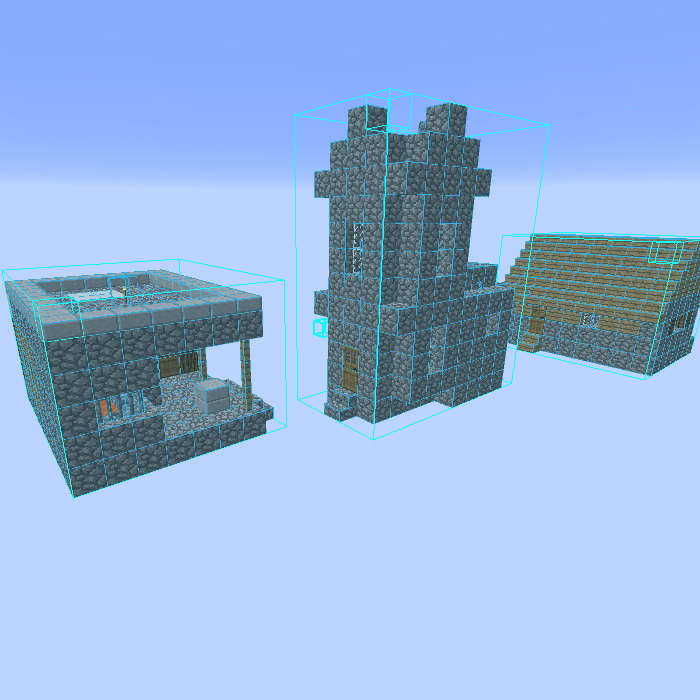
Litematica
A modern schematic mod written for Fabric (and LiteLoader on 1.12.x), with extra features for Creative mode work
Tweakeroo
Various client-side tweaks, such as hand restock, hotbar swap/cycle, flexible/fast block placement etc.
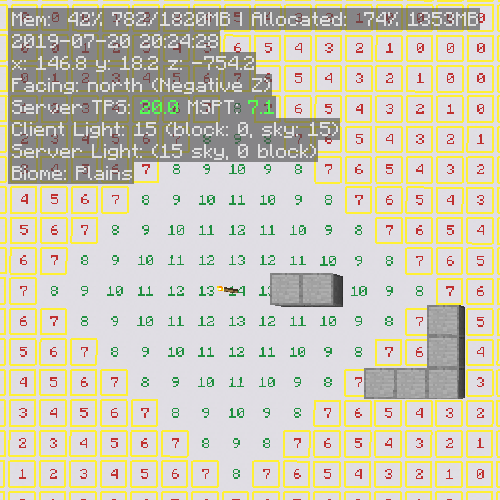
MiniHUD
A "mini F3" HUD mod, with light level, spawn & slime chunk overlays etc.