

CraftyAI
ModA free, intelligent AI companion for Minecraft. Talk naturally, scan blocks, and more in chat!
Type
Mod
Modrinth Downloads
602
Modrinth ID
XOFIR6bb
Last Updated
Jul 29, 2026
Description
CraftyAI
AI companion for Minecraft
Talk to an AI in Minecraft chat. It answers questions, scans blocks, controls time and weather, gives items, and runs commands. Free to use.
Docs · Download · Features · Discord
CraftyAI is in beta. You may hit bugs or slow responses during peak hours. Report issues on our Discord server.
v1.2.0-beta ("Orion")
- RAG Memory: The AI recalls past conversations across sessions using vector search.
- Block Scanning: Ask the AI to scan nearby blocks and entities (up to 32 blocks out).
- Scheduled & Delayed Tasks: Set recurring or one-shot actions. "Remind me to sleep in 5 minutes" or "Set weather to clear every hour".
- Auto-Mint API Keys: Install the plugin. An API key generates automatically. No Discord required.
- Custom Prompts (Pro): Change the AI's personality and behavior per server.
- Server Linking: Connect your Minecraft server to your Discord account.
Features
In-Game AI Chat
- Talk to AI in Minecraft chat
- Configurable names and aliases
- Typo-tolerant matching
- Conversation memory across sessions
- Per-player cooldowns and rate limits
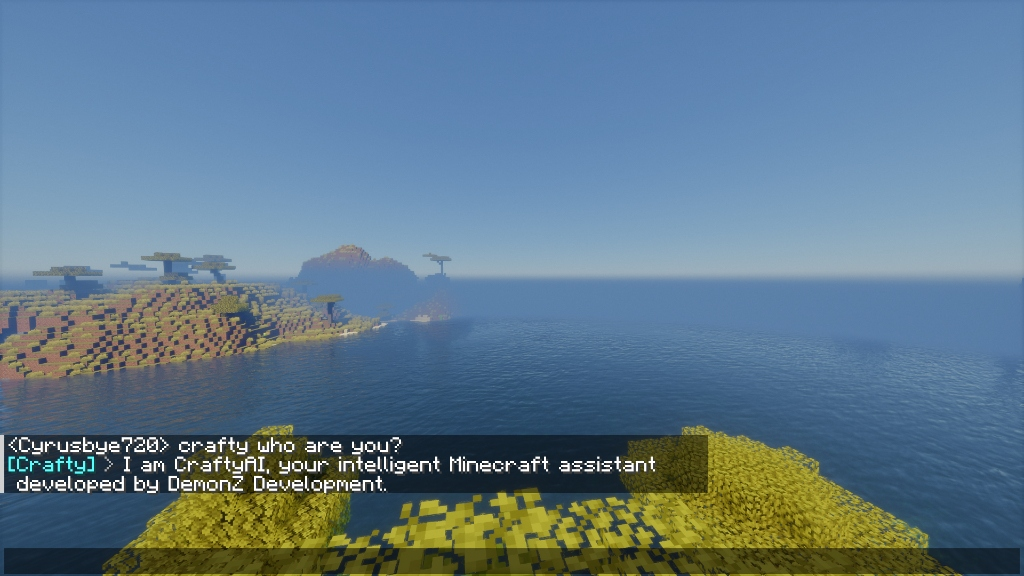
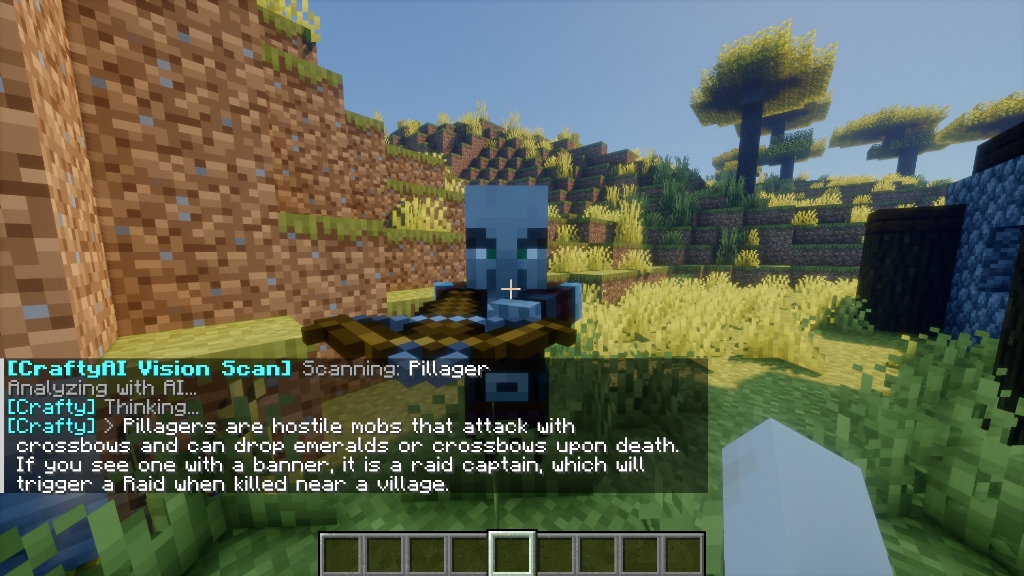
Vision Scanner
- Scan blocks and entities around you
- AI analyzes what you see
- Reports biome, time, coordinates
- Works with all entity and block types
AI Game Actions
- Control time and weather
- Heal and feed players
- Change gamemodes
- Give specific items
- Run scheduled or delayed automations
Edge Infrastructure
- Runs on Cloudflare edge servers worldwide
- BYOK: bring your own Gemini API keys
- Background vector memory pruning
Subscription Tiers
CraftyAI is free. Higher tiers add more capacity for large networks.
Tier RPM Requests/Day Tokens/Day Custom Prompts Free 30 100 50K No Starter 100 1,000 500K No Pro 200 5,000 2.5M 1 change/24h Enterprise 500 100,000 10M YesPlatform Support
Plugin (Server-Side)
Platform Versions Status Spigot 1.8 → 1.21+ Full Support Paper 1.8 → 1.21+ Full Support Folia 1.19+ Async Scheduling Purpur 1.16+ Full SupportMod (Client/Server)
Platform Versions Status Fabric 1.20.4 – 1.21.1 & 26.x Full Support Quilt 1.20.4 – 1.20.6 Fabric-Compatible Forge 1.20.4 – 1.20.6 Full Support(Fabric requires craftyai-fabric for 1.20.x–1.21.1, craftyai-fabric-26 for MC 26.x)
Quick Setup
Plugin (Spigot/Paper/Folia/Purpur)
- Download craftyai-spigot-1.2.0-beta.jar from Modrinth
- Drop it in plugins/ and start the server
- and start chatting.
Mod (Fabric/Forge)
- Download from Modrinth and place in mods/
- Fabric users: Install Fabric API
- Launch Minecraft
- chat.
Commands & Permissions
Command Description Permission /crafty Plugin info and status crafty.chat /crafty status Connection diagnostics crafty.chat /crafty reload Reload configuration crafty.admin /crafty learn Q | A Teach the AI new knowledge crafty.admin /crafty test Test AI connection crafty.chat /crafty apikey Generate a new API key crafty.admin /crafty pro status Show current tier and expiry crafty.chat /crafty pro redeem <key> Redeem a Pro key from Discord crafty.chat /crafty pro help How to get a Pro key crafty.chat /crafty link Link server to Discord crafty.chat /crafty prompt view View custom prompt crafty.chat /crafty prompt set <text> Set custom prompt (Pro) crafty.admin /crafty prompt reset Reset prompt (Pro) crafty.adminGrant crafty.actions to let the AI run in-game commands and actions.
Transparency & Privacy
- Edge Network: Chat is processed on our Cloudflare edge servers. We don't sell chat history.
- BYOK: Bring your own Gemini API keys for full data isolation.
- Closed Source Backend: The server-side code is closed source. Plugins communicate over HTTPS.
Remote Connections:
- AI Endpoint: Connects to craftyai-gateway.craftyauth.workers.dev when a player chats. Sends game context, API key, and Session ID.
- Telemetry: Sends anonymous heartbeats with request counts. Disable with enable_metrics: false (Plugin) or telemetry_enabled: false (Mod).
Found a Bug?
Open a ticket on our Discord server.
Sponsored by Nexeu Hosting

High-performance, affordable hosting for your Minecraft server. Premium hardware, instant setup, 24/7 support.
Built by DemonZ Development CraftyAI is not affiliated with Mojang, Microsoft, or Minecraft.
Compatibility
Mod Loaders
Game Versions
Recommended Gear
AffiliateHardware and extras that pair well with this mod.

As an Amazon Associate I earn from qualifying purchases.
Screenshots
Similar Mods

AutoLogin Mod
This is a simple mod for automatically entering passwords on servers.
Vtier
Realistic compound v and v1 stats.

Celeritas Leaf Culling
Fork of SodiumLeafCulling for Celeritas on 1.12.2
Astral Mekanism & Energistics:Cognition
Add Powerfull Molecular Metamorpher!!
Let Fish Love Reborn
Introduces fish breeding and eggs, allowing fish farms and also bulk fish transport through roe

Squishy Heads
A Simple Voice Chat addon that scales players heads when talking