

Death Respawn Notifier
ModDeath location details, respawn announcements, and Tab list dead markers so teams can recover faster.
Type
Mod
Modrinth Downloads
133
Modrinth ID
WmLlAWdJ
Last Updated
Jul 29, 2026
Description
Death Respawn Notifier




Death Respawn Notifier helps your whole server bounce back from every death.
- Know where you died — optional dimension and coordinates right in the death message.
- Hear when players return — an optional respawn broadcast for the whole server.
- See who is still down — a dead-player marker in the vanilla Tab list.
- Personal touches — your own death screen details and a respawn action bar reminder.
- Server-first — the core features run on the server; clients are optional.
Features
Death messages that help you recover
Server death messages can include the dimension and coordinates where a player died. Keep the detail on when your group wants easier recovery, or turn it off for vanilla-style death messages.



A simple heads-up when players respawn
Respawn broadcasts let everyone know a player is back. Dimension and coordinate details are optional, so the message can stay short or add context for coordinated play.

Personal death screen details
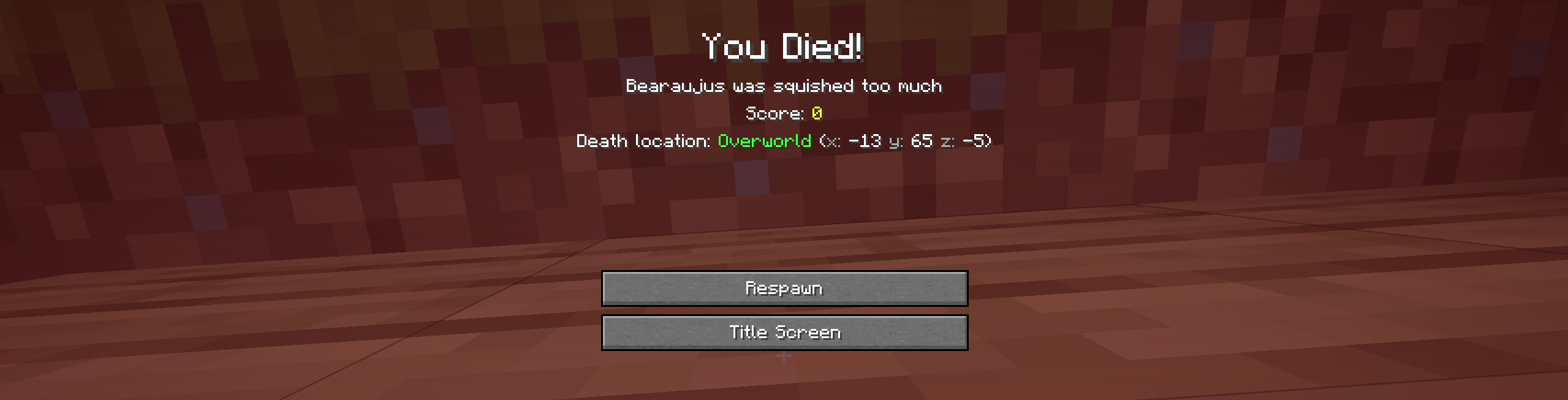
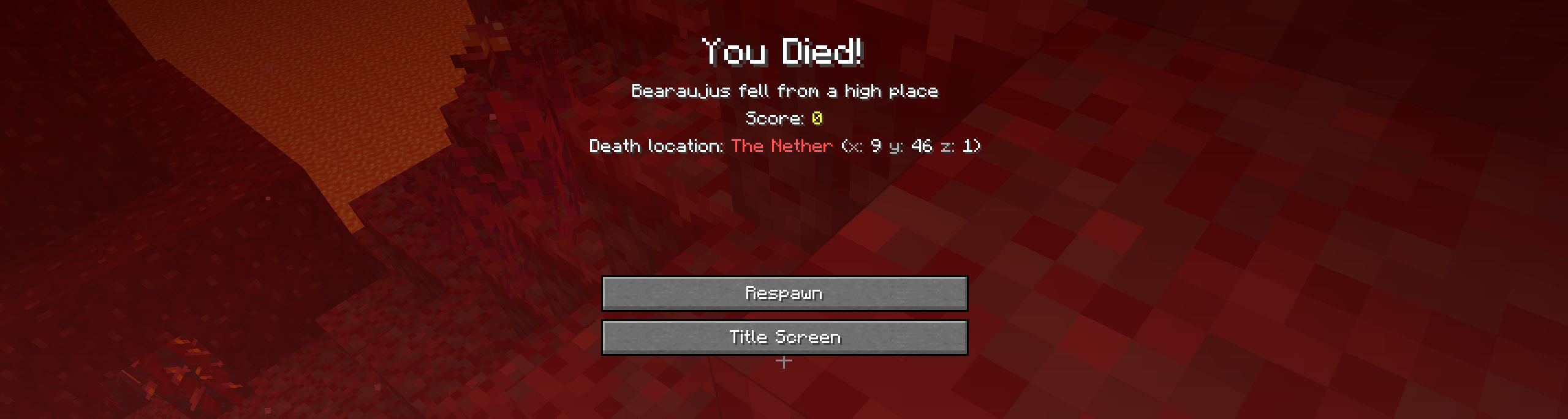
Install the mod on your client to see death dimension and coordinate details on the death screen. These are your settings and do not change Server Config behavior.

An optional respawn reminder
Turn on a short action bar alert after respawning — a quiet reminder of where you came back without adding another chat message.

Dead markers in the Tab list
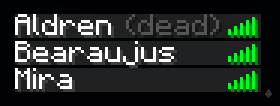
When the server enables Tab list dead markers, players with the mod can see who is still dead, right in the vanilla Tab list.
Settings when you want them
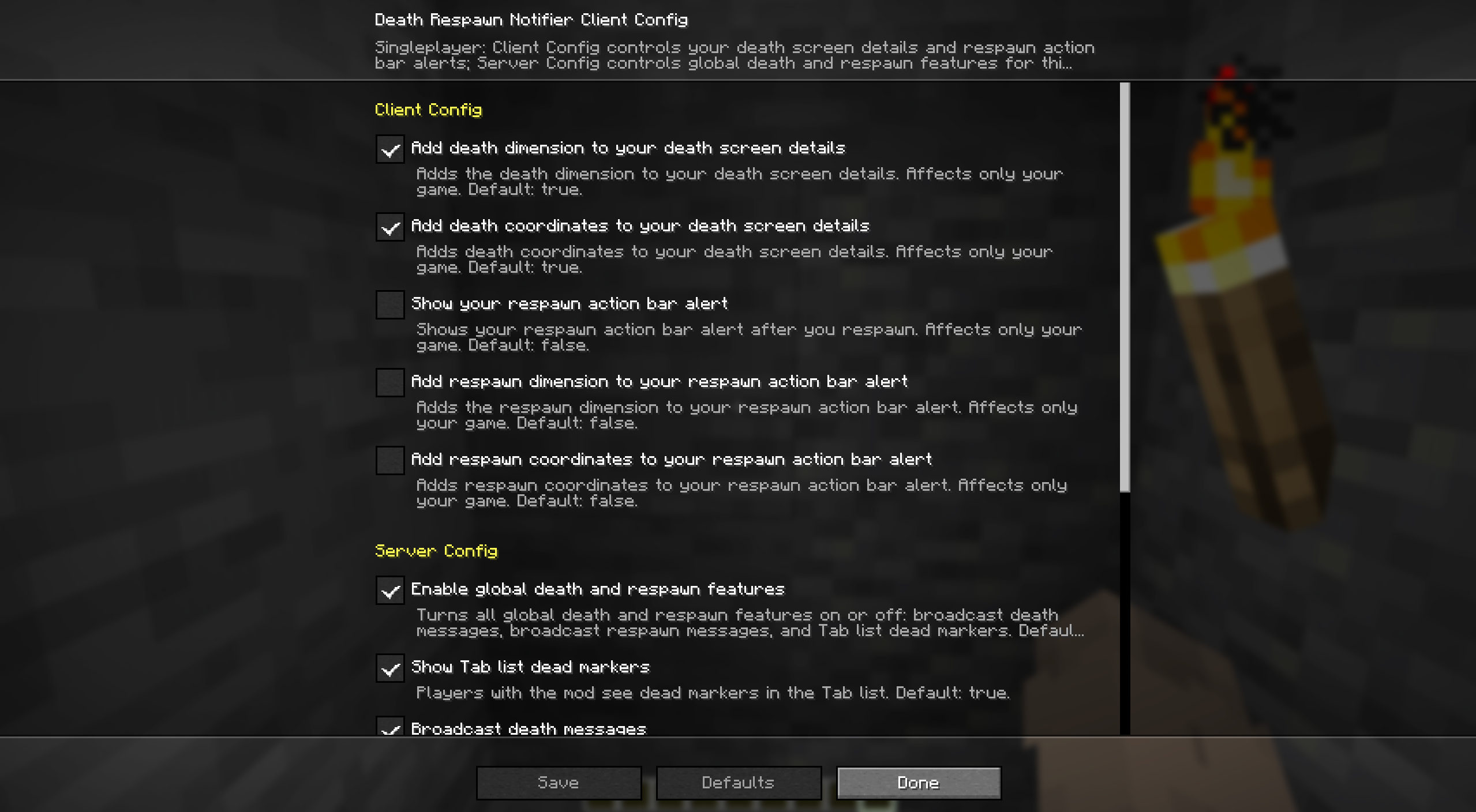
With Mod Menu, adjust your death screen details and respawn action bar alert. In singleplayer, or on a server where you have operator permission, Server Config also exposes the global death and respawn features.
Quickstart
- Install Fabric Loader and Fabric API on your server.
- Drop Death Respawn Notifier into the server's mods/ folder and start it. Death-location messages, respawn broadcasts, and Tab list dead markers work for everyone immediately.
- Want personal death screen details and respawn reminders? Add the mod (and Mod Menu) on your client.
- Tune everything later in Mod Menu — Server Config needs operator permission — or in the config file below.
Compatibility
Death Respawn Notifier is server-first. Here is where each piece runs and what it needs.
- Dedicated server (required): death messages with dimension and coordinate details, respawn broadcasts, and Tab list dead markers.
- Client (optional): personal death screen details, respawn action bar alerts, Client Config, Mod Menu settings, and singleplayer.
- Required dependency: Fabric API, wherever the mod is installed.
- Optional dependency: Mod Menu on clients for Client Config and permission-gated Server Config.
Make it yours
Death Respawn Notifier keeps client settings separate from server settings.
- Client settings control your death screen details and the respawn action bar on this computer.
- Server settings control death messages, respawn messages, and Tab list dead markers.
- Each scope has its own master toggle, so either side can stay on or off.
- In singleplayer, Server Config edits the server settings in the local file. On remote servers, Server Config is editable only with operator permission.
Config file
After first launch, edit config/death-respawn-notifier.json. File edits need a game or server restart; Mod Menu changes apply immediately where editable.
{ "schema_version": 1, "server": { "enabled": true, "broadcasts": { "on_death": { "enabled": true, "include_dimension": true, "include_coordinates": true }, "on_respawn": { "enabled": true, "include_dimension": false, "include_coordinates": false } }, "tab_list": { "dead_markers_enabled": true } }, "client": { "enabled": true, "death_screen": { "on_death": { "enabled": true, "include_dimension": true, "include_coordinates": true } }, "action_bar": { "on_respawn": { "enabled": false, "include_dimension": false, "include_coordinates": false } } } }More from bearaujus
More server-first Fabric mods in the same family:
- Dimension Notifier — Never ask 'where are you?' again — live dimension cues in the action bar, chat, and Tab list.
Support & license
Report issues at [email protected].
Death Respawn Notifier is distributed under the Bearaujus Proprietary License v1.0. Full terms ship inside the downloaded jar as LICENSE.txt.
Death Respawn Notifier is not official Minecraft content and is not endorsed by or associated with Mojang or Microsoft.
Compatibility
Mod Loaders
Game Versions
Recommended Gear
AffiliateHardware and extras that pair well with this mod.

As an Amazon Associate I earn from qualifying purchases.
Screenshots
Similar Mods

brain
A Minecraft mod that disables spawn chunks to improve world loading performance.
Cipher's Energy and Tiredness
Energy matters in the long run, get tired, rest, eat up better meals for more active periods, and stop long fights and u...

Mosaics
Adds a variation of mosaics for other types of planks

Zelda Horse Behavior
Embrace the brand-new Zelda-like horse taming mechanics!

Smart Books
Create fully customizable books with images, custom fonts, and templates right inside Minecraft! A modern, canvas-based...

Immortality
Cant go below half heart, for scripted servers.