

Star Wars Original Trilogy
ModEnter in the Star Wars original trilogy univers
Type
Mod
Modrinth Downloads
2,111
Modrinth ID
IABzcPag
Last Updated
Jul 29, 2026
Description
Star Wars - The Original Trilogy



Star Wars : Original Trilogy is a Minecraft mod project that aims to faithfully recreate the universe of the the first Star Wars trilogy released movies.
Current Features
Item
- Lightsaber Parts
- Lightsaber :
- Keybind R to active.
- Double Lightsaber : A dual-bladed saber assembled from two existing lightsabers.
- Crafting — place one lightsaber directly above another in the crafting grid (any column, 2x2 or 3x3). The top one becomes the upper blade, the bottom one the lower blade. Every property of both sabers (blade color, length, parts, and original item) is preserved into the result.
- Mechanics — both blades share a single on/off state: press R to ignite or retract them together. Melee and Saber Throw require it to be active, just like a single saber.
- Combat — deals 1.5x the total melee damage of a standard lightsaber.
- Rendering — the upper blade points up while the lower blade is flipped 180° to point backwards, seamlessly joining at the handle.
- Tatooine Teleporter :
- sneack + click to teleporte in the new dimension.
Blocks
- Ligthsaber Forge : Right-Click to open the Lightsaber Custom GUI.
- Blaster Workbench : Right-Click to open the Blaster customization GUI (slot layout, upgrade compatibility, and result calculation detailed below).
Lightsaber Defense
Hold Right-Click while wielding an ignited Lightsaber or Double Lightsaber (identical stats and logic for both) to enter a defensive Blocking stance. The guard pose is visible to other players in multiplayer.
- Melee Blocking — while blocking, all incoming melee damage from a living attacker is fully negated (100%). Melee blocking costs no Force. Projectiles (e.g. arrows) and environmental damage are not affected.
- Blaster Deflection — when a blaster bolt strikes a blocking player, the mod attempts to spend 20 Force. If you have enough, the bolt is deflected and you take 0 damage; if your Force is too low, the block fails and you take the full blaster hit.
- Normal Deflection — bolts blocked after the parry window are scattered along a randomized vector away from you.
- Perfect Parry — if the bolt hits within 5 ticks of raising your guard, it is reflected straight back at the original shooter (still costs 20 Force). Deflected bolts are re-owned by you, so a perfect parry can strike down the attacker who fired it.
Force Powers
Channel the Force directly from your hotbar. A dedicated power bar appears on the left of the screen showing your equipped powers and the currently selected one.
- Active Powers — triggered with the F key, consume Force energy from your reserve:
- Force Dash — propel yourself forward in the direction you are looking. Comes in three tiers, each one reaching further than the last.
- Force Jump — leap into the air. Three tiers let you climb higher and higher.
- Force Heal (Jedi only) — heal yourself.
- Force Push — Push the entity in your range, in the direction you are looking.
- Force Attraction — Pull the entity in your range towards you.
- Saber Throw — hurl your active lightsaber forward. The blade flies in a straight line while spinning rapidly, then boomerangs back into your inventory after reaching its maximum range, hitting an entity, or striking a block. Requires the lightsaber to be held in your main hand and turned on. Works with the Double Lightsaber too — it spins through the air as the fully assembled dual-bladed saber.
- Force Choke (Sith only) — channel the dark side of the Force to strangle a target within 8 blocks in your line of sight.
- Channeling: Locks on to the first living entity in your crosshair and holds them for up to 5 seconds (100 ticks). The caster's arms rise toward the target (visible to other players) for the duration.
- Lifting: The target is gradually lifted 3 blocks into the air over the 5-second channel.
- Immobilization: The target cannot move horizontally while being choked; their position is overridden each tick.
- Interruption: The channel breaks immediately if the caster moves (any X/Y/Z change) or takes any damage. The target is released and drops when interrupted.
- Force Meditation (Jedi only) — drop into a meditation pose to commune with the Force. Heals you over time and doubles your Force regeneration rate. The trance breaks the moment you move on any axis or take damage.
- Force Lightning (Sith only) — unleash a continuous arc of lightning at a target in your line of sight (8 blocks). Three jagged, distorted bolts crackle from your hand each tick — a bright white core wrapped in a blue outer glow. Deals damage every second and drains Force every tick until the channel ends, the target dies, leaves range, or you run out of Force.
- Force Vision — peer through the Force for 10 seconds. The world washes out into grayscale and any invisible entity within view is outlined in red so it can no longer hide from you. Other players still in Creative mode are exempt.
- Force Speed — temporarily push your body to its limits. Tier I grants +10% movement speed, Tier II grants +20%. The buff lasts 5 seconds and uses a real attribute modifier (no potion side effects, no overlay icon).
- Force Veil — toggle invisibility on demand. While the veil is up, your model fades from every other player's view but Force keeps draining each tick. The veil collapses when you toggle it off or run out of Force. Force Vision users can still spot you.
- Force Resistance — steel yourself against attacks for 2 minutes, applying a flat reduction to every incoming damage source. No potion effect, no glowing eyes — just sheer Force discipline.
- Passive Powers — automatically applied as soon as you learn them:
- Force Reserve — increases your maximum Force energy pool. Five tiers available.
- Power Slots — unlocks additional slots on the Force power bar so you can carry more abilities at once. Up to three slots.
- Force Bounce — soften your landings: each half heart of fall damage costs 100 Force to absorb. Whatever can't be paid for still hurts.
Commands
- lightsaber:
- custom: Open Forge GUI.
- give-random [player]: To give to player a random lightsaber.
- force power:
- give [power]: Grant a specific Force power (for example dash_2, jump_3, throw_2, slot_3, force_5).
- give []*: Grant every Force power at its maximum tier in one go for your side.
- remove [power]: Take a specific Force power away.
- remove []*: Remove every max-tier Force power.
- side [Side]: To change your force side. That will automatily remove the power that you can't get.
- droid:
- add [player] [droid]: Spawn a droid (r2, r5, protocol, hk51, az) next to the given player and link it to their UUID. Any prior droid bound to that player is unlinked first.
- species:
- create: Open the Character Creation GUI for yourself.
- random: Roll a random species with random variants.
- clear: Reset your appearance back to the vanilla player skin.
Personal Droids
Personal companions that follow their linked player around. Every droid is defined by a Droid specification (name, max HP, movement speed) and a dedicated EntityType, so each variant has its own stats and renderer while sharing the same base behavior.
Droid types
- R2 Astromech (r2) — Iconic blue-and-white astromech. Hardy chassis, brisk pace.
- R5 Astromech (r5) — Alternate astromech chassis with slightly slower movement.
- Protocol Droid (protocol) — Tall, lightly built; placeholder behavior for now.
- HK-51 (hk51) — Humanoid assassin droid that wields a blaster. Not aggressive on sight: like a wolf, it only engages threats to its linked owners (or what an owner attacks) and retaliates when struck, firing blaster bolts instead of melee strikes.
- AZ Medical Droid (az) — A hovering medical droid that mends its owner and allies. Unlike the ground droids, it flies and permanently floats at the shoulder height of whoever it is currently following, gently bobbing up and down while idle and tilting forward when it moves.
- Healing — Heals 2 HP (1 heart) every 40 ticks (2 seconds). It only heals a living target that is within 4 blocks and missing health, emitting a burst of heal particles around the target each time.
- Passive Mode — By default the droid follows its owner. Whenever the owner is within range and hurt, it tops them up automatically.
- Targeted Mode — Right-click another player with an empty hand to set them as the droid's Active Heal Target. The droid breaks off, flies to and follows that target, and prioritizes healing them — ignoring the owner's own damage — until the target is back to full health. Once the target is fully healed (or dies / goes offline), the target is cleared and the droid returns to following its owner.
- Hovering — The droid uses flying navigation (BirdNavigation + FlyingMoveControl) to path toward the followed entity horizontally, while its vertical position is locked each tick to the follower's shoulder height, so it always hovers beside them whether idle or moving.
Shared behavior
- Follow Owner — navigates to the linked player at the player's pace. Never teleports across distance in the same dimension; will walk like a proper companion.
- Dimension Sync — if a linked owner changes dimension (Nether, End, Tatooine, etc.), the droid is instantly moved to the owner's new dimension and position.
- Multi-player Ownership — one droid can be linked to several player UUIDs; data is persisted on the entity NBT. A given player can only have one active droid at a time. Re-using /droid add on a player unlinks (and removes if orphaned) their previous droid before spawning the new one.
Specification registry — DroidManager (exposed as OriginalTrilogy.DROID_MANAGER) holds every registered Droid. R2 and R5 are both registered as distinct AstromechDroid instances so they can hold different stats while sharing the same class.
Astromech Hacking
Astromech droids (R2, R3, R5) can slice locked Tatooine Doors through an adjacent Droid Socket terminal.
Locking — A Tatooine Door becomes locked whenever a Droid Socket sits within a 1-block radius (3×3×3) of it. While locked:
- Right-clicking a closed door does nothing but show a "terminal is locked" message — it cannot be hand-opened.
- Right-clicking an open door closes it, and it is immediately locked again.
Slicing — Right-click the Droid Socket. The mod looks up the astromech droid linked to that player:
- If the player has no linked astromech, or no Tatooine Door is adjacent to the socket, a message explains why nothing happened.
- Otherwise the droid pathfinds to the socket and, once in range, begins a 1-minute (1200-tick) slicing timer.
- On completion, the adjacent door opens automatically.
Interruptions — Slicing cancels immediately (progress resets to zero) if:
- The droid takes any damage, or
- The owner moves too far away (~10 blocks), which hands control back to the droid's Follow Owner behavior.
Progress UI — While your droid is slicing, a progress bar is drawn just above the health bar at the bottom-center of the screen, filling from 0 to 100% over the minute. It is shown only to the owner who started the hack. Hacking state and progress are synced to the client through the droid's DataTracker.
Power Selector
Press V to open the Power Selector interface and customize your equipped active powers. The screen only opens once you have learned at least one Force power.
- The top grid lists every Force power you have unlocked. Hover any icon to see its name.
- The row at the bottom shows your equipped slots — its size grows with the Power Slots passive (1 to 3 slots).
- Click an equipped slot to highlight it, then click any power in the grid to assign it to that slot. The change is saved instantly.
- Press Escape to close the screen.
Blasters
Shooting Modes — toggle between the two with G. The active mode is shown in the action bar when switched.
- Kill — Deals direct damage on hit.
- Paralyze — Reduces the target's movement speed by 80% for 10 seconds.
Controls:
- Left Click — Fire a blast bolt. Subject to the weapon's cooldown.
- Right Click — Toggle zoom. Reduces the field of view significantly for precision aiming. Right-click again to cancel.
- G — Switch between Kill and Paralyze mode.
Keybinds
- R — Activate / deactivate the lightsaber held in hand.
- Right Click (while holding an ignited lightsaber) — Hold to raise the blocking stance (melee block + blaster deflection / perfect parry).
- F — Use the currently selected active Force power.
- V — Open the Force Power Selector.
- NUM 1 + SCROLL — Change power selected in game.
- Left Click (while holding blaster) — Shoot.
- Right Click (while holding blaster) — Toggle zoom.
- G — Toggle blaster shoot mode.
Installation
- Install 1.20.6 version of the Fabric Loader.
- Download the Fabric API mod and place it in your mods folder.
- Download original-trilogy .jar file and place it in your mods folder.
- Launch the game and run !
Compatibility
Mod Loaders
Game Versions
Recommended Gear
AffiliateHardware and extras that pair well with this mod.

As an Amazon Associate I earn from qualifying purchases.
Screenshots
Similar Mods

Chat Macro
Configurable key combos that send predefined chat commands
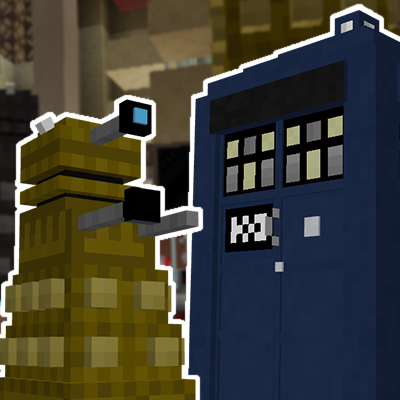
DWCM Addon (Dalek Mod 1.16.5)
Adds the DWCM Daleks and Tardis into Dalek Mod!
![[SBW] Wrecked!](https://media.forgecdn.net/avatars/1605/372/639036716479414500.png)
[SBW] Wrecked!
Stops SuperbWarfare vehicles from evaporating after being destroyed!

More Command Block Tools
Addon for Cracker's Wither Storm Mod, that adds more Command Bock tools

Fabric per player spawns
Each player has their own mob cap (of 70 by default)

Toms Server Additions: Planks!
TSA: Planks! Is a serverside mod that adds vertical and chiseled plank blocks to your server using resourcepacks, no cli...
