

Bossclient
ModPVP Client for the best game experience
Type
Mod
Modrinth Downloads
961
Modrinth ID
fkHrKCr2
Last Updated
Aug 22, 2026
Description
👑 BossClient
Be the Boss in PvP.
BossClient is a performance-focused Minecraft client built entirely around competitive PvP. With 60+ modules across HUD, Combat, Movement, Render, and Misc, you get full control over how your game looks, feels, and performs — backed by a clean, modern interface and massive FPS gains.
Whether you're grinding practice servers, climbing ranked, or warming up in the Bedwars lobby, BossClient gives you the edge.
✨ Highlights
- ⚡ Huge performance — built-in FPS Booster pushes you well past 1700+ FPS
- 🎯 18 customizable HUD elements — design your perfect overlay
- ⚔️ Clean, responsive combat feel with custom hit feedback
- 🎵 In-game Spotify integration — see and vibe to your music without alt-tabbing
- 🖱️ Raw Input for pixel-perfect, acceleration-free aim
- 🎨 Modern ClickGUI with live search and one-click toggles
🎯 HUD Modules — Build Your Perfect Overlay
This is where BossClient shines. Every element is fully draggable and customizable through Edit HUD mode — position everything exactly where you want it.
- Spotify HUD — Displays your currently playing track right in-game: album cover, song title, and artist, complete with an animated audio visualizer. No more alt-tabbing to check what's playing.
- Mouse Tracker — A live visualization of your mouse movement that draws your aim path on screen. Perfect for analyzing your flicks, tracking, and aim consistency.
- Combo Counter — Shows your current hit combo so you can see exactly how many clean hits you land in a row.
- Reach Display — Shows your hit reach in blocks, so you always know your distance to the target.
- Totem HUD — Tracks your remaining totems at a glance — crucial for crystal and totem PvP.
- Entity Counter — Counts the entities around you, great for keeping tabs on crowded fights.
- Keystrokes & CPS — Live keystroke display (W A S D, LMB, RMB) and a clicks-per-second counter to monitor your input in real time.
- Looking At / Block Info / Biome / Server Info — Quick contextual info about what you're aiming at, the block in hand, your current biome, and server details.
⚔️ Combat Modules — Every Fight Feels Clean
- Hit Color — Tints entities a custom color when you hit them, so your strikes register visually and satisfyingly.
- Hit Sound — Plays a custom sound on every successful hit for instant audio feedback.
- Swing Speed — Adjusts your arm swing animation for a snappier, more responsive feel.
- Small Sword — Shrinks your held sword so it takes up less screen space and you keep full vision of your target.
- FOV Changer — Customize your field of view for better awareness and a wider look at the battlefield.
🏃 Movement Modules — Smooth & Comfortable
- Auto Sprin — Keeps you sprinting automatically so you never lose momentum.
- Sprint Toggle / Sneak Toggle — Toggle sprinting and sneaking instead of holding keys down — easier on your hands during long sessions.
- Freecam — Detach your camera from your body to scout the area freely.
⚙️ Misc & Performance
- FPS Booster — Optimizes rendering for massive frame gains.
- Raw Input — Direct, unfiltered mouse input with zero acceleration for pixel-perfect aim.
- Zoom — Smooth zoom to spot enemies from a distance.
- Scoreboard Cleaner — Strips clutter from the server scoreboard for a cleaner screen.
- Cozy Menu — A relaxed, customizable menu theme.
🎨 Clean, Modern Design
The intuitive ClickGUI features a live search bar, clear category tabs, and smooth toggle switches — finding and configuring any module takes seconds.
- Left-click to toggle a module
- Right-click (or :) for settings
- ESC to close
📦 Version
Current release: 1.21.4
Take control. Build your HUD. Dominate the fight. 👑
Compatibility
Mod Loaders
Game Versions
Recommended Gear
AffiliateHardware and extras that pair well with this mod.

As an Amazon Associate I earn from qualifying purchases.
Screenshots
Similar Mods
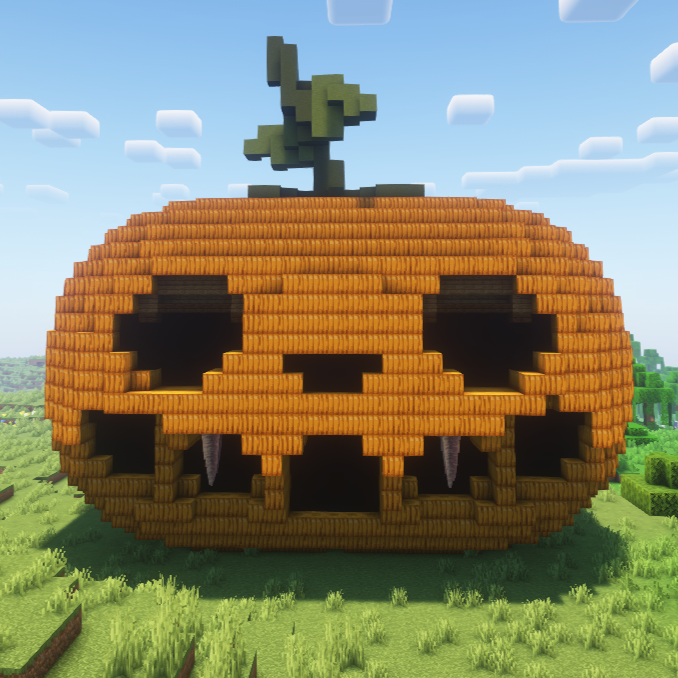
Giant Spooky Pumpkins
Adds giant spooky pumpkins with hidden dungeons, monsters, and loot.

OneBlock CraftBound: Classic
A custom NeoForge OneBlock mod with phases, rewards, chests, mobs, and a true one-block start.

Web Chat
Client side mod that gives you access to minecraft chat through the browser.

Beaver!
Adds beavers with custom animations!
Create: Fan Catalysts (a create connected unofficial port)
A port of some of create connected to 1.21.11 neoforge

Eval
Parse mathematical expressions in chat