

Roleplay chat
ModThis mod allows players to communicate in a roleplay (RP) setting with different ranges for various types of messages.
Type
Mod
Modrinth Downloads
3,138
Modrinth ID
BLylB8sp
Last Updated
Aug 29, 2026
Description
Roleplay Chat
[!WARNING] Most features described below (RP identity system, nametag visibility, introduction system) require version 2.0 or later and Minecraft 1.21.6. Earlier versions only include the proximity chat system.
A Minecraft Fabric mod (1.21.6) for roleplay servers. It replaces the vanilla chat with a proximity-based system, assigns each player an anonymous hex code identity, and gives them an RP name visible only to players they've been introduced to.
Proximity Chat
Every chat message is delivered only to players within a configured range. The range depends on the type of message, triggered by a prefix character or a slash command.
Type Color Range Prefix Command Whisper 🟪 Violet #CC33CC 4 blocks « or " /whisper <message> Action 🟩 Green #33CC33 25 blocks * /action <message> Roll 🟩 Green #33CC33 25 blocks — /roll [notation] Speak ⬜ White #FFFFFF 30 blocks (default) /speak <message> OOC 🩶 Gray #AEC1D5 60 blocks ( /ooc <message> Shout 🟥 Red #CC3300 80 blocks ! /shout <message> Global OOC 🩶 Gray #AEC1D5 Unlimited [ /globalOoc <message> Support 🩷 Pink #FF99CC Unlimited ? /support <message>Support messages are only visible to server operators (permission level ≥ 2) and the sender.
Colors, ranges, and prefix characters are all configurable — see Configuration.
Color fade with distance
Messages fade toward black as the receiver moves away from the sender, reaching full black at maximum range. Players outside range receive nothing.
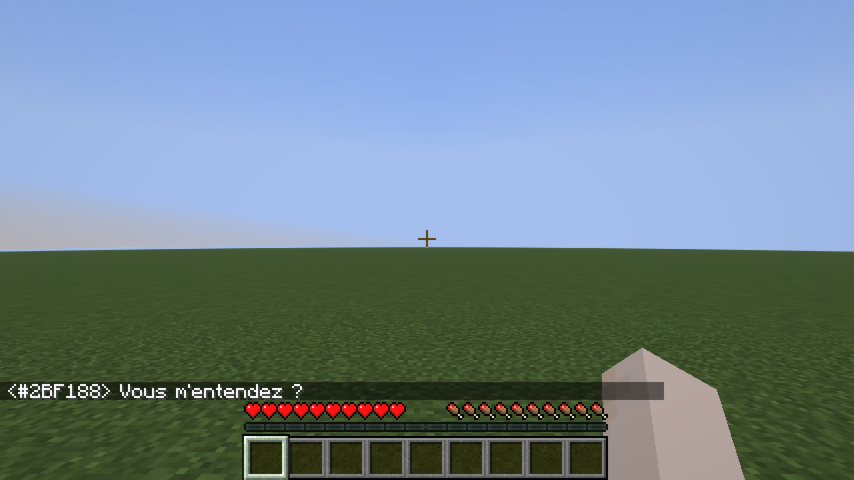
Chat message examples
Dice Roll
/roll broadcasts a dice result to nearby players (same range as Action, 25 blocks by default).
Syntax: /roll [NdF[±bonus]]
Example Meaning /roll Rolls 1d20 (default) /roll d6 Rolls 1d6 /roll 1d20+3 Rolls 1d20, adds 3 /roll d8-1 Rolls 1d8, subtracts 1 * Alice [1d20+3] → 17 (14+3) * Bob [1d6] → 4 (Critical Failure)Rolling the maximum value shows (Critical Success) in bold; rolling 1 shows (Critical Failure) in bold.
RP Identity System
Anonymous hex code
Every player is assigned a unique 6-digit hex code at their first connection (e.g. #15AACF). This code:
- Appears on their nametag (gray italic, below their RP name).
- Replaces their Minecraft username in chat until they have an RP name.
- Shows as a hover tooltip on their name in chat once they have an RP name.
- Works as a target in all vanilla commands (/kick, /ban, /op, /tp, /give, /kill, /damage, …) — type # and autocomplete will suggest codes.
RP name
On first connection, players are shown a screen to choose their RP name:
The screen cannot be bypassed with Escape — pressing Escape opens the pause menu, and the screen reappears when the player returns to the game.
Rules:
- Must be non-empty.
- Must be 32 characters or fewer.
- Must be unique (case-insensitive).
Once set, the RP name can be changed at any time with /rpname <name>.
RP name chat example
Once a player has an RP name, it appears in chat instead of their hex code:
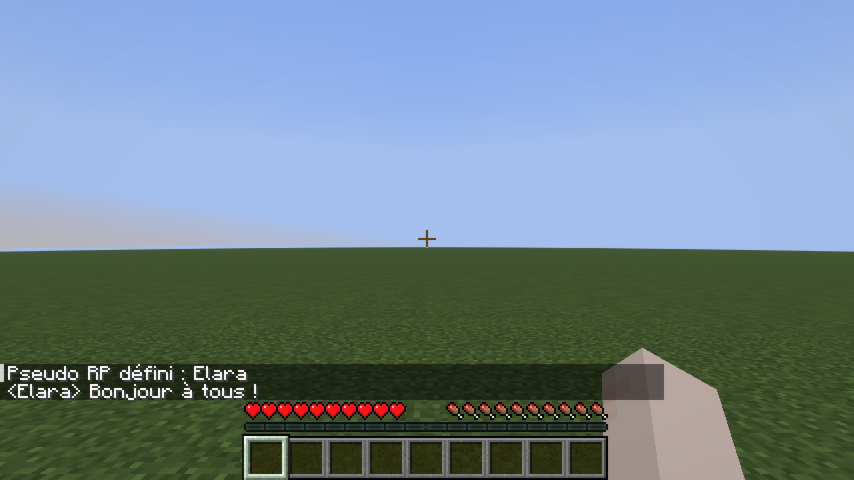
Nametag Visibility
Introduction system
By default, other players' RP names are hidden — their nametag shows ?. To reveal your identity to a specific player:
/rp present #15AACFThis sends a notification to that player and permanently records the introduction. After a reconnect, introductions are restored automatically.
Nametag states
Line-of-sight occlusion
RP names are not visible through walls. If a solid block stands between your camera and another player, their entire nametag disappears — even if they have introduced themselves to you. Creative mode bypasses this check.
Identity-concealing headgear
A player wearing an item tagged roleplay-chat:conceals_identity in the helmet slot appears as ? to everyone — even players they've introduced themselves to. Their hex code remains visible so staff can still identify them.
The mod ships with minecraft:leather_helmet in this tag by default. To add more items, create a datapack file:
data/roleplay-chat/tags/items/conceals_identity.json
{ "replace": false, "values": [ "minecraft:leather_helmet", "yourmod:hood", "yourmod:balaclava" ] }"replace": false merges your list with the mod's defaults instead of replacing them.
Configuration (server admins)
Settings live in config/roleplay-chat.json (next to your server or .minecraft folder). The file is created with defaults on first run. Edit it as UTF-8 to preserve special prefix characters (e.g. «).
Each message type has three fields:
Field Meaning radius Range in blocks. 0 = unlimited (delivered to all online players). color RGB color as a decimal integer (16777215) or hex string ("#FFFFFF"). characters Prefix strings that trigger this type. speak uses [] (no prefix).Reload without restart: /roleplaychat reload (operator level 4) re-reads the file while the server is running. If the file is invalid, the current settings are kept and an error is logged.
Supported keys: speak, whisper, shout, action, ooc, globalOoc, support, roll.
Example (excerpt):
{ "speak": { "radius": 30, "color": 16777215, "characters": [] }, "whisper": { "radius": 4, "color": "#CC33CC", "characters": ["«", "\""] }, "shout": { "radius": 80, "color": 13369344, "characters": ["!"] } }Compatibility
Mod Loaders
Game Versions
Recommended Gear
AffiliateHardware and extras that pair well with this mod.

As an Amazon Associate I earn from qualifying purchases.
Screenshots
Similar Mods

Lucky's Palette
A simple mod that adds new building blocks into the game!

Better Highlighting
Improved syntax highlighting for Minecraft commands with theme support using TextMate

Expanded Weather2 Dynamics
Expanded Weather2 Dynamics is a NeoForge 1.21.1 addon for Weather2 that expands severe storms with deeper tornado dynami...

Strongy
Weapons and Baubles

Mended Mending
Reworks the Mending enchantment to no longer break the gameplay loop

Maple's Bee Collection
Seasonal bee variants with custom textures that change with the seasons! ✨🐝