
World Preview
Modby caeruleusdraconis
Allows you to preview a map / seed in the new world screen
Type
Mod
CurseForge Downloads
3,081,184
CurseForge ID
891429
Modrinth Downloads
1,887,351
Modrinth ID
WtfpyicL
Last Updated
Sep 5, 2026
Description
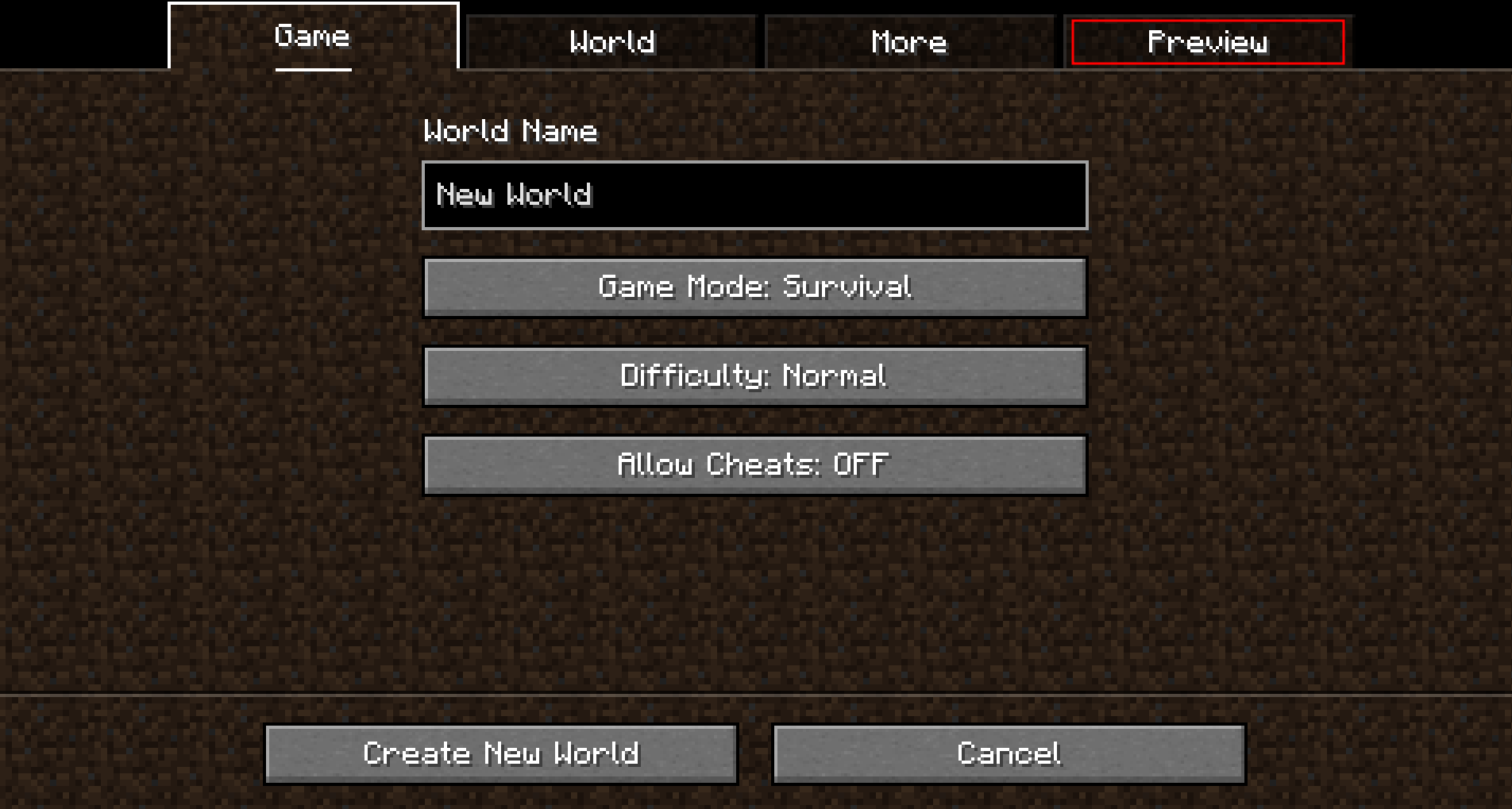 Upon opening that tab, a random seed is selected and a map of biomes is generated:
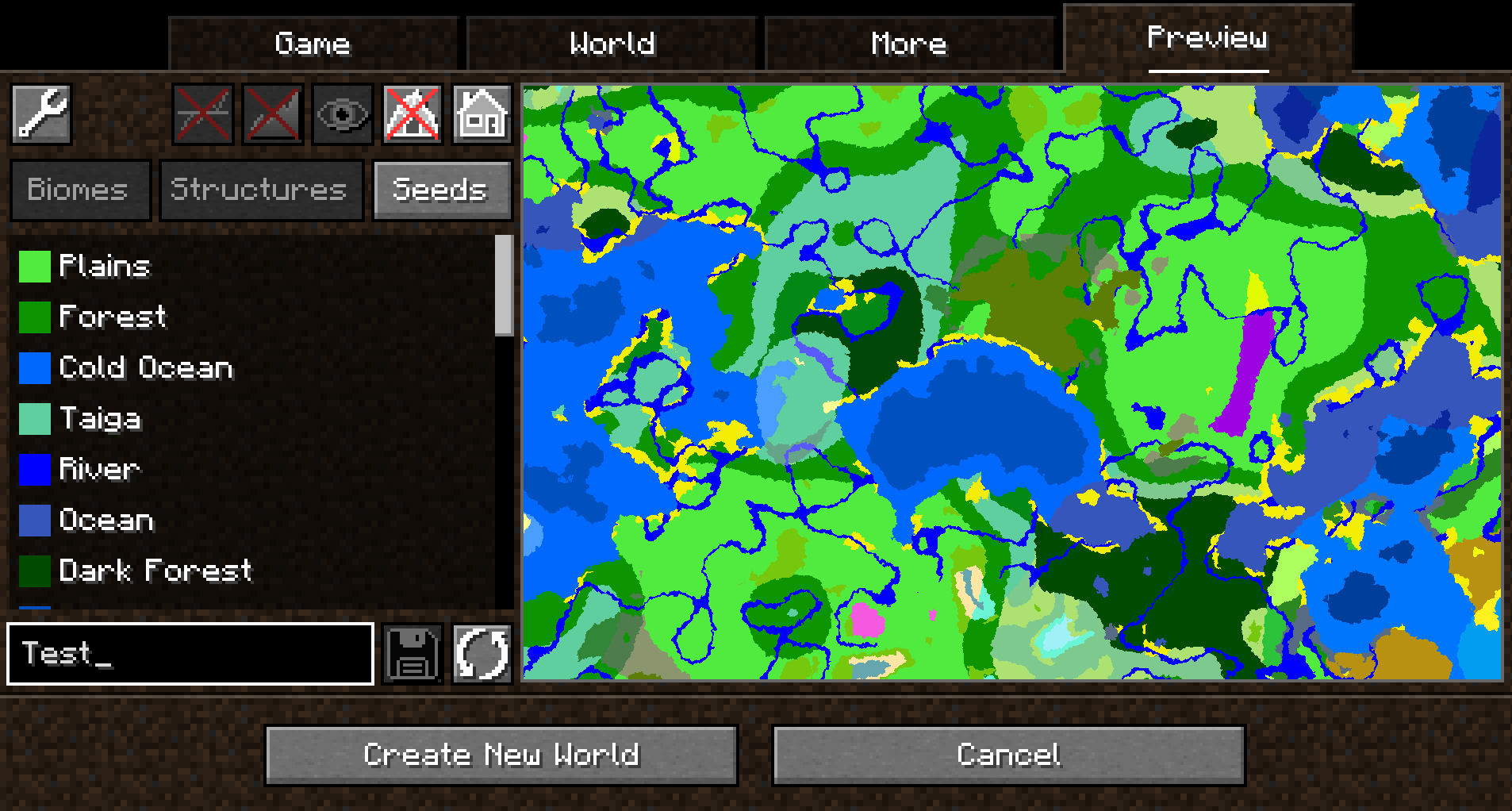 By default, the overworld dimension will be generated, structures will not be shown and no heightmap will be generated.
This can be changed in the Settings (top-left button in the `Preview` tab).
When structure sampling is enabled, the visibility of individual types of structures on the preview can be toggled:
By default, the overworld dimension will be generated, structures will not be shown and no heightmap will be generated.
This can be changed in the Settings (top-left button in the `Preview` tab).
When structure sampling is enabled, the visibility of individual types of structures on the preview can be toggled:
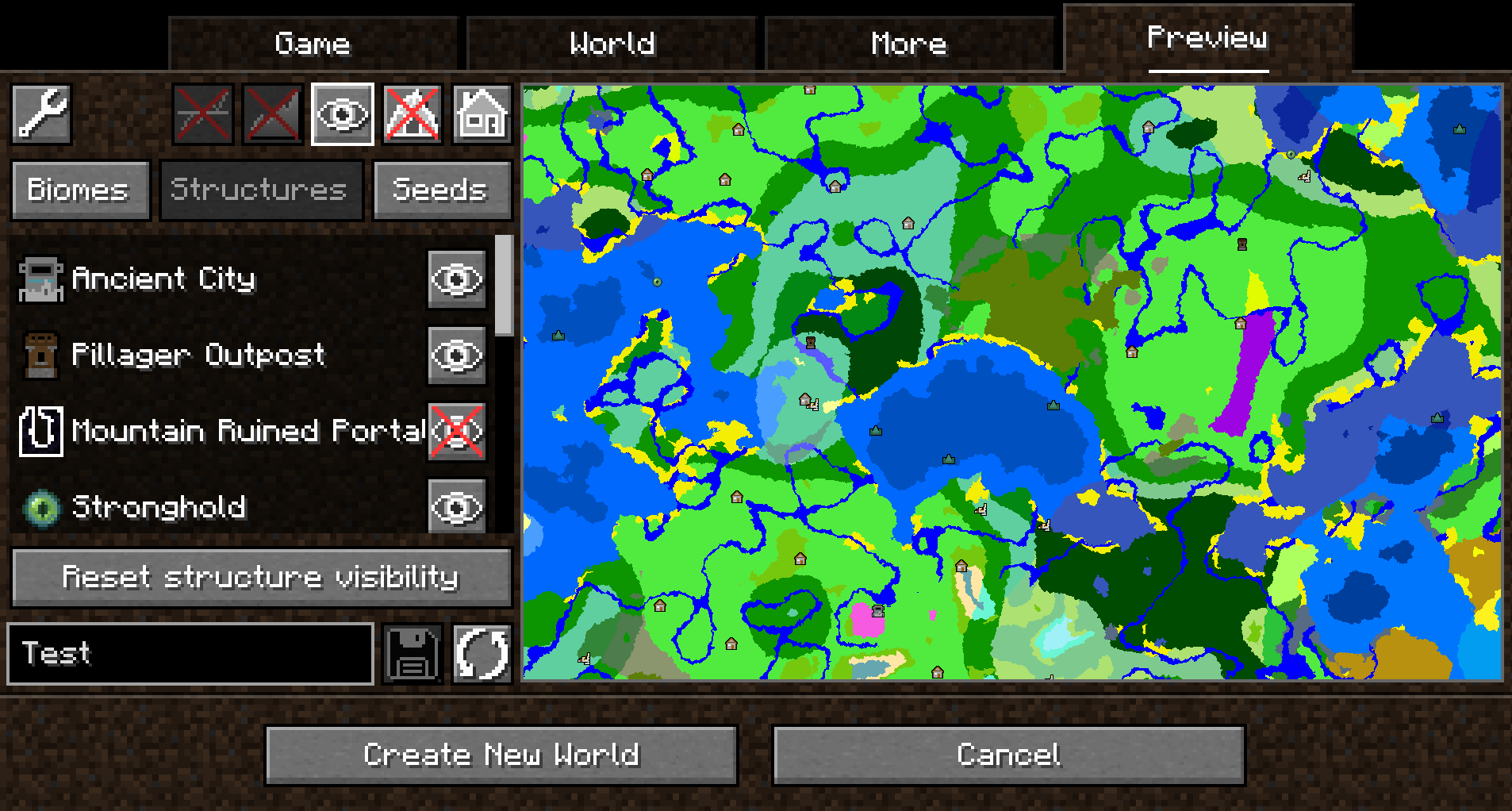 When height sampling is enabled, the preview can be toggled between the biome map and a colorized heightmap:
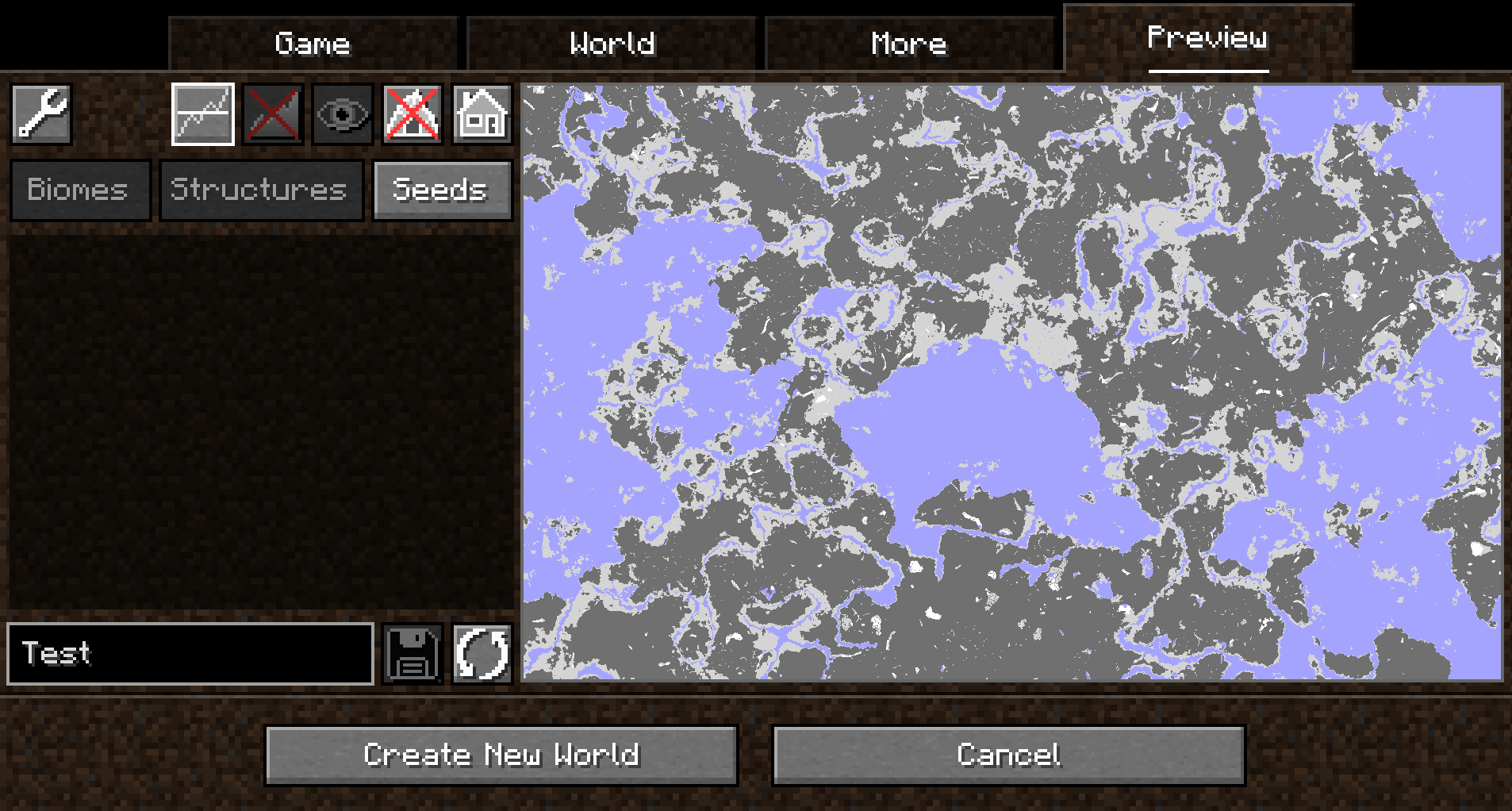
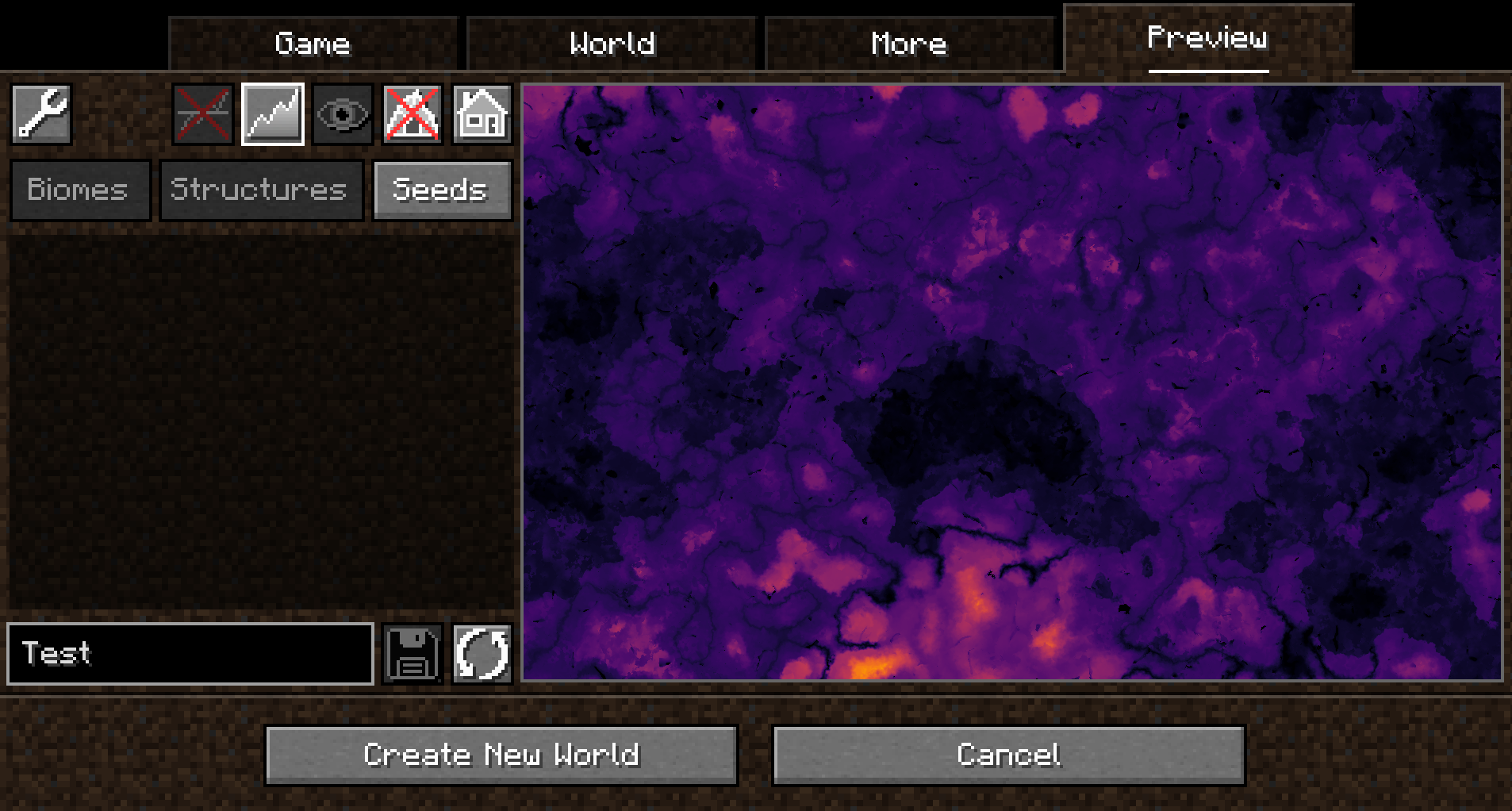 When y-layer intersection sampling is enabled, the preview can also show the blocks on the current y-layer.
Additionally, the y-layer one step below is also shown in a lighter color:
When y-layer intersection sampling is enabled, the preview can also show the blocks on the current y-layer.
Additionally, the y-layer one step below is also shown in a lighter color:
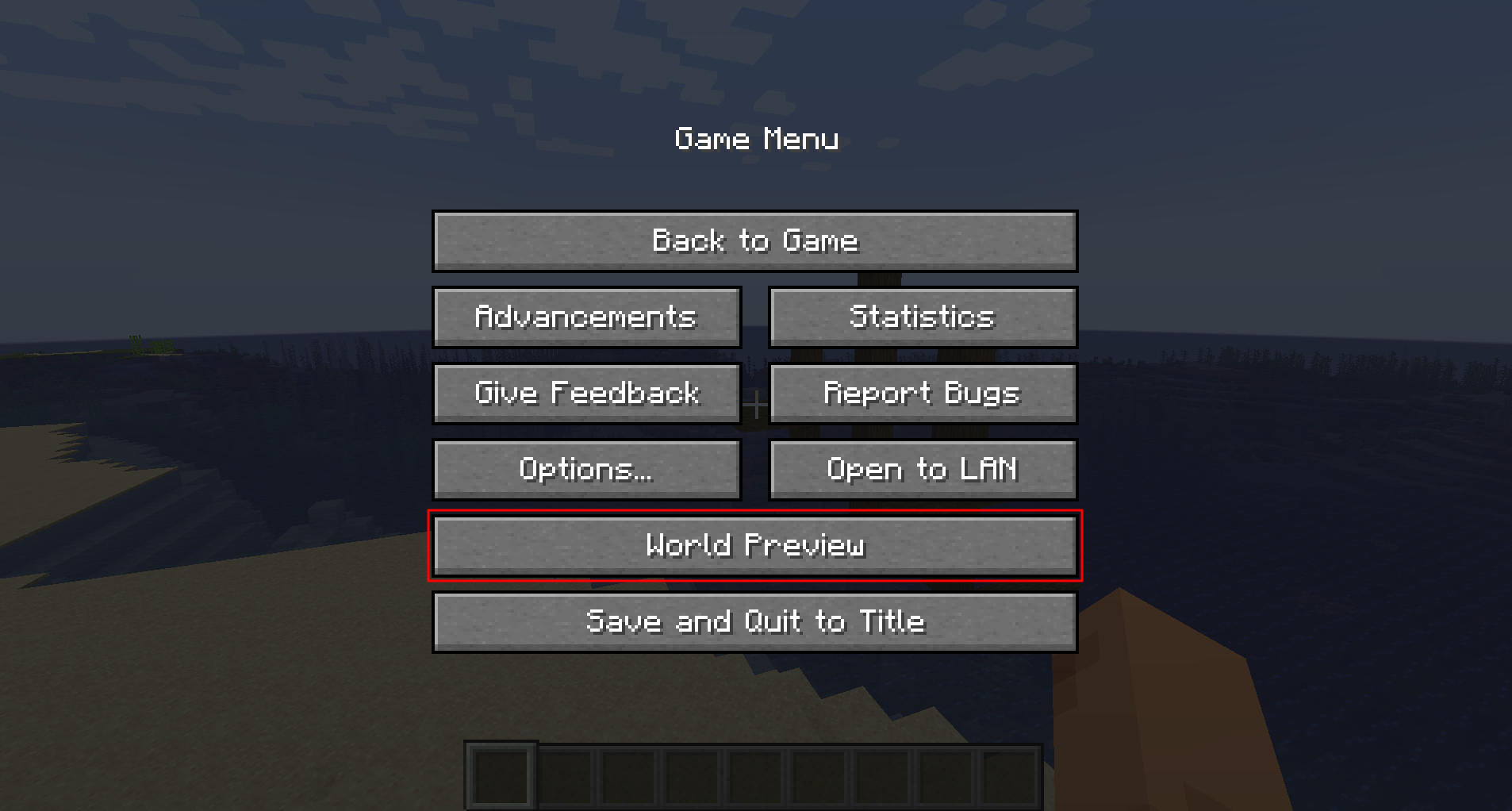
 Since version 1.1.0, there is also experimental support for opening the preview in-game for a single-player worlds:
 ##### Moving on the preview
Clicking and dragging on the map-part of the preview tab will move along the x and z axis.
This will cause the following load sequence:
- Any biomes that are not yet sampled on the current y-level
- Structures (if enabled)
- Height map (if enabled)
- Adjacent y-layers (if enabled)
Scrolling does **not** zoom into the map (there is a separate setting in the configuration menu for controlling the zoom level), but instead travels along the y-axis.
This allows cave biomes to be seen as well. Please note that non-cave biomes span the entire world height beyond that.
##### Other features
- Works with mods! Tested with:
- Terralith
- Biomes O' Plenty
- Persistent seed storage
- Highlighting specific biomes
- Highly configurable and extendable
## Supported version
This table shows the current support status for the Minecraft version.
| Minecraft Version | Status |
|-------------------|-----------|
| `1.20.x` | Supported |
## FAQ
**Q:** *Will Minecraft versions before 1.20 be supported?*
**A:** No.
---
**Q:** *Will Multiplayer be supported?*
**A:** No.
---
**Q:** *Scrolling does not zoom the preview!*
**A:** Scrolling moves the y-level up and down. To change the zoom level, go to `Settings (top left wrench) -> Resolution` and change the visual size of a chunk.
---
**Q:** *The preview is completely white / black for the y-intersections view.*
**A:** This is likely because the starting y-layer for the preview is the build limit. Try scrolling down to a lower y-layer and something should show up.
---
**Q:** *My CPU is at 100%!*
**A:** You can limit the number of used cores in `Settings (top left wrench) -> General`. By default, *World Preview* tries to compute the biome preview / structures / heightmap as quickly as possible. These calculations require a lot of CPU power.
## Mod incompatibilities
This mod should be compatible with most mods (including those adding new biomes and dimensions).
### TerraFirmaCraft (TFC)
World Preview **is** compatible with TFC, however, there is a known issue:
The Y intersections view will always be a white screen for all Y levels with TFC, because the `TFCChunkGenerator` has a dummy implementation for the [`getBaseColumn`](https://github.com/TerraFirmaCraft/TerraFirmaCraft/blob/v3.1.2-beta/src/main/java/net/dries007/tfc/world/TFCChunkGenerator.java#L643-L646) method.
To clarify: This doesn't mean that TFC is broken / does something wrong (it clearly works on its own and does its job).
It just means that TFC does not provide the specific information World Preview needs in this case.
## Adding support for new biomes and structures
New biomes, structures, and more can be registered via the Minecraft datapack mechanism. See [the World Preview dataformat docs](https://github.com/caeruleusDraconis/world-preview/blob/1.20/DataFormats.md) for more information.
##### Moving on the preview
Clicking and dragging on the map-part of the preview tab will move along the x and z axis.
This will cause the following load sequence:
- Any biomes that are not yet sampled on the current y-level
- Structures (if enabled)
- Height map (if enabled)
- Adjacent y-layers (if enabled)
Scrolling does **not** zoom into the map (there is a separate setting in the configuration menu for controlling the zoom level), but instead travels along the y-axis.
This allows cave biomes to be seen as well. Please note that non-cave biomes span the entire world height beyond that.
##### Other features
- Works with mods! Tested with:
- Terralith
- Biomes O' Plenty
- Persistent seed storage
- Highlighting specific biomes
- Highly configurable and extendable
## Supported version
This table shows the current support status for the Minecraft version.
| Minecraft Version | Status |
|-------------------|-----------|
| `1.20.x` | Supported |
## FAQ
**Q:** *Will Minecraft versions before 1.20 be supported?*
**A:** No.
---
**Q:** *Will Multiplayer be supported?*
**A:** No.
---
**Q:** *Scrolling does not zoom the preview!*
**A:** Scrolling moves the y-level up and down. To change the zoom level, go to `Settings (top left wrench) -> Resolution` and change the visual size of a chunk.
---
**Q:** *The preview is completely white / black for the y-intersections view.*
**A:** This is likely because the starting y-layer for the preview is the build limit. Try scrolling down to a lower y-layer and something should show up.
---
**Q:** *My CPU is at 100%!*
**A:** You can limit the number of used cores in `Settings (top left wrench) -> General`. By default, *World Preview* tries to compute the biome preview / structures / heightmap as quickly as possible. These calculations require a lot of CPU power.
## Mod incompatibilities
This mod should be compatible with most mods (including those adding new biomes and dimensions).
### TerraFirmaCraft (TFC)
World Preview **is** compatible with TFC, however, there is a known issue:
The Y intersections view will always be a white screen for all Y levels with TFC, because the `TFCChunkGenerator` has a dummy implementation for the [`getBaseColumn`](https://github.com/TerraFirmaCraft/TerraFirmaCraft/blob/v3.1.2-beta/src/main/java/net/dries007/tfc/world/TFCChunkGenerator.java#L643-L646) method.
To clarify: This doesn't mean that TFC is broken / does something wrong (it clearly works on its own and does its job).
It just means that TFC does not provide the specific information World Preview needs in this case.
## Adding support for new biomes and structures
New biomes, structures, and more can be registered via the Minecraft datapack mechanism. See [the World Preview dataformat docs](https://github.com/caeruleusDraconis/world-preview/blob/1.20/DataFormats.md) for more information.
Compatibility
Mod Loaders
Game Versions
Recommended Gear
AffiliateHardware and extras that pair well with this mod.

As an Amazon Associate I earn from qualifying purchases.
Screenshots
Similar Mods

Particle Core
Particle optimizations: Culling, rendering optimizations, configurable particle-type-specific spawn reduction, and potio...
![Combat Roll [Fabric & Forge]](https://media.forgecdn.net/avatars/610/552/637992878478315173.png)
Combat Roll [Fabric & Forge]
🧶 Adds combat roll ability, with related attributes and enchantments.

Client Crafting
Clientside crafting without network delay
Tumbleweed
Tumbling tumbleweeds in Minecraft!

Magnum Torch
Powerful torches to prevent mob spawns around your home in a large area.
Productive Bees
Get your resource fix from bees
Included in Modpacks (35)
Most downloaded Lucky World Invasion
 The Winter Rescue
 Industrial Village
 Concatenation
 Create: Delight Remake
 Fabri's Frontiers
 Better FPS & Visuals Boost FPS (Forge)
 Vintage Wilds
 Pinehaven's Cottagecore 100 Days Horse Edition
 Bountiful Wilds
 Cosmic Frontiers
 Path of the Ascended
 VanillaEnhanced
 Ben 10 MINEDITION
 Concatenation Lite
 Minenufactory
 The Createville Pack
 GeoRail
 Farms N' Furniture
 Trash Panda Twist