
World Preview
Modby caeruleusdraconis
Allows you to preview a map / seed in the new world screen
Type
Mod
CurseForge Downloads
3,271,412
CurseForge ID
Modrinth Downloads
2,039,353
Modrinth ID
Last Updated
Nov 6, 2026
Description
World Preview
World Preview is a mod for visualizing Minecraft world seeds before they are generated.
Installation
Just download the latest World Preview JAR file for your exact Minecraft version.
Additionally, always ensure that you are using the correct version for your modloader (Fabric/Forge).
Then save the downloaded jar to the mods folder of your Minecraft instance.
Finally, if you are on Fabric you also need to download the Fabric API.
Usage
World Preview adds a new Preview tab to the Singleplayer menu.
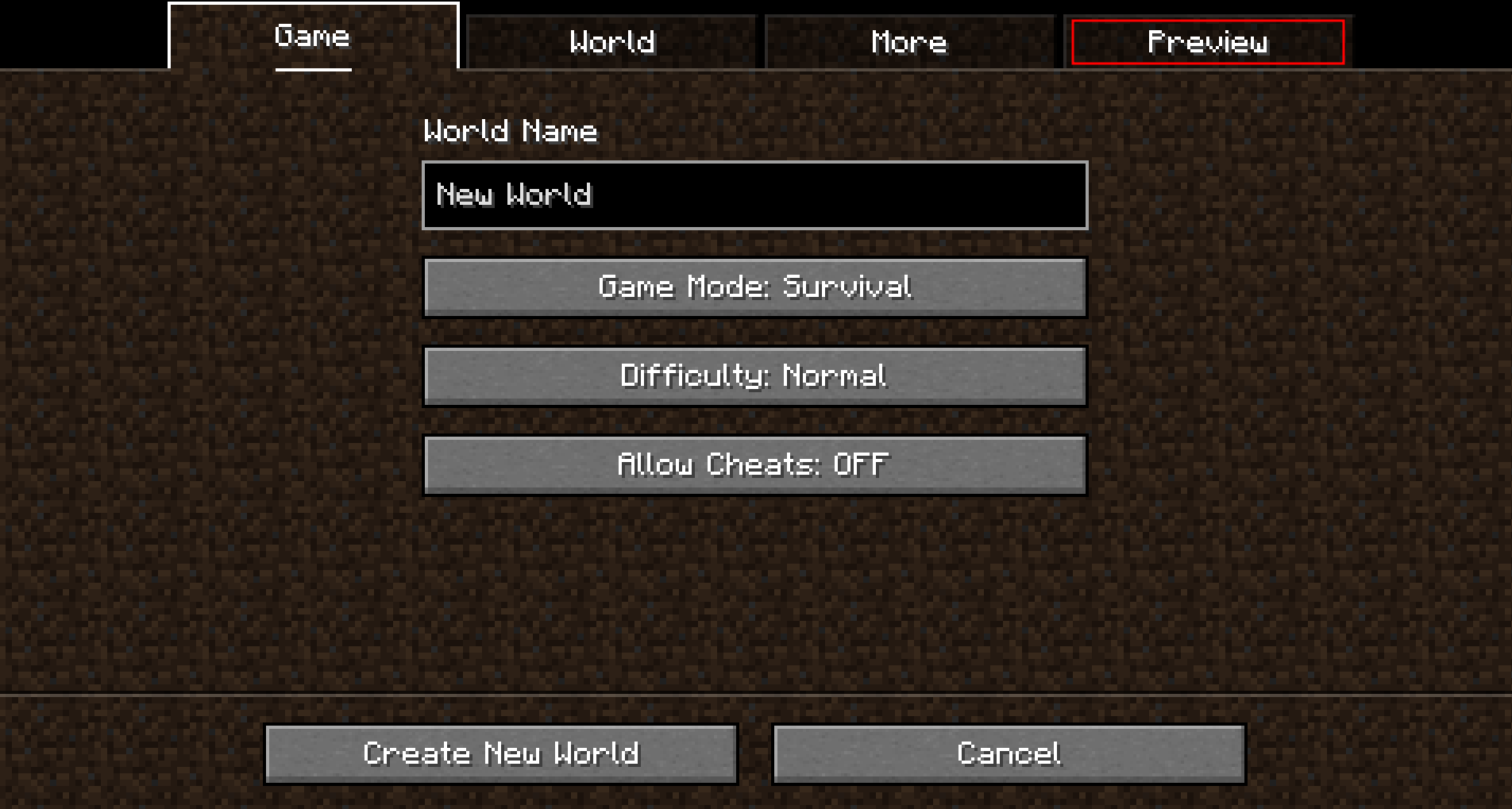
Upon opening that tab, a random seed is selected and a map of biomes is generated:
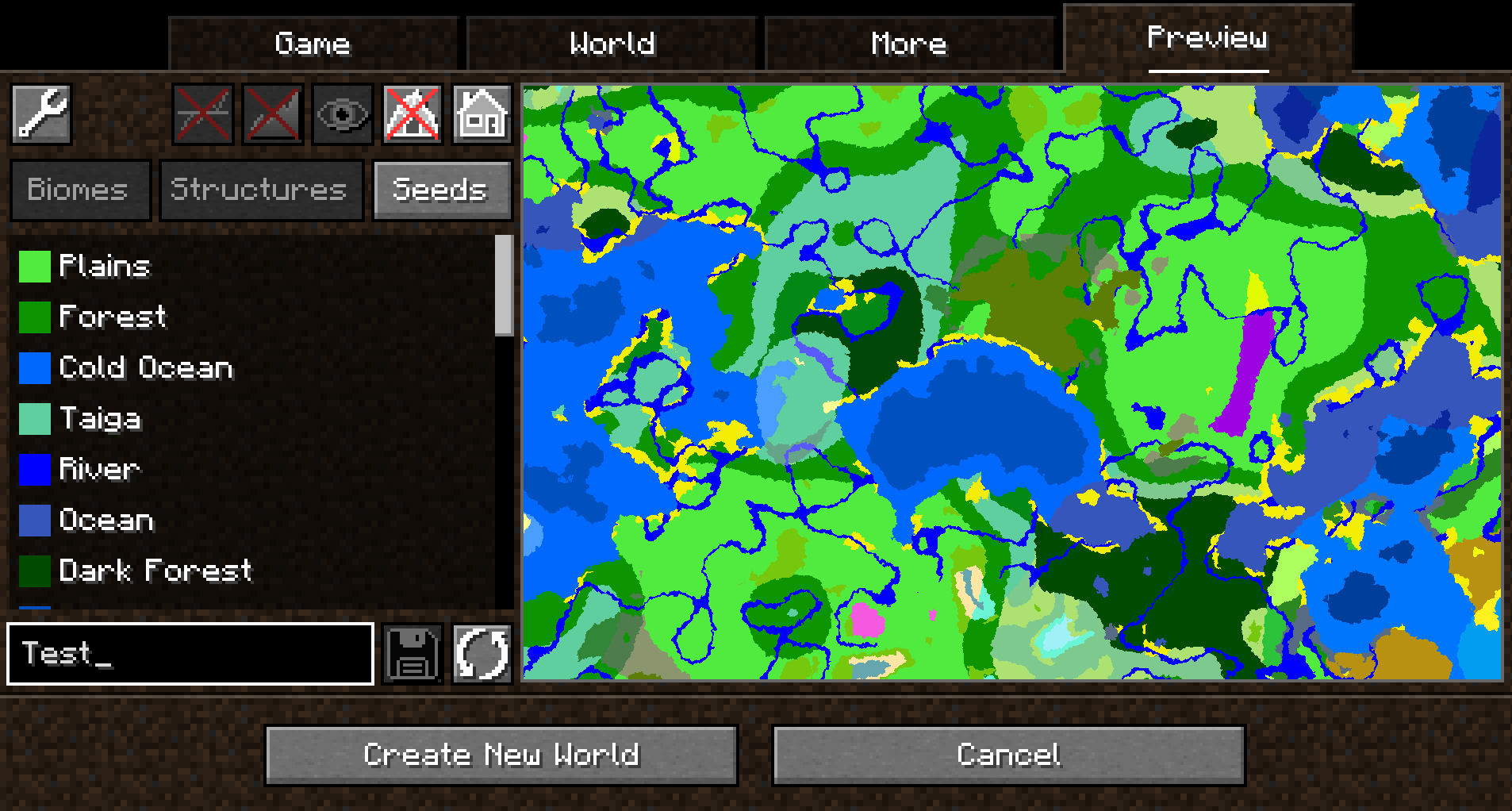
By default, the overworld dimension will be generated, structures will not be shown and no heightmap will be generated.
This can be changed in the Settings (top-left button in the Preview tab).
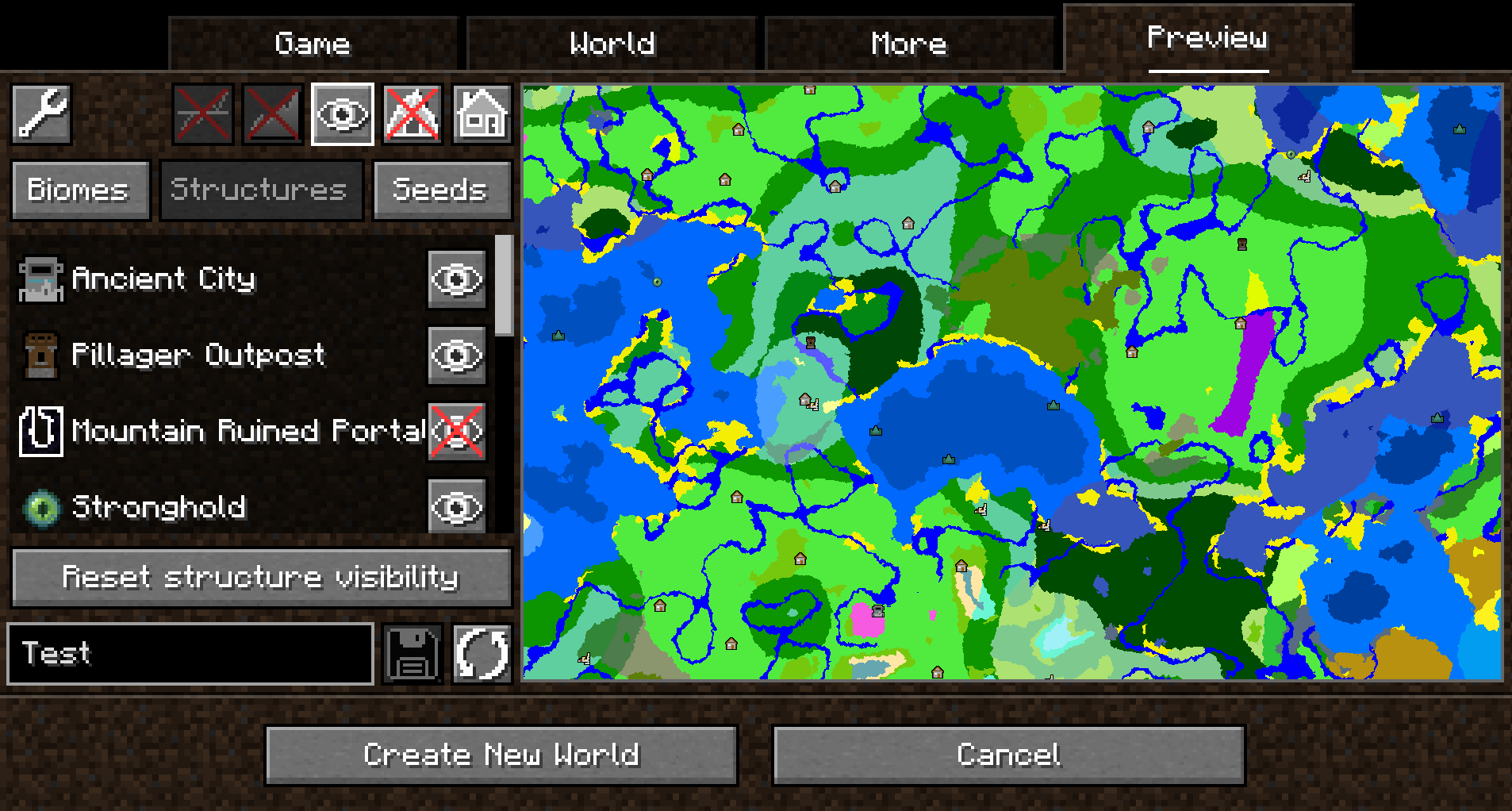
When structure sampling is enabled, the visibility of individual types of structures on the preview can be toggled:
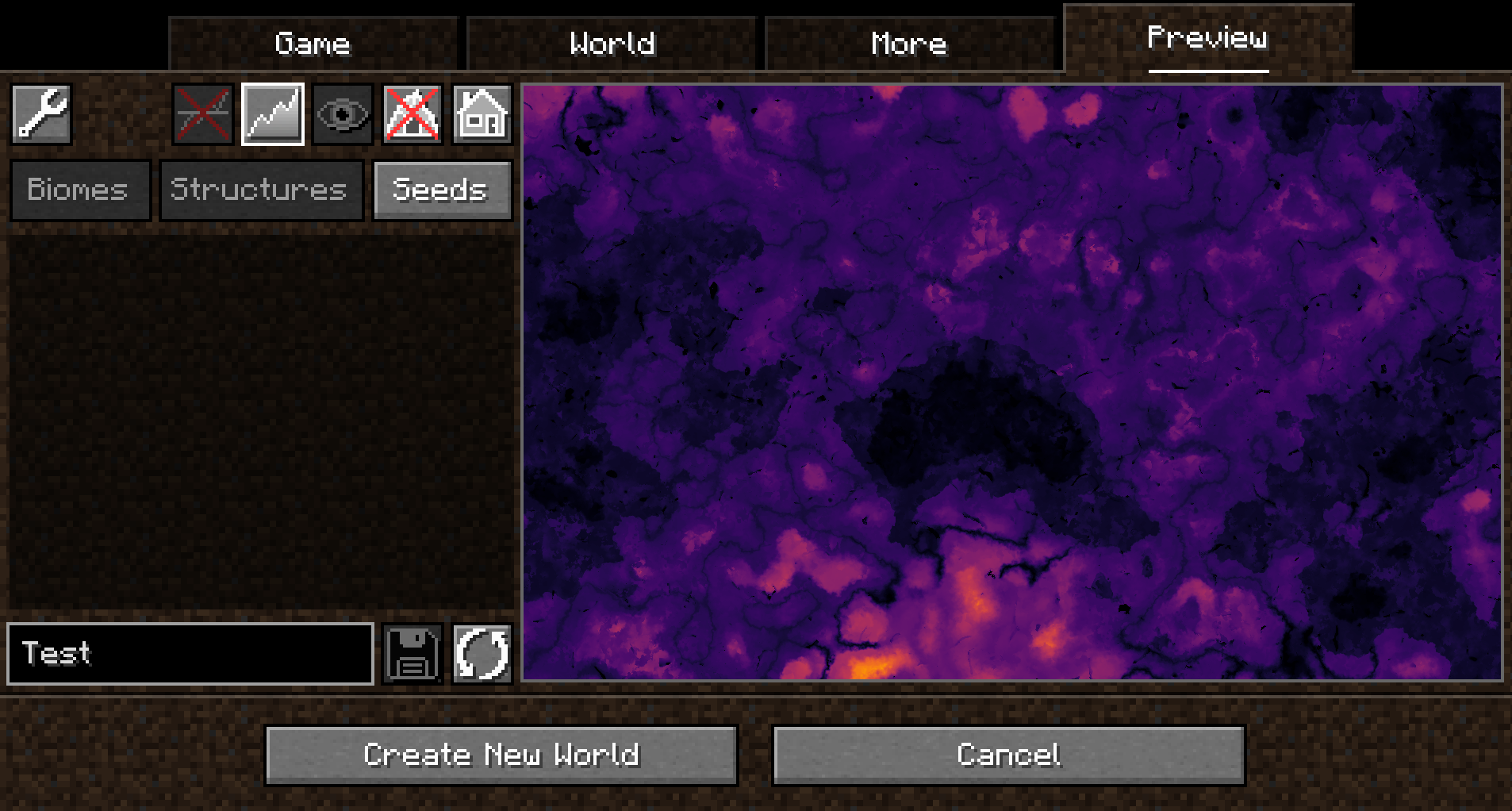
When height sampling is enabled, the preview can be toggled between the biome map and a colorized heightmap:
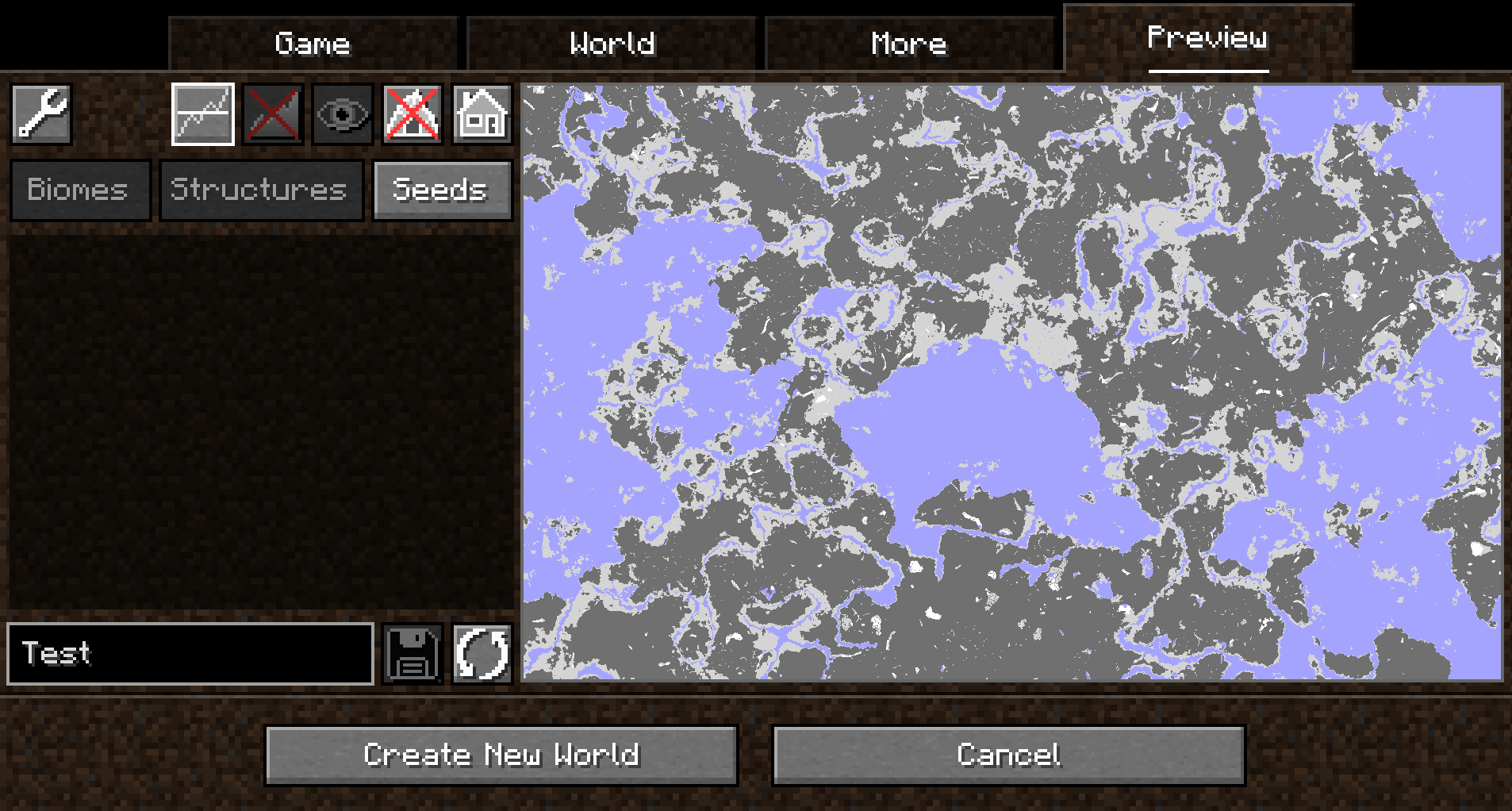
When y-layer intersection sampling is enabled, the preview can also show the blocks on the current y-layer. Additionally, the y-layer one step below is also shown in a lighter color:
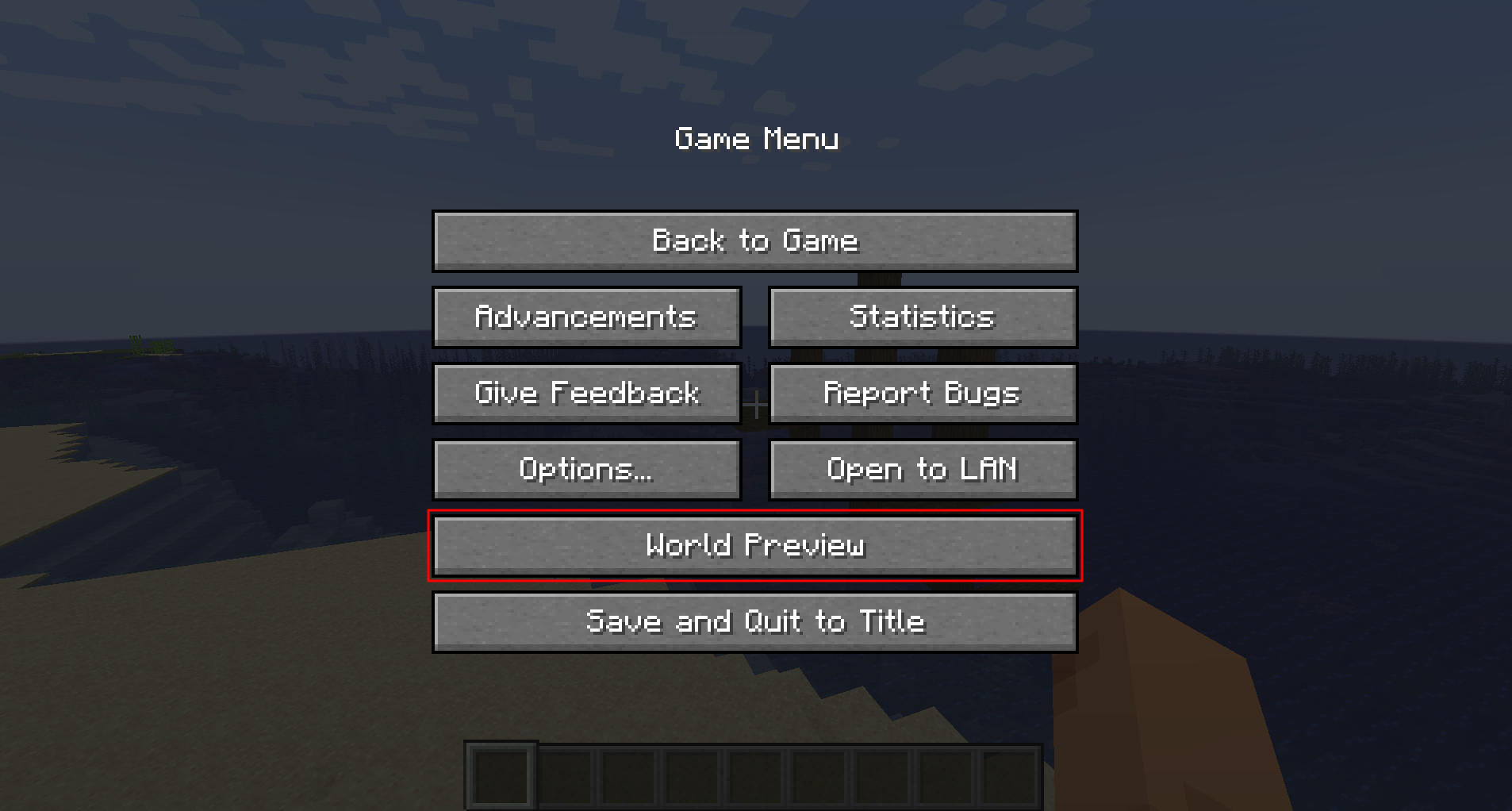
Since version 1.1.0, there is also experimental support for opening the preview in-game for a single-player worlds:
Moving on the preview
Clicking and dragging on the map-part of the preview tab will move along the x and z axis. This will cause the following load sequence:
- Any biomes that are not yet sampled on the current y-level
- Structures (if enabled)
- Height map (if enabled)
- Adjacent y-layers (if enabled)
Scrolling does not zoom into the map (there is a separate setting in the configuration menu for controlling the zoom level), but instead travels along the y-axis. This allows cave biomes to be seen as well. Please note that non-cave biomes span the entire world height beyond that.
Other features
- Works with mods! Tested with:
- Terralith
- Biomes O' Plenty
- Persistent seed storage
- Highlighting specific biomes
- Highly configurable and extendable
Supported version
This table shows the current support status for the Minecraft version.
| Minecraft Version | Status |
|---|---|
1.20.x |
Supported |
FAQ
Q: Will Minecraft versions before 1.20 be supported?
A: No.
Q: Will Multiplayer be supported?
A: No.
Q: Scrolling does not zoom the preview!
A: Scrolling moves the y-level up and down. To change the zoom level, go to Settings (top left wrench) -> Resolution and change the visual size of a chunk.
Q: The preview is completely white / black for the y-intersections view.
A: This is likely because the starting y-layer for the preview is the build limit. Try scrolling down to a lower y-layer and something should show up.
Q: My CPU is at 100%!
A: You can limit the number of used cores in Settings (top left wrench) -> General. By default, World Preview tries to compute the biome preview / structures / heightmap as quickly as possible. These calculations require a lot of CPU power.
Mod incompatibilities
This mod should be compatible with most mods (including those adding new biomes and dimensions).
TerraFirmaCraft (TFC)
World Preview is compatible with TFC, however, there is a known issue:
The Y intersections view will always be a white screen for all Y levels with TFC, because the TFCChunkGenerator has a dummy implementation for the getBaseColumn method.
To clarify: This doesn't mean that TFC is broken / does something wrong (it clearly works on its own and does its job). It just means that TFC does not provide the specific information World Preview needs in this case.
Adding support for new biomes and structures
New biomes, structures, and more can be registered via the Minecraft datapack mechanism. See the World Preview dataformat docs for more information.
Compatibility
Mod Loaders
Game Versions
Recommended Gear
AffiliateHardware and extras that pair well with this mod.

As an Amazon Associate I earn from qualifying purchases.
Screenshots
Similar Mods
![Equipment Compare [Neo/Forge]](https://media.forgecdn.net/avatars/476/686/637770200277803086.png)
Equipment Compare [Neo/Forge]
Makes it easier to compare equipment by showing a tooltip for what you're already wearing.

Client Crafting
Clientside crafting without network delay

Create Deco
Industrial decoration themed for the Create mod.

Random Things
Random Things adds various miscellaneous items and blocks to minecraft

Wireless Crafting Terminal
An addon for Applied Energistics 2 that adds a wireless version of the Crafting Terminal

MysticalLib
Structure spawning utilities, code-based block and item models, and other nice utilities!
Included in Modpacks (37)
Show fewer Lucky World Invasion
 The Winter Rescue
 Industrial Village
 Concatenation
 Create: Delight Remake
 Fabri's Frontiers
 Better FPS & Visuals Boost FPS (Forge)
 Create Aeronautica
 Pinehaven's Cottagecore 100 Days Horse Edition
 Vintage Wilds
 Bountiful Wilds
 Cosmic Frontiers
 Path of the Ascended
 Ben 10 MINEDITION
 VanillaEnhanced
 Path of Truth
 Concatenation Lite
 Minenufactory
 The Createville Pack
 GeoRail
 Farms N' Furniture
 Friendgroup create server
 Trash Panda Twist
 Lucky World Invasion (Updates & Tweaks)
 Jojo: Bedrock is Unbreakable
 Dark Lucky Apocalypse
 Sitchen Kink
 Frostpunk Borealis
 VIP
VIP
 Eldion
 GreenBound
 Create - Means of Production
 Concatenation Lumineth
 Whittled & Wistful
 MarchewkaSMP
 VIP (Performance Preset)
 DarkSol