Coasters Simulated: Track Styles
Modby claebcode
An unofficial addon for Create: Coasters Simulated that adds track styles based off real life coaster manufacturer track.
Type
Mod
CurseForge Downloads
15,939
CurseForge ID
1642719
Last Updated
Sep 5, 2026
Description
Coasters Simulated: Track Styles
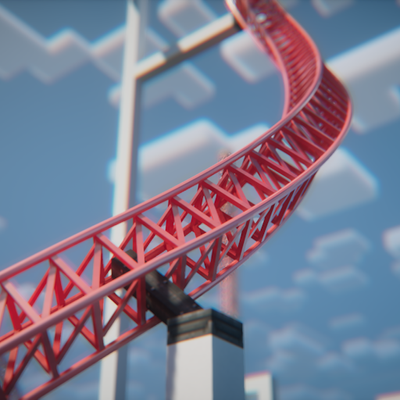
This is an unofficial NeoForge addon for Create: Coasters Simulated that adds custom, realistic track models based off real life manufacturer track, independent rail and spine color customization by HEX code, and an in-game tool to easily configure track styles.
It's currently pretty experimental, but functional if you want to build more realistic real-life roller coaster layouts or experiment with different track styles.
What It Adds
- Custom Track Geometries: Adds 15+ track types covering B&M, Intamin, Vekoma, Arrow, RMC, and Wooden styles.
- Mid-Spline Transitions: You can switch track types along the same curve (e.g., transitioning from single-spine to double-spine track).
- In-Game Style Tool & GUI: A custom tool with a GUI for setting styles and entering hex colors.
- Independent Rail & Spine Colors: Set rail colors and spine/tie colors separately using Hex codes (#RRGGBB).
- Bulk Apply & Picker: Apply styles down the entire connected track circuit in one click, or sample styles off an existing anchor.
- labPBR Support: Built-in PBR textures for realistic shine/reflections when running shaders with PBR enabled.
Included Track Styles
- B&M Steel
- Intamin Box Truss
- Intamin Tri Truss
- Intamin No Spine
- Intamin Heavy
- Intamin Heavy Double Spine
- Intamin BB
- Intamin BB Double Spine
- Steel No Spine
- Wooden
- Vekoma New-Gen
- Arrow Tubular
- RMC I-Box
- RMC I-Box (Mixed Rail Test)
- (works, but sometimes the two rail colors get flipped)
For the future:
- Arrow 4D
- Premier Rides Track
How to Use
Get the Coaster Style Tool from the new creative tab:
- Right-Click in air: Opens the GUI to pick a style, enter base/rail hex codes, or toggle "Match Base Color".
- Right-Click anchor: Applies the tool's settings to that specific anchor.
- Shift + Right-Click anchor: Applies settings to all connected anchors along that track circuit.
- Alt + Right-Click anchor: Copies the style and colors off the anchor into your tool.
- Shift (Hover in inventory): Shows a quick control reference.
Note
Due to some limitations, You must right click the track anchor to apply a style, not the track itself. If nothing is changing, click another anchor.
Rendering & Shaders Setup
This mod relies on Flywheel instance rendering to display custom track models:
- Flywheel must be ON: Set Flywheel to Indirect (Default) or Instancing. If Flywheel is disabled, custom track models will not render.
- If using shaders: You need one of these compatibility mods so Flywheel instances render properly through shaders:
- Iris Flywheel Compat (Works with most shaderpacks)
- Colorwheel (For Colorwheel-supported shaderpacks)
(Tested with Complementary by EminGT in labPBR mode and Nostalgia by RRe36 with resource pack reflections turned on).
Resource Packs
All models can be overridden using a resource pack. Extract the mod .jar file to check the asset path structure (assets/coasterssimulatedextratypes/...) and model naming conventions.
Requirements & License
Environment: NeoForge for Minecraft 1.21.1 ONLY
Dependencies:
Create (6.0.10+)
License: MIT
Disclaimer: This is an unofficial addon. It is not affiliated with Mojang, the Create Team, Sable / Aeronautics, or SilverGold (creator of Create: Coasters Simulated).
- Trademarks: All manufacturer names (Intamin, Vekoma, Arrow Dynamics, B&M, RMC, etc.) are used purely for descriptive purposes to identify track geometry styles and belong to their respective trademark owners.
Recommended Gear
AffiliateHardware and extras that pair well with this mod.

As an Amazon Associate I earn from qualifying purchases.
Screenshots
Similar Mods
FWS & TAW Tractor Beam Fix
CWSM Client-side addon that fixes custom tractor beam rotation not applying correctly (Made for the FWS and TAW resourc...
RarityCore
The Rarity Core is an all-encompassing rarity enhancement mod that establishes a new rarity system
FamiliarsLib Fix
A fix for the FamiliarsLib mod
EnderIO Fluxified
fluxified-enderio
project-1094462
Adds compatibility between Iron's Spells 'n Spellbooks and Farmer's Delight. Vanilla style.
Endless Ocean: Adventures
Aquatic animals, fish, landscapes, aquarium building, and more!