Gravestone | Death Grave & Loot Protection
Modby ZeroTeam
Automatically protects your inventory on player death by placing a safe 3D gravestone in the world.
Description
About Gravestone | Death Grave & Loot Protection
Keep your inventory safe after death and find your way back without guessing. Gravestone places a protected grave near your death location, stores your items and equipment, and records every active grave until its contents are recovered.
Features
- Protects your inventory, armor, hands, and all six Zero Accessories slots when that mod is installed
- Searches for a safe nearby position instead of placing the grave in lava, water, or the void
- Shows the owner's name above the grave with a floating label
- Opens a 54-slot grave screen for inspecting and withdrawing stored items
- Supports quick looting with sneak + right-click
- Restores inventory, armor, hands, body equipment, and Zero Accessories to their original slots
- Leaves anything that does not fit safely inside the grave
- Prevents unrelated items from being inserted into the grave
- Blocks hoppers, pistons, fire, lava, explosions, and unauthorized players
- Supports multiple active graves for the same player
- Provides clickable, copyable coordinates after death
- Works in single-player, integrated servers, and dedicated-server multiplayer
- Dedicated Fabric and NeoForge builds
Finding your graves
After a grave is created, its coordinates appear in chat. Click the coordinates to copy them; hover over them to see the dimension, age, and remaining item count.
- /grave locate — show your latest active grave, its distance, age, and remaining contents
- /grave list — show all your active graves, newest first
- /grave locate <player> — allow server administrators to locate another player's latest grave
- /grave list <player> — allow server administrators to list another player's active graves
Graves from older installations are added to search when their chunks are loaded. A recovered grave disappears from the active list automatically.
Recovering your items
Right-click your grave to inspect its contents. Sneak and right-click to recover everything that fits immediately. You can also break your own grave to recover its contents, but the grave stays protected if your inventory cannot hold the remaining items.
Only the owner and server administrators can open or break a grave.
Installation
Install Gravestone and Zero Lib builds matching your mod loader and Minecraft version. Architectury API is also required; Fabric installations additionally require Fabric API.
The mod and its dependencies must be installed on both the client and server.
Requirements
- Minecraft Java Edition 26.2
- Java 25 or newer
- Zero Lib 1.0.1 or newer
- Architectury API
- Fabric API on Fabric
License
Copyright © 2026 Zero Team. All rights reserved. Personal play, multiplayer servers, and free modpacks distributed through CurseForge or Modrinth are permitted under the license included with the mod. Rehosting or redistributing the files elsewhere requires prior written permission.
Recommended Gear
AffiliateHardware and extras that pair well with this mod.

As an Amazon Associate I earn from qualifying purchases.
Screenshots
Similar Mods

Tetra Toolbooster
Adds items to increase Tetra tools' level.
Glowing Ores
Adds a configurable light level to ore blocks

Biome Moss
Adds biome color variants for all moss.
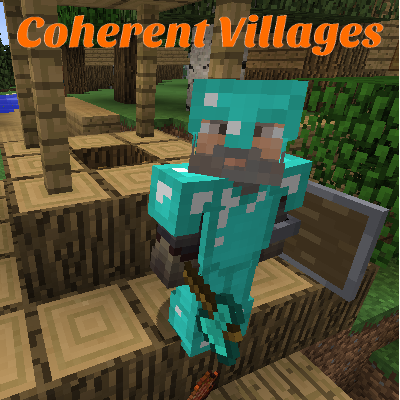
Coherent Villages
Improves vanilla villages with new structures and mobs - also increases spawn rate
ULV Covers Modern
Adds early game item conveyors and fluid pumps
World Handler - Command GUI
Minecraft ingame GUI for commands