
Dank Storage
Modby tfarecnim
Big storage in little blocks
Description
Looking for Fabric versions older than 1.20? click here
Overview
Disclaimer: all info pertains to the 1.21.1 version. Older versions may differ from what's provided on this page
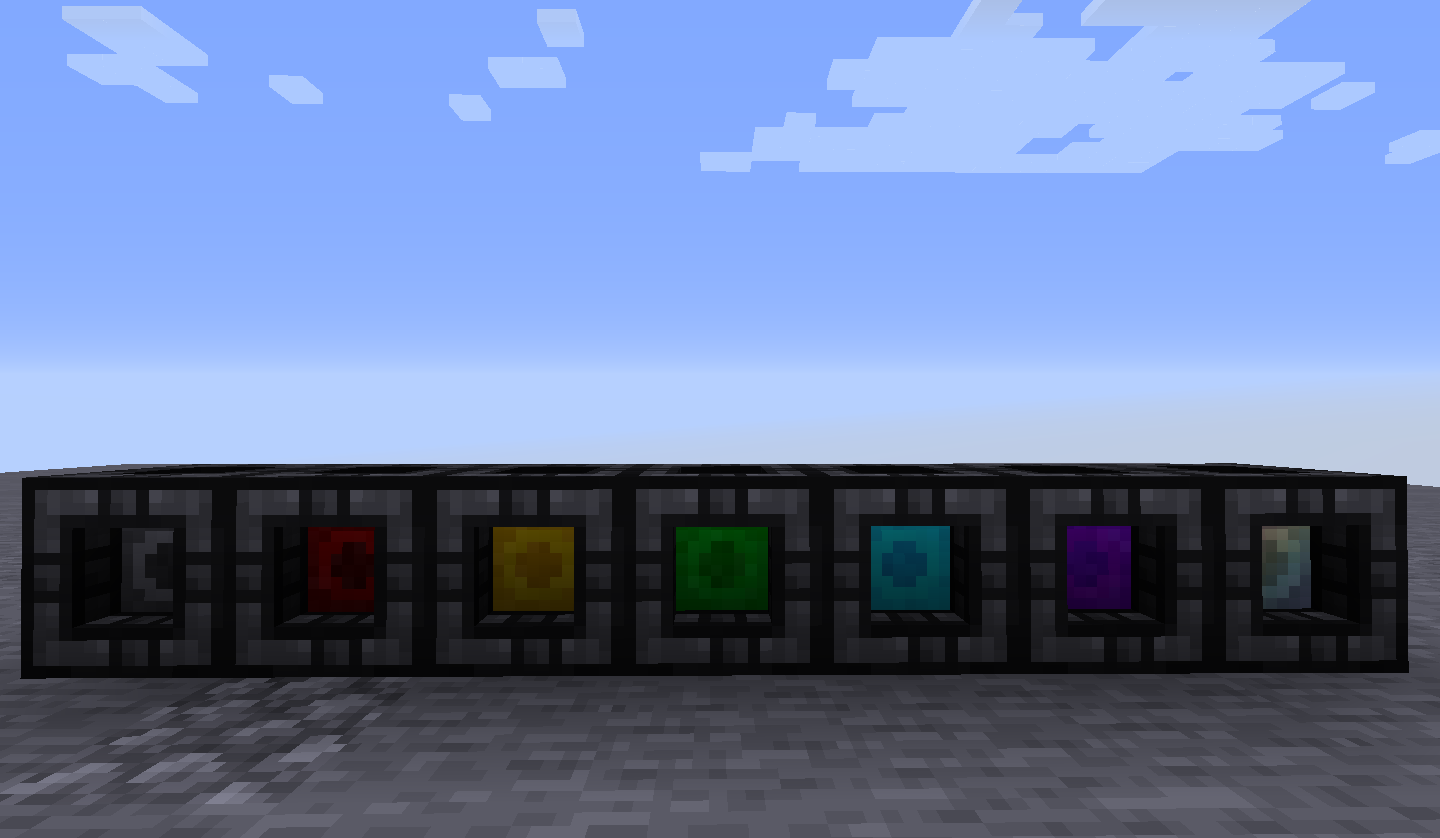
This mod adds 7 new containers that function as both storage, and backpacks and so much more. These will be called danks from now on for the sake of brevity.
These aren't your typical storage containers because each slot can hold much more than a normal stack and gets larger with each tier.
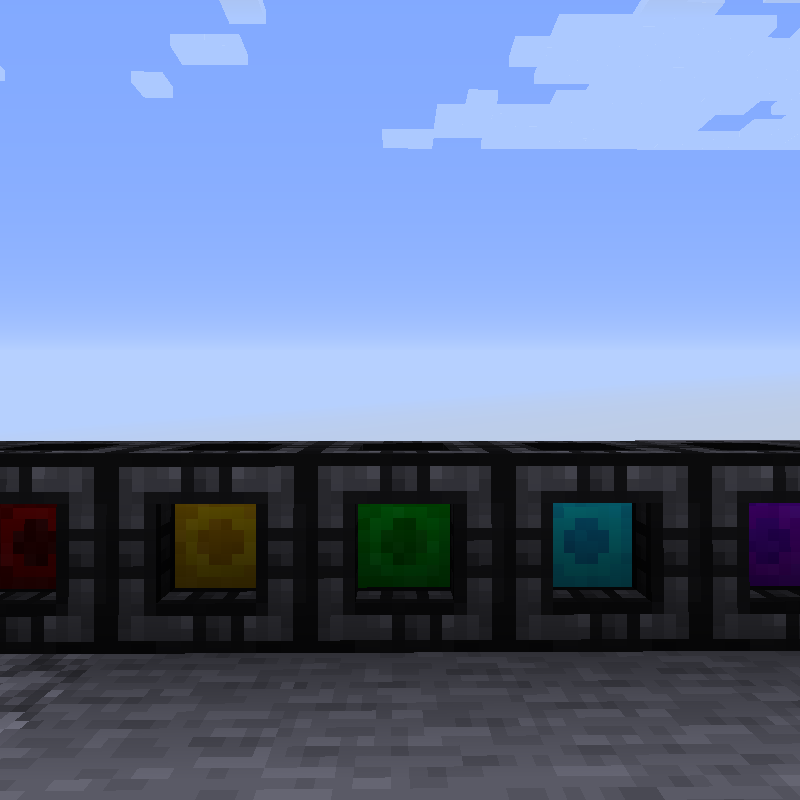
Each tier can have it's stacksize configured which are fully configurable and listed on the tooltip. Colors provide a visual means of determining the tier at a glance, below are the defaults.
1(black): 9 slots, 256 items
2(red): 18 slots, 1024 items
3(gold): 27 slots, 4096 items
4(green): 36 slots, 16384 items
5(cyan): 45 slots, 65536 items
6(purple): 54 slots, 262144 items
7(rainbow): 81 slots, 2,147,483,647 (32-bit integer limit) items
To start off with, there are 2 modes: Construction and Bag. They can be switched between by toggling the usetype keybind with a dank in hand.
In addition, there is also a block called a Dock that can be used to hold danks and allow them to interact with hoppers and other storage systems
Dock:
They have the IItemHandler capability so they can be inserted/extracted with any form of item transport, and is compatible with Simple Storage Network and RS/AE2. as of 1.11, this also holds true for the item form as well.
They can be harvested with anything, but break faster with a pickaxe and can be picked up instantly with a wrench
(Note: this mod does not use any wrenches and opts for datapack support (tag: items:forge:wrenches) because there's already 20 different mods that add their own wrenches and it only adds to JEI/inventory clutter).
Bag Mode:
In bag mode, the dank acts like a backpack.
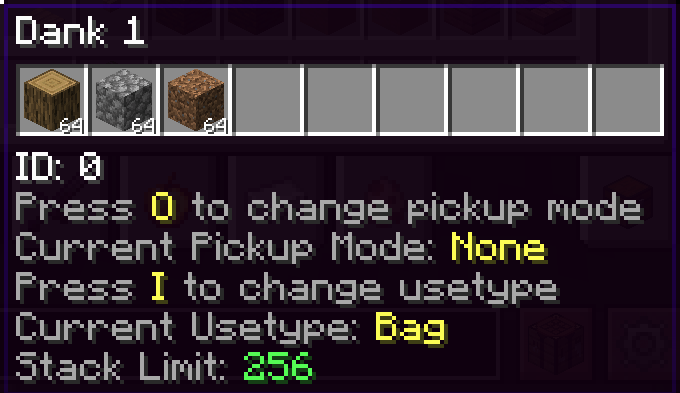
Sneaking while hovering the tooltip will show contained items (limited to 10 since it crowds the screen) and the currently assigned keybinds.
GUI
Right clicking it will open it just like any traditional backpack mod but it comes with a few buttons built in.
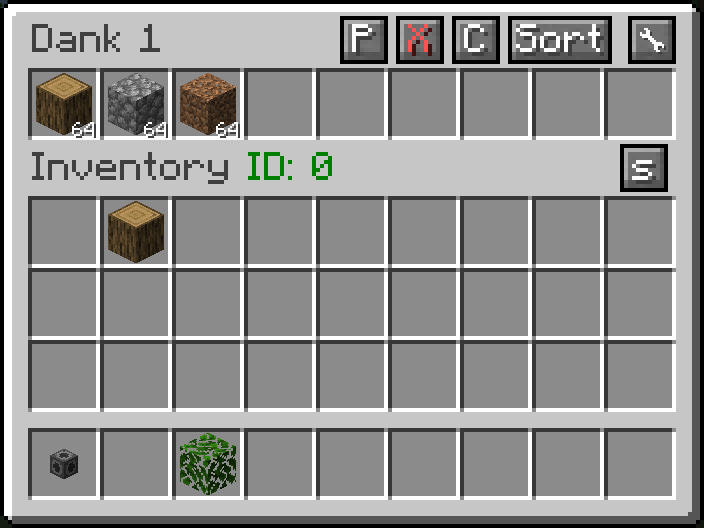
Pickup - Change the pickup mode of the dank from the GUI
Sort - sorts the items in order from largest to smallest number.
WARNING: Do NOT use any other mod's autosorter(such as Inventory Tweaks) as it will not work properly with the the slots and may even delete items. It would be a good idea to blacklist these slots in the config file.
The other 2 buttons are only found on the portable form
Next, the Tag button.
Once upon a time, when mods first came into existence, mods would add their own materials and items to craft with.
With the rise of larger and larger modpacks, many of the more common materials would start to overlap leading to modpacks having 5+ different copper ingots which is a waste of inventory space.
To combat this, Forge added the oredictionary which allowed sets of predefined materials such as copper ingots and ore to be treated as the same in crafting, etc.
Later, in 1.13, vanilla added an expanded version of this that included items, blocks, fluids, and entity_types.
The tag button allows whitelisted item tags that are defined in the mod's datapack to be eligible for conversion.
When an eligible item is collected through either shiftclicking or other means, it will convert into the already present item, great for on the go unification. Of course if there isn't a tag that makes sense for unification or one that would allow for exploits (cough forge:skulls), creating a new datapack is trivial, or just send me a suggestion and I'll add it to the defaults.
Some conditions:
1) only the items that are already contained will be eligible for pickup and voiding, so anything not in the dank will never be picked up, or voided
2) The items will only be voided when a slot has reached it's max capacity.
3) No, in block form nothing will be voided, this is to prevent accidental trashcans.
NBT: You may notice the NBT text and the number beside it, this is the amount of data currently in the dank storage, when this number gets too large (2 milllion+), the player may get kicked from a dedicated server and unable to rejoin (This is known in vanilla as a book ban). This can happen for example if someone decides to nest a backpack in a backpack in a backpack in a...
There is a config option to only use the share tag (disabled by default) which will stop the full nbt of the items being sent to the client, however this comes with a catch.
Going into creative mode will delete the entire contents of the item while this setting is enabled which is why it defaults to false. Store responsibly.
Adding any item to the tag dankstorage:blacklisted_items will prevent it from being stored in the dank either manually or via pickup, the user will be alerted with a red tooltip stating this.
Construction Mode:
Now this is where the fun really begins.
While in construction mode, the dank can no longer be placed down and will gain the enchantment glow to show that it's in construction mode.
While in construction mode, the dank storage has a selected slot, sneak - mousewheel will change the selected slot (skipping over empty ones), pickblock functionality also works as well
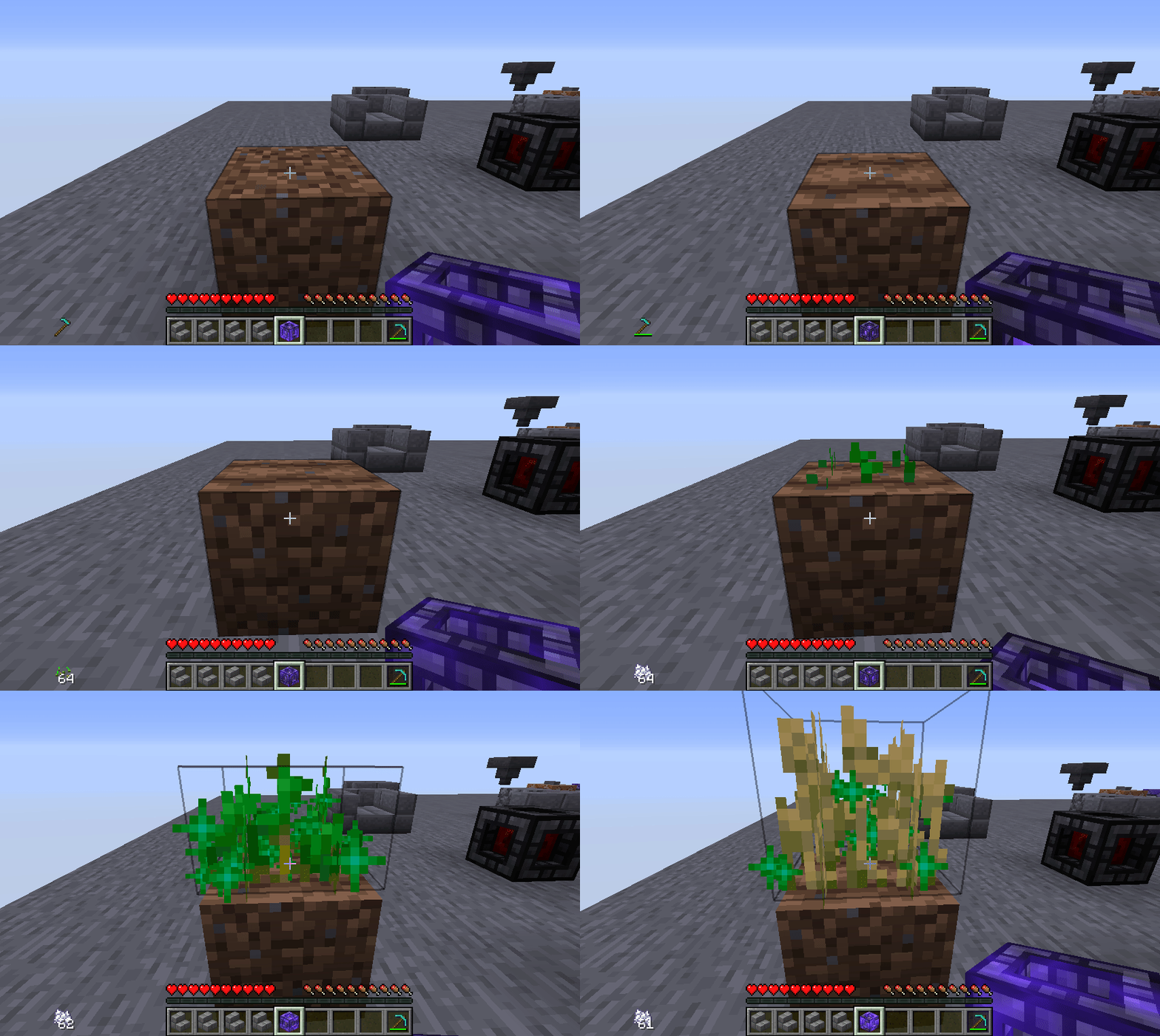
Right-clicking while the dank is in this state will attempt to use the currently selected item whether it be a block, a snowball, or even shears. Even potions and most food items can be consumed this way.
Note, this does not currently work with everything and there is likely some bugs lurking, but these are fairly uncommon. Here's a sample of what it can do.
Other Tidbits
(Only for 1.15 and early 1.16) 2.3+ requires MixinBootstrap, drop in mods folder https://github.com/LXGaming/MixinBootstrap/releases
as of 1.8 slots can be locked. Locking a slot will give it a red background and prevent the last item from being extracted by pipes or by hand, useful for setting up filters.
Currently does not affect input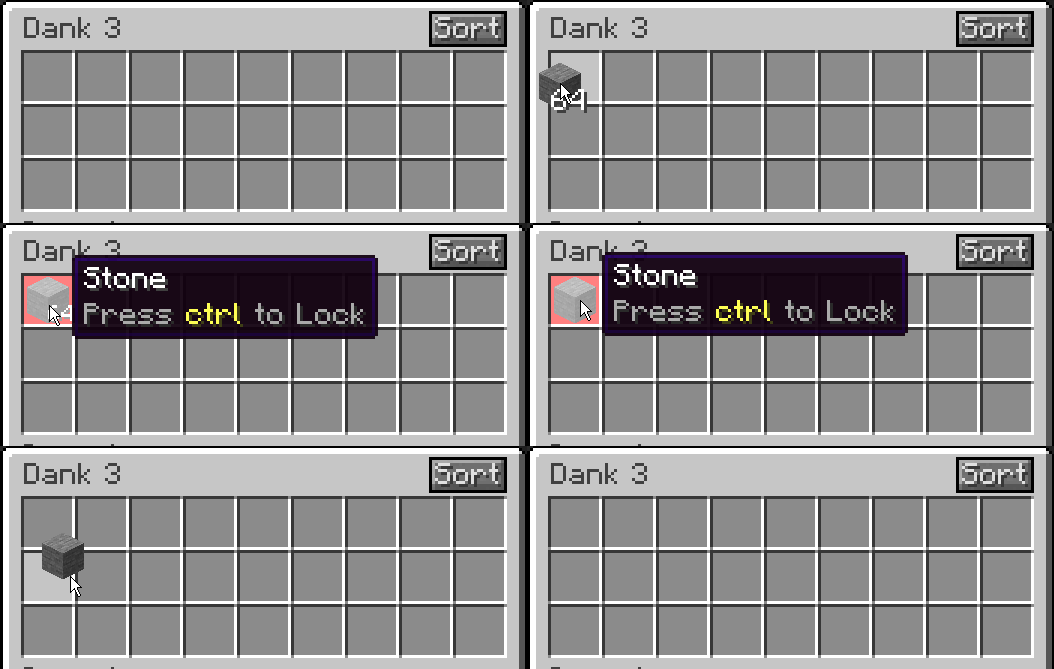
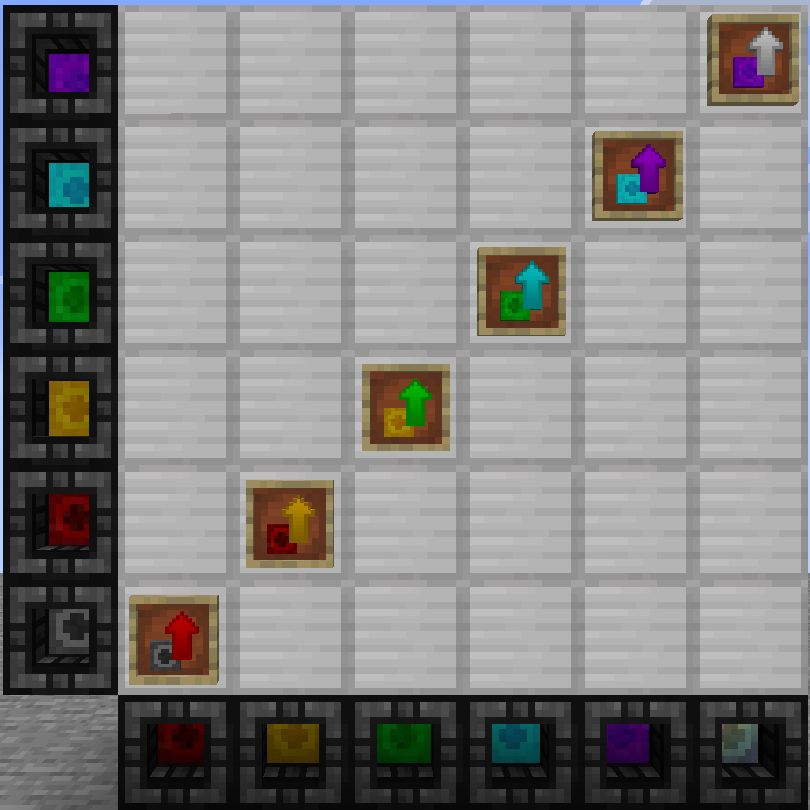
as of 1.12 (the mod version, not the mc version) there are upgrade items which can be used to upgrade a stationary dank without having to break it
Need a custom mod for a reasonable fee? Just want to chat? Have an issue needing additional discussion? Join the Discord
Want to help support this mod and others? donate to my Patreon
Notice: this is in no way, shape, or form based on another mod that may have similarities to this one; no code, textures, or models were taken from it and anyone who claims otherwise is either mistaken or lying.
Any further comments or accusations relating to this will be removed, don't be a jerk.
Compatibility
Mod Loaders
Game Versions
Recommended Gear
AffiliateHardware and extras that pair well with this mod.

As an Amazon Associate I earn from qualifying purchases.
Screenshots
Similar Mods

Jade 🔍
Shows information about what you are looking at. (Hwyla/WAILA fork for Minecraft 1.16+)
Waystones
Teleport from waystone to waystone or craft magical scrolls to warp.

Curios API (Forge/NeoForge)
A flexible and expandable accessory/equipment API for users and developers.

Collective
🎓 Collective is a shared library with common code for all of Serilum's mods.

Patchouli
Accessible, Data-Driven, Dependency-Free Documentation for Minecraft Modders and Pack Makers
Placebo
A library mod
Included in Modpacks (229)
Show fewer All the Mods 9 - ATM9
 All the Mods 8 - ATM8
 All the Mods 6 - ATM6
 Crazy Craft Updated
 All the Mods 9 - To the Sky - atm9sky
 MC Eternal 2
 Vault Hunters Official Modpack (Second Edition)
 Enigmatica 6 - E6 - 1.16.5
 All the Mods 9 - No Frills
 All the Mods 6 - To the Sky - ATM6sky - Skyblock
![Craft to Exile [Dissonance]](https://media.forgecdn.net/avatars/292/387/637325401634526027.png) Craft to Exile [Dissonance]
Craft to Exile [Dissonance]
 Lapito's Galacticraft
 All the Mods 5 - ATM5
 Seaopolis: Submerged
 All the Mods 4 - ATM4
 Astroblock
 MeatballCraft, Dimensional Ascension
 Ragnamod VI
 Age of Fate
 Cave Factory
 Stacia 2 Expert
 Project Infinity 0.1
 Jurassic World Reborn II
 TownCraft
 Isle of Berk
 Mechanical Mastery
 Enigmatica 6: Expert - E6E
 Crazy Craft Updated Lite
 Stacia Expert
 TNP Limitless 6 - LL6
 Sky Bees 2
 TNP Limitless 5 - LL5
 TNP Limitless 7 - LL7
 TNP Limitless 3 - LL3
 Planetary
 EMC: To The Sky
 Cuboid Outpost (Luxury Edition)
 Not Too Complicated 2
 Astroblock 2 - Lost in Space
 Ragnamod VII
 Just Not Enough Mods 2 (JNEM2)
 MineColonies - Create & Conquer
 Ice and Fire Magic
 Chroma Sky 2
 Techopolis
 The Decursio Project - Expert
 Pixelmon OneBlock
 Fantasy Skies
 Stone Technology
 Sky Greg
 Chroma Technology 2
 SkyT
SkyT
 The Final Frontier 2
 All the Mods - Slice of Pi2 - ATM SLOP2 - ATM6 Lite
 Ultimate Progression
 Azuria RockBlock 3
 The Immersive Revolution: Rebirth
 Mystic's Monstrosity
 Ultimate Progression: Sky
 Building Tales 2
 Dungeons, Dragons and Space Shuttles 2
 Ragnamod VI In the Sky
 Sky Capsule Project
 FTB Skies
 Vanilla Create Exploration
 Haven: CaveBlock
 Rhinocraft
 Sky Revolutions
 Stone Technology Ultimate
 Adventure of Tech VI
 Q-tech
 CRIF - Create an empire of Rats to fight "Ice&Fire"
 SkyT 2
 Project SkyQ 2
 Chroma Endless
 Blackstone Block
 Crazy Crave 5
 Danknum Opus
 WT Endless Sky Adventures - Skyblock Edition
 Ragnamod VII In The Sky
 Explorico Classic 1.16.5
 Mechanical Mastery Plus
 Haven: Caveblock - Reborn
 Mystic's Monstrosity - Greedy Edition
 Lunaria Expert
 A-Pokémon-Pack: Obsidian Edition
 Avaritia Project
 MTW Skyblock Reborn
 Haven: Veni de Nova
 Infinity Legacy
 Sci-Fi Multiverse
 High-Altitude Alchemy
 The Cobblemon Colonies
 Project Equivalence 2 Covalence Unified
 BeanPack: Invincible
 Skyblock: Godless
 Astral Engineering
 Impostor Syndrome
 Beyond Fantasy - A Magic RPG Modpack
 Stacia