Voice chat visualizer
ModClient-side Simple Voice Chat overlay that shows who is speaking near you. Face, name and a live voice waveform. Fully draggable and deeply configurable.
Type
Mod
Modrinth Downloads
6,312
Modrinth ID
QmTO1f9t
Last Updated
Sep 26, 2026
Description
Voice Chat Visualizer
See who's talking. A lightweight, client-side overlay for Simple Voice Chat that shows the players speaking around you — their face, name and a live voice waveform that reacts to how loud they talk.
When several people are nearby and someone starts speaking, you instantly know who it is.

✨ Features
- Live speaker overlay — face + name + animated indicator for everyone you can currently hear.
- Reacts to loudness — the waveform pulses with the speaker's actual volume, not just on/off.
- All voice modes — proximity, locational and group (static) audio.
- Fully draggable HUD — put it anywhere on screen, align left/right, list grows up or down.
- Professional in-game configurator — tabs for Position, Appearance, Colors and Behavior, with HSV + hex color pickers and a live preview that uses sample speakers, so you can tune everything solo without a second player online.
- Smart layout — the settings panel automatically moves to the opposite side of the overlay, so it never covers the element you're positioning.
- Deeply customizable — face size (down to 4 px), name scale & max width, background & border, corner radius, padding, distance display, max entries, fade in/out, hold time, slide-in animation, loudness sensitivity, sort order, whisper marking, "show myself", and indicator style (wave / bars / dot).
- Sensible minimal defaults — clean look out of the box (small face, no background).
- Keybinds — open the configurator (default V) and toggle the overlay.
- Mod Menu integration.
- English & Polish translations built in.
🎛️ How it works
Voice Chat Visualizer hooks into the Simple Voice Chat plugin API and listens (read-only) to the audio you receive. For every voice packet you hear, it shows that player in the overlay and fades them out shortly after they stop — so the list always reflects who is actually talking near you. Names and skins come from the tab list, so they're correct even for players behind a wall.
📦 What you need
- Fabric API and Simple Voice Chat — the server must run Simple Voice Chat, as usual.
- Mod Menu (optional — adds a Configure button).
Client-side only — you don't need it on the server.
👉 For the exact Minecraft version and dependency versions, check the Dependencies panel and the Versions tab — every file lists what it supports. Pick the download that matches your game.
🔧 Installation
- Install Fabric Loader.
- Drop Fabric API, Simple Voice Chat and Voice Chat Visualizer into your mods folder.
- Join a server that uses Simple Voice Chat.
- Press V (default) — or open Mod Menu → Voice Chat Visualizer → Configure — to customize the overlay.
⚙️ Configuration
Open the configurator with the keybind or via Mod Menu. Drag the overlay preview anywhere on screen, pick colors, sizes and behavior, and watch it update live. Everything is saved to config/svc-visualizer.json. Changed your mind? Hit Reset tab or Reset all.
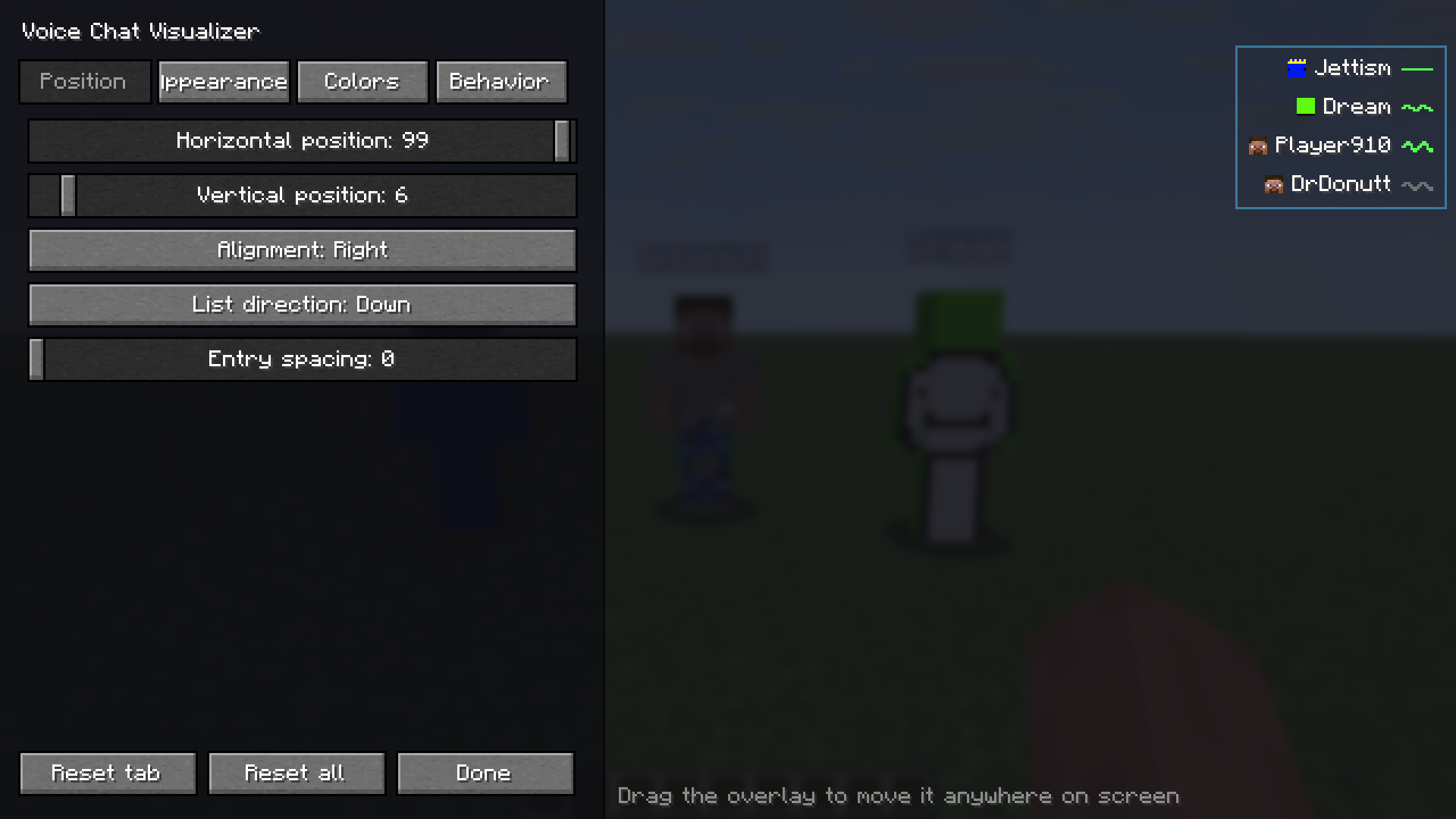
Position — drag the live preview anywhere on screen; the settings panel automatically moves to the opposite side so it never covers what you are positioning.
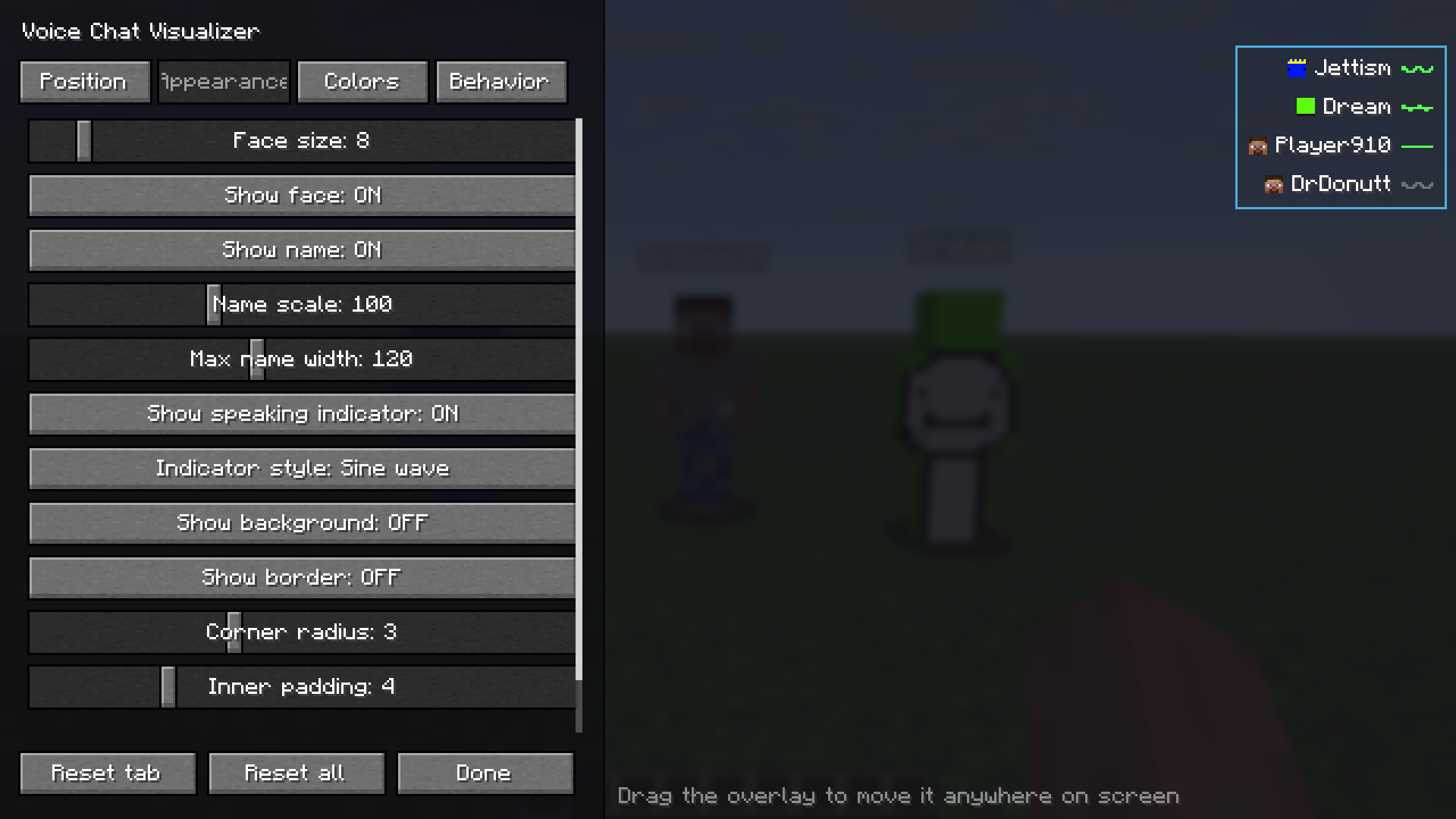
Appearance — face size, name scale and width, indicator style, background, border, padding.
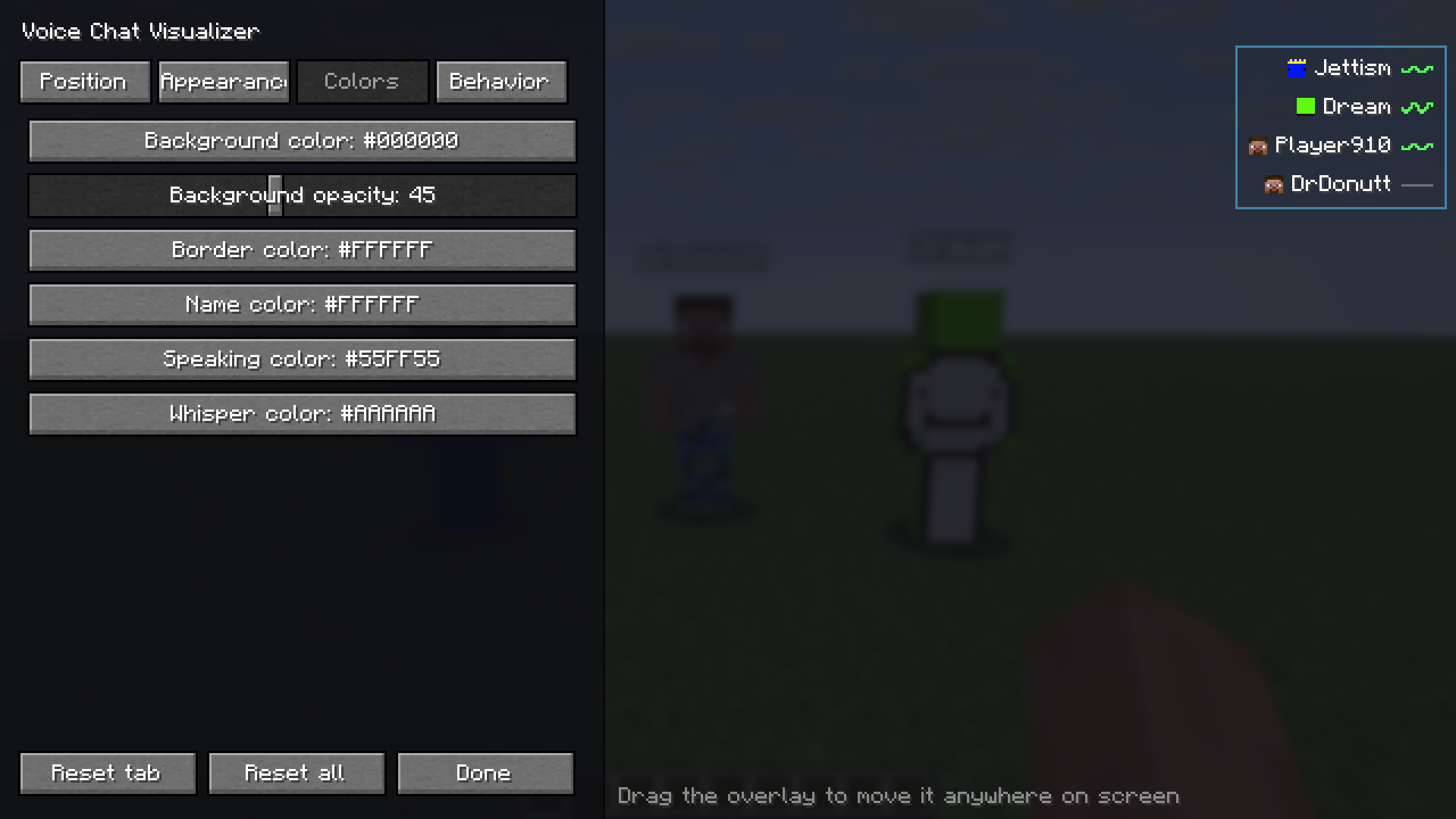
Colors — HSV and hex colour pickers for the background, border, name, speaking and whisper colours.
🧩 Compatibility
Loader Fabric Side Client only License MITSupported Minecraft versions are listed on each file in the Versions tab.
Compatibility
Mod Loaders
Game Versions
Recommended Gear
AffiliateHardware and extras that pair well with this mod.

As an Amazon Associate I earn from qualifying purchases.
Screenshots
Similar Mods

Five Nights at Freddy's: Extra Additions Addon
An unofficial addon adding extra blocks and features

Snowball and Egg Knockback
Mod for Fabric that adds snowball, egg and ender pearl knockback to players.

Weather, Storms & Tornadoes - Concurrent Packet Fix
Eliminates ConcurrentModificationException disconnects by implementing thread-safe NBT serialization—a global patch that...

Survival Utilities
A range of items to enhance your survival experience.
project-1036374
Adds the vengeful spirit of an abandoned villager into the game.

Finarri's WearableBackpack+ToughAsNails Fix
Sepcial version of Wearable Backpacks with compatability fix for Tough as Nails in the Super Hostile Modpack