
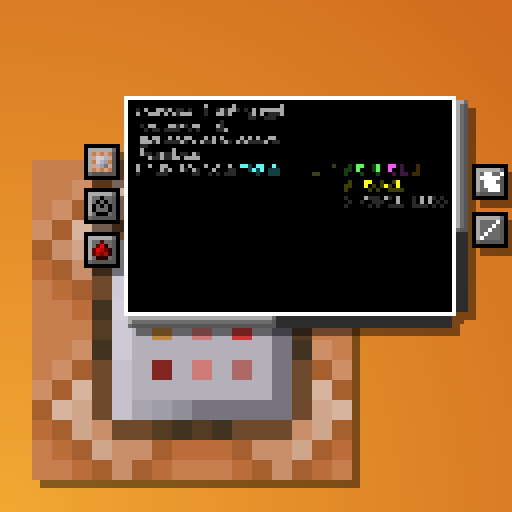
Better Command Block UI
ModProvides a more usable Command Block UI
Description
Tired of holding down your arrow keys to get to the middle of a long command, only to overshoot and spend another half an eternity backtracking? Wishing you could just see the whole thing in a more structured format without needing to copy it into external software and back again?
This clientside mod intends to address these issues and more by completely overhauling the Command Block UI.
Current features:
- Multi-line command text field
- Automatic indentation based on parentheses
- Colorcoding of nested NBT data
- Line wraparound
- Horizontal and vertical scrolling
- Improved selection & erasing
- Click-and-drag selection
- Double click word selection
- Ctrl-erasing only erases actual words instead of all NBT
- Adapts to UI scale and window dimensions
- Reorganization of existing buttons
- Command block state buttons (Type, conditionality, power mode, output tracking) reduced to simple icons with tooltips
- New button to switch between viewing the command and output
- Command block chain navigation
- Buttons to move backwards and forwards through the chain without leaving the UI
- If multiple blocks point into current one, all of them are listed with the direction they're in as a tooltip. The one "in line" with the current block will be listed first
- UI Button and CTRL + S to save without leaving the UI
- Tools window
- Rotation selector, outputs radians
- Color selector, outputs integer and hex code
- Area selector keybind
- Press ; to select two opposite corners of a volume (akin to WorldEdit), and the mod will put the corresponding area selector (x=..,y=..,z=..,dx=..,dy=..,dz=..) in your clipboard
- Config options
- Fully configurable indentation behaviour
- Optional auto-saving when closing the screen or moving along chain
- ModMenu support
- Compatible with NBT Autocomplete, Component Utils, Better Suggestions, and Better Highlighting

As mentioned, the mod is entirely clientside. It takes in the command as received from the server and just displays it across multiple lines and with indentation, but doesn't actually add any line breaks to it.
Compatibility
Mod Loaders
Game Versions
Recommended Gear
AffiliateHardware and extras that pair well with this mod.

As an Amazon Associate I earn from qualifying purchases.
Screenshots
Similar Mods

GTBC's Geomancy Plus - Iron's Spells Addon
An addon for Iron's Spellbooks, adding spells inspired by Mowzie's Mobs, along with original magic that pushes the theme...

Loot Games
Play minigames to obtain the loot!
Dung Pipe
Adds a pragmatic solution to pulling from the side instead of the top.

Pack Crash Info
Adds Information about the modpack when crashing.
![Difficult Raids [FORGE]](https://media.forgecdn.net/avatars/847/847/638247417981105444.png)
Difficult Raids [FORGE]
A mod that increases the difficulty of raids!
PlayerEx
Adds attributes, levels and skill points. RPG themed.
Included in Modpacks (36)
Show fewer Void's essentially optimized pack
 Client+
 Ultimately Optimized - Vanilla but Better!
 VanillaEnhanced
BasicCraft
VanillaEnhanced
BasicCraft
 Azure Visuals
 NSCOP生电客户端
 Lumen Packs
 emad modpack
 GABG's XVanilla
 Smooth Journey
 HCT - Hexandcube's Client Tweaks
 Yeemo
Yeemo
 Dev Relief
 Refined Vanilla
 Felix's QOL Modpack
 Ignacia SMP
 Smooth Journey (Lite Version)
 Aetheris QoL
 Seraphoenix
 Buildering
 Optimized Utilities
 Eclipse Client
 Builtechraft Client Mods
![Redstone Witch [Lite]](https://cdn.modrinth.com/data/sFA4kyET/be528d560ef1b56de7490ea97d88365c86dff043_96.webp) Redstone Witch [Lite]
Redstone Witch [Lite]
 Commands Pack
 SEAF MC Modpack
 KeeKee's SMP Complete
 Ekaii Plus
 KeeKee's SMP Utility
 Yet Another Vanilla But Better (YAVBB)
 Mihuco's Modpack
The Fourth Wall SMP Modpack
Mihuco's Modpack
The Fourth Wall SMP Modpack
 shah bid
 Amethyst Eclipse
The 100 Year Video Game
Amethyst Eclipse
The 100 Year Video Game