

Death Finder
Modby Fuzs
Deaths happen. Finding your items should not be the hard part.
Type
Mod
CurseForge Downloads
1,596,603
CurseForge ID
Modrinth Downloads
795,069
Modrinth ID
Last Updated
Nov 6, 2026
Description



📖 About:
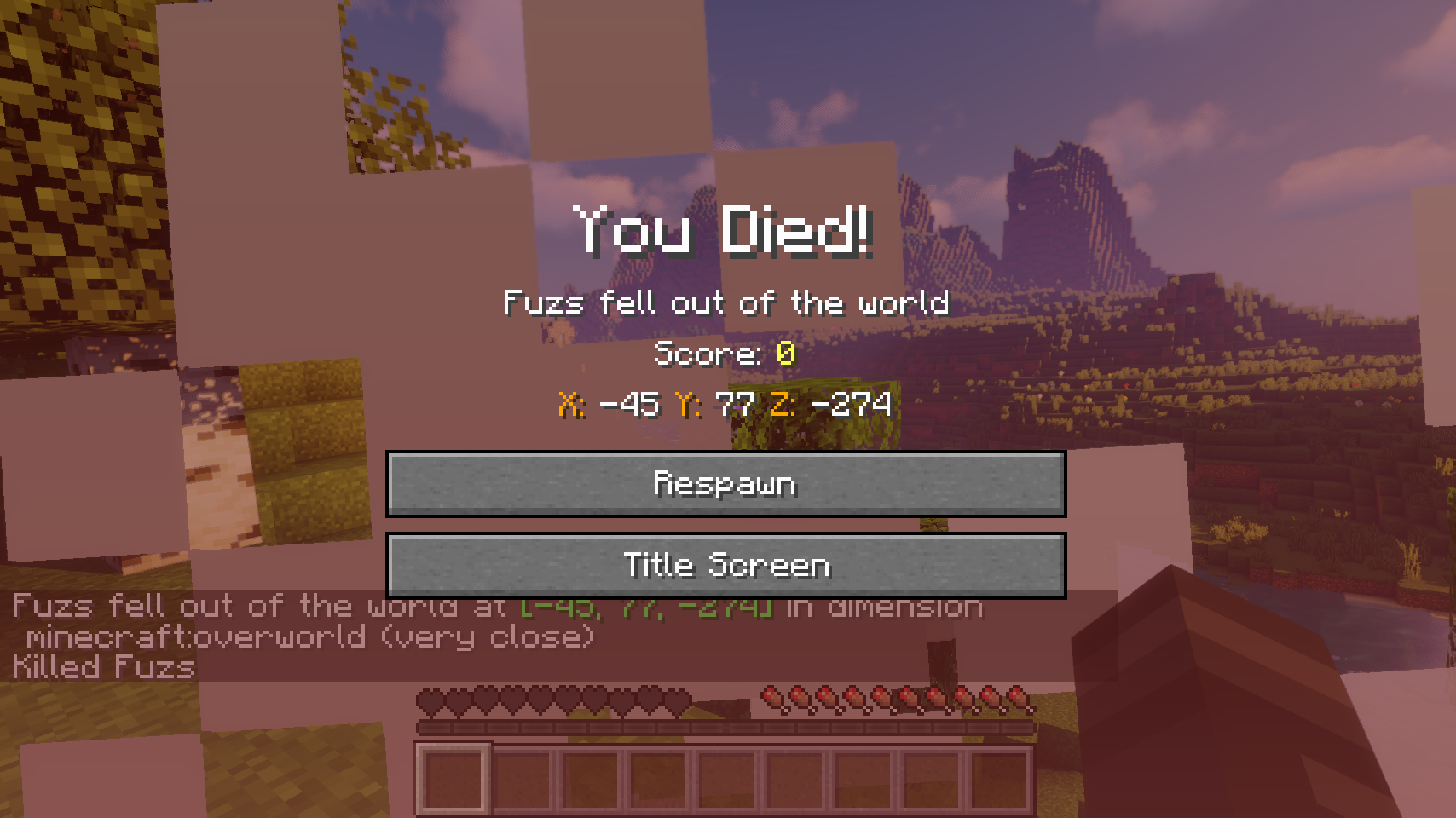
Death Finder adds the exact position of every death to the death screen as well as the death message, so you know exactly where to go looking for your items.
📚 Contents:
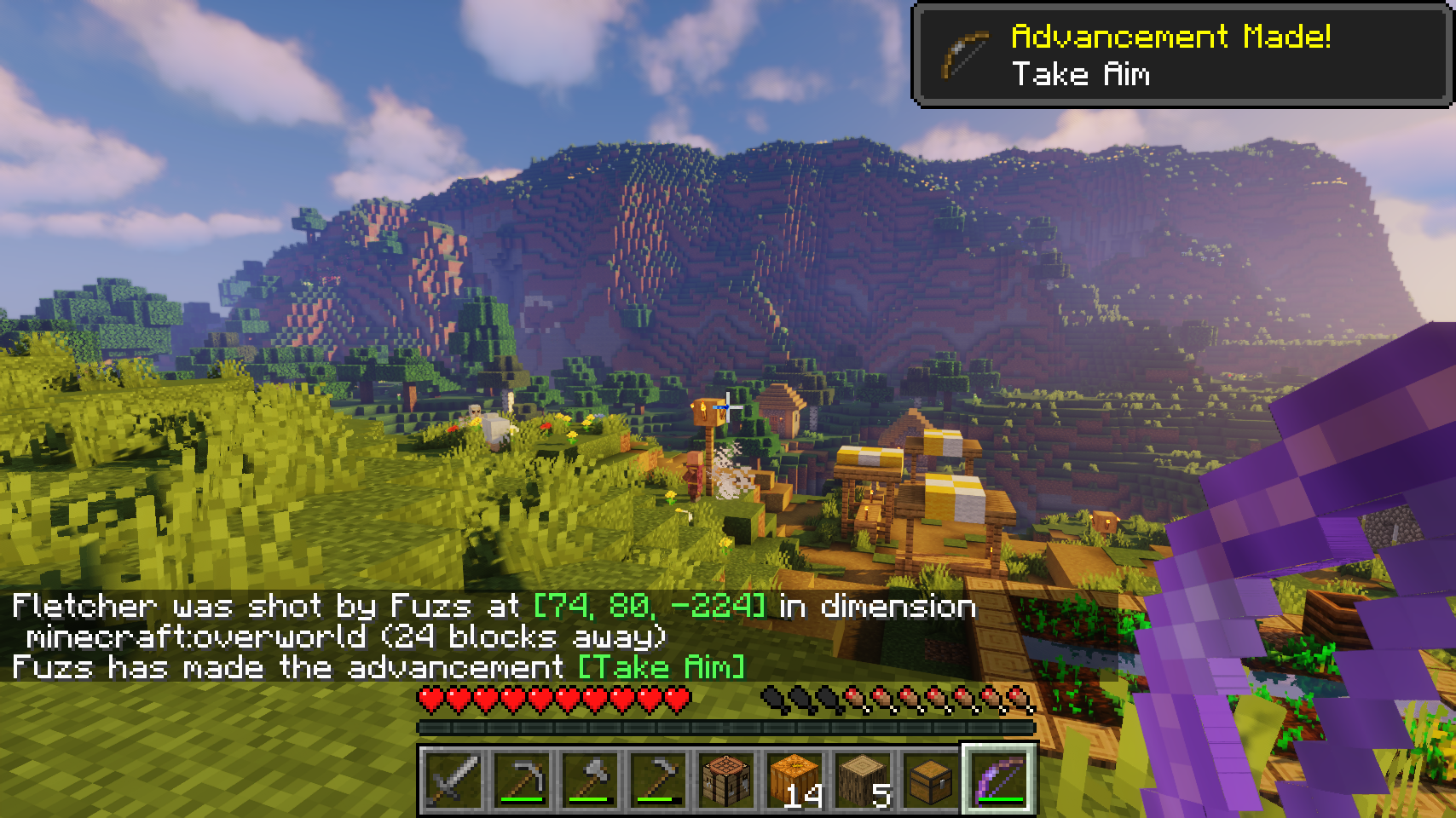
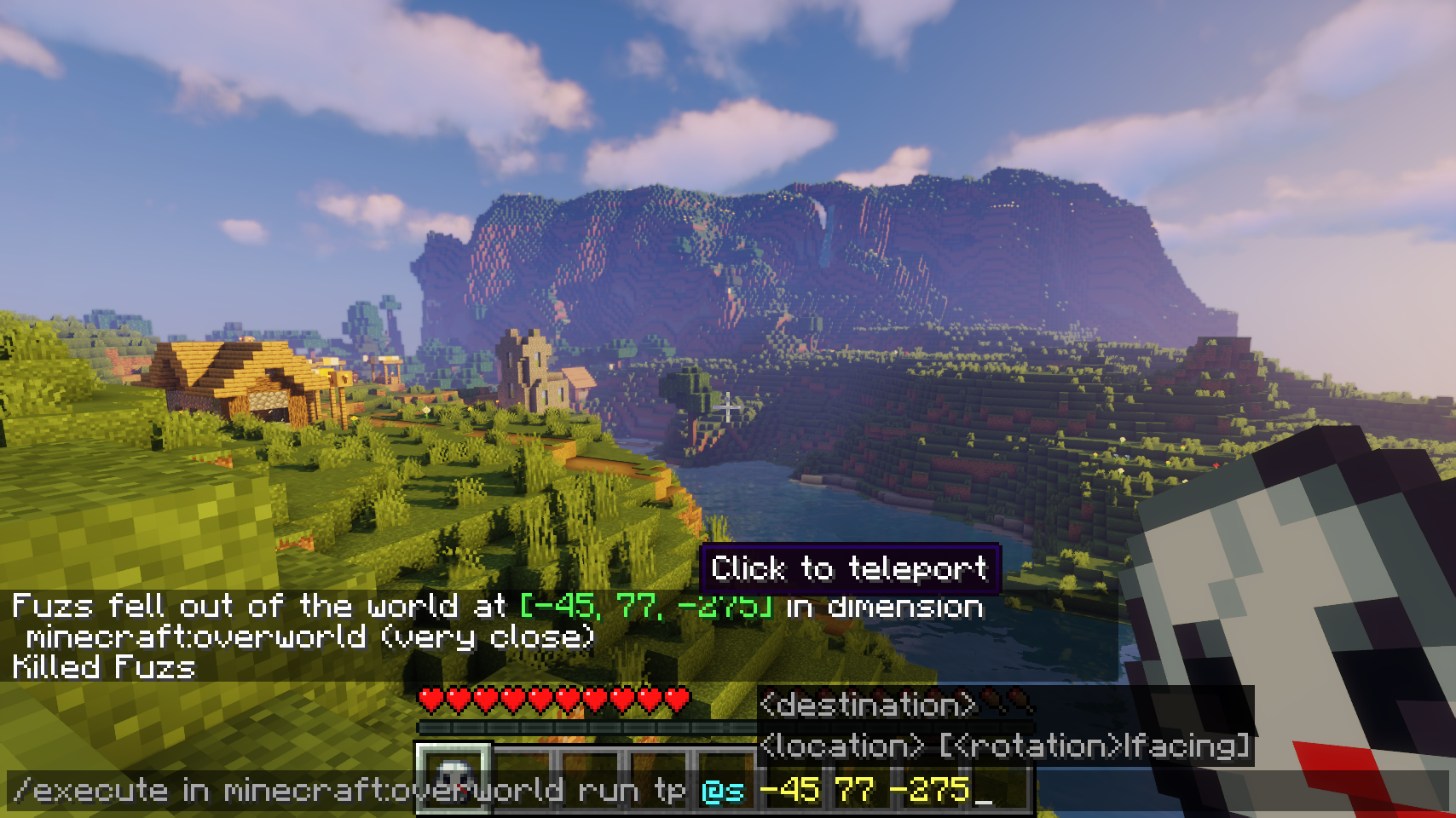
The death position is added to the death screen. Also coordinates, the dimension, as well as your current distance from the death point are added to every death message. Server operators can even click the coordinates in the death message to easily teleport to the death point. This feature can also be enabled for all players, but with a few restrictions: teleporting only works within the next 5 minutes after dying, and it's only available for your own most recent death point.
Also a death message is shown whenever a villager or named entity dies. There also is an option to send out a death message for any entity death, which is disabled by default. This option comes together with a blacklist and whitelist. Additionally vanilla death messages sent out by players and pets can be separately toggled.
📷 Media:
 |
 |
|
| Coordinates are added to all death messages | Quickly teleport to the death point with a simple click | |
 |
||
| Coordinates are displayed on the death screen | ||
💡 FAQ:
Q: How do I configure this mod on Forge?
A: Install my Config Menus for Forge mod and do it directly in-game!
Q: How do I configure this mod on Fabric?
A: Editing configs directly in-game has not yet been implemented. Instead when in a world run the /config showfile <modid> command by choosing either CLIENT or SERVER (depending on the mod), then click the file name (ending with .toml) that appears in chat to be able to manually edit the config file in a separate editor. After saving the file, the config will automatically reload in-game after a couple of seconds, so no game restart required.
Q: Where can I download this mod for Fabric on versions of Minecraft before 1.19?
A: Older downloads are found on the old project page.


 |
 |
|
 |
 |
|
 |
 |
|
 |
 |
|
 |
 |
|
Compatibility
Mod Loaders
Game Versions
Recommended Gear
AffiliateHardware and extras that pair well with this mod.

As an Amazon Associate I earn from qualifying purchases.
Screenshots
Similar Mods

AlchemyLib
AlchemyLib contains shared code for machines and screens. It's used by Alchemistry and other mods.

Reacharound
Reacharound block placement. Similar to Bedrock / Quark.

Silent's Gems
Customizable tools! Colorful building blocks! Handy gadgets!
Minefactory Reloaded
MFR aims to automate a number of tasks that previously would be difficult, boring, or work-intensive.

Spyglass Improvements: Zoom, Quick Access... [Fabric/NeoForge]
Enhance Minecraft's Spyglass with adjustable zoom, quick access and various spyglass overlays. Versions for Fabric and F...

The Hordes
Horde Invasions and Zombie Infection
Included in Modpacks (50)
Show fewer HORROR - One Block (dweller)
 Homestead
 HORROR - A Quiet Place - Death Angels
 HORROR - The corrupted clan - The Broken Script (dweller) (stalker)
 The Cursed Redwood Forest (Horror)
 HORROR - The official no_moon.jar pack (psychological)
 Mud Flaps Ancient Greece
 Ben 10 MINEDITION
 ChunkBound
 Fantasy Evolved: Quest For Magic
 Backrooms: Found Footage (Unnoficial)
 But it's 100x speed (sped up) (high tickrate)
 MudFlaps Ancient Rome
 Sus Craft
 The Alex's Collection
 HORROR - The Lost Cities - Zombie Apocalypse
 GTBC's Legacy Enhanced - Distant Horizons Edition
 KRILLKRAFT
 Cobblemon Updated [FABRIC]
 Solitary VHS - ONE BLOCK HORROR (dweller)
 Super Horror Pack
 Villager VS pillagers: the war remastered
 TheAllTimeDream
 Freshly Distant
 RiftRealm UNLIMITED
 MWR - Mods Within Reason
 Dread Awakening
 Epinephrine
 Winter Arc
 Hylaria
 The Wolfman Experience
 Tension Craft
 Figuratives 2
 Project zer0
 A Colony Survival
 Descend In The Madness
 Survival Recrafted
 Flynn's Modpack
 our_shattered_moon.jar
 Whiteout Protocol
 OXG Modpack Client
 Skybound Chronicles
 MC: Serene Edition
 MerVik’s Vanilla+
 Vanilla++
 Truly Vanilla
Create: Train World
 andrzejczakpack
 Sensible Perfected
 Softserve