
Mindful Darkness
Modby Fuzs
Turning all the lights off! Automatic dark mode for guis; as configurable as possible.
Type
Mod
CurseForge Downloads
27,250,735
CurseForge ID
Modrinth Downloads
5,442,806
Modrinth ID
Last Updated
Nov 6, 2026
Description




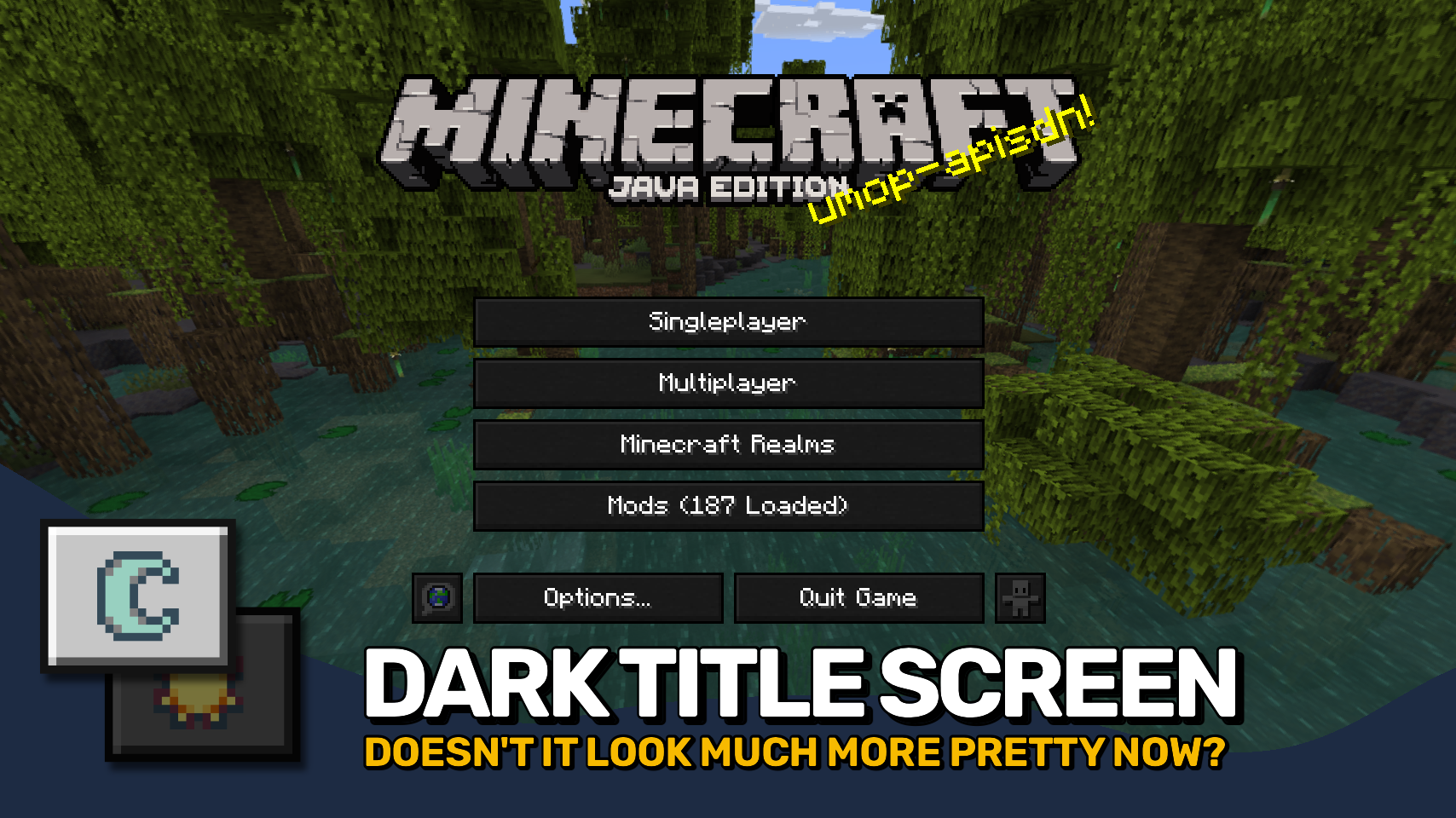
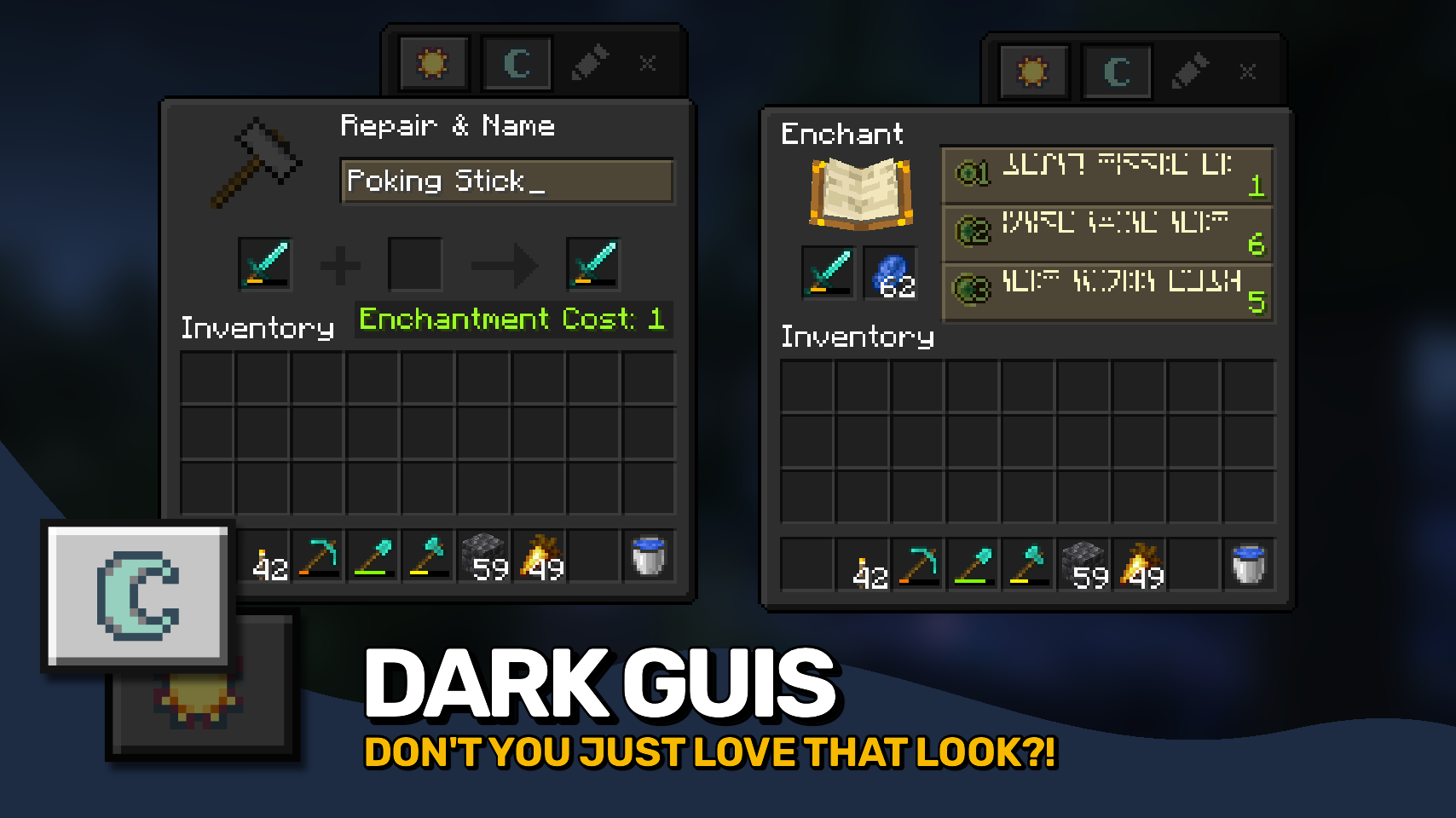
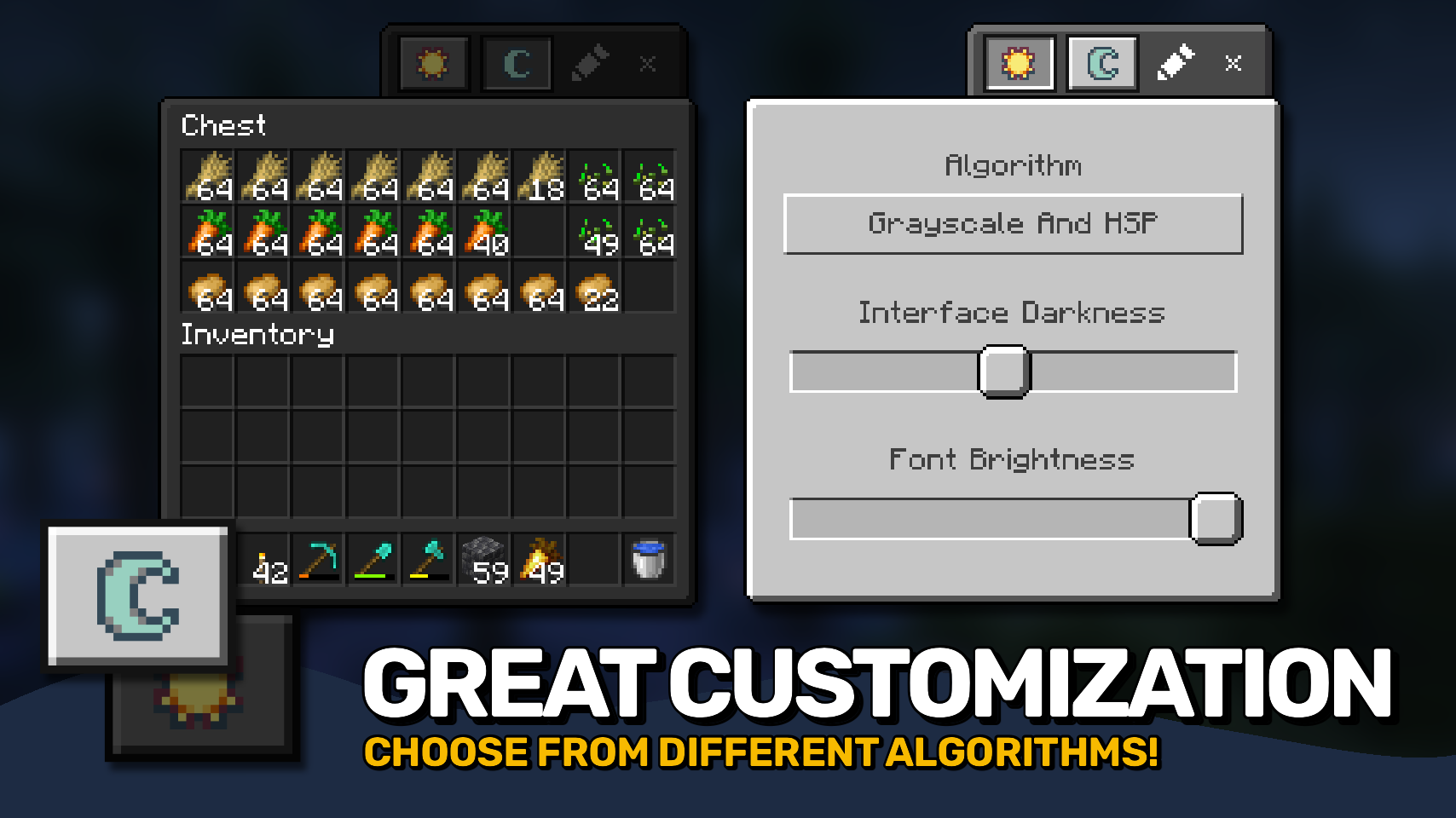
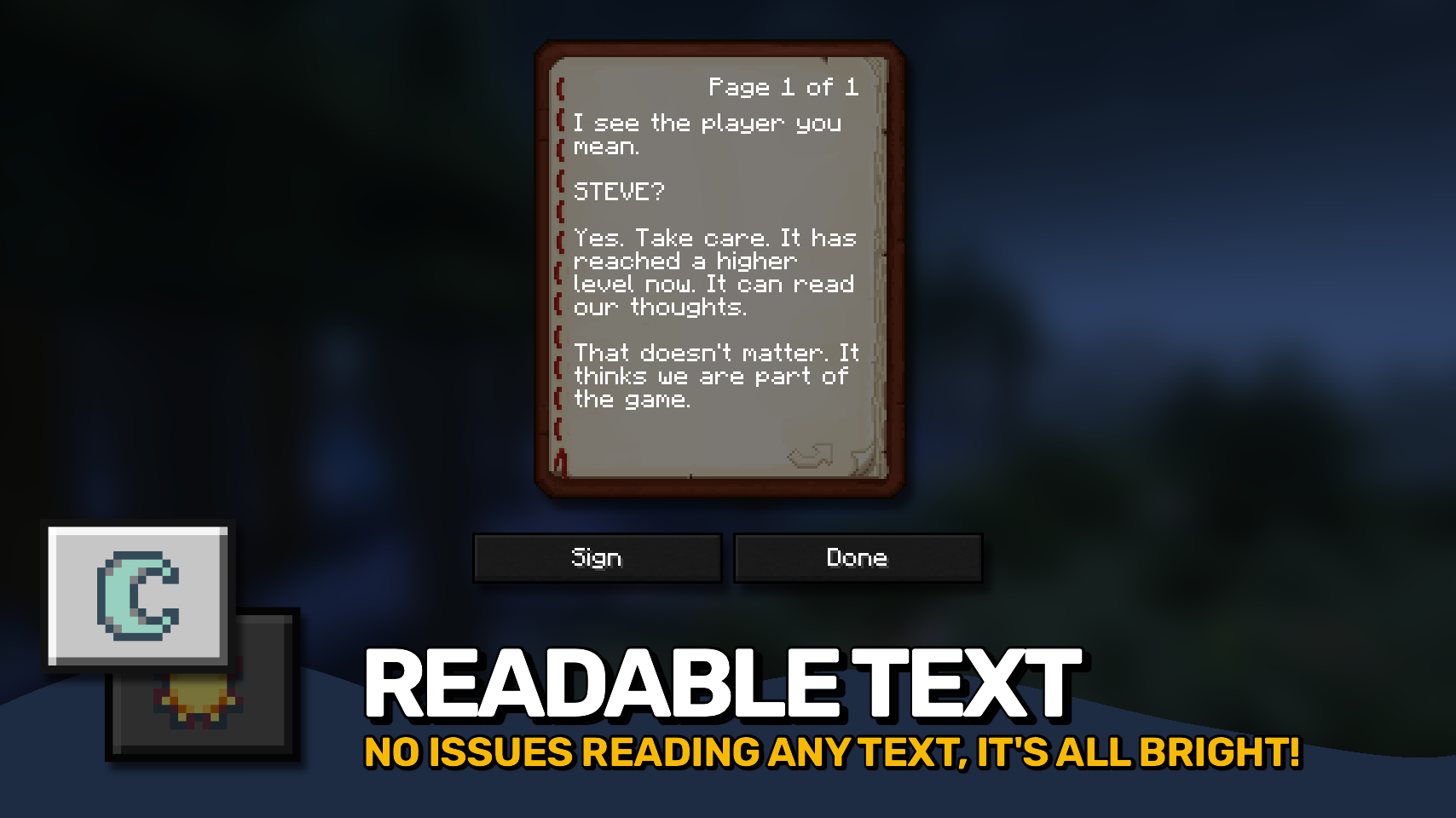
Mindful Darkness adds a fully automatic dark mode to your game. 🌙 Darken menus and interfaces instantly without requiring any texture changes or resource packs.
Toggle it on or off directly in game and customize the look to match your preferences. 🎨 Choose from different darkening algorithms, adjust the darkness intensity, and fine tune the effect with ease.
A simple texture control system is also included, letting you decide exactly which textures are affected. ⚙️ Comfortable, flexible, and easy on the eyes. ✨


⏩ INSTALLATION REQUIRED ON CLIENT
⏩ REQUIRES PUZZLES LIB TO BE INSTALLED (FABRIC & NEOFORGE)
⏩ REQUIRES FABRIC API TO BE INSTALLED (FABRIC)
⏩ REQUIRES FORGE CONFIG API PORT TO BE INSTALLED (FABRIC)

If available for a mod, configuration is possible directly from in-game using the mod menu (requires Mod Menu by Prospector to be installed on Fabric).
For manual configuration using an external text editor all files are found at .minecraft/config, named as MOD_ID-client.toml, MOD_ID-common.toml, or MOD_ID-server.toml, depending on the type of config. Not all types might exist for a mod, if any at all.
Mindful Darkness does not automatically darken every gui texture in the game, instead you have to manually specify in the config which textures are affected. Resources can be specified using '*' as wildcard char, can affect all or just a single namespace and you can use '!' to exclude resources.
By default, configuration looks like this: "textures/gui/*.png, !minecraft:textures/gui/icons.png". This will include all textures in the textures/gui directory from all namespaces (since this is where mods ususally put their gui textures). Specifically for the minecraft namespace icons.png is excluded though (indicated by adding '!' at the beginning). NOTE: The order of defining resources matters for exclusions! Excluded resources need to come after any entry that would otherwise include them.

🌟 Thanks to Buuz135 and their Dark Mode Everywhere mod, which I stole the idea for changing the font color from.
 |
 |
|
 |
 |
|
 |
 |
|
 |
 |
|
 |
 |
|

© 2026 @heyitsfuzs. All rights reserved. This page was last edited on 11 September 2026, at 06:44 (UTC).
Compatibility
Mod Loaders
Game Versions
Recommended Gear
AffiliateHardware and extras that pair well with this mod.

LEGO Minecraft Set
Official sets that translate the building side of the game off-screen.

Minecraft Enderman Character Plush
Enderman plush toys, and a reliable gift for a younger player.

Mini PC for Self-Hosting
A low-power box that can sit in a cupboard and run a modded server around the clock.
As an Amazon Associate I earn from qualifying purchases.
Screenshots
Similar Mods

Moonlight Lib
Forge and Fabric lightweight library with utilities such as custom Villagers AI, data driven trades, global datapack, cu...

FancyMenu
Customize Minecraft's menus with ease!
Konkrete
Just another boring library mod.

Puzzles Lib
Why is it called Puzzles? That's the puzzle.

CreativeCore
a core mod

Quark
A Quark is a very small thing. This mod is a collection of small things that improve the vanilla minecraft experience.
Included in Modpacks (111)
Show fewer Better MC [FORGE] - BMC4
 Prominence™ II: Hasturian Era
 Better MC [FABRIC] BMC1
 Better MC [FABRIC] BMC2
 Fear Nightfall: Remains of Chaos
 Better MC [FORGE] BMC3
 Prominence™ II: Hasturian Era
 Prominence™ Classic
 Chocolate Edition Minecraft
 OriginsSMP
 TownCraft
 The Fungal Infection | Co-Op Base Defense
 Cozy Create - Create Focused Adventure
 Prominence™ I (Legacy)
 The Everlasting Fog [The Horrors Cave Dweller, Herobrine, & More]
 Reimagined
 Better MC [BMC6]
 Prominence™ I Classic (Legacy)
 Create Comes Alive (Create + MCA)
 Frozenopolis
 Doom Modpack - Raze The Nether
 SSCD : The Dark Lands
 The Cursed Redwood Forest (Horror)
 CRAZY CAVE WORLD
 The Lurking Fog
 ChunkBound
 Moonstruck's Rebirth - A Better Cozy Experience
 Fresh & Cozy
 FNAF: The Longest Night
 Origins Zombie Apocalypse
 Survival Reimagined: Bring back Survival in Minecraft
 OCSMP
 Kajzera's Fnaf Pack
 Izakji's Zombie Apocalypse II Lite
 A Dweller Christmas
 Best Distant Horizons Experience
 Citadel I
 GTBC's Legacy Enhanced - Distant Horizons Edition
 Haunted Hurricane - Lokolow 100 Dias no Fim do Mundo
 Fear Nightfall Remastered
 Better Aeternium
 Super Horror Pack
 The horror hide and seek
 DeezCraft Skibidi Edition
 R.M. Apocalyptic Zombies
 Dying of the Light
 From The Cold: Worst Christmas
 Immersive Portals - The Experience
 Bombies! (The ultimate zombie experience)
 Alamaos' Code: SKULK
 Jujustu Kaisen Craft dfd
 Cobblemon X Create
 Surviving the Cold
 NO STRINGS ATTACHED A Survival Horror Pack
 Trials of Terra
 fromthefog+
 Cobblemon + Distant Horizons
 WSR: But, Scary
 Horror but Guns
 Hardcore Canadian Wilderness Survival
 Dasher
 Superheroes spiders and horror
 The Everlasting Winter
 Herobrine and his Fog
 Few Years Later…
 TerrorCraft: Shadows of Insanity
 Chime Time IX
 Witches, Warlocks, Vampires, and Werewolves
Thornmere
 BEST Vanilla+
 Eldoria: The Last Epoch
 Dead Of Night | Horror Survival
 Mechanical suffering
 Goonables
 TURKEY SANDWICH CRAFT
 Trailer Vibes
 Sneykor's Cobblemon online
 More Than Mining 2- More Mining
 Create: Endless Industry
 Star Wars Aeronautics and superheroes
 Trailer Vibes Client
 Eclipse Client
 MewmiCraft
 Fungus Invasion
 Gex RPG
 Daldon's Immersive Survival
 EwMedieval Modpack
 GoatCraft BMC++ 4 [Forge]
 Adventure & Horror
 AluCraft SMP
 Re-Crafted 2
 Faewilds SMP
 Blue Moon SMP
 Better Fireteam
 The Core Modpack
 BoraLances Craft
 EW optimized
 Mantecraft
 Steamspire Syndicate [Season 2]
 Legacy of the Cogs